


CursorWow
- By
rond personnalisé.png
rond raid.png
option.png
EnJeu.png
Description
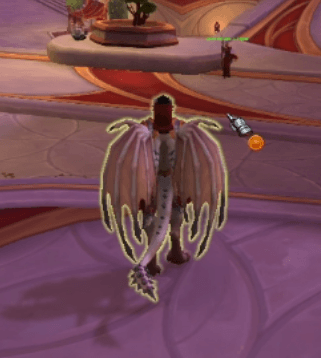
CursorWow is a lightweight addon for World of Warcraft Retail that displays a customizable visual marker next to your cursor, making it easier to spot and track during gameplay.
Features
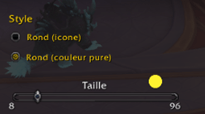
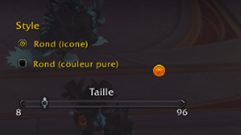
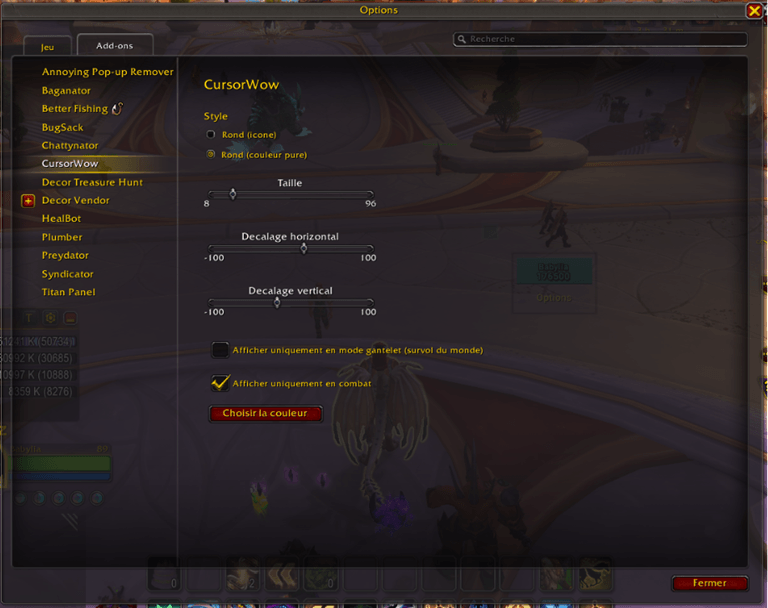
Two styles to choose from: a colored raid icon or a solid circle with a clean, crisp color
Fully customizable color using the game's native color picker
Adjustable size (range: 8 to 96)
Adjustable position: offset the marker horizontally and verticaly around your cursor rather than having it overlap exactly
Smart display: the marker appears only during standard interaction (hovering over the game world, spells, or unit frames) and automatically hides for special cursors (buying, repairing, mail, transmogrification)
Option to display the marker only during combat
Native options panel integrated into the game's Options menu — no external frameworks (no Ace3); a deliberately minimalist and lightweight addon
Installation
Copy the addon folder to `World of Warcraft/_retail_/Interface/AddOns/`, then enable it at the character selection screen.
Configuration
Esc → Options → AddOns → CursorWow
Note
The special cursor displayed before a window opens (e.g., hovering directly over a vendor or mailbox before clicking) cannot be detected by an addon—WoW does not expose this state via its API. Consequently, the marker remains visible in this specific instance; it hides correctly once the window is open.
CursorWow est un addon léger pour World of Warcraft Retail qui affiche un repère visuel personnalisable à côté de votre curseur, pour le rendre plus facile à repérer et à suivre en jeu.
Fonctionnalités
Deux styles au choix : icône de raid colorée, ou rond uni avec couleur pure et nette
Couleur entièrement personnalisable via le sélecteur de couleur natif du jeu
Taille ajustable de 8 à 96
Position ajustable : décalez le repère horizontalement et verticalement autour de votre curseur plutôt que de le superposer exactement dessus
Affichage intelligent : le repère ne s'affiche qu'en mode gantelet (survol du monde, des sorts, des frames d'unité), et se cache automatiquement sur les curseurs spéciaux (achat, réparation, courrier, transmogrification)
Option pour n'afficher le repère qu'en combat
Panneau d'options natif intégré au menu Options du jeu — aucun framework externe (pas d'Ace3), addon volontairement minimaliste et léger
Installation
Copiez le dossier de l'addon dans World of Warcraft/_retail_/Interface/AddOns/, puis activez-le à l'écran de sélection de personnage.
Configuration
Échap → Options → AddOns → CursorWow
À noter
Le curseur spécial affiché avant l'ouverture d'une fenêtre (survol direct d'un marchand ou d'une boîte aux lettres, avant de cliquer) n'est pas détectable par un addon — WoW ne l'expose pas via son API. Le repère reste donc visible dans ce cas précis ; il se masque correctement une fois la fenêtre ouverte.
The CursorWow Team
