
CursorTimer
- By
Screenshot 2026-01-19 150046.png
Screenshot 2026-01-19 174024.png
icon_2.png
Untitled video - Made with Clipchamp (4).gif
Description
Overview
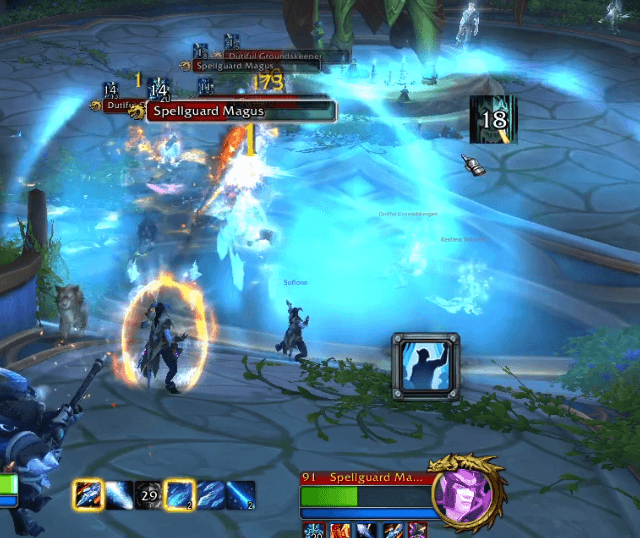
CursorTimer is a lightweight, high-performance combat utility designed to keep your eyes where they belong: on the action.
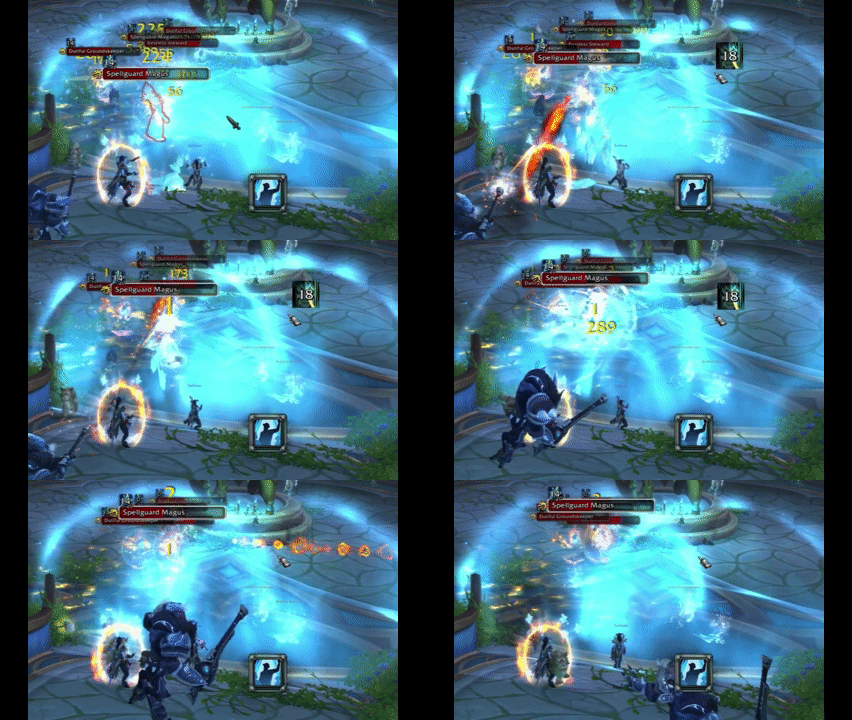
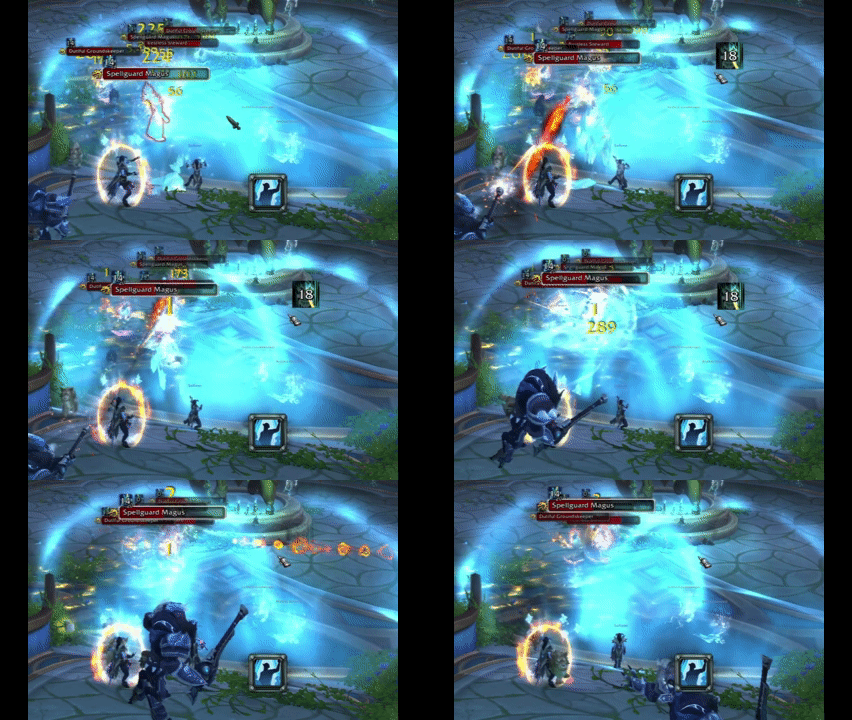
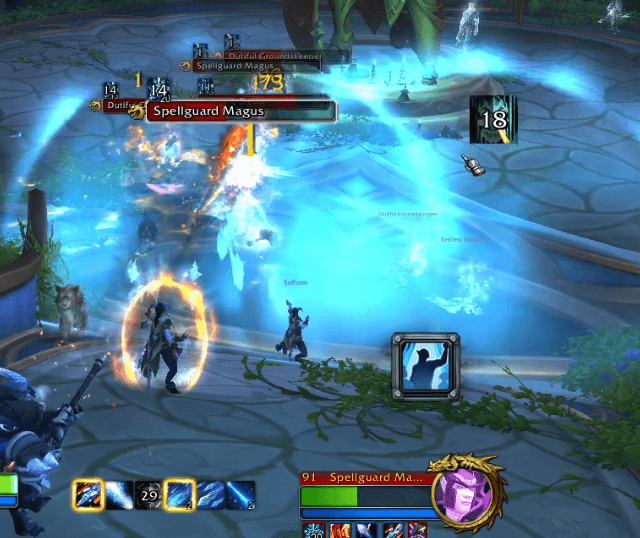
Ever missed an ability because you were looking at your action bars to check a cooldown? This addon dynamically mirrors your spell icons and timers directly next to your mouse cursor the moment a spell is on cooldown.
- Combat Focus: No more "tunnel visioning" on your bars.
- Intelligent Logic: Only shows up when needed and auto-hides based on your preference.
- Ultra Lightweight: Written with optimized Lua to ensure zero impact on your FPS.
Customization
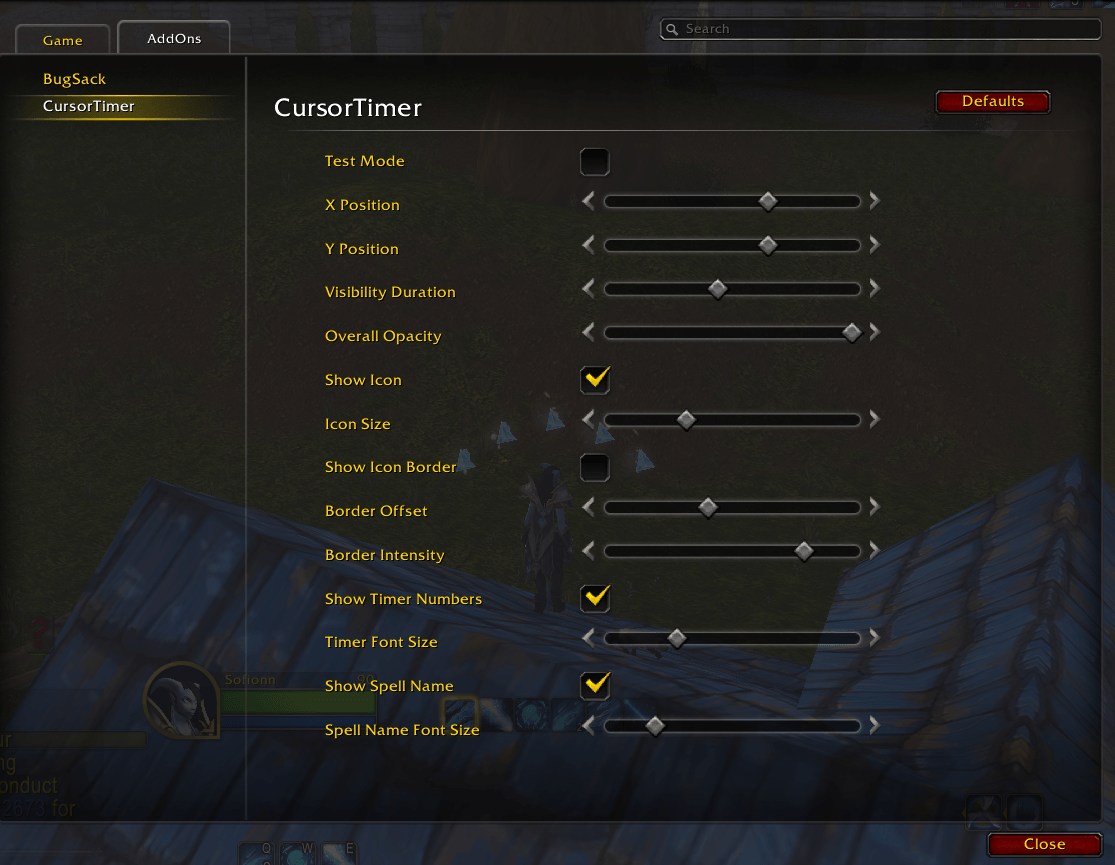
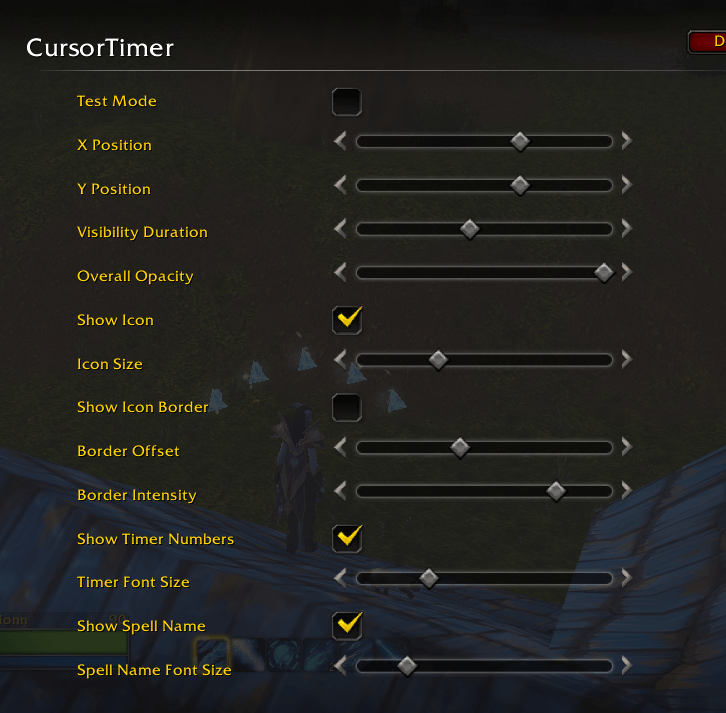
Everything is accessible via a modern, single-page settings menu. Tailor the look to match your UI perfectly:
| Section | What you can change |
| Positioning | Fine-tune the Horizontal (X) and Vertical (Y) offsets relative to your cursor. |
| Timing | Adjust the Visibility Duration (how long it lingers) and Fade Speed. |
| Appearance | Toggle the Icon Texture, adjust Icon Size, and customize the Border Intensity. |
| Text & Timer | Change the Font Size for both the countdown numbers and the spell name independently. |
How-To-Use
-
Open Settings: Type
/ctin your chat window to open the Options panel. -
Enable Test Mode: At the top you can Enable Test Mode. This allows you to see the icon while you move sliders.
-
Adjust Layout: Move the X and Y Offset sliders until the icon is at a comfortable distance from your cursor.
-
Go to Combat: Once configured, the icon will appear automatically whenever you attempt to use a spell that is on cooldown.
CursorTimer Team
