


Crowswitcher
- By
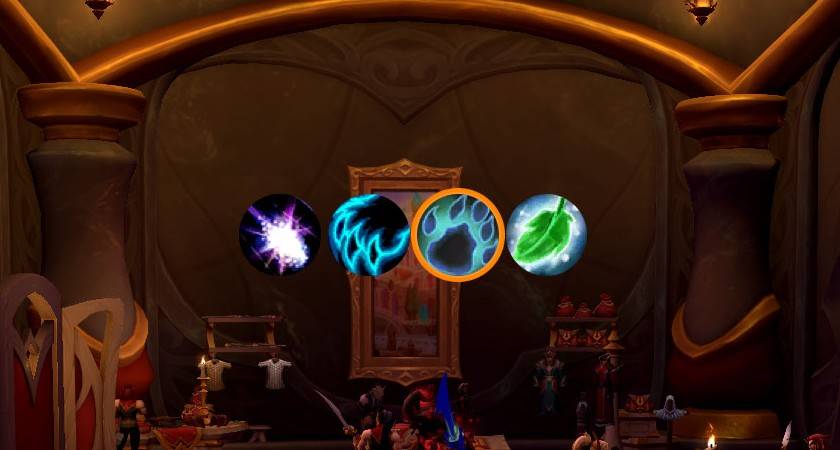
WoWScrnShot_041926_191523.jpg
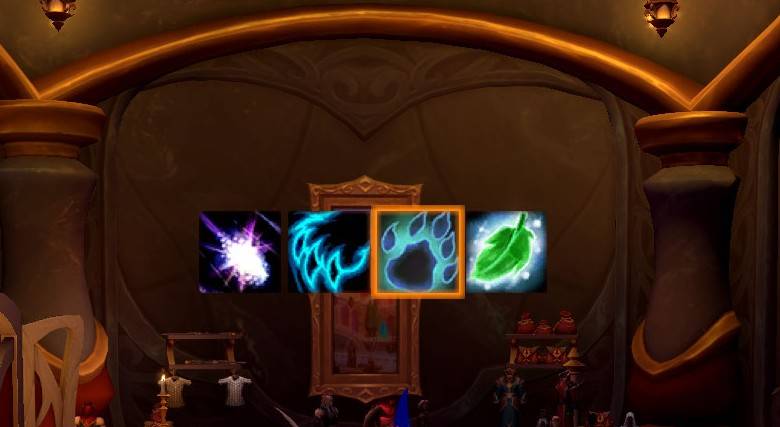
WoWScrnShot_041926_191531.jpg
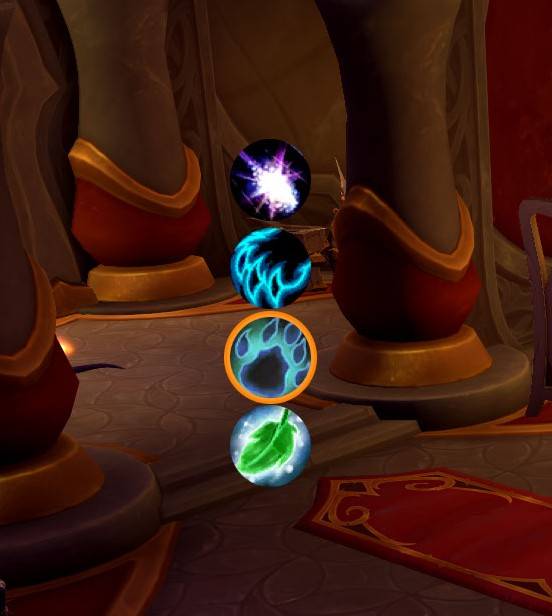
WoWScrnShot_041926_191123.jpg
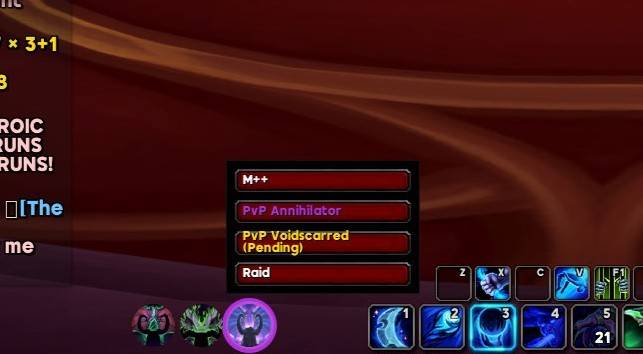
WoWScrnShot_042026_173602.jpg
WoWScrnShot_041926_191149.jpg
Description
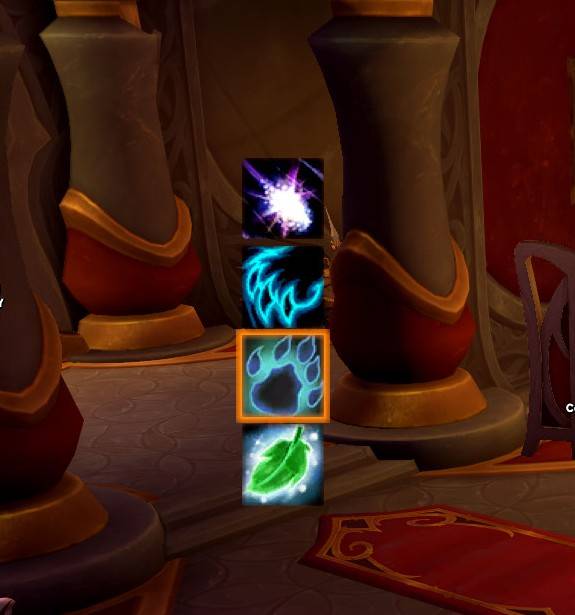
Crowswitcher is a clean and minimal specialization switcher for World of Warcraft that gives you class-based spec buttons in a compact, movable bar.
Instead of digging through menus or using extra UI clutter, Crowswitcher puts your available specializations and talent builds into a simple button layout based on your class. Druids get 4 buttons, Demon Hunters get 3, and so on.
Click the spec you want, and the addon begins switching you to that specialization.
Click your active spec to show your saved talent builds and switch them on the fly!
The addon is built to stay lightweight, easy to use, and visually clean without unnecessary bloat.
Features
- Automatically shows the correct number of specialization buttons for your class
- Click a Class Specialization button to switch specs
- Click the Active Class Specialization button to change Talent Builds
- Clean minimal design
- Movable frame
- Lock and unlock support
- Resizable buttons
- Adjustable button spacing
- Horizontal or vertical layout
- Circle or square button style
- Built to work cleanly with Edit Mode behavior
- Built-in Settings Menu under AddOns
Commands
/csw — open options
/csw lock — lock the frame
/csw unlock — unlock the frame
/csw reset — reset position and settings
/csw horizontal — set horizontal layout
/csw vertical — set vertical layout
/csw size 40 — set button size
/csw spacing 2 — set button spacing
/csw circle — use circular buttons
/csw square — use square buttons
What Crowswitcher is for
Crowswitcher is meant for players who want a fast, lightweight, and clean way to swap class specializations without going through menus.
Notes
- The addon only shows the specializations available to your current class
- Frame will show a clean transparent block until you lock it
- The frame can be repositioned and customized to fit your UI
- Designed to stay simple and focused on one job: switching specs cleanly
The Crowswitcher Team
