Crossbar XIV
- By
FFXIV-inspired controller crossbars, guided setup, and controller-friendly menus for World of Warcraft Retail.
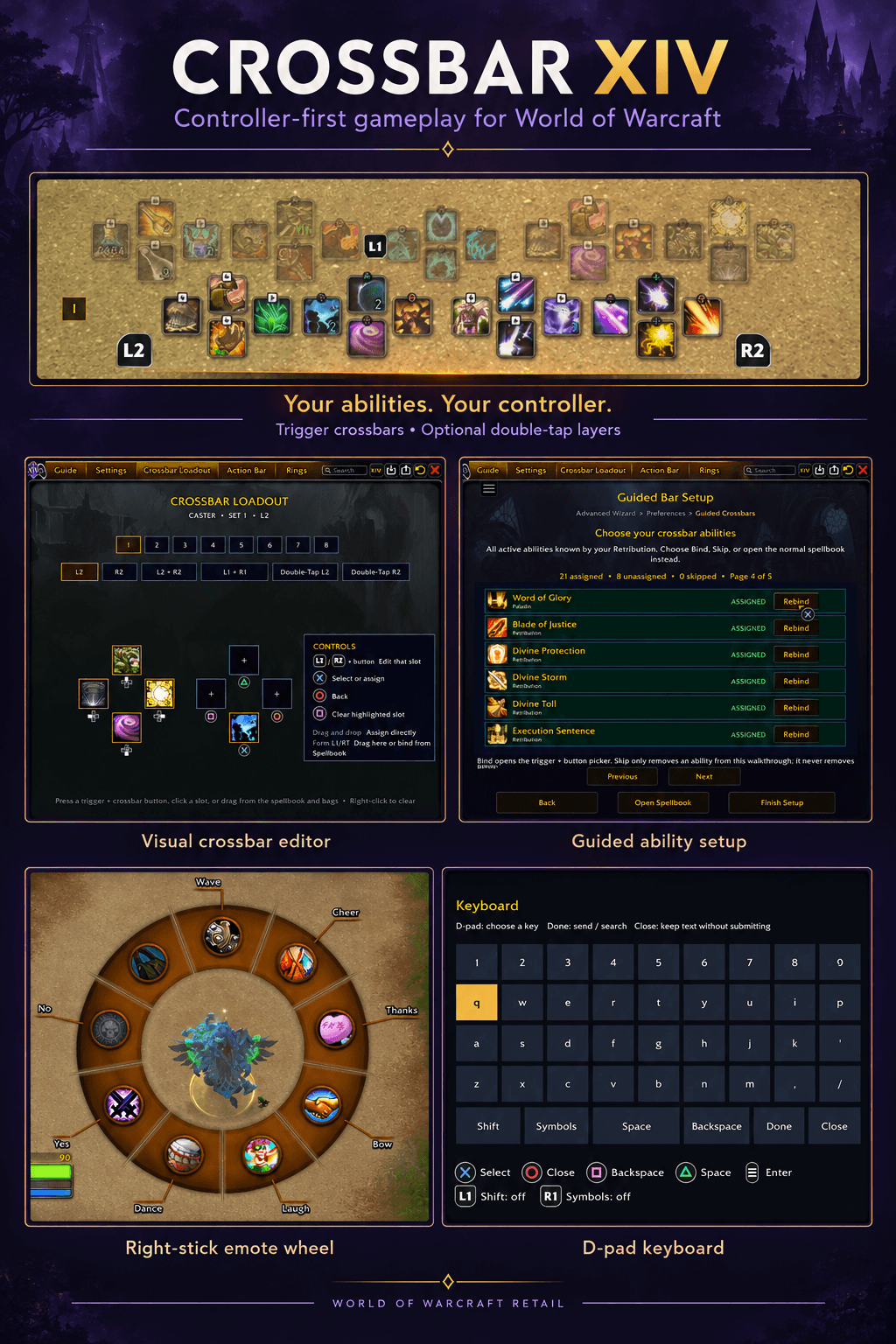
Crossbar-XIV-Feature-Overview-Draft.png
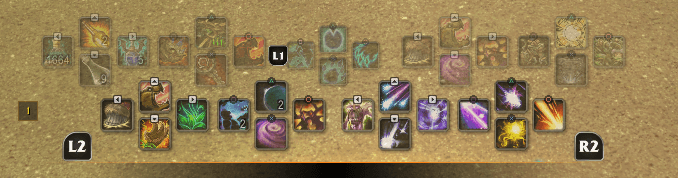
01-Trigger-Crossbars.png
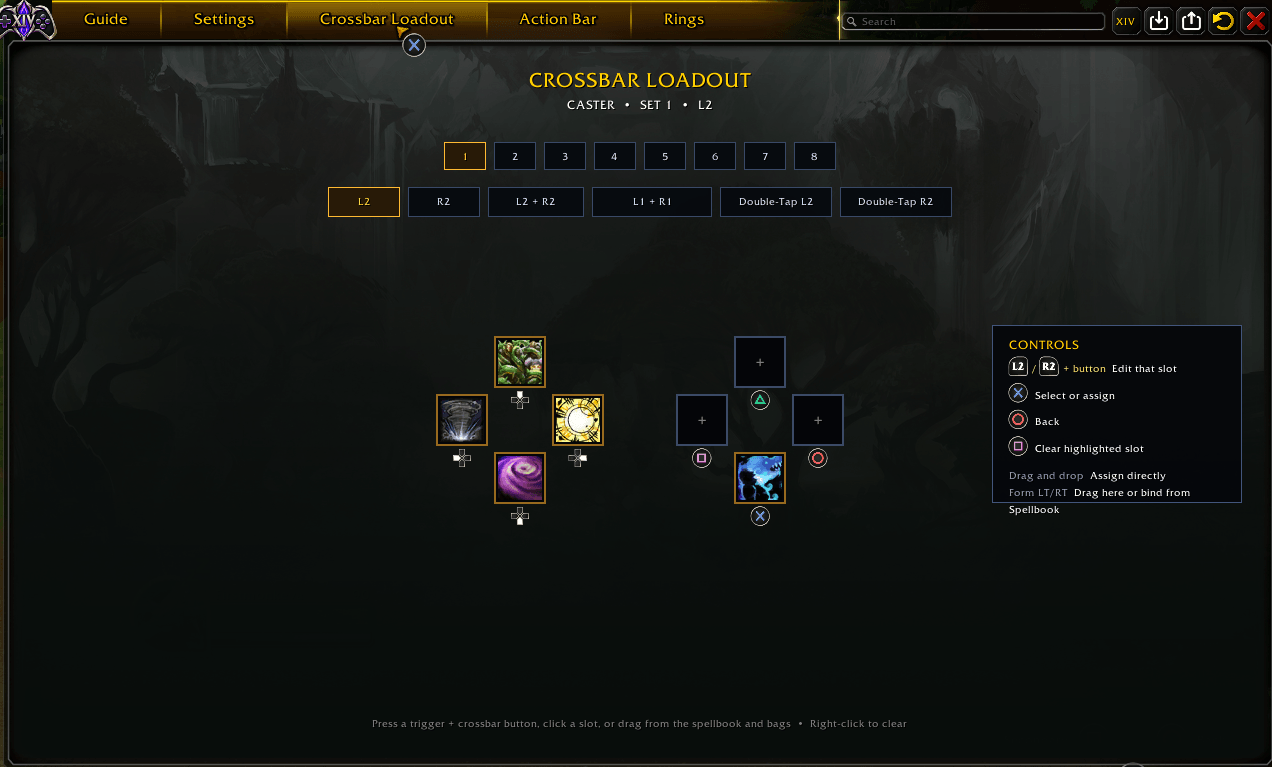
02-Visual-Editor.png
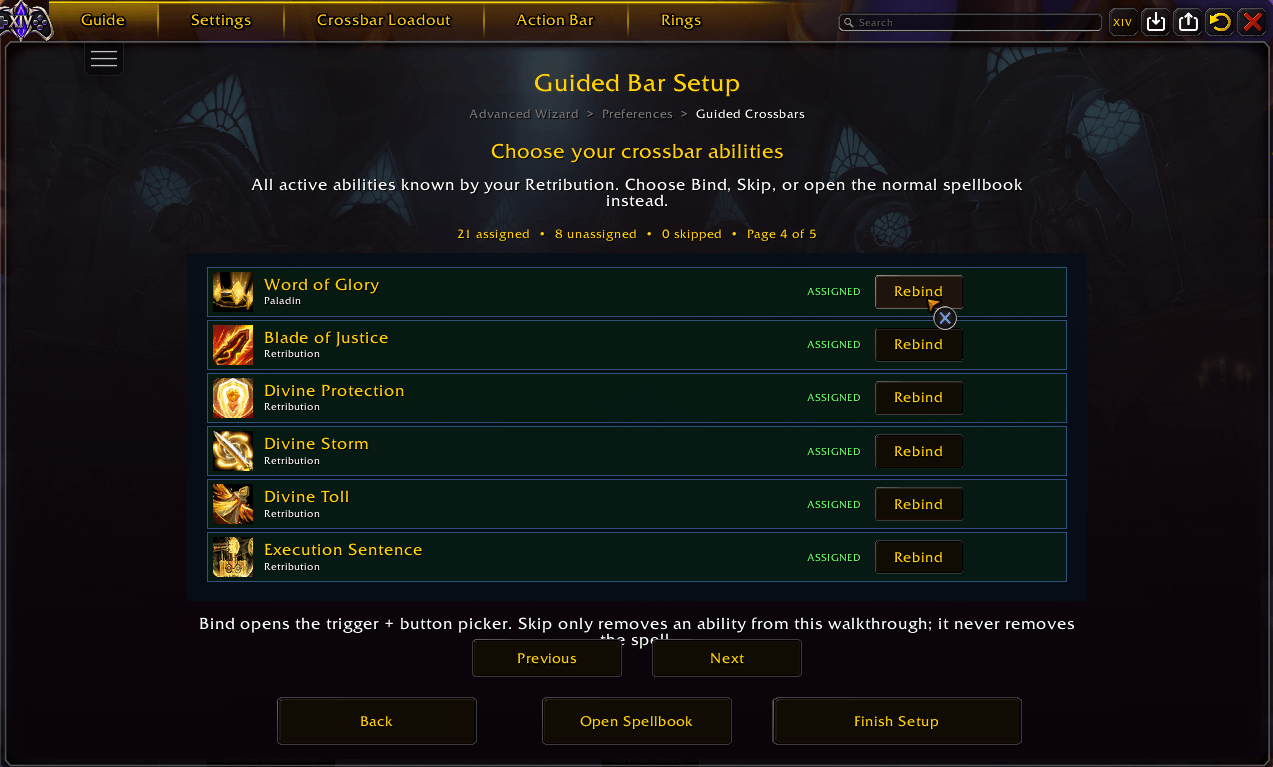
03-Guided-Setup.png
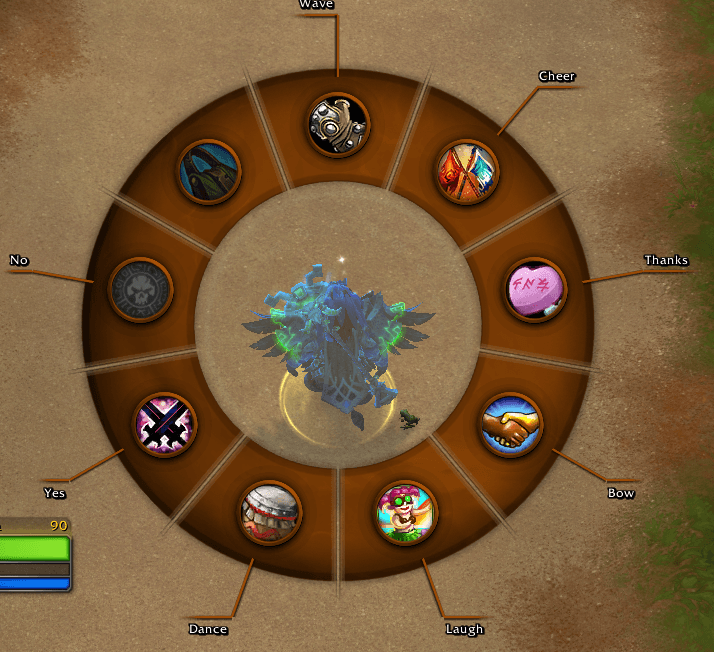
04-Emote-Wheel.png
Description
Pick up your controller. Explore Azeroth.
Crossbar XIV makes it easier to get started with a controller in World of Warcraft Retail. Install the addon, follow the guided setup, place your abilities, and start playing. It is designed to make controller play feel natural across questing, dungeons, raids, battlegrounds, and arenas.
Inspired by Final Fantasy XIV’s crossbar controls, it gives your abilities a familiar layout and keeps everyday actions within reach. You don’t need to have played FFXIV to use it.
Why choose Crossbar XIV?
Crossbar XIV builds on ConsolePort’s controller foundation with a more guided starting experience. Choose this fork if you want a crossbar-focused layout, step-by-step ability setup, and controls designed to work together from combat to menus. Its changes include a visual crossbar editor, revised targeting, and controller shortcuts for chat and emotes.
Built for more than combat
- Get started with guidance. Set up your controller, choose where each ability belongs, and learn the controls through an in-game reference. Xbox and PlayStation button prompts match your layout.
- Keep your abilities within reach. Hold a trigger to access your crossbars, with combined layers and optional double-tap bars when you want more space. Druid forms and Rogue stealth have separate crossbars, alongside contextual pet controls.
- Quest and explore. Interact with NPCs and objects, navigate quest dialogs, manage bags, and use menus with your controller.
- Stay in control of your targets. Cycle enemies and group members, use focus and self-targeting options, and keep your selected enemy as your spell target. In arenas and battlegrounds, enemy D-pad cycling skips pets.
- Chat and socialize. Hold Start to open chat, type with the D-pad keyboard, or use your physical keyboard. Tap the bag button for bags or hold it to choose an emote with the right stick.
- Make it your own. Adjust your crossbars in the visual editor with controller or mouse input.
These features combine ConsolePort’s existing capabilities with changes made by Crossbar XIV.
Installation
Retail only. Disable all original ConsolePort modules before enabling Crossbar XIV.
This is a standalone modified distribution; a separate ConsolePort installation is not required. The two addons must not run together.
- Close WoW and back up your AddOns and WTF settings.
- Install Crossbar XIV through CurseForge. Keep original ConsolePort disabled and do not merge its folders with this addon.
- Enable the Crossbar XIV modules, including Startup Guard, then follow the guided setup outside combat.
Use /cb setup to reopen setup or /cb bar to arrange your abilities. /crossbar also works in place of /cb.
Testing and support
Tested during development with new and existing characters, including battleground and arena sessions. Class, specialization, encounter, and addon compatibility testing is ongoing.
Known issue: A rare intermittent PvP cooldown error may occur. In my testing, /reload cleared it for the session, but its cause remains unresolved.
Other controller or UI replacement addons may conflict. Make setup and binding changes outside combat.
Report bugs in Discord. Include your addon and WoW versions, controller, class/spec, what happened, and the first complete Lua error if one appeared. Remove private information from logs and screenshots.
Credits
Crossbar XIV is maintained by Mylls/Swonk and builds on ConsolePort by Sebastian Lindfors (MunkDev) and its contributors. Their work provides the foundation for this fork.
Promotional collages use AI-assisted artwork. See gameplay screenshots for the actual interface.
The modified ConsolePort source retains Artistic License 2.0; bundled dependencies retain their own notices and terms. Crossbar XIV is not sponsored or endorsed by ConsolePort’s developers, Blizzard Entertainment, or Square Enix.
The Crossbar XIV Team