
CraftSage
- By
CraftSage attaches a sleek side panel to the native TradeSkill window and tells you exactly what to craft next, from skill 1 all the way to 300.
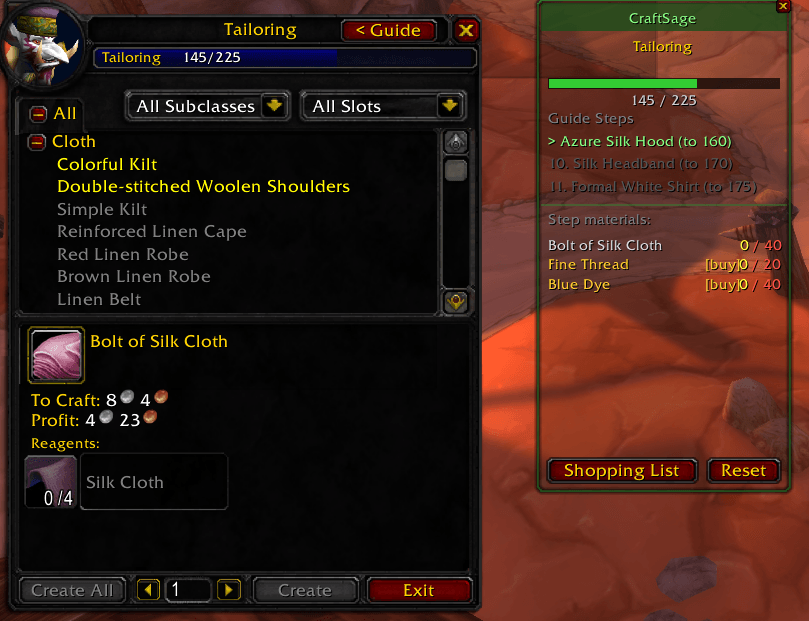
Show the panel with the guide for your current level to the next step.
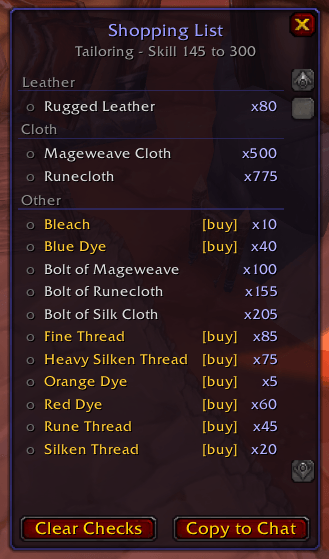
Shopping list for leveling from your current level to level 300.
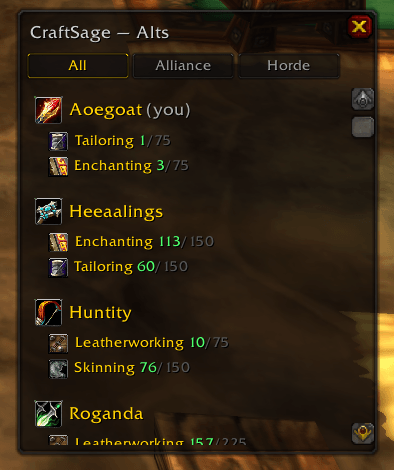
Show the alt tracking panel that allow you to filter by faction
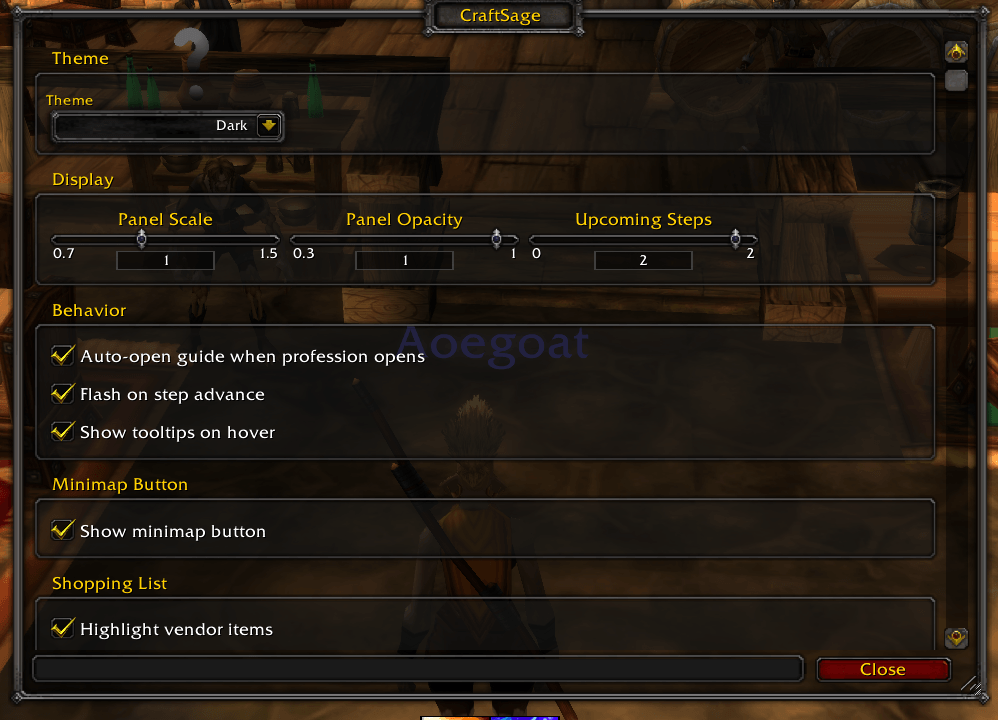
Show the settings panel to allow you to configure this addon.
Description
CraftSage tells you exactly what to craft next to level your profession from 1 to 300, with a live shopping list of everything you still need.
It attaches a side panel directly to the native TradeSkill window — no setup, no configuration. Open your profession, the guide is there.
Guide panel
- Active recipe highlighted in your TradeSkill list with craft count (e.g. × 34/59)
- Next 1–3 upcoming steps shown dimmed so you can plan ahead
- Trainer step callouts — when you need to visit a trainer, the panel shows who and where (Alliance & Horde locations)
- Skill progress bar (0–300 at a glance)
Materials
- Live have/need counts from your bags (green = have, red = need)
- Vendor mat tags — items you buy from an NPC are labelled
[buy]in amber so you know not to farm them - Hover any mat or recipe for its native WoW tooltip
- Ctrl+Click any mat or recipe to get a pre-filled Wowhead URL
Shopping list
- Full aggregated mat list for the current step
- Checkboxes to track what you've gathered
- One-click Copy to Chat to share your list
Alt Tracker
/craftsage altsor right-click the minimap button to open a window listing all your characters with their primary professions and skill levels- Class icon and profession icons per character
- Filter by faction (All / Alliance / Horde) — persists between sessions
- Hover any non-current alt to reveal a delete button
Settings
- Panel scale, opacity, upcoming steps count (0–3)
- Auto-open when profession opens, step flash animation, tooltips, vendor highlights
- Four visual themes: Default, Blizzard Classic, Dark, Arcane
- Minimap button (draggable, hideable)
Professions supported
Alchemy, Blacksmithing, Engineering, Enchanting, Leatherworking, Tailoring, Cooking, First Aid
Localizations: English (enUS), French (frFR), German (deDE)
Game version: WoW Classic Era (Interface 11508)
CraftSage Team
