
Craft Resume
- By
Description
# Craft Resume
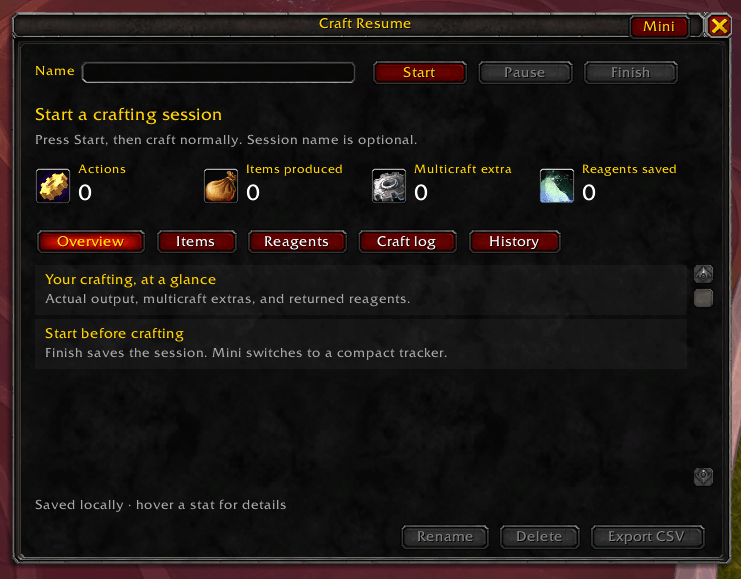
Craft Resume tracks what actually happens during your World of Warcraft crafting sessions.
Start a session before crafting, then review the items you created, reagents consumed or returned, multicraft results, profession bonuses, and disenchanting yields. Completed
sessions are saved so you can compare your real results with the percentages shown in the profession window.
## Features
- Tracks crafted items and their actual quantities
- Records multicraft bonus items
- Tracks resourcefulness reagent returns
- Tracks ingenuity results
- Records reagents used for crafting and enchanting
- Tracks disenchanting outputs
- Saves a history of completed sessions
- Displays in-game item icons and tooltips
- Compact and expanded display modes
- Exports session information as CSV
- Uses a lightweight, native World of Warcraft interface
## Usage
Type `/cr` to open Craft Resume.
Start a new session, perform your crafting or disenchanting, and stop the session when finished. The completed session will be added to your history automatically.
Craft Resume is designed for WoW Retail and has no required dependencies.
Cheerio, Ras
Craft Resume Team
