Craft Catcher Suite
- By
A light weight tool to help you get ahead of the other crafters and swipe customers!
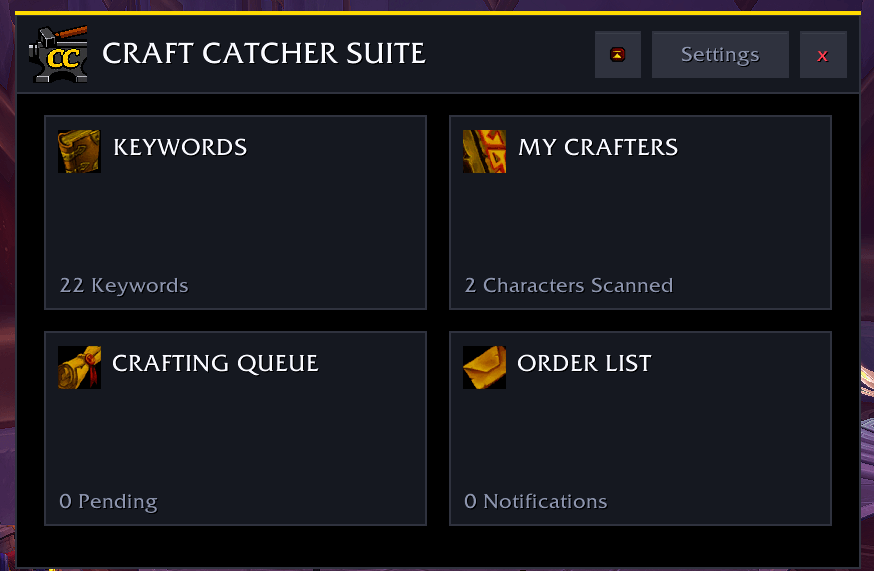
Main Window
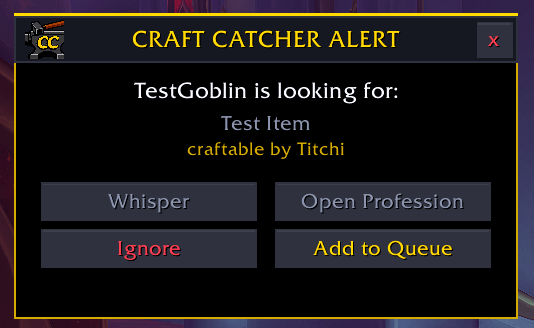
Your alert
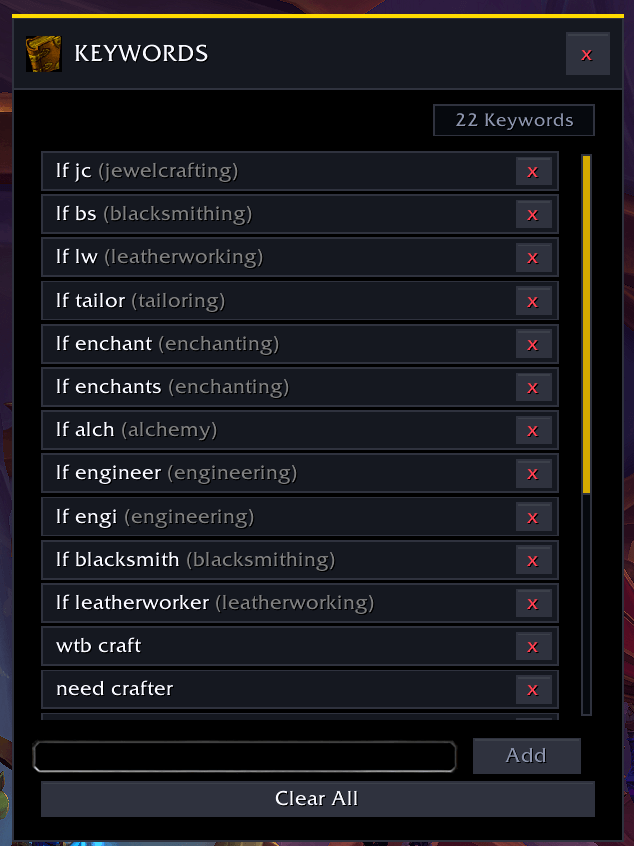
Add your own Keywords!
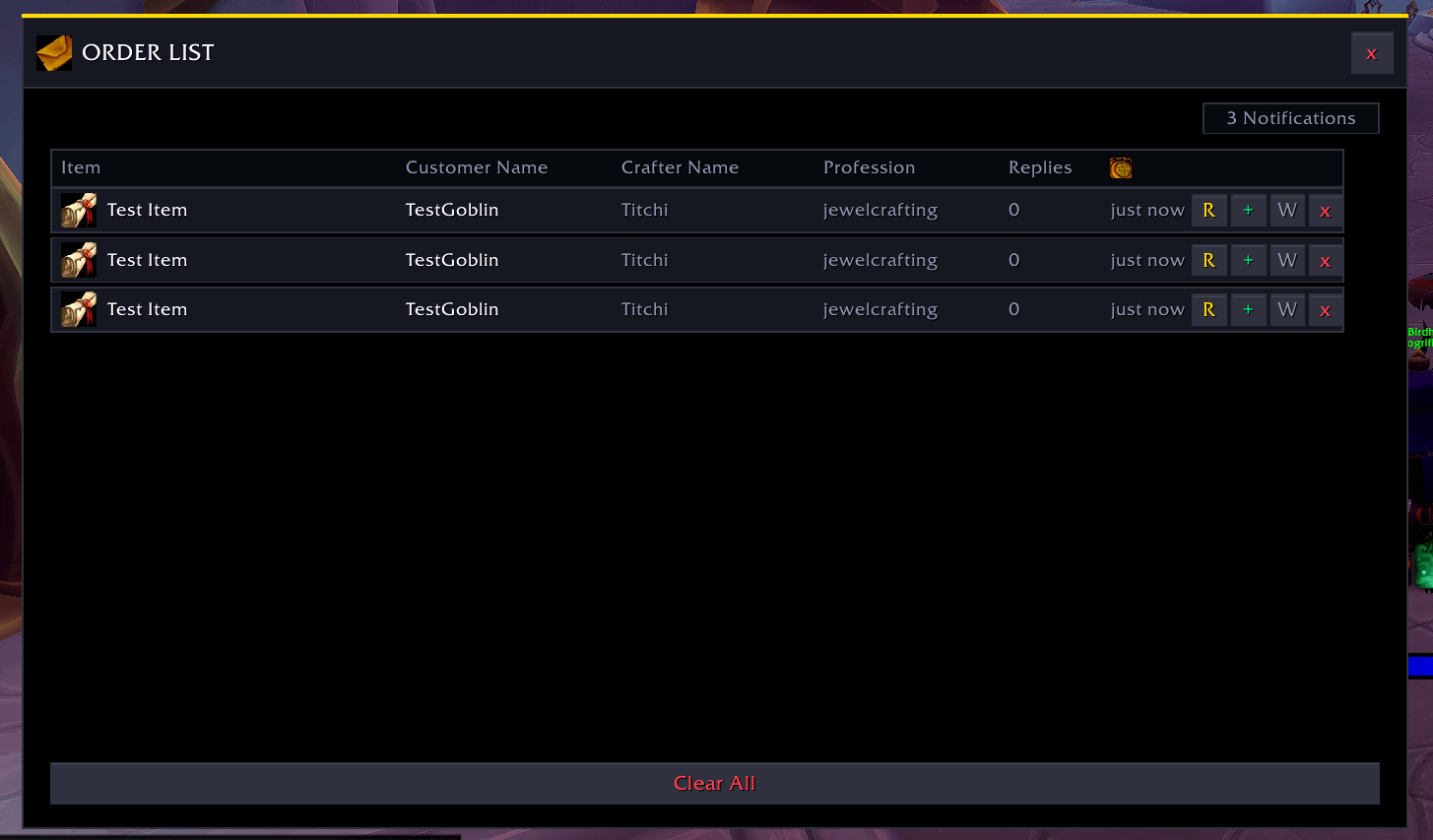
Order List
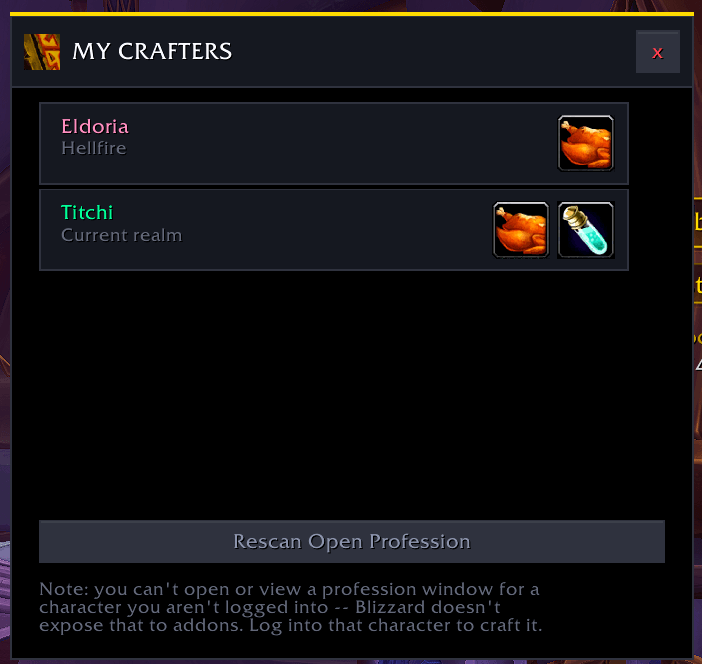
Scan your characters professions
Description
Craft Catcher Suite
Never miss another crafting request in Trade Chat.
Craft Catcher Suite watches Trade Chat for players looking for crafters, matches their requests against everything your characters can make, and alerts you the instant you can fulfill the order — even if the recipe is on an alt.
What It Does
Craft Catcher Suite scans Trade Chat in real time and looks for messages that match:
- Item links posted by buyers
- Custom keywords you define (e.g.
lf jc,wtb craft,need crafter) - Fuzzy item names like "belt", "staff", "gem", "cloak", etc.
When it finds a match, it pops up a draggable alert showing:
- Who is asking
- What they want
- Which of your characters can craft it
- A ready-to-send whisper message
Features
- Account-Wide Recipe Memory — Each character records its own professions and recipes when you open the crafting window. The addon then checks the combined knowledge of every character you've scanned, not just whoever is logged in.
- Custom Keywords & Profession Hints — Add your own trigger phrases and tie them to a profession so you only get alerts you can actually fill.
- Smart Alerts — Draggable popup alerts with sound, so you never miss a request while doing other things.
- Order Queue & History — Save promising requests to a queue, mark them complete, and review past orders in the Order List.
- Ignore List — Ignore specific players so their messages stop triggering alerts.
- Minimap Button — Quick access to the dashboard and settings via LibDBIcon.
- Test Alert — Preview the popup and sound without waiting for real Trade Chat.
How to Use
- Log into each character and open their profession windows once. The addon remembers what they know.
- Wait in a city with Trade Chat active.
- When an alert pops up, click "Whisper" to copy a prefilled message, or "Craft" to open your profession window if the recipe is on your current character.
- Open the main window any time with the minimap button or
/ccs.
Commands
/ccs— Open the main dashboard/ccs keywords— Open the Keywords window/ccs crafters— Open the Known Crafters window/ccs queue— Open the Crafting Queue/ccs orders— Open the Order List/ccs test— Fire a fake alert to test the popup and sound
Important Notes
- Alerts are only shown for messages in *Trade Chat unless you enable other tracked chat channels in the settings.
- The addon cannot craft on an alt remotely — Blizzard does not allow addons to open or use another character's profession window. If a match is on an alt, the addon will tell you which character to log into.
- Recipe data is stored account-wide in
CraftCatcherDB.
Craft Catcher Suite — turn Trade Chat noise into crafting gold.
The Craft Catcher Suite Team