
Copy Name-Realm
- By
A lightweight addon to quickly copy player name-realms from chat, unit frames, and LFG panels.
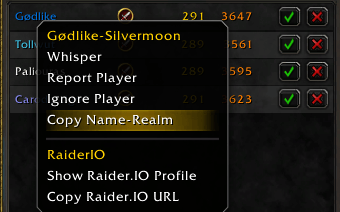
CNR-CopyApplicantButtonpng.png
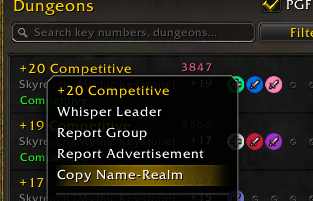
CNR-CopyLeaderButton.png
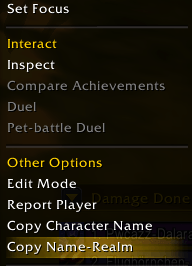
CNR-CopyMenuButton.png
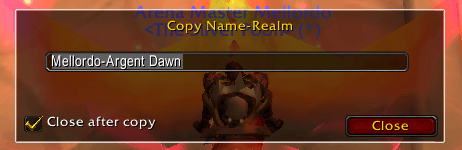
CNR-PopUp.png
Description
Copy Name-Realm is a lightweight, fast utility addon designed for players who frequently need to copy character names and realms for whispering, logs, or external websites (like Raider.IO, Check-PvP, Seramate etc.).
Key Features
- Universal Integration: Seamlessly adds a "Copy Name-Realm" button to character context menus across the entire game UI.
- LFG Compatible: Right-click Group Leaders in the LFG Group Finder to instantly grab their info before applying or Applicants queueing for your own groups.
- Chat & Guild Roster Support: Works directly from right-clicking player names in your chat windows, and the Guild/Communities roster frame.
How to Use It
- Right-click any player's portrait, chat link, LFG entry, or guild note.
- Select Copy Name-Realm from the dropdown menu.
- Press
Ctrl + Cto copy the highlighted text from the popup box.
The Copy Name-Realm Team
