


Cooldown Manager Extras
- By
More Edit Mode options for Blizzard's Cooldown Manager. No replacement frames
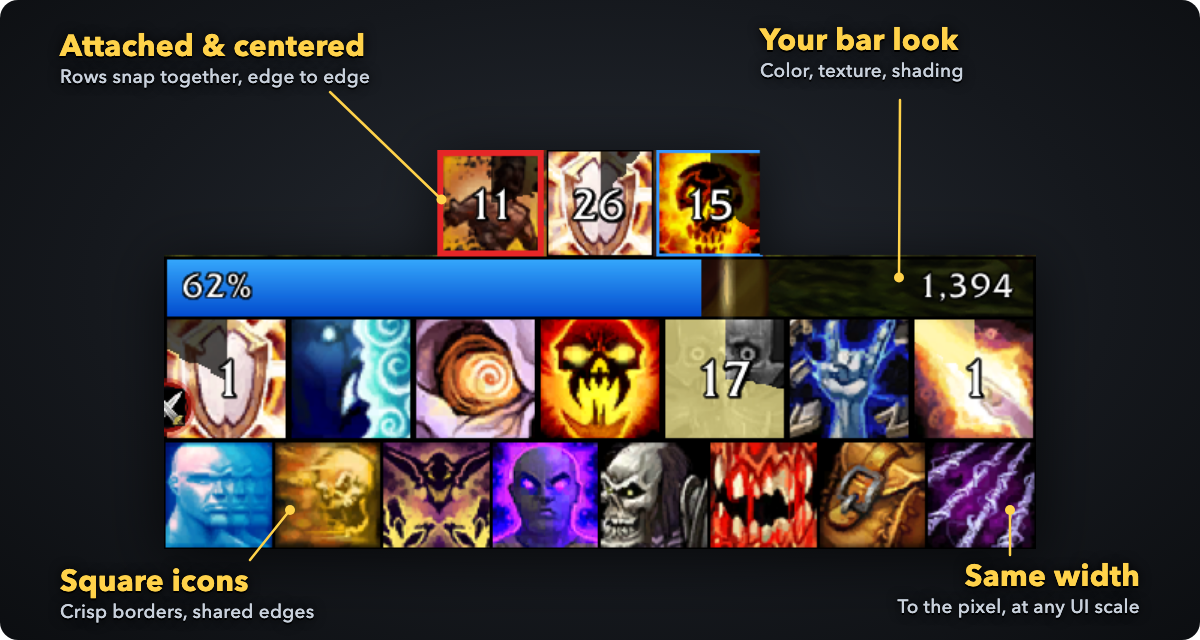
Cooldown Manager Extras
Blizzard's Cooldown Manager, with the options it's missing. You set it up where you already do: in Edit Mode and in Cooldown Settings. No replacement frames, no new options window to learn.
- The same frames: what Blizzard tracks, the order and the icons stay as you set them.
- The same places: the new options are in Blizzard's own panels.
- Built in, not bolted on: your own spells, trinkets, potions and buffs join Blizzard's icons in the same viewer, in the same look. No extra bar to place.
- Pixel-perfect: crisp borders in whole screen pixels, and frames that line up edge to edge at any UI scale. No blurry borders, no 1-pixel gaps.
Made for WoW Forever.
Features
Everything in Edit Mode
Select a cooldown viewer or the Personal Resource Display in Edit Mode. The extra settings are in its settings panel, next to Blizzard's own.
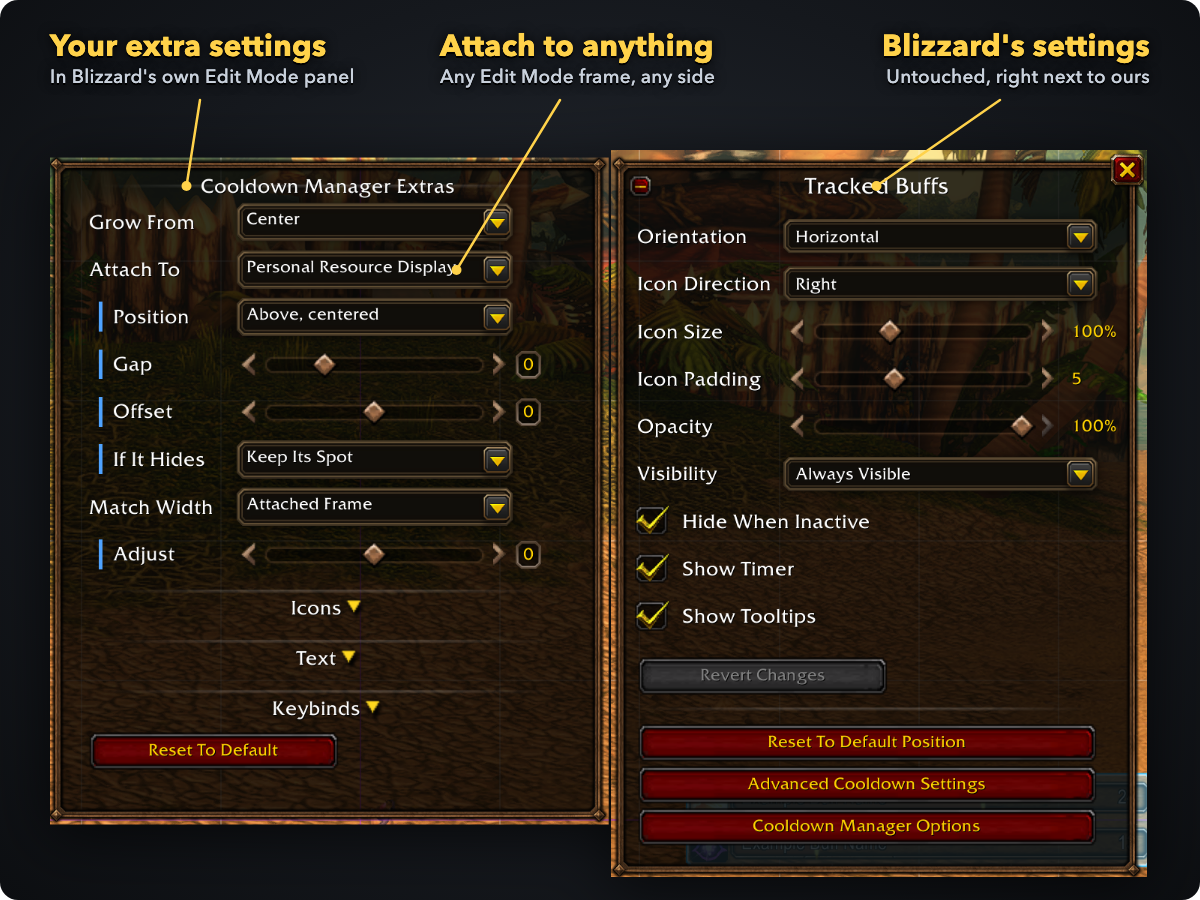
Drag to attach
- Drag a frame next to another one. A preview shows where it will attach. Let go and it attaches.
- Attach to anything in Edit Mode: viewers, the Personal Resource Display, action bars, unit frames, the cast bar, add-on frames.
- Hold Shift to move a frame freely.
- Match widths, center rows, and line everything up to the pixel at any UI scale.
Your own spells, items and trinkets
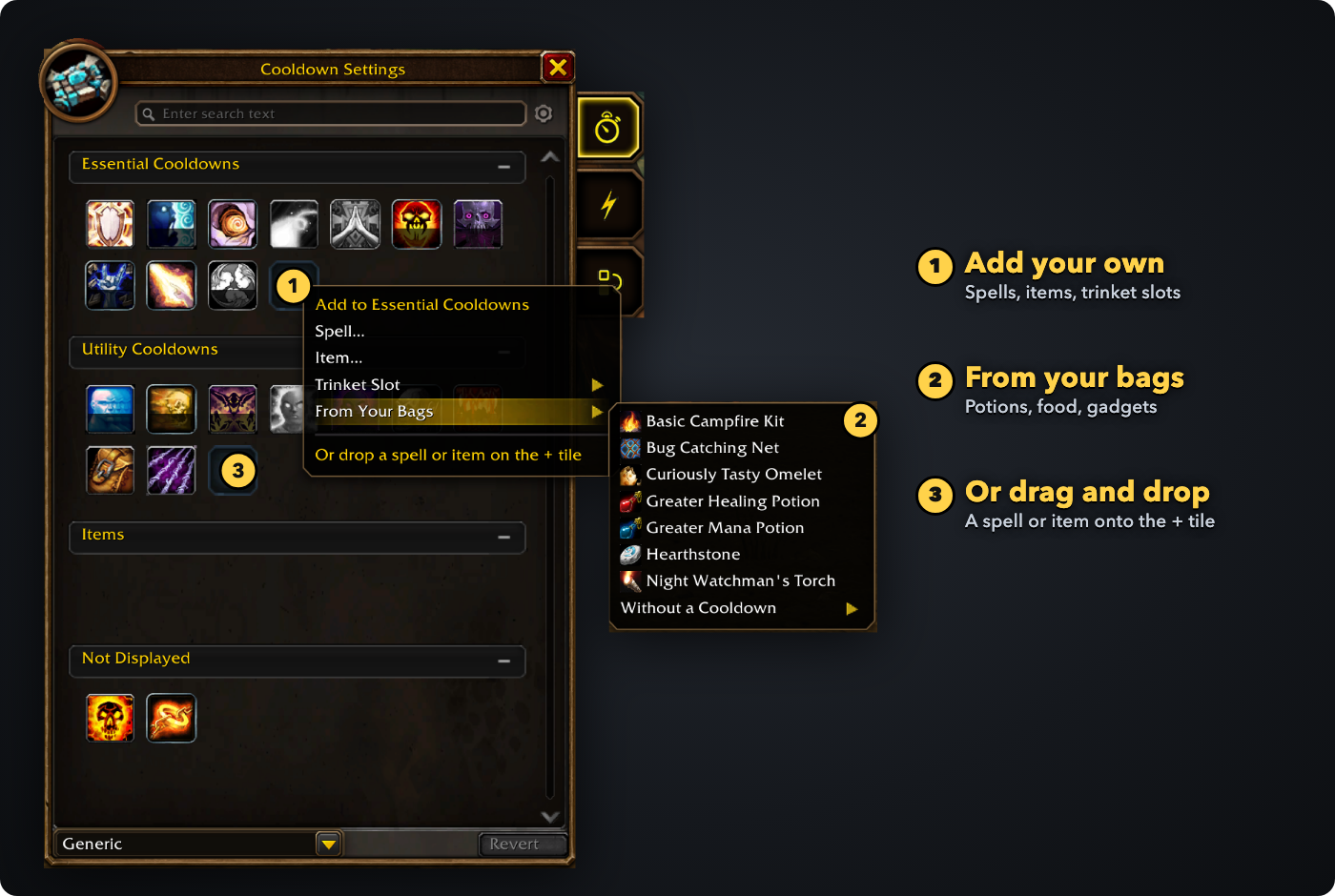
- Click the + tile in Cooldown Settings to add any spell, item (potions, healthstones) or trinket slot to Essential or Utility Cooldowns.
- Or drop a spell or item from your spellbook or bags on the tile.
- They show in Blizzard's row, at the place you pick.
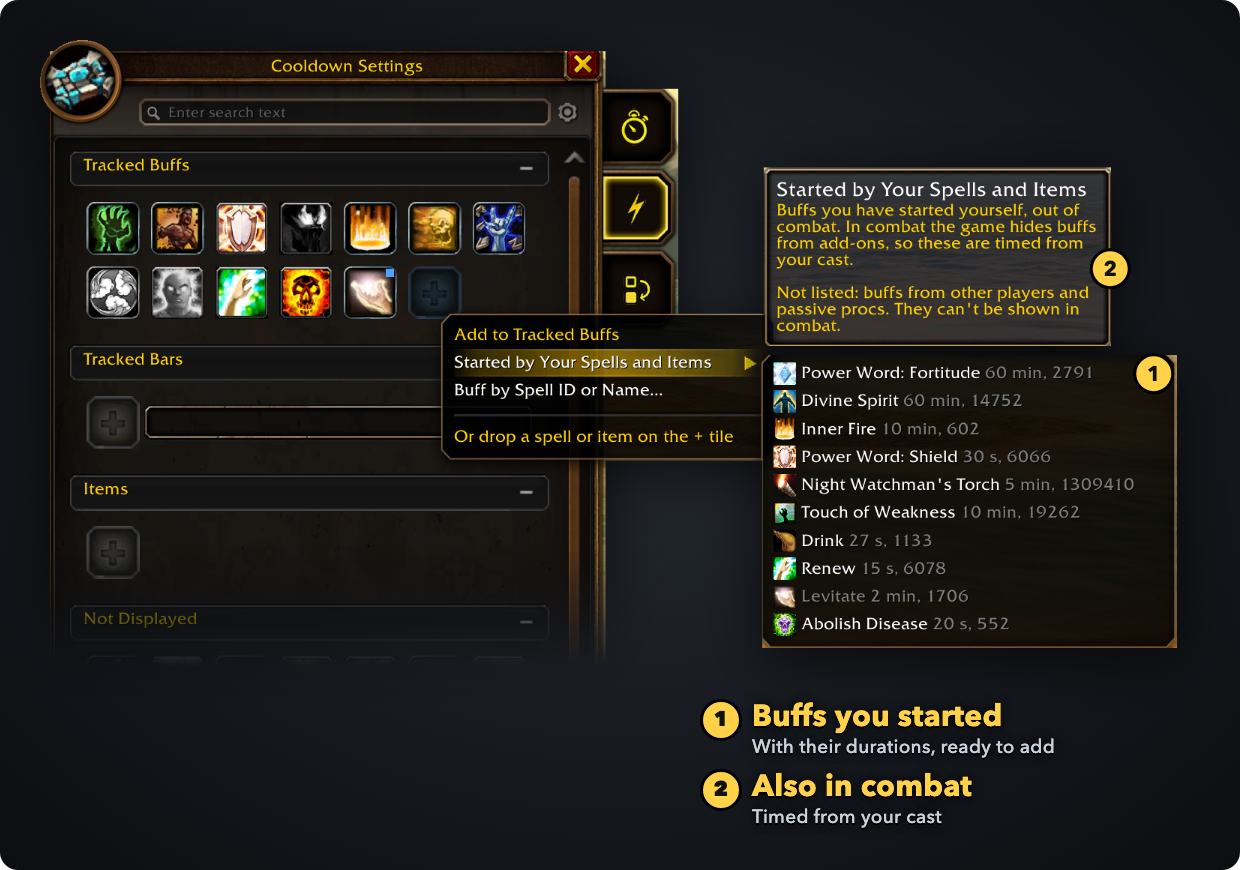
Buffs from your trinkets, potions and spells
- Add a buff your own trinket, potion or spell starts to Tracked Buffs. Pick from the ones you have started, with their durations.
- Also in combat: the game hides buffs from add-ons in combat, so these are timed from your cast.
Square icons and clean borders
- Pixel-exact borders, icon zoom, square cooldown swipes and an optional inner shadow.
- Debuff-type colors (Magic, Curse, …) stay visible on the border.
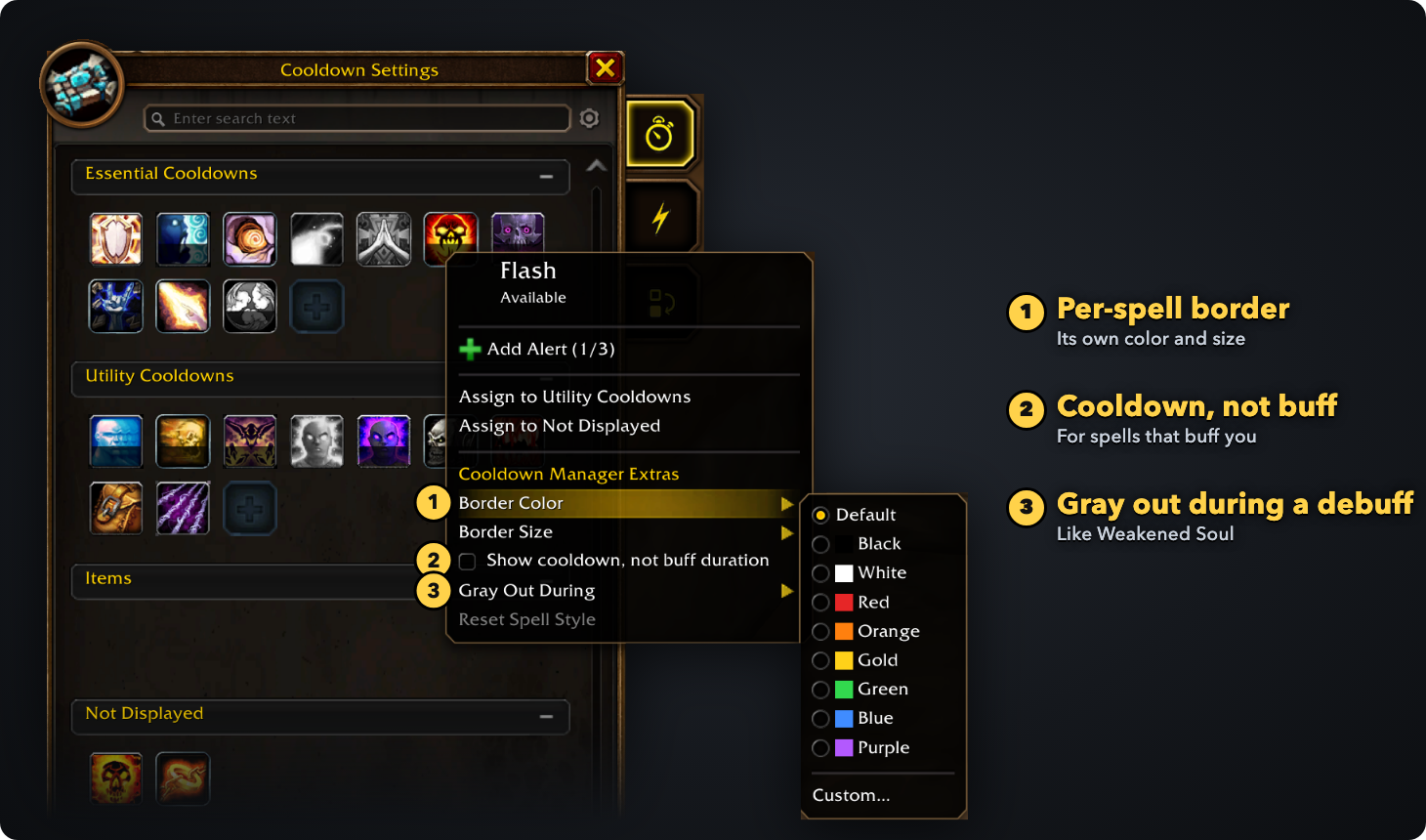
- Right-click a spell in Cooldown Settings to give it its own border color.
- Keybind text from your action bars, and your own fonts.
Personal Resource Display
- Separate textures for the health and power bars.
- Health in class color or your own color.
- A color for each power type: turquoise mana, if you like.
- Texture and color for the cast cost preview.
- A square style: crisp border, background and inner shadow. Shading gives the bars a soft top-to-bottom gradient.
- Turn off the spend flash and the full-power glow.
- A five-second rule spark on the mana bar.
Smarter spells
- Show the cooldown, not the buff duration, per spell.
- Gray out during a debuff, for example Power Word: Shield while you have Weakened Soul.
- Debuff timers in Tracked Buffs, also in combat.
Profiles
- Share a setup between characters and talent groups.
- Import or export it as text with
/cme options.
FAQ
Does it replace Blizzard's Cooldown Manager?
No. The frames are Blizzard's. This add-on adds options to them.
Where are the settings?
In Edit Mode: select a viewer or the Personal Resource Display. Custom spells and buffs are in Cooldown Settings. Profiles and import/export are in /cme options.
Why can't I add a buff from another player, or a passive proc?
In combat the game hides buffs from add-ons. A buff your own spell or item starts can be timed from your cast. A buff from another player or a passive proc ("chance on hit") can't: nothing tells an add-on that it started. The add-on only offers what it can also show in combat.
Do I need Masque?
No. The Square style with an inner shadow gives a similar look, and it stays pixel-perfect. If you already skin the Cooldown Manager with Masque (through Masque Blizzard Bars), that keeps working: the icon look is then the skin's, and layout, anchoring, fonts and per-spell borders still work. Masque skins icons only, not the Personal Resource Display.
Something looks wrong. What do I send?
Open an issue on GitHub with the output of /cme status. For script errors, type /console scriptErrors 1 and include the complete error text.
Links
Cooldown Manager Extras Team

