Cooldown Forge
- By
If you’ve missed your WeakAura HUDs, you’re in the right place — offering the highest level of customization possible just for you.
1.png
2.png
3.png
Description
Cooldown Forge is a Retail World of Warcraft addon focused on improving the Blizzard Cooldown Manager workflow.
It lets you organize tracked cooldowns and buffs into a clean, movable, and highly customizable interface.
## Why Use It
- Build your own cooldown layout without fighting the default UI.
- Mix icon and native bar presentation modes.
- Manage tracked entries through a visual pool-and-pin workflow.
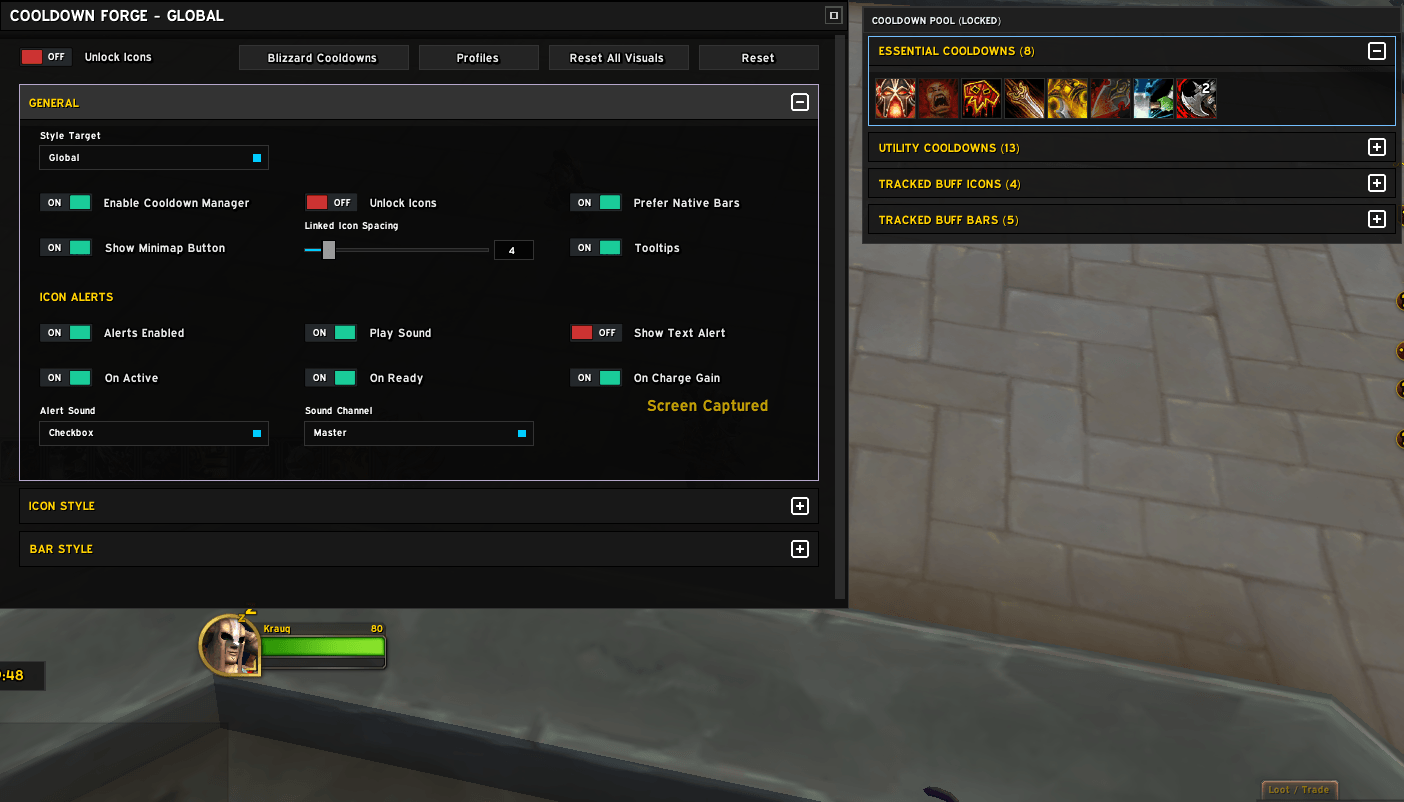
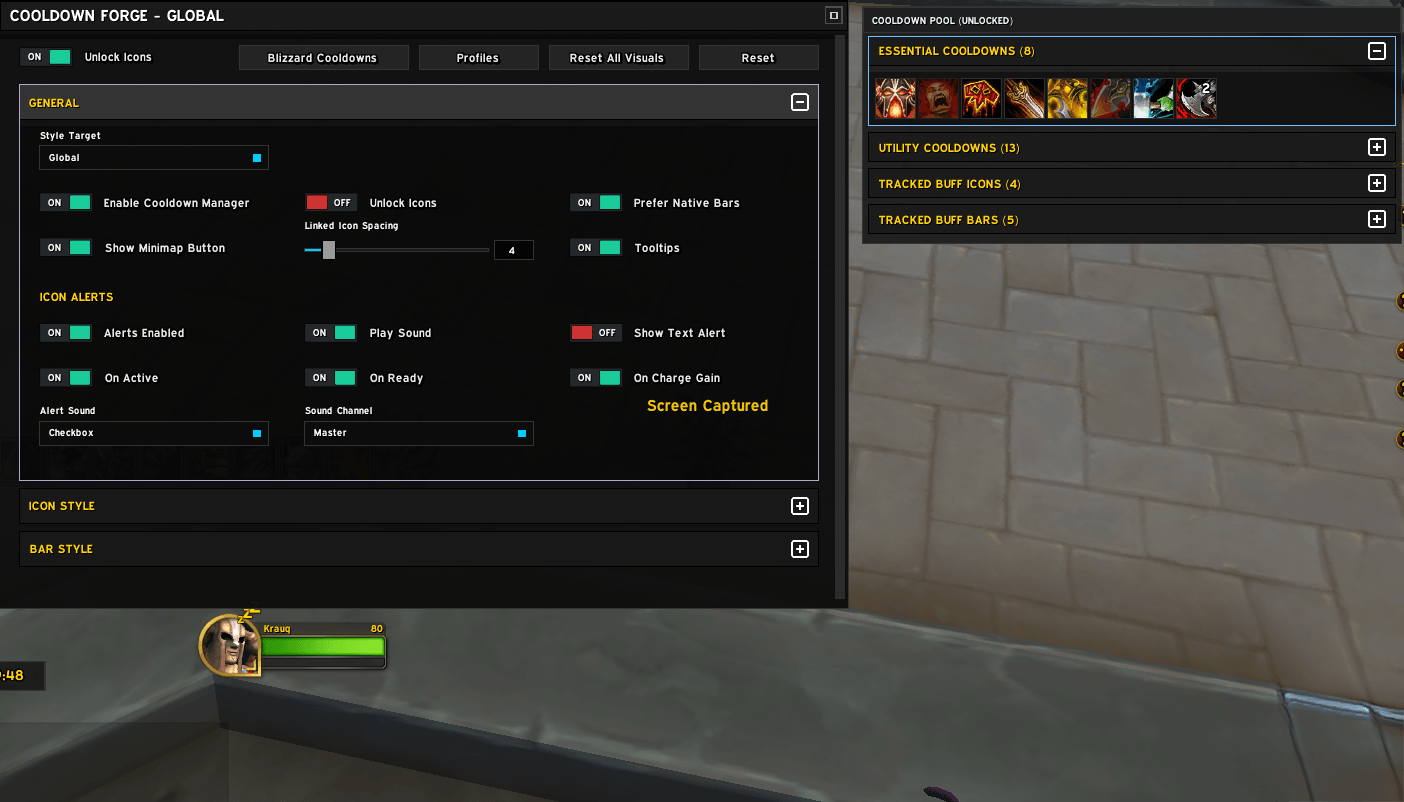
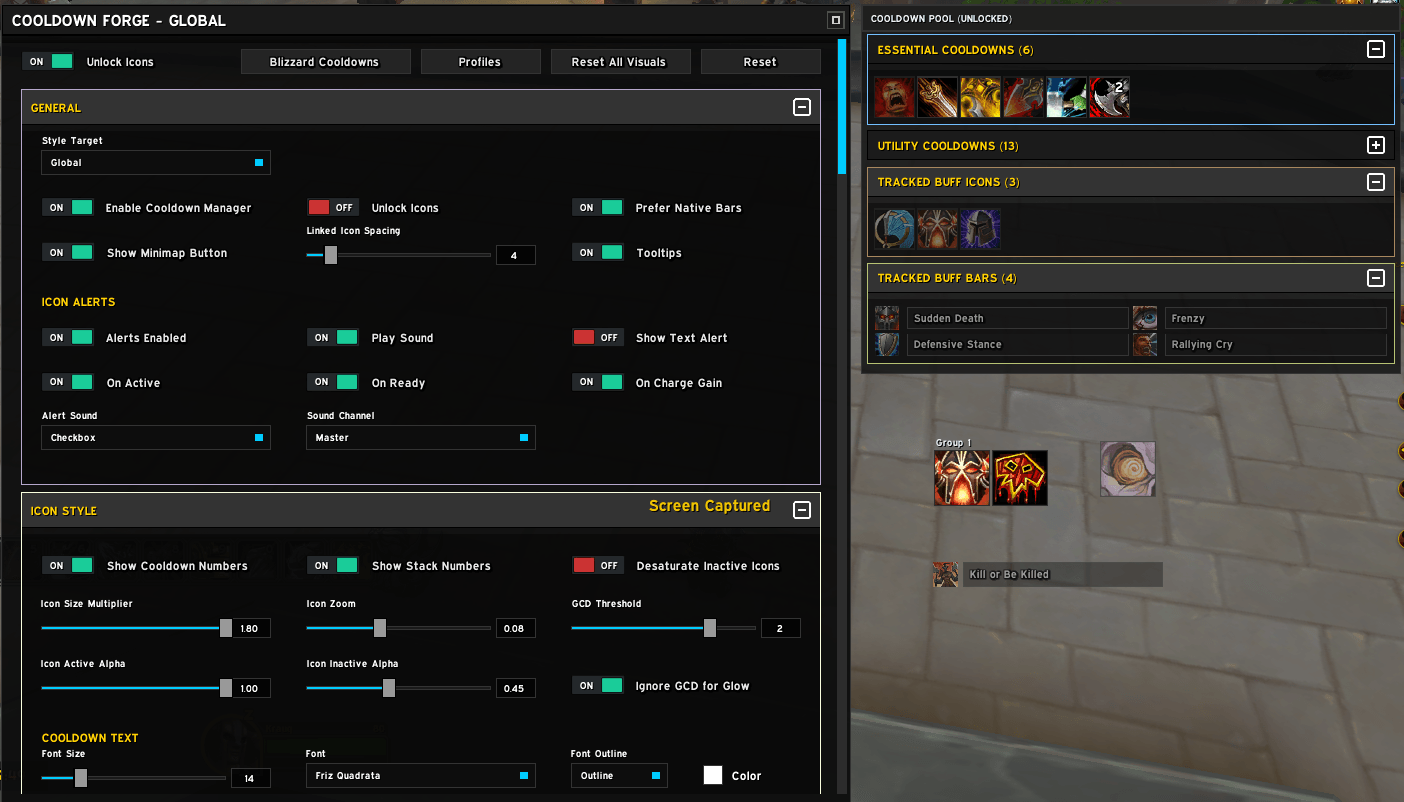
- Style text, glow, borders, alpha, and alert behavior from one config panel.
- Keep character/spec profiles through the built-in profile system.
## Core Features
- Cooldown and buff tracking integration with Blizzard Cooldown Viewer sources.
- Drag and drop icon management.
- Icon and bar visual presets with per-entry and per-group overrides.
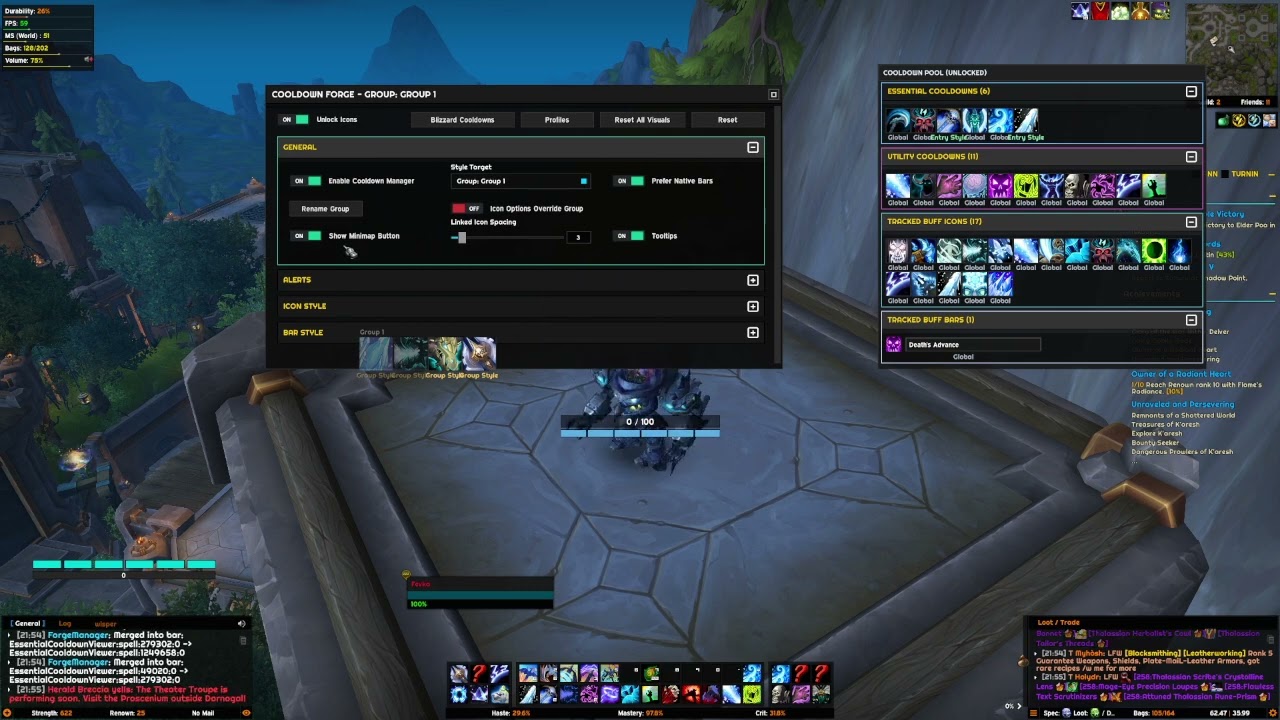
- Pool sections: `Essential Cooldowns`, `Utility Cooldowns`, `Tracked Buff Icons`, `Tracked Buff Bars`.
- Alert system with sound alerts, optional text alerts, and Active/Ready/Charge triggers.
- Minimap button controls: left click opens config, right click reloads UI.
- Slash command controls for quick actions.
## Installation
1. Download or clone this addon folder.
2. Place `CooldownForge` into:
`World of Warcraft/_retail_/Interface/AddOns/`
3. Restart the game or run `/reload`.
4. Enable **Cooldown Forge** from the AddOns list at character selection.
## Quick Start
1. Open config with `/fm config` (or click the minimap icon).
2. Enable Blizzard cooldown panel support if needed from the config button.
- If there is a skill you cannot see in the addon menu, you need to add it through Blizzard Cooldown Manager. The addon directly reads the database from there.
- Currently, you cannot add skills to the list from within the addon itself. The addon works according to the data it receives from the WoW Blizzard Cooldown Manager.
- However, you do not have to keep the Cooldown Manager enabled. You can disable it in the settings if you prefer.
3. Unlock and position items, then fine-tune icon/bar style.
4. Use profile tools to save your setup per character/spec.
## Slash Commands
- `/fm config`
## Layout Workflow (Pool and Pin)
1. Open config to enter management mode.
2. Unpinned entries appear in categorized pool sections.
3. Drag entries out to place/pin them on screen.
4. Drag one entry onto another to merge into a grouped bar flow.
5. Drag entries back over the holder/pool area to return them to pool.
##Icon Group Management
- You can group icons by dragging one icon on top of another. To remove an icon from a group, use Shift + Click, or right-click the icon while the settings panel is open and select Ungroup.
- You can also change the position of icons inside the group by using the right-click menu or simply by dragging and dropping them.
- Suggestion: Using the right-click menu would make icon group management much simpler and more user-friendly.
## Configuration Overview
- Global settings for module enable state, unlock behavior, split spacing, and icon size.
- Icon style controls for cooldown/stack text, border/alpha behavior, and buff/cooldown glow.
- Bar style controls for dimensions, textures, embedded icon settings, and label/time typography.
- Alert settings for sound/text behavior, trigger conditions, and output channels.
## Profile Support
Cooldown Forge includes profile support through its profile manager library.
Use the **Profiles** button in config to manage character/spec profile data.
The Cooldown Forge Team