


Controller Companion - Controller & Gamepad imoprovements for WoW Forever
- By
Screenshot 2026-11-09 at 15.51.03.png
Screenshot 2026-11-09 at 15.52.51.png
Screenshot 2026-11-09 at 15.52.31.png
Screenshot 2026-11-09 at 15.52.23.png
Screenshot 2026-11-09 at 15.51.54.png
Screenshot 2026-11-09 at 15.51.28.png
Description
Controller Companion
The small controller addon that runs next to everything else.
Controller Companion adds the things Blizzard's gamepad UI for WoW: Forever leaves out, without taking over your controller. It binds one button (Create on PlayStation, Share on Xbox, Capture on Switch) and leaves every other button, stick and trigger to the game or to whatever controller addon you already use.
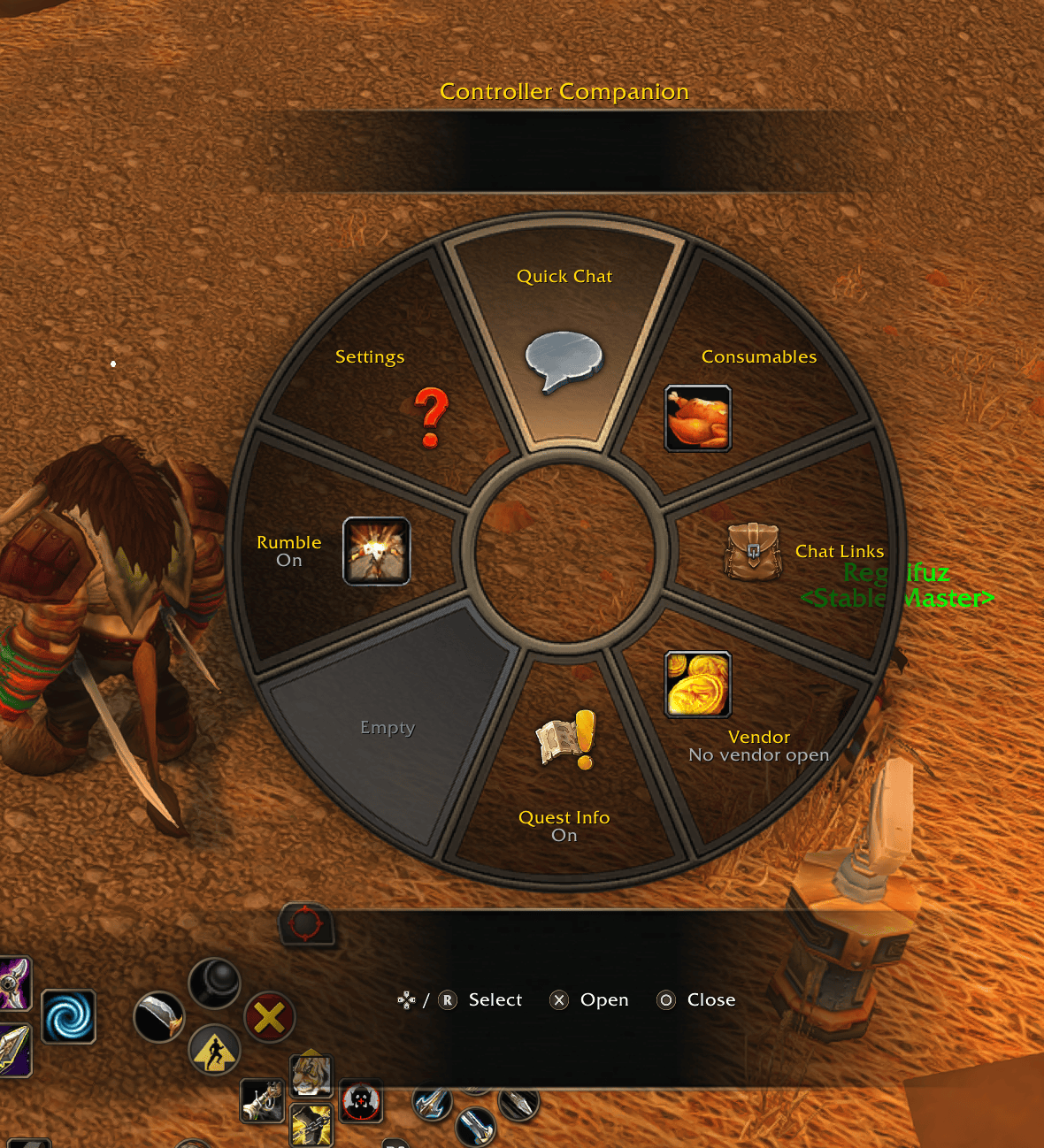
Tap that button and a wheel opens, in the style of Blizzard's own radial menu. Point the right stick, let go, done.
No such button on your controller (Xbox One, Elite, Steam Deck)? Press the top face button (Triangle, Y, or X on Switch) in the main menu (Blizzard's gamepad wheel), or pick another button under Settings > Wheel button.
What's on the wheel
Quick Chat - Eight phrases per page, one page per situation: Quick (yes,
no, gz, thx, np, sry, lol, sec), Hello, Group, Combat, Quest, and a
Favorites page that fills itself with the eight phrases you send most. L1/R1
flip pages, L2/R2 pick the channel (Auto, Say, Group, Guild, Whisper reply).
Every phrase is editable from the controller; %t becomes your target's name.
Consumables - The food, drink, health and mana potions, bandages and other consumables in your bags, one page per kind, with counts. Point, press Cross, eat. (Out of combat; in a fight, Blizzard's bags still hold your potions.)
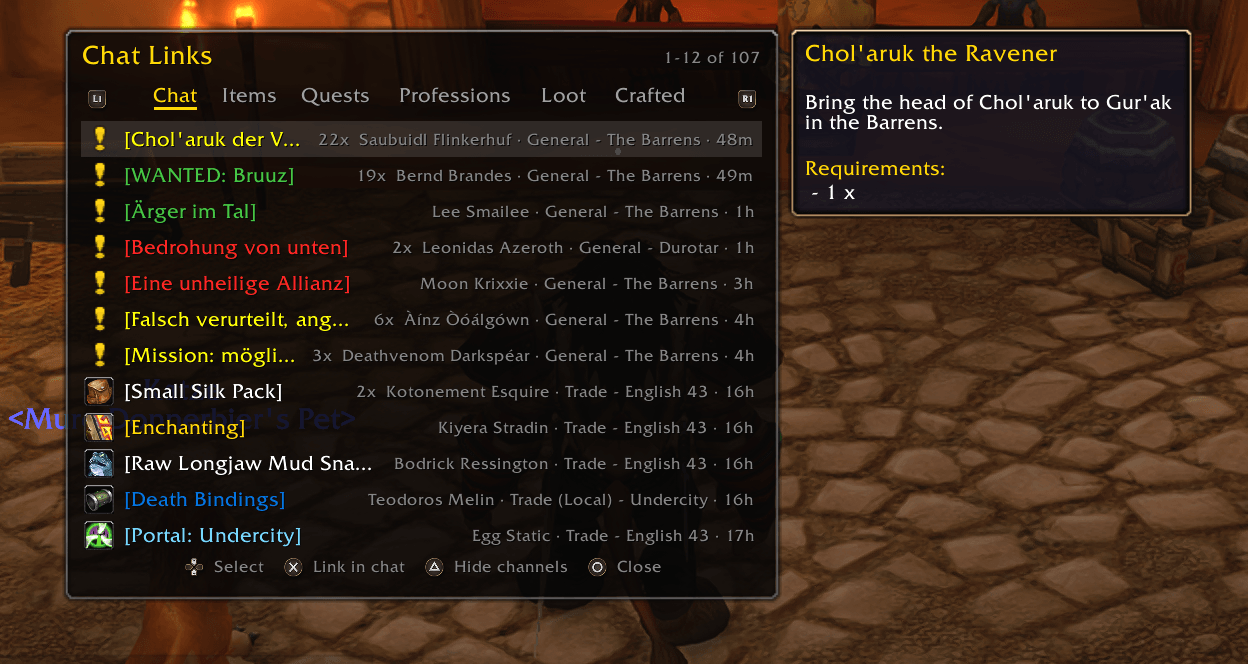
Chat Links - Someone linked a quest, an item, a recipe? Browse every link from chat without a mouse: Chat, Items, Quests, Professions, plus Loot (what you and your group looted) and Crafted. Cross links it back into chat, Square previews it (try on gear, open a profession's recipes), Triangle hides the public channels when a city gets noisy.
Vendor - Sells your gray items and repairs. It also happens by itself the moment you open a vendor, with one chat line for what it brought and cost. Guild repair optional.
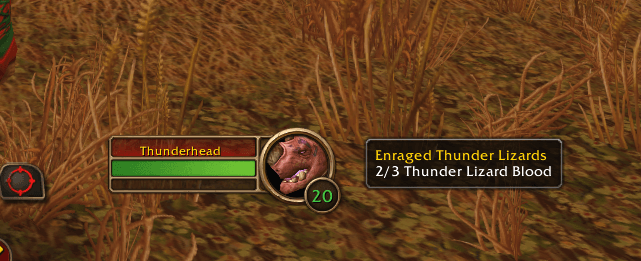
Quest Info - A box with the quest lines of your target: kill counts, quest drops. Place it anywhere in Edit Mode.
Rumble - The controller rumbles (and a DualSense's light bar flashes) for whispers, invites, ready checks, queue pops, summons, quest progress, level ups and good loot. Each one feels different and there's a strength slider in the settings.
Settings - Everything in Options > AddOns > Controller Companion, driven by the controller like the rest of Blizzard's options.
Fixes for Blizzard's controller UI
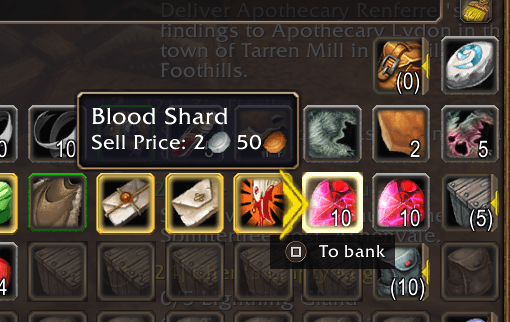
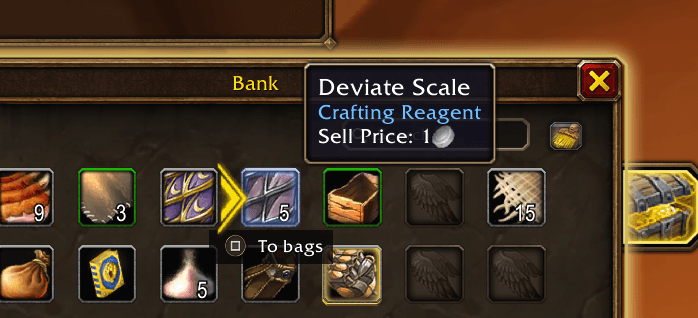
- Square at the bank. With the bank open, Square moves the selected item from your bags into the bank, or back, the way Square sells at a vendor. Blizzard only offers this for items you can use or equip; herbs, cloth and ore were stuck.
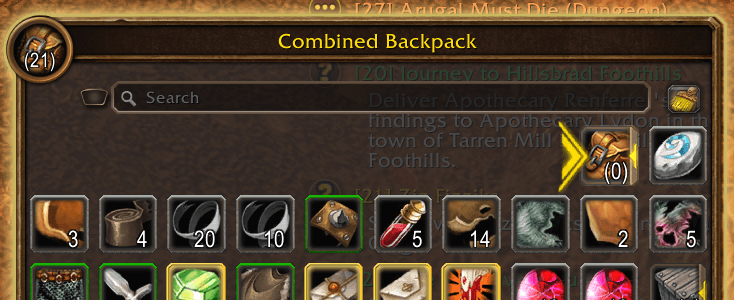
- A sort button you can reach. Blizzard hides the bags' Clean Up button in controller mode. It's back, next to the search box: press Up from the top right item, Cross sorts.
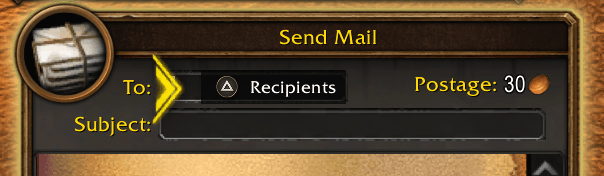
- Mail without typing. With the cursor on the recipient box, Triangle opens a wheel with your other characters, your friends, the people you whispered with lately, your guild and the people you mailed last. Point, press Cross, and the name is in the recipient box.
Plays well with others
Running Controller Forever, Improved Forever or Easy Controller? Keep them.
Controller Companion binds only the wheel button, and at login it names the
controller addons it sees and warns you if one of them took that button
(Settings > Wheel button or /ccomp wheel bind moves it). Its vendor automation overlaps with
Improved Forever's and Easy Controller's; switch off one side in the
settings.
Controllers
PlayStation (DualSense, DualShock), Xbox, Switch Pro and Steam Deck. Button pictures come from the game's own prompt tables, so they match what the game shows you.
Commands
/ccomp lists them. /ccomp settings, /ccomp wheel bind <PADKEY>,
/ccomp chat edit, /ccomp eat, /ccomp links, /ccomp vendor, /ccomp mail,
/ccomp rumble.
Notes
- Needs WoW: Forever with the Gamepad UI turned on.
- New install or update: restart the game, not just
/reload. - A node compass (herbs and ore on a ring at your feet, names on the minimap) is in the addon but parked: since the server restart on 2026-11-06 addons can't read the minimap's dots. It comes back when the game allows it again.
- Bugs and ideas: the comments here. Say which controller you use.
Controller Companion - Controller & Gamepad imoprovements for WoW Forever Team

