ConsumableHelper
- By
A lightweight addon to help with auction House consumables for all classes and specs.
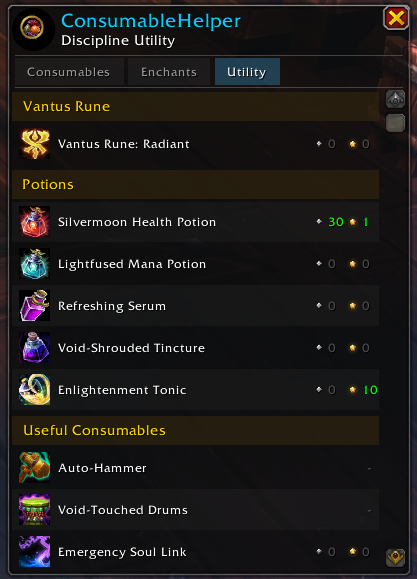
Now shows quantity of items in different qualities already in your bags. As well as a curated utility tab.
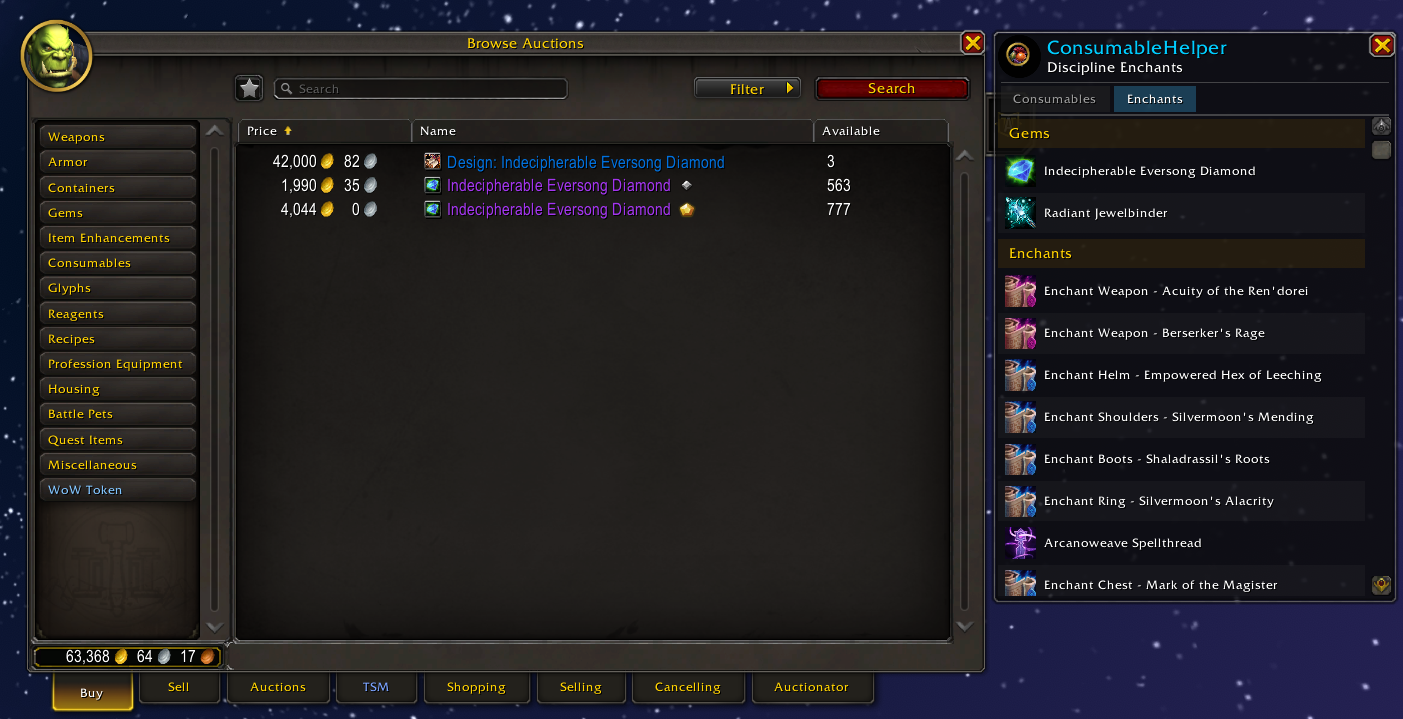
Screenshot showcasing the default window location for the consumable helper.
Description
ConsumableHelper
Never forget a flask, enchant, or potion again.
ConsumableHelper is a lightweight addon that shows you exactly which consumables and enchants are recommended for your current class and specialization — right next to the Auction House so you can buy them in one click.
Features
Spec-Aware Recommendations
Automatically detects your class and specialization and displays only the consumables, enchants, and utility items that are relevant to you. No searching through generic lists — just what you need.
One-Click Auction House Search
Click any item in the list to instantly search for it in the Auction House. No more alt-tabbing to guides or typing item names manually.
Auto-Show with Auction House
The ConsumableHelper panel appears automatically when you open the Auction House and hides when you close it. It stays docked to the side, out of the way but always accessible.
Tabbed Interface
Switch between three tabs:
- Consumables — Flasks, potions, food, weapon enhancements, and augment runes
- Enchants — Enchants and gems for every slot
- Utility — Vantus runes, drums, repair hammers, and other useful items for endgame content
Quality Tiers
Items with multiple crafting ranks display quality pips (gold / silver).
Multiple Data Sources
Choose between recommendation data sourced from Wowhead and Icy Veins. Switch sources in-game with a single click — no reload required. The addon ships with data from both sites so you can compare recommendations.
Spec Preview
Want to see what another spec needs before you respec or gear an alt? Use /ch show <class> <spec> to preview any class/spec combination with fuzzy matching (e.g., /ch show paladin ret).
Slash Commands
| Command | Description |
|---|---|
/ch |
Toggle the ConsumableHelper window |
/ch source [name] |
Cycle or set the active data source |
/ch show <class> <spec> |
Preview recommendations for any class/spec |
/ch reset |
Return to your current specialization |
/ch debug |
Toggle debug logging |
Installation
Download and extract into your WoW addons folder:
World of Warcraft/_retail_/Interface/AddOns/ConsumableHelper
Restart WoW or /reload in-game. That's it — open the Auction House and the panel will appear automatically.
Feedback & Issues
Found a bug or have a suggestion? Open an issue on the GitHub repository.
ConsumableHelper Team