


Conclave
- By
WoWScrnShot_110526_210050.jpg
WoWScrnShot_110526_210104.jpg
Description
WARNING: ACTIVE DEVELOPMENT AND TESTING
Conclave is in active development and guild testing on WoW: Forever. Expect bugs, missing features and changes between builds. Saved data may be reset between versions. Found a problem? Type
/conclave status printand/conclave errors, then send both to the author.
Conclave
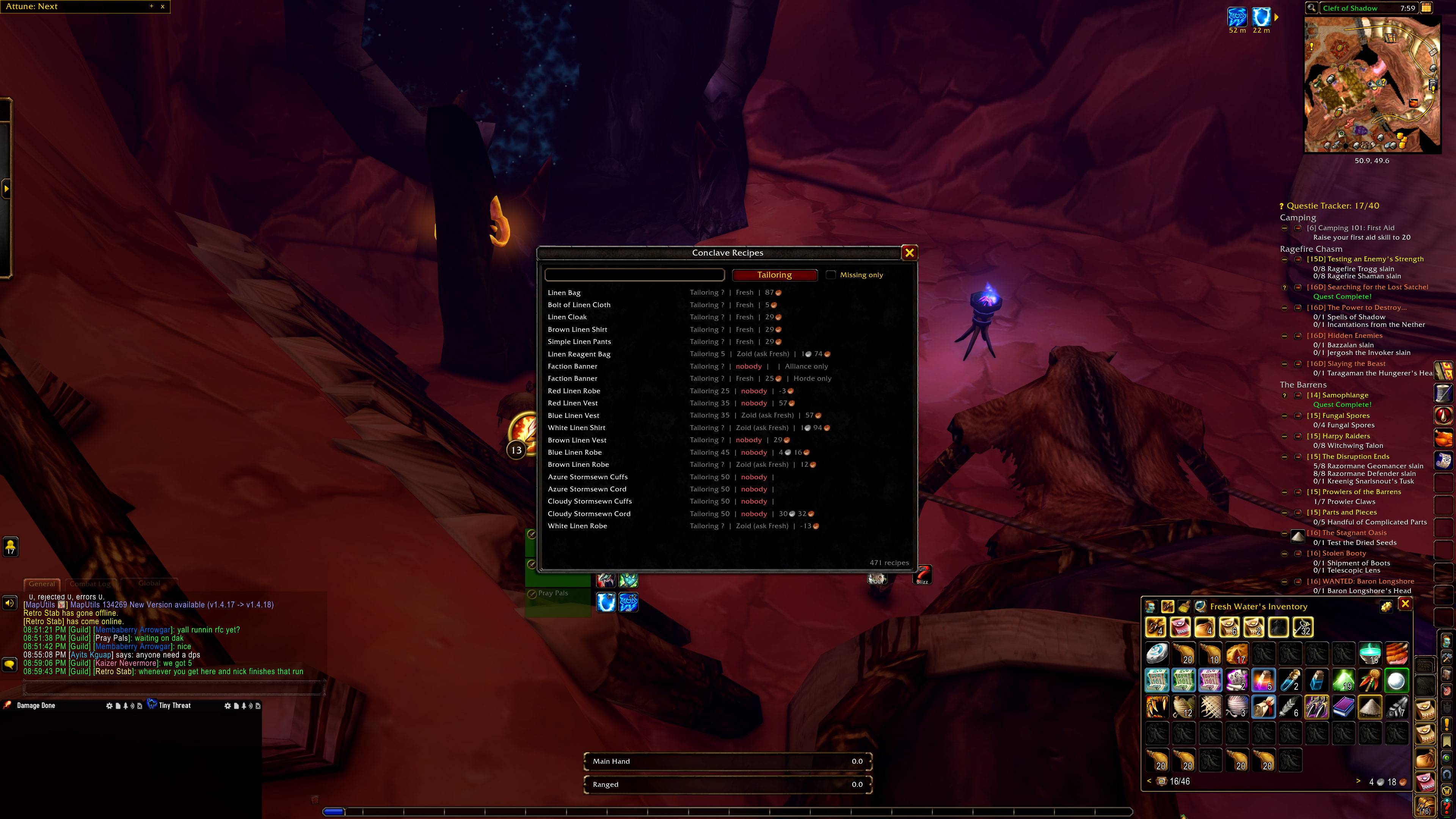
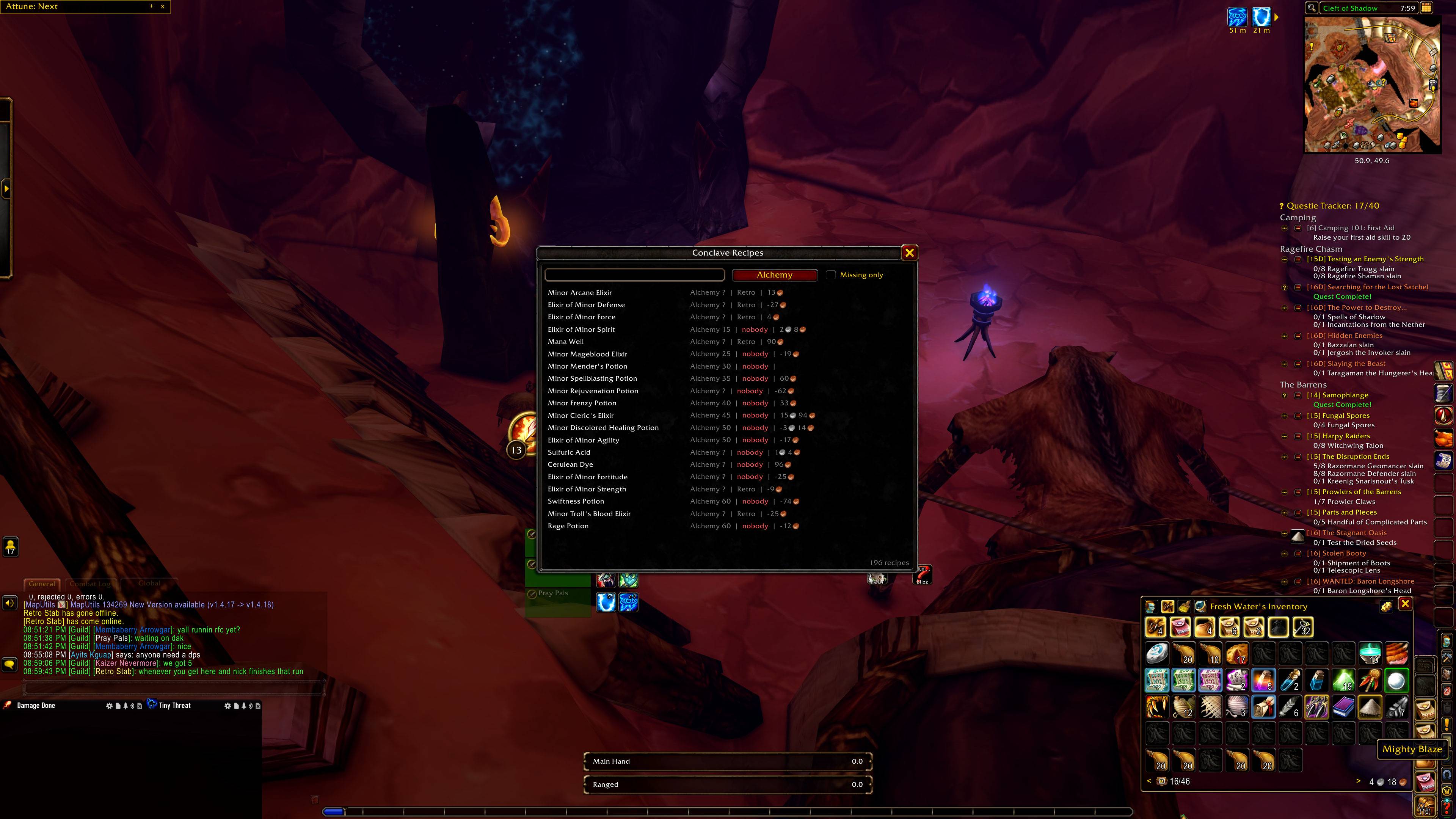
Opt-in guild sync for WoW: Forever. Guildmates share professions, learned recipes, craft cooldowns, prices, shopping lists, bank contents and alts, then browse a guild-wide recipe database, find recipes nobody knows yet, and plan the cheapest profession leveling route.
Nothing is shared until you say so
- Every character opts in per data type: share professions but not your bank, or nothing at all.
/conclave privacyshows what you share./conclave optin <type>and/conclave optout <type>change it./conclave forgetasks every guildmate's addon to drop your data, and they refuse relayed copies afterwards.- Data stays inside your guild's addon channel. Nothing goes to a website or server.
Getting started
- Install Conclave on everyone in the guild who wants to share. Every guildmate needs the addon to send or see data.
- Log in and answer the sharing prompt: Share all, Choose, or Not now.
- Click the minimap button, or type
/conclave browseto open the recipe browser. - Give it a minute after login: guildmates' data arrives as they come online.
Useful commands
/conclave browse: guild recipe browser/conclave missing [profession]: recipes nobody in the guild knows/conclave plan <profession>: cheapest leveling route from your current skill/conclave cooldowns,/conclave quests,/conclave alts: guild cooldowns, shared quests, your characters/conclave theme: classic, dark or light look/conclave link: link a second WoW account so its characters count as your alts/conclave sync: ask the guild for fresh data/conclave status printand/conclave errors: what to send with a bug report
Feature status
In testing means it is in the current CurseForge build and the guild is testing it now. In development means it is built and is being checked for the next build. In planning means it is designed but not built yet; plans can change.
In testing (current build)
- Guild recipe browser: who can craft what, across every opted-in guildmate and their alts, with search and a profession filter
- Missing recipes: what nobody in the guild knows yet
- Leveling planner: the cheapest route to a skill target, priced at the lower of vendor and auction price, re-planned when you learn a recipe
- Full recipe catalog for the WoW: Forever launch build
- Craft cooldowns shared across the guild
- Shared shopping lists that push into Auctionator
- Guild bank snapshot where the client has one, bank alt mode everywhere else
- Alts: offline alts show through whichever of your characters is online; a second WoW account links with a mutual code
- Shared quests: see which online guildmates are on the same quest (only quest IDs are shared)
- Item tooltips: crafters, craft cost and profit, guild auction price and guild stock
- Prices from Auctionator, TSM or Auctioneer, pooled across the guild
- Works beside Profession Master without doubling tooltip lines
- Version notice when a guildmate runs a different Conclave build
- Minimap and addon compartment button, three themes, and status and error reports for bug reports
- One Conclave window with top tabs: Recipes, Cooldowns, Quests, Alts and Settings
- Recipe detail pane: icon, source, reagents, profit and crafters for the selected recipe
- Crafter names coloured for your own characters, online and offline guildmates; right-click a crafter to whisper, invite or copy the name
- Shift-click a recipe or reagent to link it in chat
- Cooldowns you can sort by character, cooldown or time left, with a Ready only filter
- Known by me and Known by guild filters next to Missing only in the recipe browser
- Resizable window that remembers its size and position
- Settings tab and Game Menu > Options > AddOns page for sharing, tooltips, theme, minimap button and bank alt mode
- Status report in its own popup window
/conclave tooltips on|offto hide or show Conclave's tooltip lines/conclave purgeto delete every Conclave save on this WoW account and start fresh
In development (next build)
- Nothing yet: the next items come from In planning below
In planning
- Crafting orders: ask a named crafter or post to a guild-wide pool that any crafter can claim. Track each order through New, In progress, Waiting on materials, Sent, Completed and Canceled, on a list or a drag-and-drop board. Includes an optional gold offer, a materials checklist from your bags and bank alt, automatic Sent when the crafter mails or trades the item, and archiving of closed orders after a number of days you choose (7 by default)
- Campfire planner: for the WoW: Forever camp system. See which camp objects your party's professions can build, which buffs your fire can hold, which buffs overlap class buffs, and suggestions for your group (for example a caster-heavy party)
- Conclave website and profession leveling guides: an info site with leveling guides built from Conclave's own recipe catalog and planner
- Guild data browser on the web: view your guild's shared professions and recipes outside the game, from an export you choose to paste in. Opt-in, like everything else
- Later ideas: where to train your next profession rank, gathering node tooltips with skill colours and possible drops, map pins for vendors, trainers and tracked materials, and verified support for Retail, TBC Anniversary and Classic Era
Supported clients
WoW: Forever is the primary target and the only client tested in game so far. The same package loads on Retail, TBC Anniversary and Classic Era, but those are not tested yet.
Conclave Team
