Comprehension Compendium
- By
Comprehension_Compendium_1_Home_Page.jpg
Comprehension_Compendium_2_Scroll_Results.jpg
Comprehension_Compendium_3_Results_Item_Tooltip.jpg
Comprehension_Compendium_5_Options_Panel.jpg
Comprehension_Compendium_7_Rank_Up_Popup.jpg
Description
Comprehension Compendium
A mage's record of Comprehension scrolls for World of Warcraft: Forever.
Beta: version 1.0 is a beta. Comprehension is brand new in Forever, so some scrolls or results may not be recorded perfectly yet. Your reports help!
Mages in Forever can decipher scrolls that drop from mobs, and every one of them is a little gamble. Comprehension Compendium keeps track of all of it for you: which scrolls you've found, which mobs drop them, what reading them actually gives you, what they're worth, and how close you are to your next skill-up.
What it does
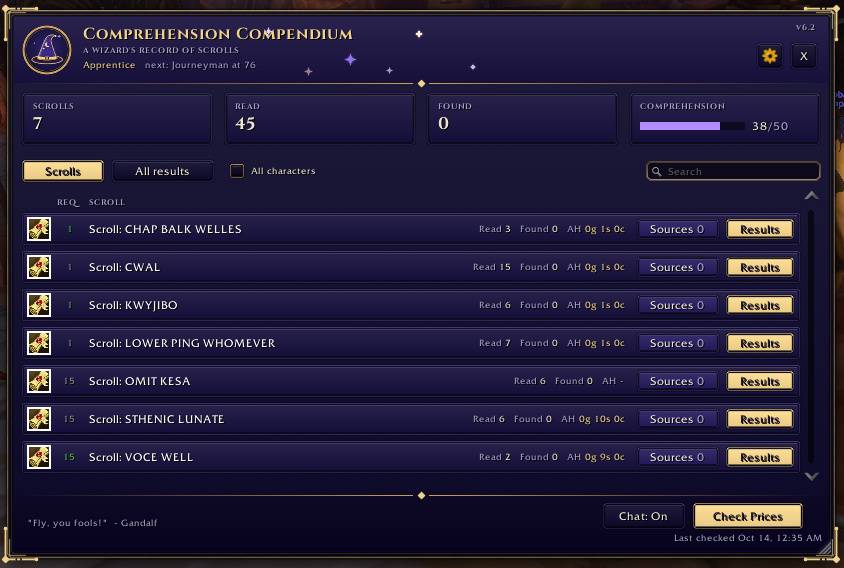
Your scroll collection Every scroll you find, sorted by the Comprehension skill it needs. The required skill is colored just like profession recipes (orange, yellow, green, gray), so you can tell at a glance which scrolls are still worth reading for skill-ups. The colors learn from your own reads.
Sources Every mob and zone that has dropped each scroll, how many times, and when you last saw it.
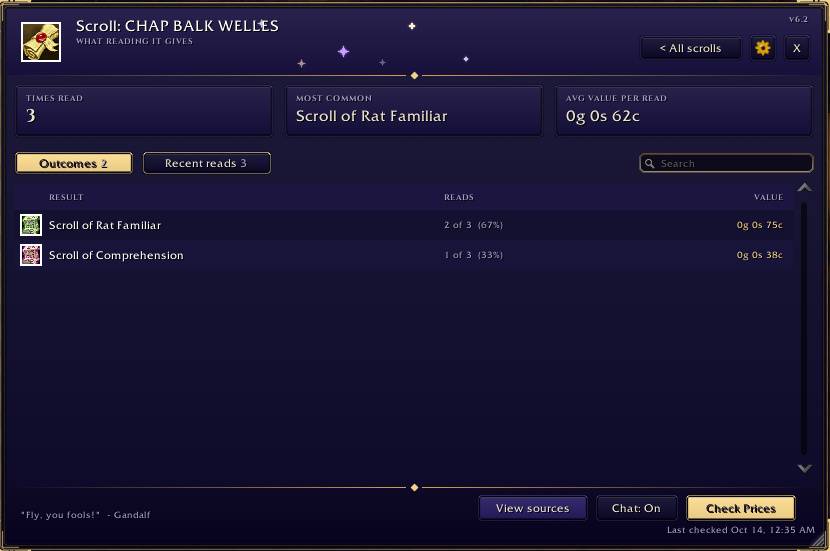
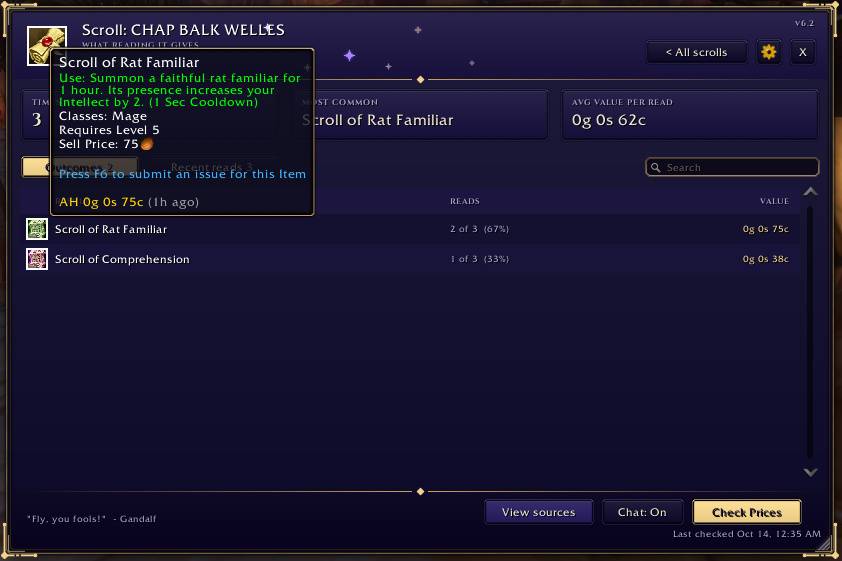
Results Everything reading a scroll has given you (items, buffs and gold), how often each one shows up, and what the items sell for. Hover anything for its tooltip. The All results tab puts every reward from every scroll in one list.
Search Search by scroll name or by reward. Type "rat" and you'll find the scroll that gave you Rat Familiar.
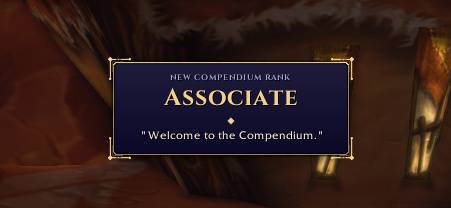
Skill and ranks Your Comprehension skill, with temporary bonuses shown in green. Climb nine Compendium ranks from Associate to Arch-Mage, each with its own rank-up banner, quote and the quest turn-in sound.
Ready to read The minimap button shows how many scrolls in your bags you can read right now, and a Read next button picks the best one for skill-ups.
And a few extras
- Auction house price checks for scrolls and their rewards
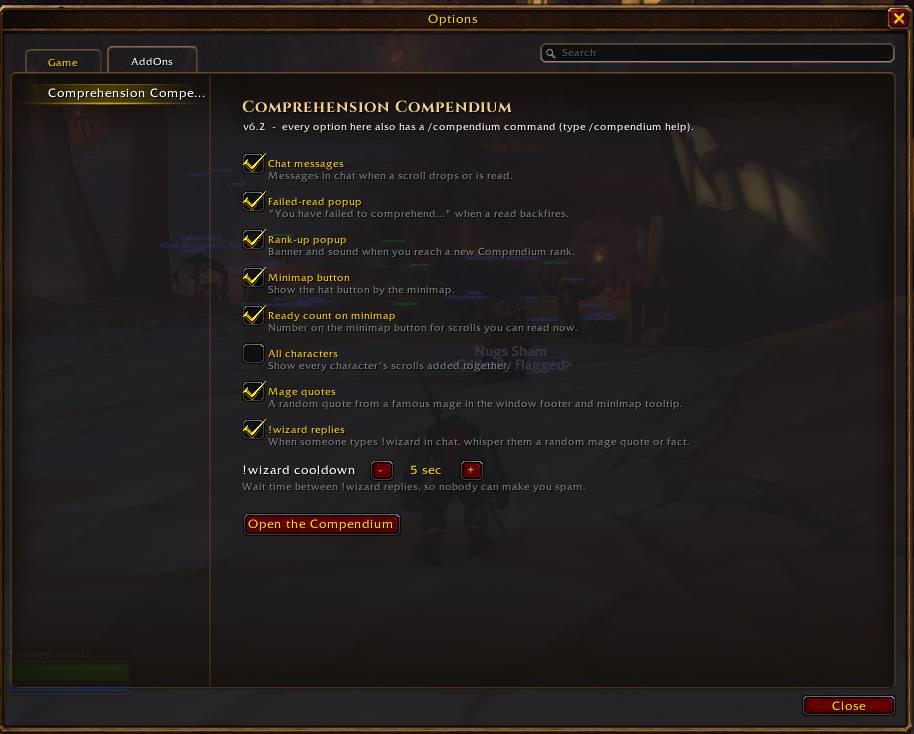
- A "you have failed to comprehend the most basic of scrolls" popup when a read backfires
- Data per character, or tick All characters to see everyone combined
- !wizard: anyone who types it in chat gets a whispered pop-culture mage quote or fact (with an adjustable cooldown, and it can be turned off)
- Random mage quotes, a resizable window, a minimap button, an options panel and plenty of slash commands
Getting started
- Install, log in on your Mage and loot a scroll. It shows up automatically.
- Click the hat on the minimap or type /compendium.
- Settings: the gear button, shift-click the minimap button, or /compendium options.
- /compendium help lists every command.
Good to know
- WoW hides buffs and debuffs from addons during combat, so read scrolls out of combat if you want buff results and failed reads recorded.
- Auction prices are checked while the auction house is open (click Check Prices).
- The Read next button hides during combat, since WoW doesn't let addons use items for you mid-fight.
Feedback
Found a bug or have an idea? Leave a comment. Comprehension is brand new in Forever, so reports about scrolls that don't get picked up are especially helpful (include the scroll's name).
Comprehension Compendium Team