Completion
- By
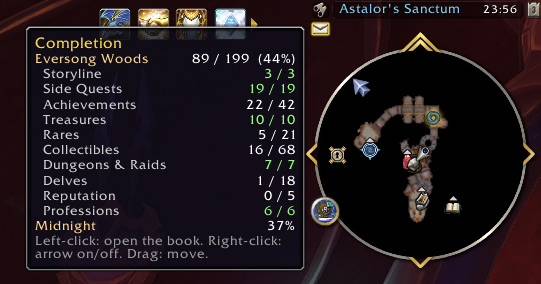
Screenshot 2026-10-03 at 22.57.02.jpeg
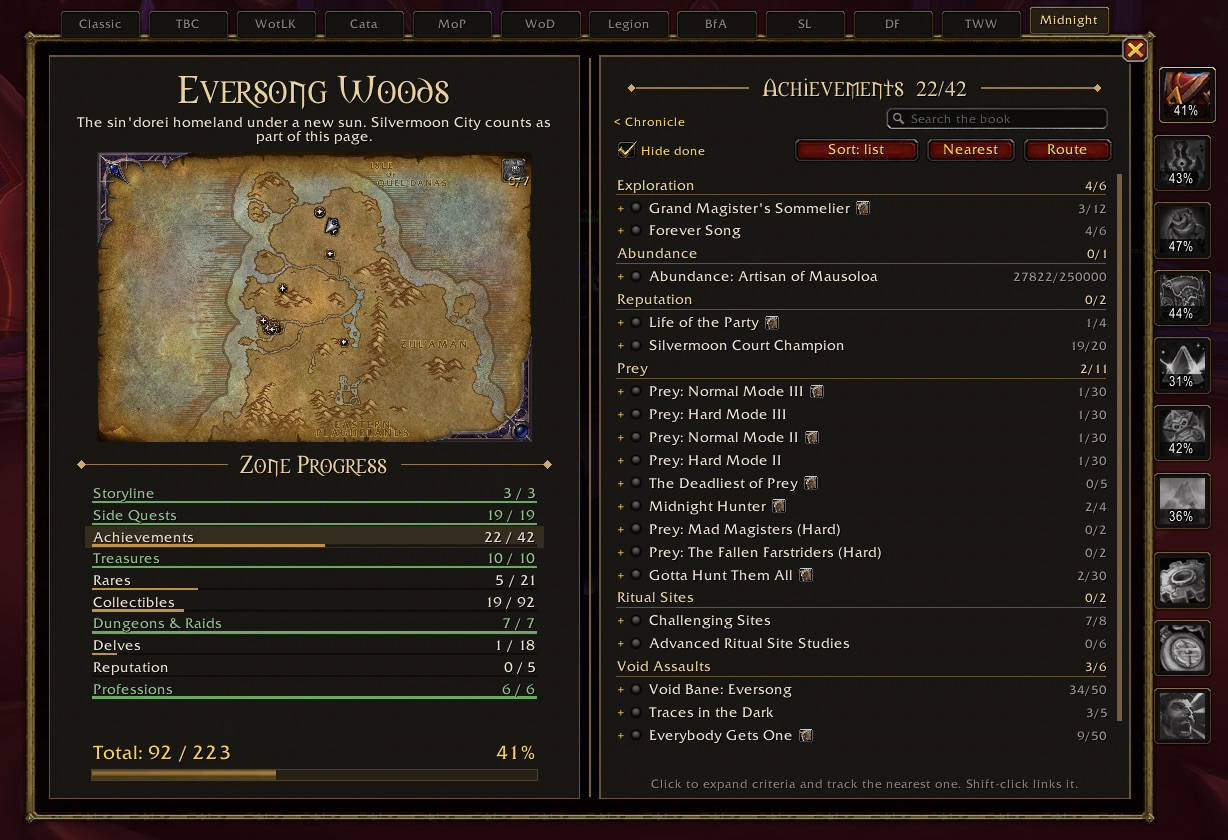
Screenshot 2026-10-03 at 22.57.17.jpeg
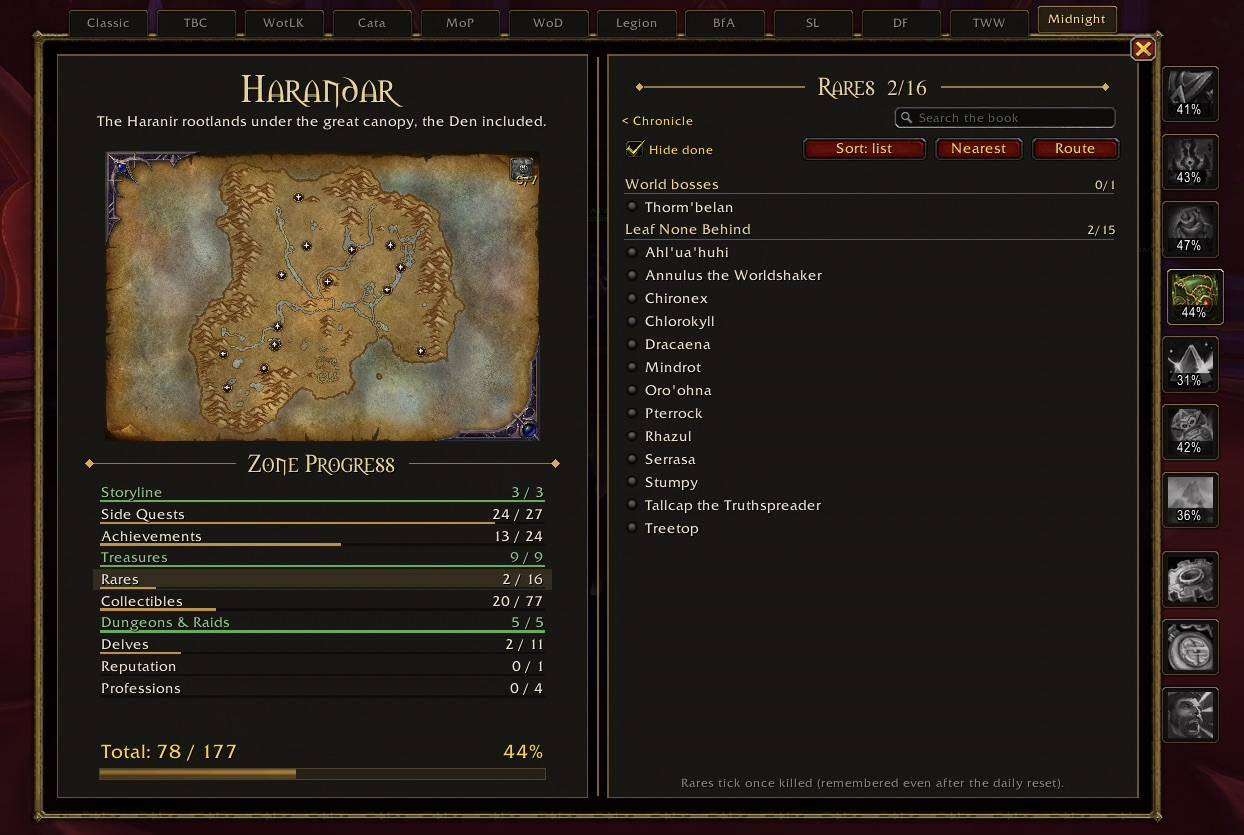
Screenshot 2026-10-03 at 22.57.29.jpeg
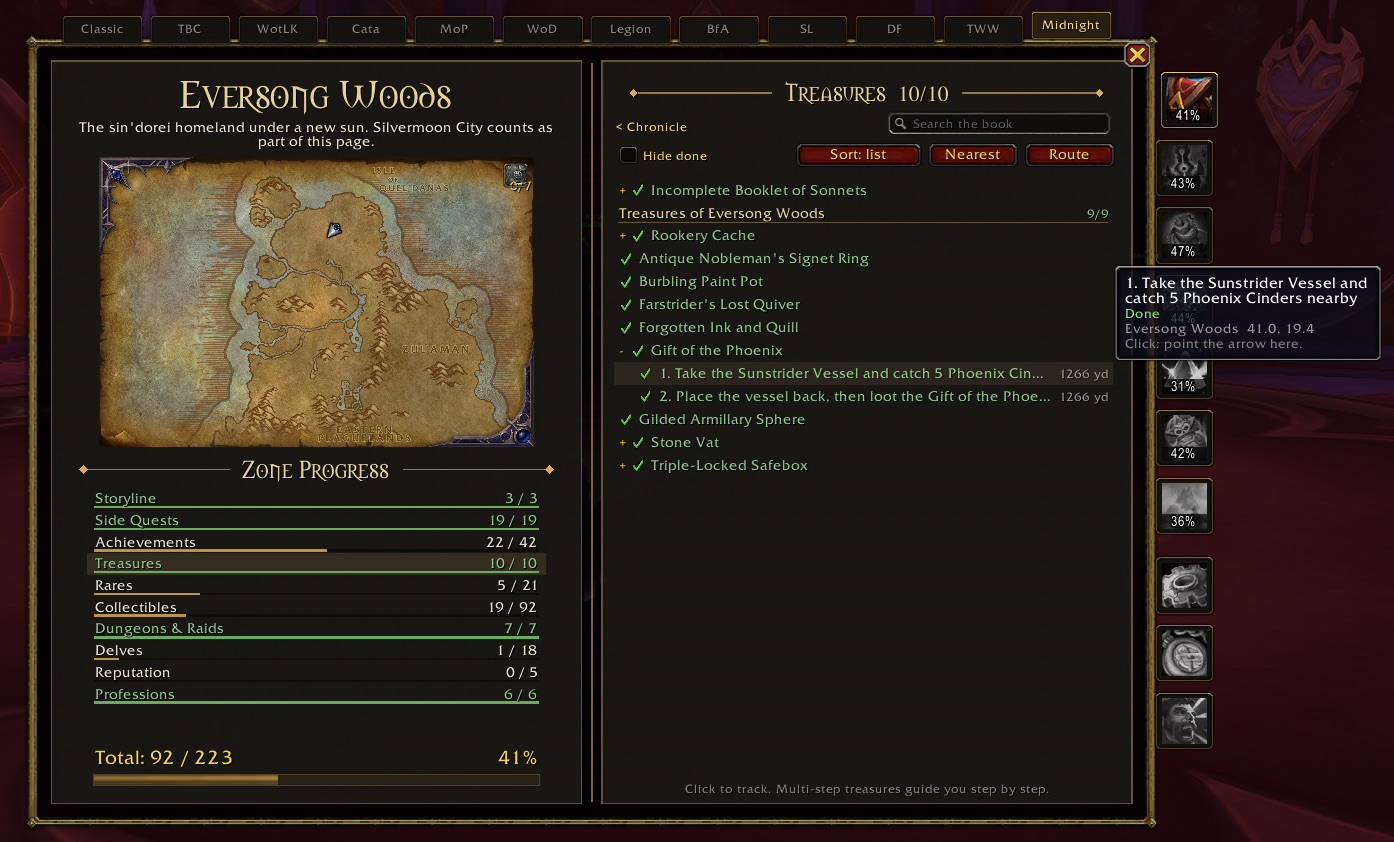
Screenshot 2026-10-03 at 22.58.08.jpeg
Screenshot 2026-10-03 at 22.58.18.jpeg
Screenshot 2026-10-03 at 22.58.36.jpeg
Description
Completion
Every zone, to one hundred percent.
Completion is a book that sits on top of your game and shows, zone by zone, what you have done and what is still missing: storyline, side quests, achievements, treasures, rares, collectibles, dungeons, delves, reputation and profession treasures. Pick anything that is missing and a guide arrow walks you there, step by step, with a walkthrough for the tricky parts.
No more ten browser tabs, no more guessing which treasure you skipped. Open the book, see the gap, follow the arrow.
Midnight is fully covered. Every other expansion already has its bookmark in the book and gets its pages later, one expansion at a time.
Why Completion
- One place for everything. Each zone gets its own page with ten sections and a single progress number. The Midnight page holds everything not tied to one zone, and its total is the whole expansion.
- Always your real progress. Achievements, criteria, quests, collections and reputation are read live from the game. Nothing to import, nothing to tick by hand.
- It tells you how, not just what. Hundreds of achievements and criteria come with a location and a short walkthrough: which NPC, which object, what to buy, from whom, and what it costs.
- Light on your game. No game settings are changed, nothing pops up, nothing pings. It does its work when the game says something changed, and stays quiet otherwise.
The book
The left page is the zone: its name, its map with pins for what is still missing, and Zone Progress with a bar for every section. The right page is the Chronicle (time spent in the zone, your recent adventures and what to do next) or the list of whichever section you open.
Zone tabs run down the right edge with your percentage on each one: Eversong Woods, Isle of Quel'Danas, Zul'Aman, Harandar, Voidstorm, The Coiled Isle and the Midnight overview.
What each zone page tracks
| Section | What counts |
|---|---|
| Storyline | The zone's campaign, questline by questline, with the full quest chain |
| Side Quests | The zone's Loremaster achievement and other quest achievements |
| Achievements | Every Midnight achievement tied to the zone, with all its criteria |
| Treasures | Every treasure, including the ones no achievement asks for |
| Rares | Every rare and world boss (kills are remembered after the daily reset) |
| Collectibles | Mounts, pets, toys, decor and appearances from the zone's drops, vendors, quests and renown |
| Dungeons & Raids | The zone's instances and their achievements |
| Delves | The zone's delves, their achievements and Sturdy Chests |
| Reputation | The zone's factions, renown and ranks |
| Professions | Knowledge treasures for the professions this character has |
Finding your way around
- Search from the Chronicle searches the whole book. Inside a section it filters that section. Click a result to jump to its page.
- Sort: nearest puts the closest open things first.
- Hide done shows only what is still missing.
- Back returns you to where you were after a jump.
- The tracking line at the bottom of the page shows what the arrow is pointing at. Click it to open its page, right-click to stop.
The guide arrow
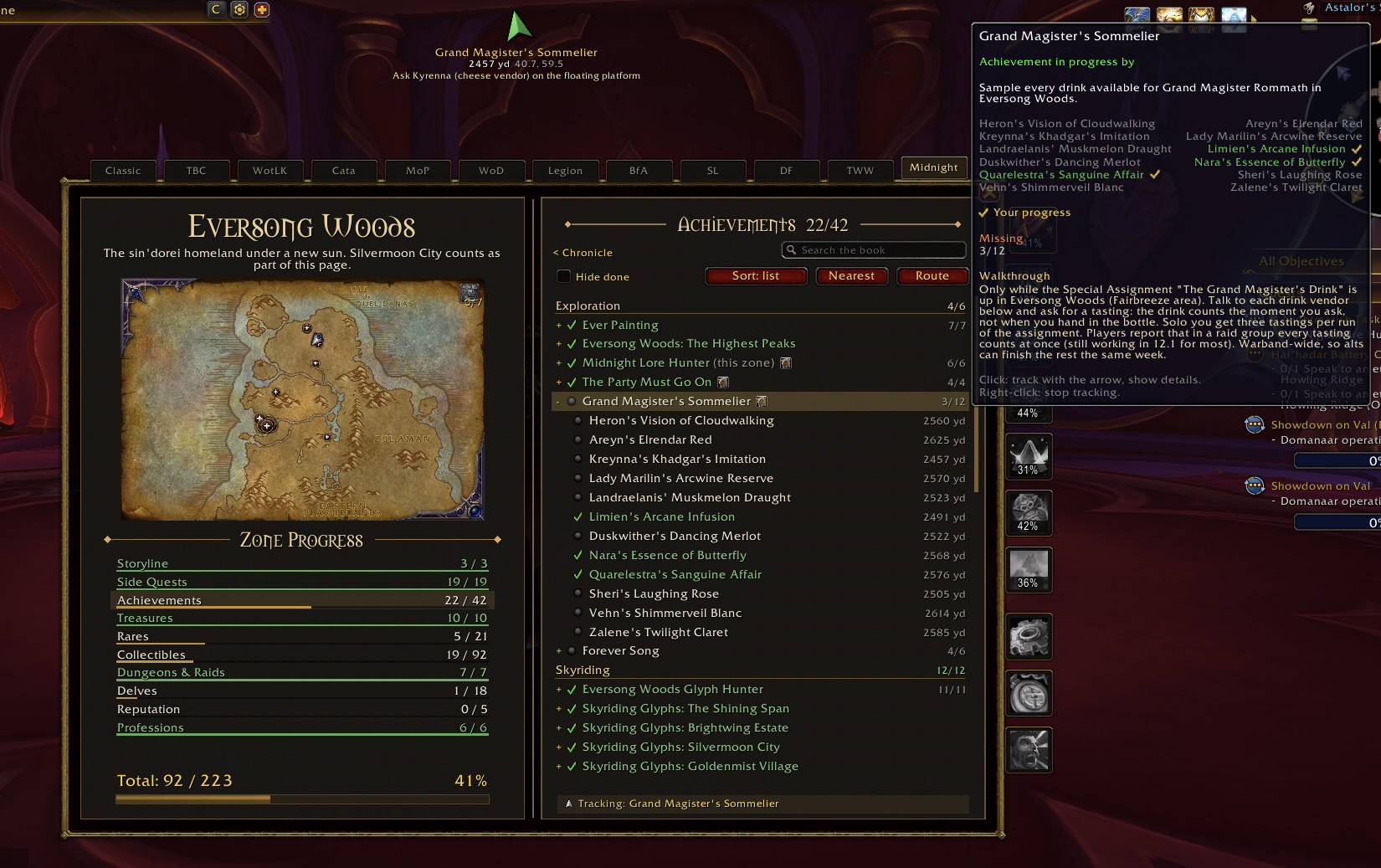
Click any row and the arrow points you there, with the distance and the coordinates.
- It turns green when you face your target and gold as you turn away.
- Multi-step treasures and achievements are guided one step at a time. Steps tick themselves when the game can see them (a quest done, an item in your bags). Right-click the arrow to tick a step the game cannot see.
- When a criterion is done, the arrow moves on to the nearest open part of the same achievement.
- Right-click the arrow for the next open thing in the same section. Shift-right-click to stop.
- Optionally places Blizzard's own map waypoint as well.
Walkthroughs
Rows with a small book icon have a written walkthrough. Hover them to read it.
- Where every criterion happens: the NPC to talk to, the object to click, the quest giver, the vendor and the price.
- Hand-written guides for the achievements that need more than a coordinate: every wine for Grand Magister's Sommelier and which vendor sells it, Share a Drink, where every Arcantina decoration hides and where it goes, all 21 Chronicler of the Haranir books, the Altar of Blessings set, Ritual Behavior, Dance While Everyone Watches, every patrol spot for Roll the Patrol, both pet safaris with every wild pet spawn, fishing, the frog princesses, Gnome Alone and many more.
- Step-by-step achievements such as Put a Pin in It, Spiritpaw Marathon and The Party Must Go On walk you through each step in order.
- Flight paths for the flight master achievement are located straight from the game's flight map.
- Skyriding glyphs point straight at their glyph.
Routes
Click Route on any section, or choose Plan a route through these pins from the map pin menu.
Completion plans the shortest loop through everything still open, starting from where you stand, and tells you how long it is. The route is drawn on the world map and on the book's map with numbered stops. The arrow shows [3/27] and moves on by itself as you finish each stop. Right-click the arrow to skip a stop.
Clear a zone's treasures or rares in one smooth loop instead of zig-zagging across the map.
Map pins you control
Everything still missing is pinned on Blizzard's world map and on the book's own map. Click a pin to track it.
A book button on the world map opens a checklist: Treasures, Rares & world bosses, Achievements, Collectibles, Dungeons & raids, Delves and Profession treasures. Tick what you want, or use Show only… to focus on one kind.
Leave only Rares on and the map shows just the rares you still have to kill. Rares you have killed, treasures you have looted and collectibles you own never show.
Up now
When a rare you still need is up (its skull is on your minimap), its row says up now, its pin gets a ring, and the arrow points at where it actually stands instead of its usual spawn spot. No sound, no popup: it is there when you look.
Collectibles, in 3D
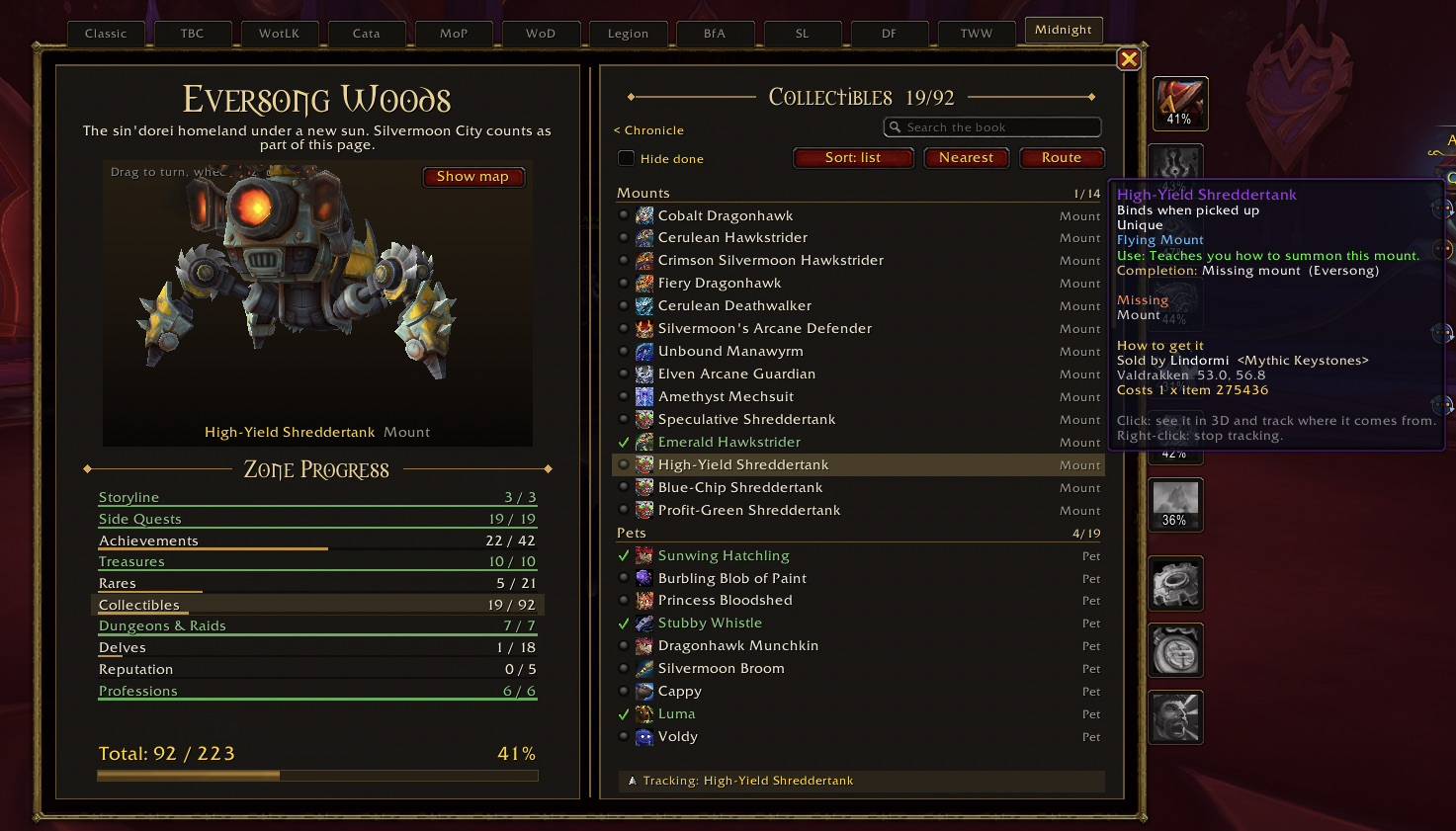
- Click a mount, pet, appearance or rare and the book's map turns into a 3D model viewer. Drag to turn it, scroll to zoom.
- Hover a collectible for Blizzard's own tooltip, followed by How to get it: the rare or treasure it drops from (with coordinates), the vendor and the price, the renown level and how far you are from it, the quest that rewards it and where that quest starts, or the achievement it comes from.
- Track a collectible and the arrow takes you to its source. Track a reward from an achievement and the arrow walks you through that achievement.
Hover hints
Mouse over a rare, an NPC, an object or an item in the world and its tooltip tells you what it still counts toward. Mouse over a player of a race you still need for Share a Drink and the tooltip says so.
This Week
A page of its own for what is up now and what repeats:
- Weekly and daily reset timers.
- Timed events and bountiful delves on the Midnight maps right now.
- World quests that count for an achievement or rare you still need.
- Renown still to earn for every Midnight faction, with progress to the next level.
- Repeatable features (Prey, Abundance, Void Assaults, Ritual Sites, delves and more) that still have achievements open, with their walkthrough on hover.
Click a line to track it or open its page.
Warband
Achievements, collections and renown are shared by your warband, but some things are done per character. The Warband page lists every character that has opened the book with its level, storyline, side quests, treasures, rares, professions and profession knowledge treasures. See at a glance which alt still has knowledge to pick up.
You decide what 100% means
Options > What counts lets you choose which achievement groups make up 100%: quests, exploration, delves, Prey, fishing, skyriding, dungeons, raids, professions, pet battles, collections, housing and more.
Out of the box, 100% means what you finish by normal play. PvP, World Events and hard modes (Mythic raids, Mythic+, Glory metas, Nightmare) are off by default and can be switched on. Their rewards follow the same switch, so a Mythic+ mount never holds your zone back unless you want it to.
Other options: show the arrow, map waypoint, sound on completion, chat messages, open on your current zone, count appearances, minimap button, hide finished rows, world map pins, hover hints, book size and arrow size.
Commands
| Command | What it does |
|---|---|
/comp |
Open or close the book |
/comp zone <name> |
Open a zone's page |
/comp missing |
List what is still missing in your zone |
/comp next |
Track the next open thing |
/comp clear |
Stop tracking |
/comp route / /comp route stop |
Plan a route for the open section, or stop it |
/comp pins <kind> |
Toggle a pin kind (only <kind>, all, none) |
/comp week / /comp warband |
Open This Week or Warband |
/comp arrow / /comp pin |
Toggle the arrow or the map waypoint |
/comp scale <n> / /comp arrowscale <n> |
Size of the book or the arrow |
/comp audit |
List open achievements on this page that have no guidance yet |
/comp help |
Every command |
The minimap button opens the book. Right-click it to toggle the arrow.
FAQ
Does it work for other expansions? Midnight is complete. The other expansions are bookmarked in the book and will be added one at a time.
Rares I killed before installing show as missing. The game resets rare kills daily, so Completion remembers kills from the moment it is installed. Rares that an achievement asks for are read from that achievement and are always right.
Something has no location or walkthrough.
Open that zone and type /comp audit, then send the list. That is the most useful bug report there is.
Which languages are supported? English clients are fully supported. Other languages work for progress tracking, but some walkthroughs may not attach yet.
Will it slow down my game? No. It only does work when the game reports a change, and it never changes your game settings.
Feedback
Found a missing treasure, a wrong coordinate or have an idea? Leave a comment on this page or reach out on Discord: ozonysx.
The Completion Team