


CommunitiesForever
Description
CommunitiesForever
For friends who want to play together, without needing a guild.
Maybe you're in different guilds. Maybe there are only four or five of you, too few for a guild of your own. CommunitiesForever turns a simple in-game community into your group's home base: you see every friend's characters, alts included, what they've been up to, and which dungeons you could run together right now.
Built for World of Warcraft: Forever.
Why
On Forever every character has its own first and last name, and most players have a few alts. Before long nobody knows who is who anymore: is that level 24 priest your friend's new alt, or someone you've never met? CommunitiesForever groups every character under the person who plays it, and keeps that up to date for everyone in the group.
Features
Who is who
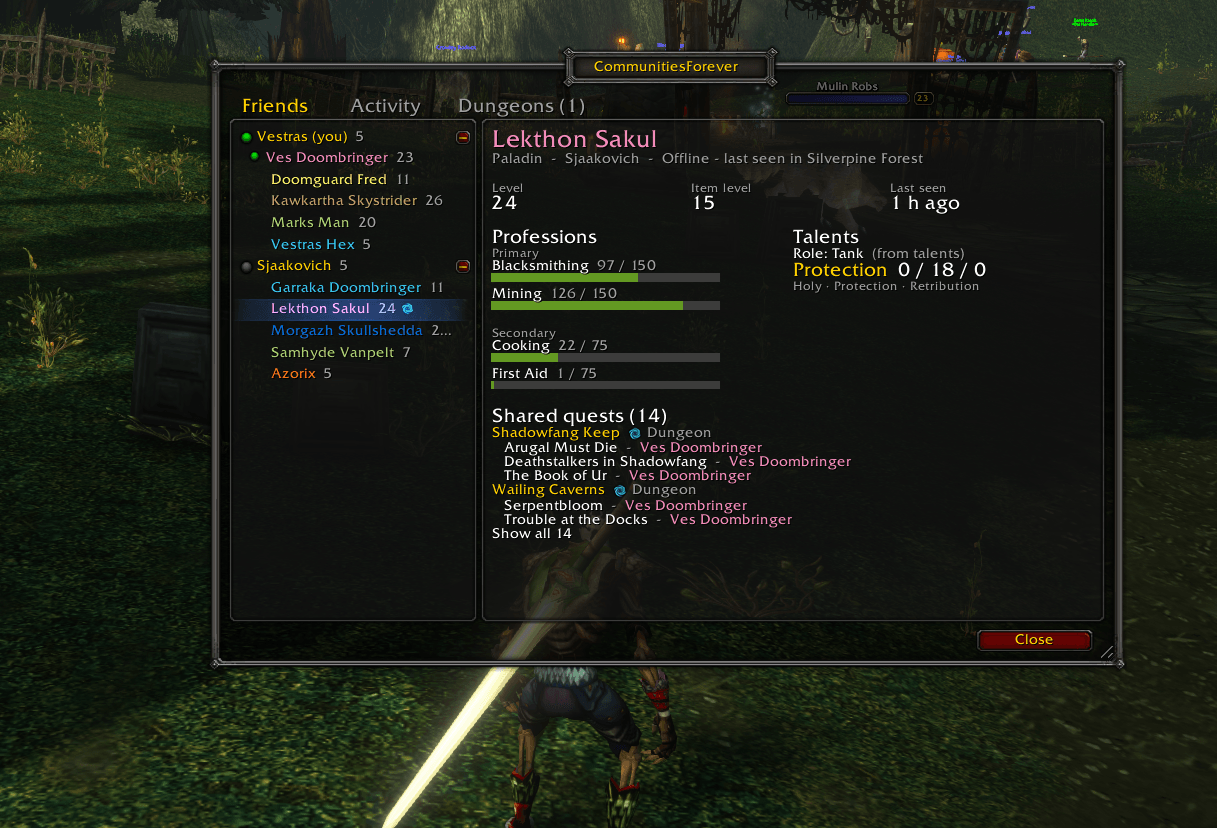
- Community members grouped per person, with a dot on the character they're playing right now
- Per character: class, level, item level, professions, talents (e.g. Arms 31 / 5 / 15) and role (tank, healer or damage)
- Alts outside the community are listed too, under their owner
- Hover over a player to see whose character it is
Activity
- What everyone did each day: levels gained, quests per zone, profession ranks, dungeons, raids and battlegrounds
- Ran a dungeon together? It shows as one line for the group
- Don't want to share? One switch turns your activity off
Dungeons
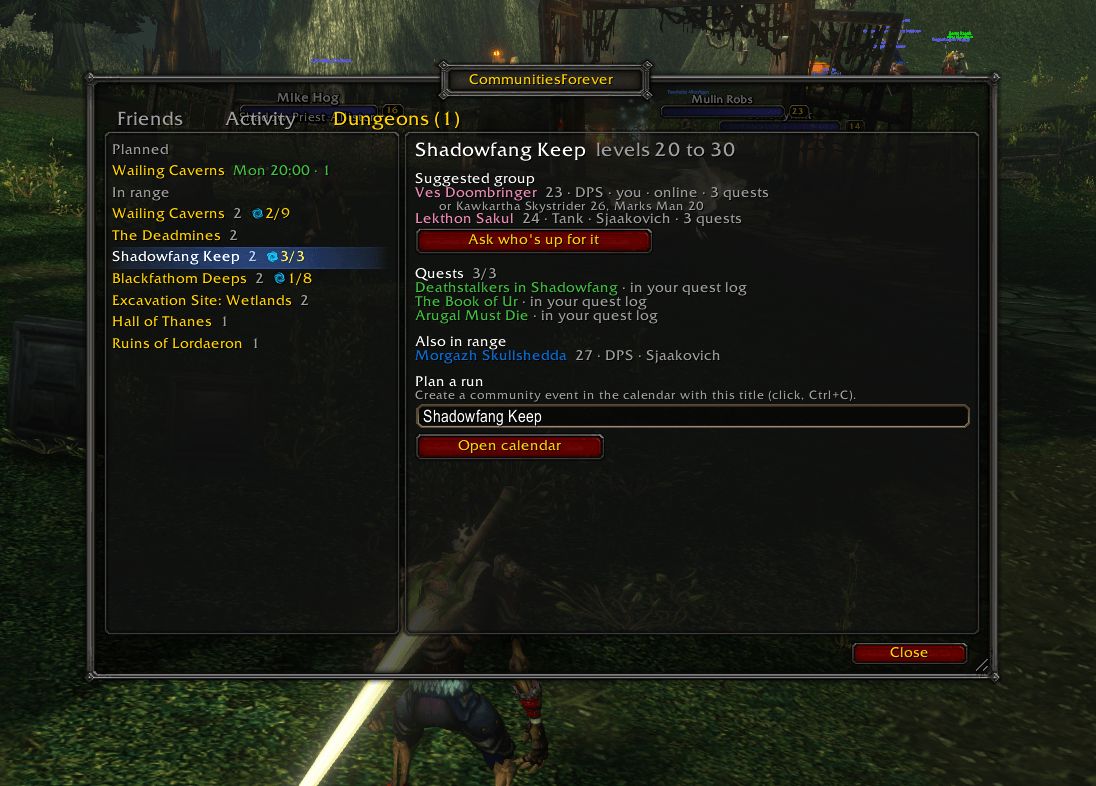
- Every dungeon from the game's Group Finder that fits your characters, including Forever's new ones
- A suggested group from your friends' characters (tank, healer, damage)
- Who has quests for each dungeon (all of them with Questie installed)
- Runs planned in the community calendar, with who signed up
- Ask who's up for it: friends with a character in range get a chat line and answer Join, Later or No with one click
Shared quests
- The quests you share with a friend, on their character, with dungeon quests marked
Community chat, set up for you
- The community chat gets its own chat tab and its own color (purple, adjustable) in every chat window
- The tab flashes on new messages, with an optional sound
Staying in touch
- A notice when a friend logs in, and when one of their characters levels up
Getting started
- Join your group's community. Ask a friend in it for the invite link or code. Owners, leaders and moderators can share it from the addon, and characters not in the community yet see how to join.
- Log in and follow the short setup. It runs once: pick the community, choose the name your friends see, create the community chat tab and set notifications. Run it again any time with
/cf setup. - Type
/cf(or click the minimap button) to open the window.
Everything above lights up once the addon knows your community. Your friends need the addon too to see each other's professions, talents, quests and activity.
How it works
Players who run the addon share their character data with each other through the community. Nobody has to be online at the same time: when someone is offline, their latest data still reaches you through the others, and nothing ever goes back to older data.
Tip: add each other as Battle.net friends. It's not required, but syncing is faster and more reliable between Battle.net friends.
- Data is only shared with members of your community who run the addon
- Nothing is sent to external servers or websites
- Quest progress is never shared, only which quests you have
Commands
| Command | What it does |
|---|---|
/cf |
Open or close the window |
/cf setup |
Run the setup again |
/cf settings |
Open the settings |
/cf ask <dungeon> |
Ask your friends who's up for a dungeon now |
/cf sync |
Send your characters to your friends now |
/cf help |
List all commands |
World of Warcraft: Forever is still in beta. Please report problems on the project page.
CommunitiesForever Team
