Comms Wheel - Emotes & Pings
- By
Customizable Emote and Pings Wheel for World of Warcraft Retail
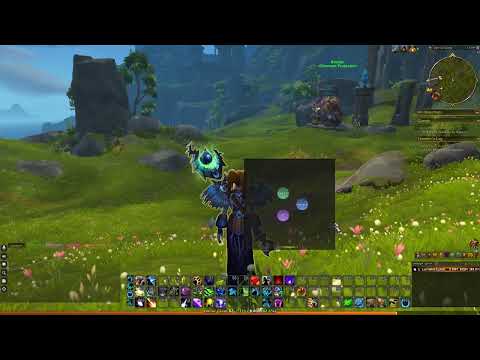
Wow_H8ACcq8L4Q.png
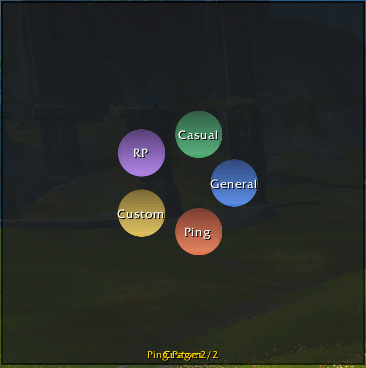
Wow_a9LxYUDiRY.png
Description
# CommsWheel
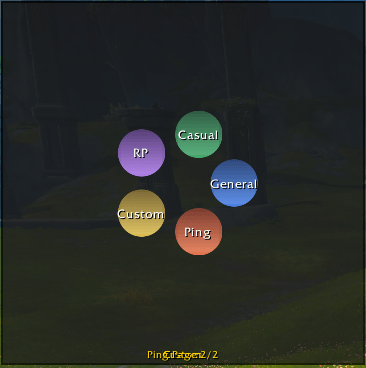
A radial communication & ping wheel for World of Warcraft providing quick access to emotes, roleplay / chat phrases, and Dragonflight ping commands.
## Features
- Radial hub with category center buttons and outer action buttons
- Categories: General, Casual, RP, Custom, Ping
- Pagination (4 actions per page); click category again to advance page
- Elegant animated UI: color‑coded category gradients, soft scaling hover effects & smooth open/close animation
- Custom emotes & chat phrases (e.g. `/s Hello team`, `/e grins widely`) managed in options panel
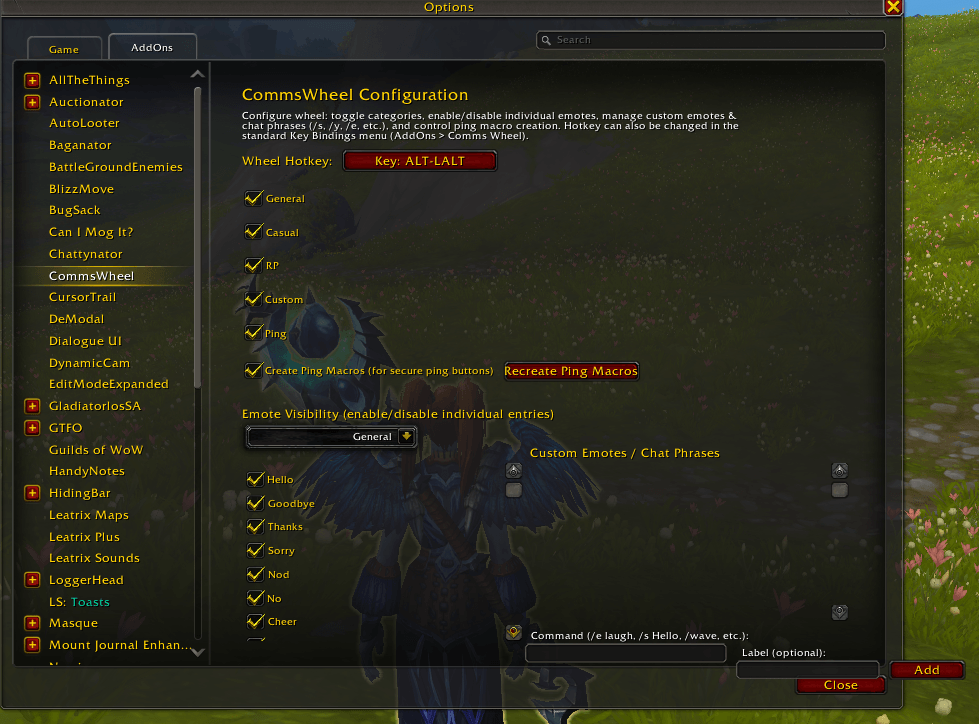
- Per-emote enable/disable visibility toggles (hide ones you never use)
- Custom emotes/macros definable via UI (Add button) – no more manual multiline editing
- Ping support using Dragonflight `/ping <type>` commands
- Click outside or press the hotkey again to close
- Keybinding customization in options panel (and standard Key Bindings UI)
- Lightweight saved variables for preferences
## Usage
1. Bind (default ALT-E) or set a new key in options.
2. Press the hotkey – wheel appears at cursor.
3. Click a center category button; outer buttons populate with actions. Click again to page.
4. Left‑click an action to fire it (emote, chat, or ping). Wheel closes automatically.
Slash commands:
```
/cmw
/cmw options
/cmw remakepings
```
(Legacy alias `/commswheel` still works.)
## Custom Entries
Open Interface > AddOns > CommsWheel:
- Use the Command box to enter anything starting with `/` (examples: `/wave`, `/s Incoming adds!`, `/y HELP!`, `/e draws a map in the dirt`).
- Optional label overrides the button text; if blank it derives from the slash token.
- Remove existing custom entries with the Del button.
- Toggle visibility of any default or custom emote in the Emote Visibility section.
All entries are stored exactly as typed; advanced users can include conditionals or targets supported by macro chat commands (subject to Blizzard restrictions).
## Notes
- Visual design hooks are minimal; feel free to add textures (e.g. gradients) under the addon folder.
- Built‑in gradient styling uses the generic WHITE8x8 texture + SetGradient and the Blizzard circular mask when available. Fallbacks ensure older clients still show solid colors.
- Secure templates used for buttons; pings execute via pre-created macros (toggle + recreate in options).
- Hidden/emote visibility only affects the wheel display; saved data preserves all entries.
## Future Ideas
- Icon-based buttons with atlas textures
- Better animation & radial lines
- Mouse wheel to advance pages
- Combat lockdown restrictions handling for macros
Comms Wheel - Emotes & Pings Team