


Combo Master
- By
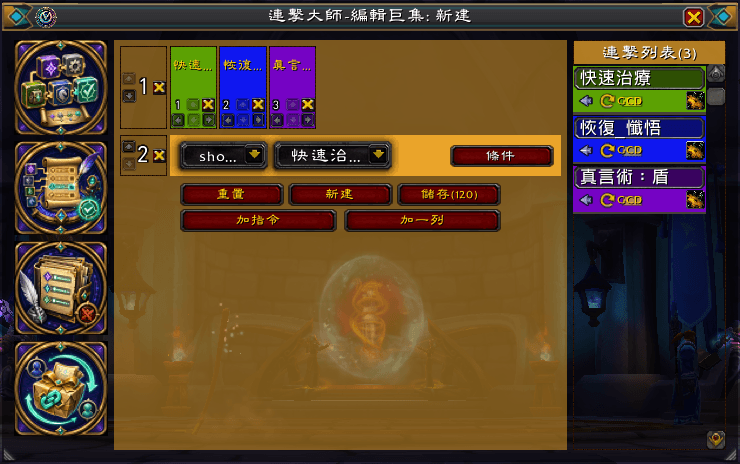
Edit Macro | 編輯巨集
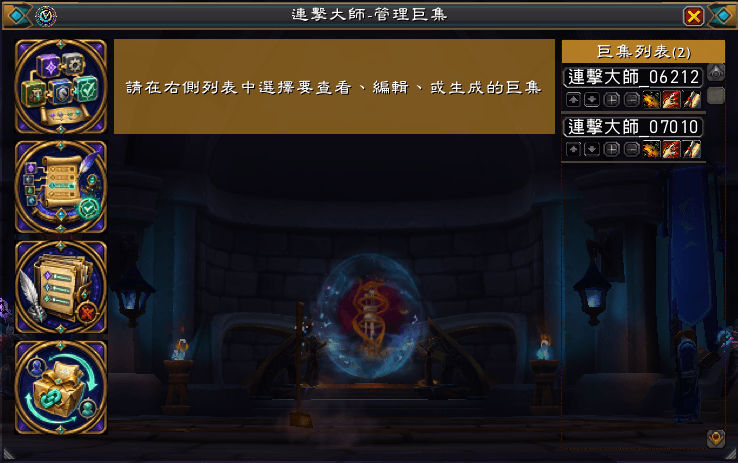
Manage Macro | 管理巨集
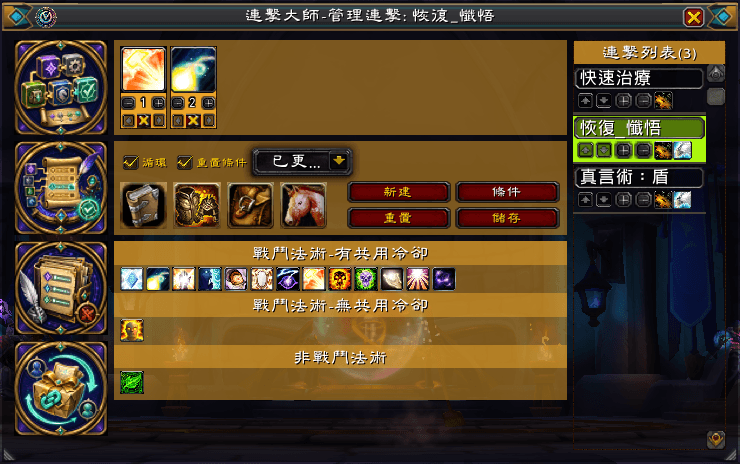
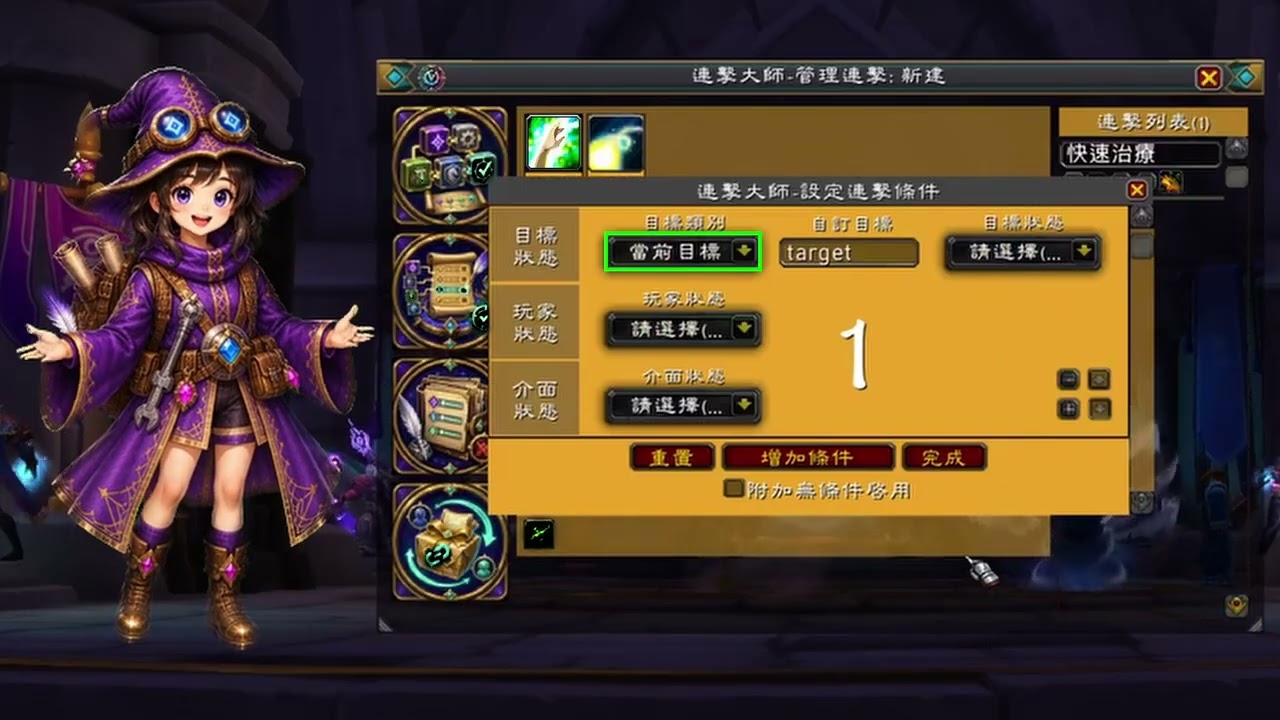
Manage Combo | 管理連擊
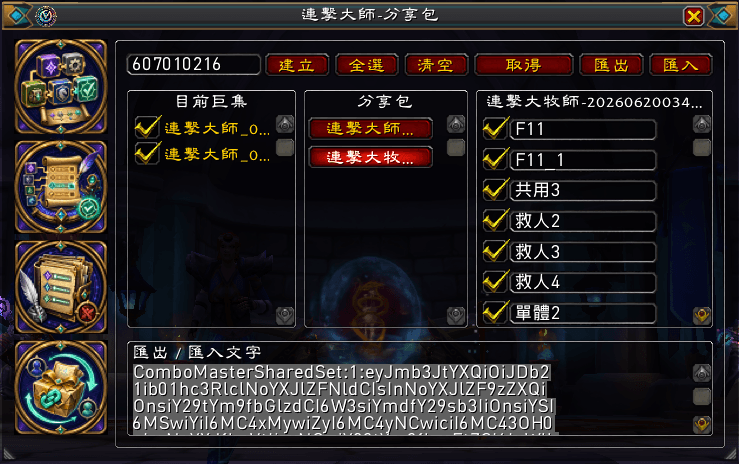
Shared Sets | 分享包
Monitor Cooldown | 冷卻監視
Description
ComboMaster is a World of Warcraft addon that helps you build, manage, and share macro combinations through an intuitive interface.
In World of Warcraft macro syntax, each text segment separated by “;” in a macro line can be thought of as a macro clause. To make the feature easier to understand and to better express the addon’s design concept, ComboMaster uses the term “combo” to represent these reusable macro building blocks.
Instead of writing complex macro commands by hand, you can create reusable “combos” from spells, equipment, items, mounts, and conditional rules. ComboMaster then generates macro text based on your settings, making it easier to create character-specific macros for combat, equipment swapping, spellcasting, item use, mounts, and routine gameplay.
Key Features
- Create reusable combos combining spells, equipment, inventory items, and mounts with customizable conditions
- Build macros from combos and commands, with multiple conditional parameter clauses
- Merge existing macros and drag macro rows to rearrange their order
- View live previews while editing, and test generated macros before saving
- Generate game macros and synchronize changes with matching existing macros
- Search combo and macro lists by name or content, and search spells by name
- Monitor spell, equipment, and inventory item cooldowns, with separate setups for each specialization or supported talent group
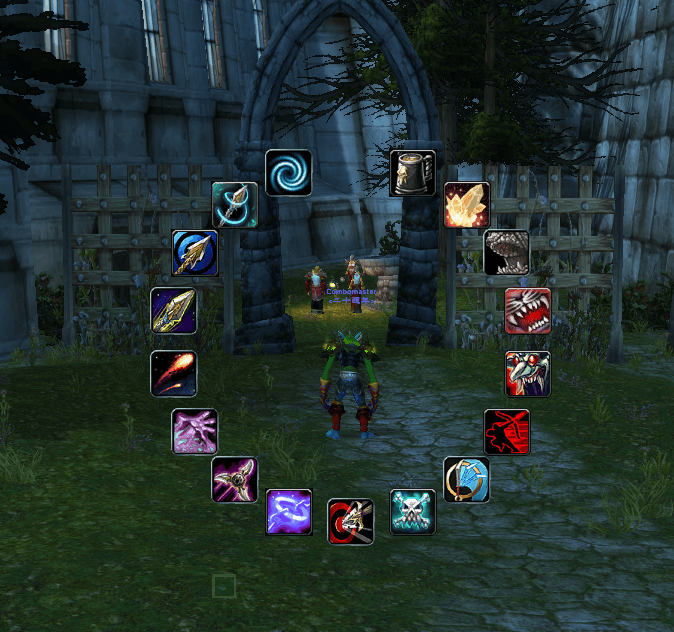
- Arrange cooldown monitors vertically, horizontally, in a grid, or around your character, and announce cooldown status in chat
- Share combo and macro configuration packs between characters or with other players
- Automatically use newly learned highest spell ranks while preserving intentionally selected lower ranks on Classic clients
- Preview mount models and pick up spells directly from the spell menu for placement on action bars
- Reduce the need to memorize complex World of Warcraft macro syntax
- Support 11 World of Warcraft client languages: English, Traditional Chinese, Simplified Chinese, Korean, French, German, Spanish (Spain), Spanish (Latin America), Russian, Portuguese (Brazil), and Italian
ComboMaster is designed for players who want a more organized and visual way to manage their macros while still working within World of Warcraft’s macro system.
Slash Commands
/combomaster - Show the main UI.
/combomaster center - Move the main button to the center of the screen.
/combomaster default - Reset the main button to its default state.
## Support ComboMaster
If ComboMaster has been useful to you, you can support its continued development and maintenance through [PayPal](https://www.paypal.com/ncp/payment/DU2B368PRRFAN).
Support is entirely optional and does not include additional goods, digital content, or services.
「連擊大師」是一款《魔獸世界》插件,它透過直覺的介面幫助您建立、管理和分享巨集組合。
在《魔獸世界》的巨集語法中,巨集列裡每段由「;」分隔的文字片段,可視為一個「巨集子句」。為了讓功能表達更直覺,也更符合插件的設計概念,「連擊大師」使用「連擊」一詞來代表這些可重複使用的巨集構成片段。
您無需手動編寫複雜的巨集指令,即可利用法術、裝備、物品、坐騎和條件規則來建立可重複使用的「連擊」。「連擊大師」會根據您的設定產生巨集文字,讓您更輕鬆地建立角色專屬的巨集,用於戰鬥、裝備切換、施法、物品使用、坐騎操控以及日常遊戲操作。
主要功能
- 建立可重複使用的連擊,組合法術、裝備、背包物品及坐騎,並設定自訂條件
- 使用連擊及指令建立巨集,支援多個帶有條件的參數子句
- 合併既有巨集,並透過拖曳巨集列調整順序
- 編輯時即時預覽內容,並在儲存前測試產生的巨集
- 生成遊戲巨集,並將修改同步至相符的既有遊戲巨集
- 依名稱或內容搜尋連擊及巨集,並依名稱搜尋法術
- 監視法術、裝備及背包物品的冷卻狀態,並為不同專精或支援的天賦配置設定個別監視項目
- 將冷卻監視框架垂直、水平、矩形或環繞角色排列,並向聊天頻道通報冷卻狀態
- 透過分享包,在角色之間或與其他玩家分享連擊及巨集設定
- 在經典版客戶端自動使用新學到的最高等級法術,同時保留玩家刻意選擇的低等級法術
- 預覽坐騎模型,並直接從法術選單抓取法術至滑鼠,以放置於快捷列
- 減少記憶複雜《魔獸世界》巨集語法的需求
- 支援 11 種《魔獸世界》客戶端語言:英文、繁體中文、簡體中文、韓文、法文、德文、西班牙文(西班牙)、西班牙文(拉丁美洲)、俄文、葡萄牙文(巴西)及義大利文
「連擊大師」專為希望以更清晰、更直覺的方式管理巨集,同時又能使用《魔獸世界》巨集系統的玩家而設計。
插件指令
/combomaster - 顯示主介面
/combomaster center - 將主按鈕移至螢幕中央
/combomaster default - 將主按鈕重設為預設狀態
## 支援 ComboMaster
如果您覺得 ComboMaster 對您有所幫助,您可以透過 [PayPal](https://www.paypal.com/ncp/payment/DU2B368PRRFAN) 支援其持續開發和維護。
支持完全自願,不包含任何額外的商品、數位內容或服務。
Combo Master Team
