CoMark
- By
Set raid target markers with a single key. Cycles the markers you choose, and marks tank and healer in Mythic dungeons.
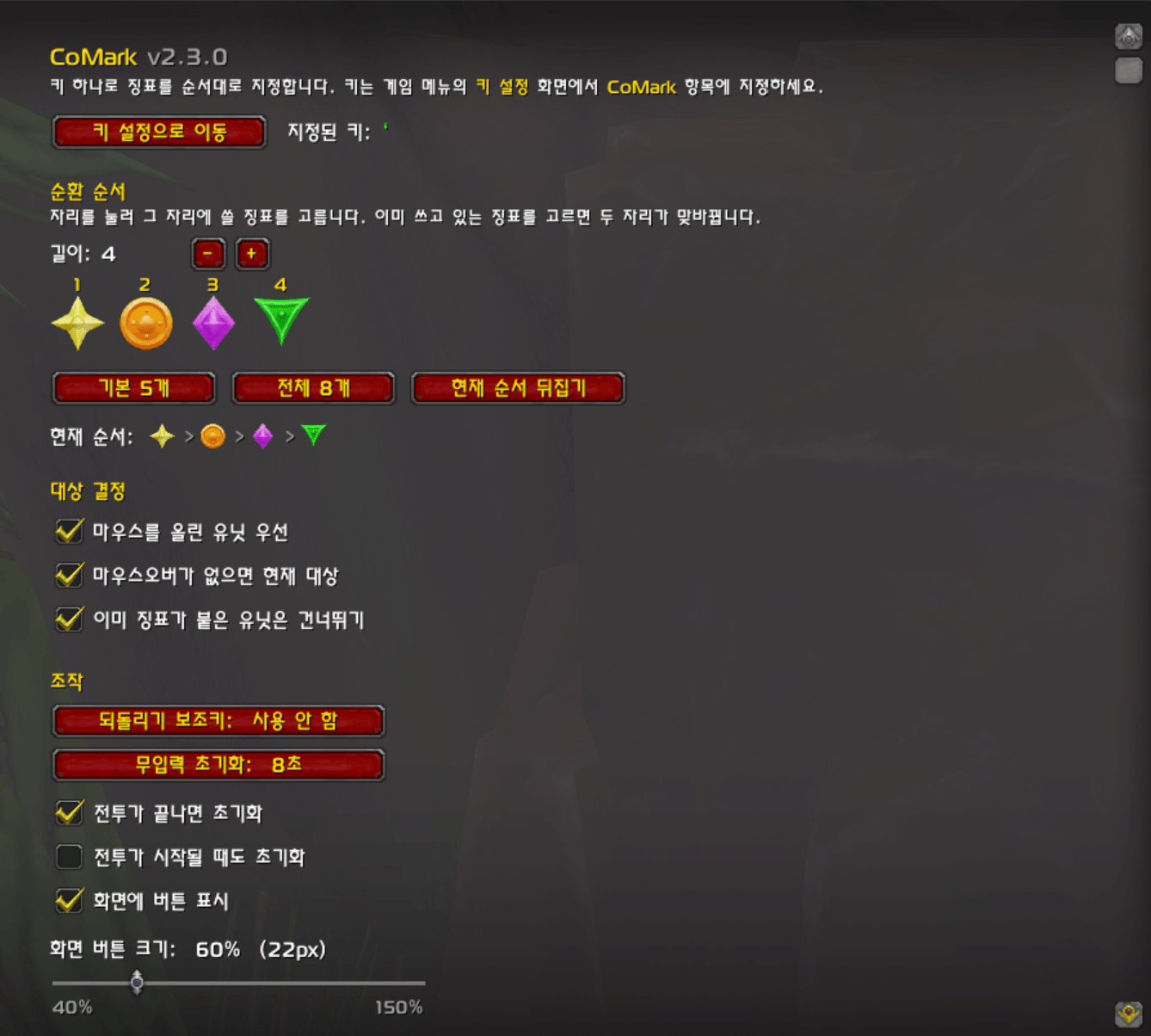
Configure #1
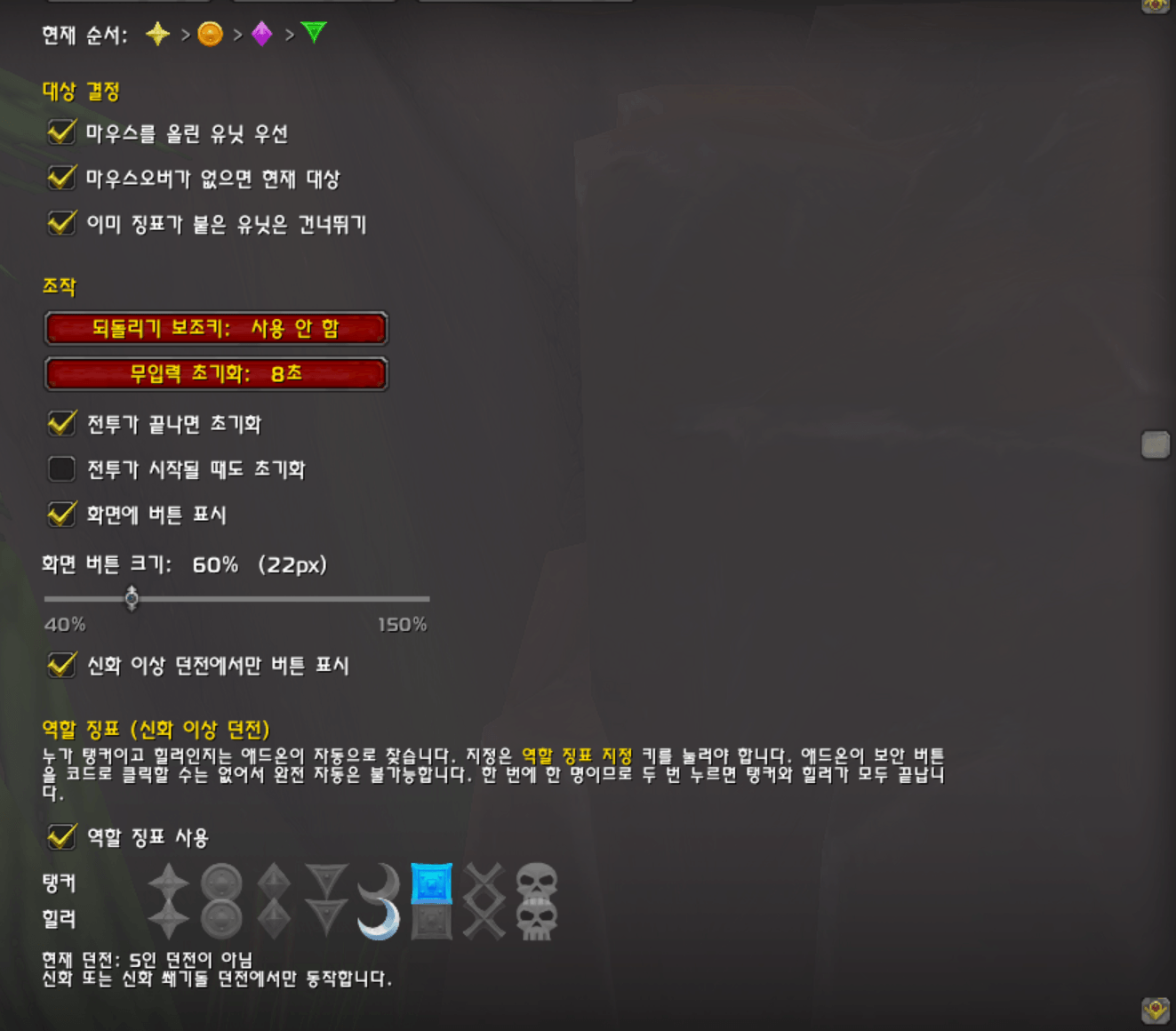
Configure #2
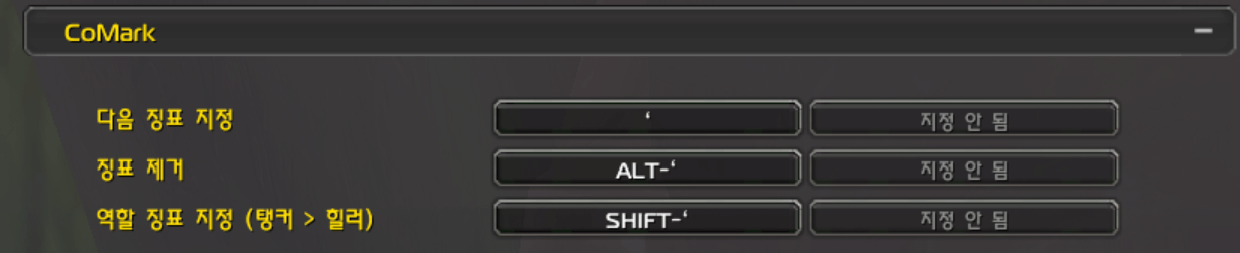
Configure #3

CoMark Logo
Description
English
CoMark sets raid target markers with a single key press.
Features
- Marker cycle — each press places the next marker in your order. Default is Cross, Triangle, Diamond, Circle, Star.
- Pick a marker per slot — choose what goes in slot 1, 2, 3 … and set the cycle length from 1 to 8.
- Mouseover first — marks the unit under your cursor, or your current target if there is none.
- Tank and healer markers in Mythic and Mythic Keystone dungeons. The addon finds them for you; one press marks each.
- Cycle reset — when combat ends, after an idle timeout, or with a modifier key. Each one can be turned on and off.
- Optional on-screen buttons — cycle, clear and role. Size adjustable from 40% to 150%, and they can be limited to Mythic dungeons.
- Skip units that already have a marker, so you never overwrite someone else's.
- No macros needed. Supported Languages: English and Korean.
Setup
Assign your keys in Options > Keybindings > CoMark. Nothing happens until you
do. Type /cm for the settings panel.
Command
/cm open settings
/cm rewind rewind the cycle to the first marker
/cm check diagnose why markers are not being placed
/cm status current state
Marking is not automatic — the addon keeps everything ready and you press the key.
Korean
CoMark 는 키 하나로 공격 대상 징표를 지정합니다.
기능
- 징표 순환 — 누를 때마다 정해 둔 순서대로 다음 징표를 찍습니다. 기본은 십자 → 삼각형 → 다이아몬드 → 원 → 별입니다.
- 자리마다 징표 고르기 — 1번, 2번, 3번 … 자리에 쓸 징표를 직접 고르고 순환 길이도 1~8 사이로 정합니다.
- 마우스오버 우선 — 커서 아래 유닛에 찍고, 없으면 현재 대상에 찍습니다.
- 탱커·힐러 징표 — 신화, 신화 쐐기돌 던전에서 누가 탱커이고 힐러인지 애드온이 찾아 두고, 키를 누르면 한 명씩 지정합니다.
- 순환 초기화 — 전투가 끝날 때, 일정 시간 쓰지 않을 때, 보조키를 누를 때. 각각 켜고 끌 수 있습니다.
- 화면 버튼 — 순환 / 제거 / 역할 세 개. 크기는 40~150% 로 조절하고, 신화 이상 던전에서만 보이게 둘 수도 있습니다.
- 이미 징표가 붙은 유닛은 건너뛰기 — 다른 사람이 찍어 둔 징표를 덮어쓰지 않습니다.
- 매크로가 필요 없습니다. 한국어와 영어를 지원합니다.
설정
게임 메뉴 > 설정 > 키 설정 > CoMark 에서 키를 지정하세요. 이 단계를 하지 않으면
아무 일도 일어나지 않습니다. 설정 화면은 /cm 입니다.
명령
/cm 설정 열기
/cm rewind 순환을 첫 징표로 되돌리기
/cm check 징표가 안 붙을 때 원인 진단
/cm status 현재 상태 확인
징표 지정은 자동이 아닙니다. 애드온이 준비해 두고, 키를 누르면 찍힙니다.
CoMark Team