

afterlfr.png

changelfr.png
Description
CollectorHelper
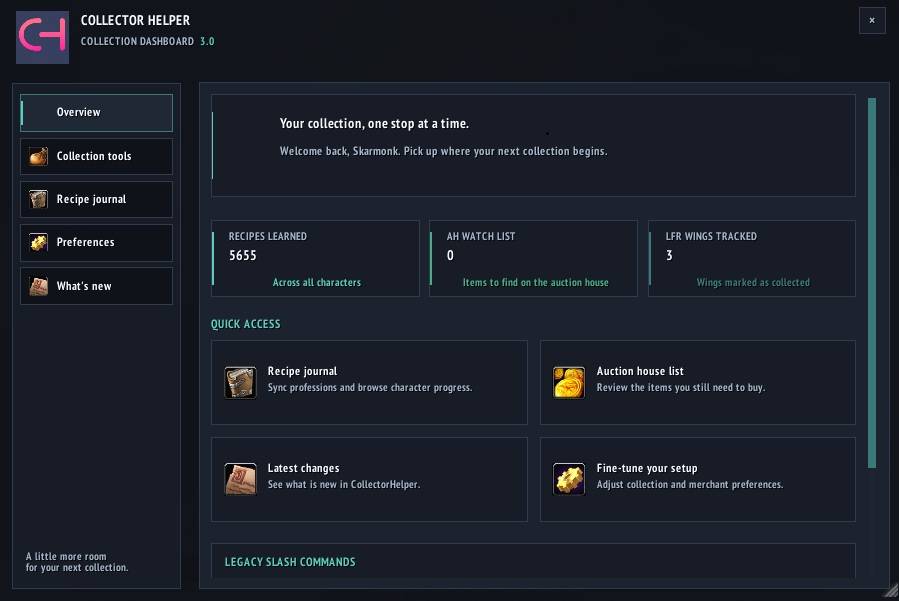
CollectorHelper helps you track and collect merchant items, recipes, appearances, and raid-finder progress. The main interface is a resizable dashboard with collection tools, a character-based Recipe Journal, preferences, and release notes.

Features
Dashboard
- Open the dashboard with
/chor/ch panel. - Browse Overview, Collection Tools, Recipe Journal, Preferences, and What's New.
- Resize the dashboard; its dimensions are saved automatically.
- See collection counts for recipes, Auction House items, and tracked raid-finder wings.
Merchant helper
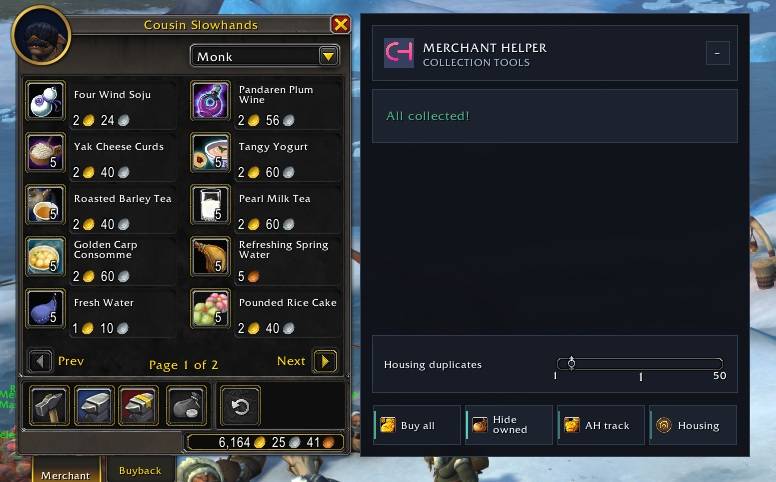
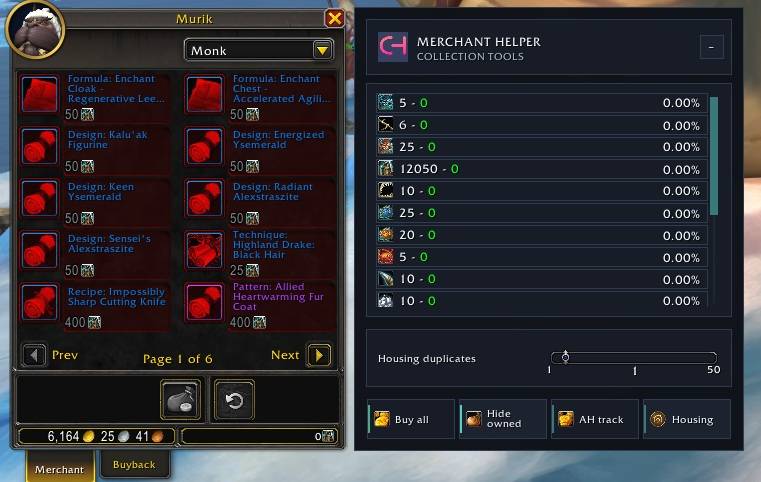
When you open a supported merchant, CollectorHelper can hide collectibles you already own and show a companion panel with item costs and collection actions.
- Review remaining gold and currency costs for merchant items.
- Use Buy all to purchase eligible items you can afford.
- Toggle whether collected items are hidden.
- Open the tracked Auction House list from AH track.
- Expand the Housing controls and set the duplicate purchase count when applicable.
- Collapse or reopen the cost panel with the compact tab beside the merchant tabs.
Collection preferences
Preferences are available from the dashboard or with /ch options. Changes are saved automatically.
- Hide collected items controls whether already-owned items are hidden in merchant lists.
- Soft collection treats another known source for a transmog appearance as collected when checking merchant variants. It does not unlock appearances or change recipe and Housing tracking.
- Merchant cost panel shows or hides the companion merchant panel.
- Minimap button shows or hides the launcher. Drag it to reposition; left-click opens the dashboard and right-click opens Preferences.
Auction House list
Open the tracked-item list with /ch ah or from the merchant's AH track action. Click an item row to send its item link to chat. To remove an entry, hold Alt and click its clear button.
Recipe Journal
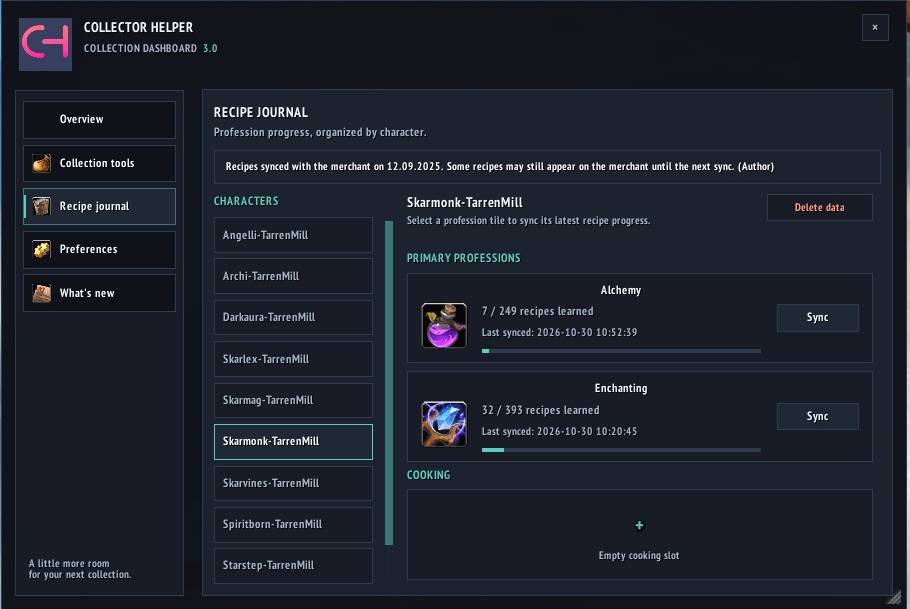
Open the character-based journal with /ch recipe or from Collection Tools. Select a character to review tracked profession progress and recipe data. Recipe tracking excludes Fishing and Archaeology. The journal's delete action removes the selected character's stored recipe data.
Looking For Raid tracking
When you speak with a supported raid NPC, CollectorHelper adds progress to the relevant wing options in the gossip window. Hover over a wing to see its bosses; available encounter progress and collected-wing status are shown alongside the wing name.
Getting started
- Type
/chto open the dashboard and explore Collection Tools and Preferences. - Visit a supported merchant to review collection status, costs, and available actions.
- Use AH track to open the Auction House list and manage items you still need.
- Open
/ch recipeto review profession progress by character. - Speak with a supported raid NPC to view and update raid-finder wing tracking.
Slash commands
| Command | Action |
|---|---|
/ch |
Toggle the dashboard. |
/ch panel |
Toggle the dashboard. |
/ch dashboard |
Alias for /ch panel. |
/ch help |
List available commands. |
/ch options |
Open dashboard Preferences. |
/ch ah |
Open the tracked Auction House item list. |
/ch recipe |
Open the Recipe Journal page. |
/ch news |
Open the What's New page. |
CollectorHelper Team

