


CollectionAtlas
Collection.jpg
mounts.jpg
Listview2.jpg
Listview.jpg
Description
Collection Atlas is a modern all-in-one collection browser for World of Warcraft Retail. It provides a clean, visual interface for exploring armor appearances, weapons, mounts, toys, currencies, recipes, and other collectible items without constantly switching between different Blizzard collection windows.
Main Features
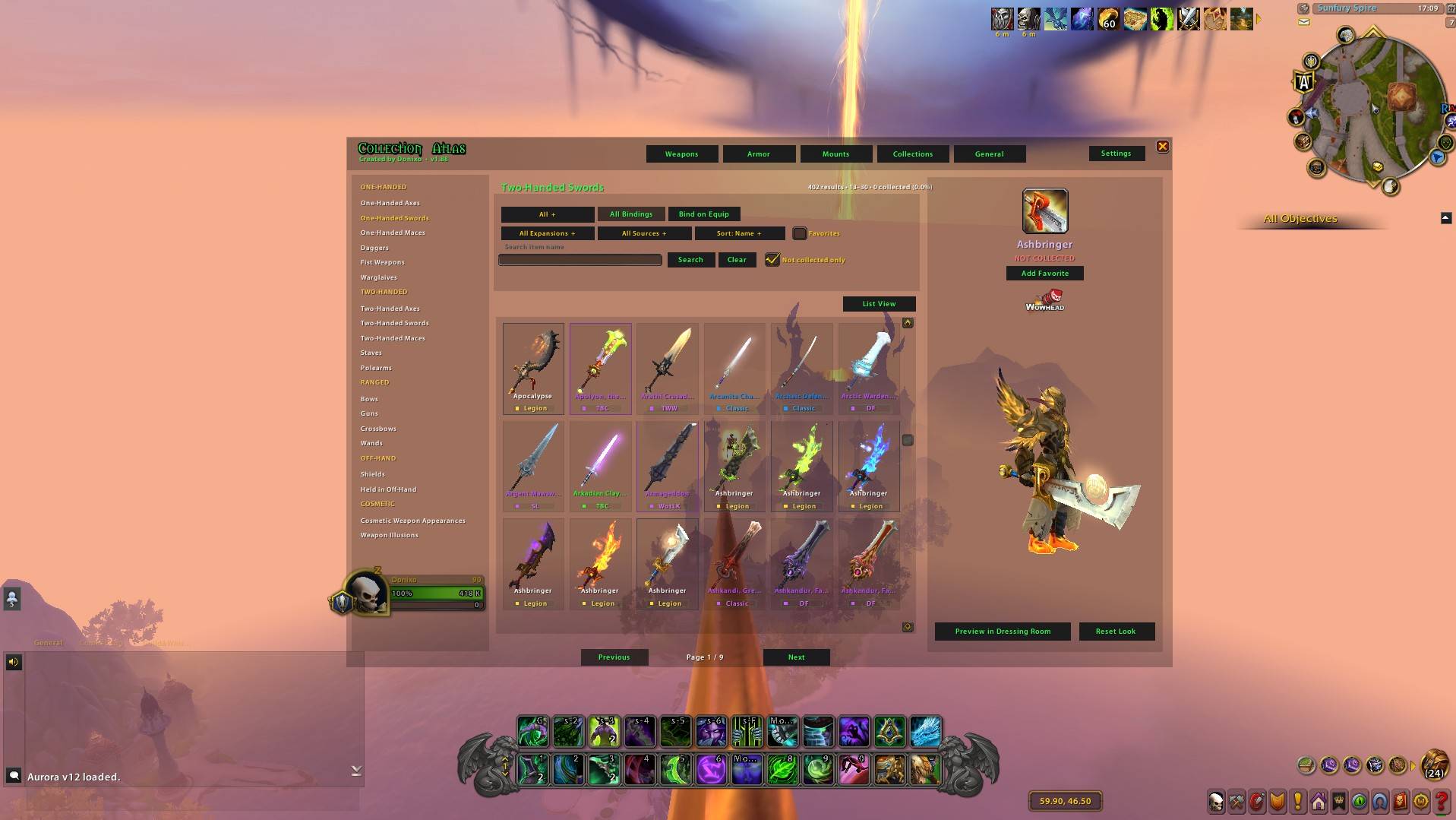
• Browse thousands of armor and weapon appearances
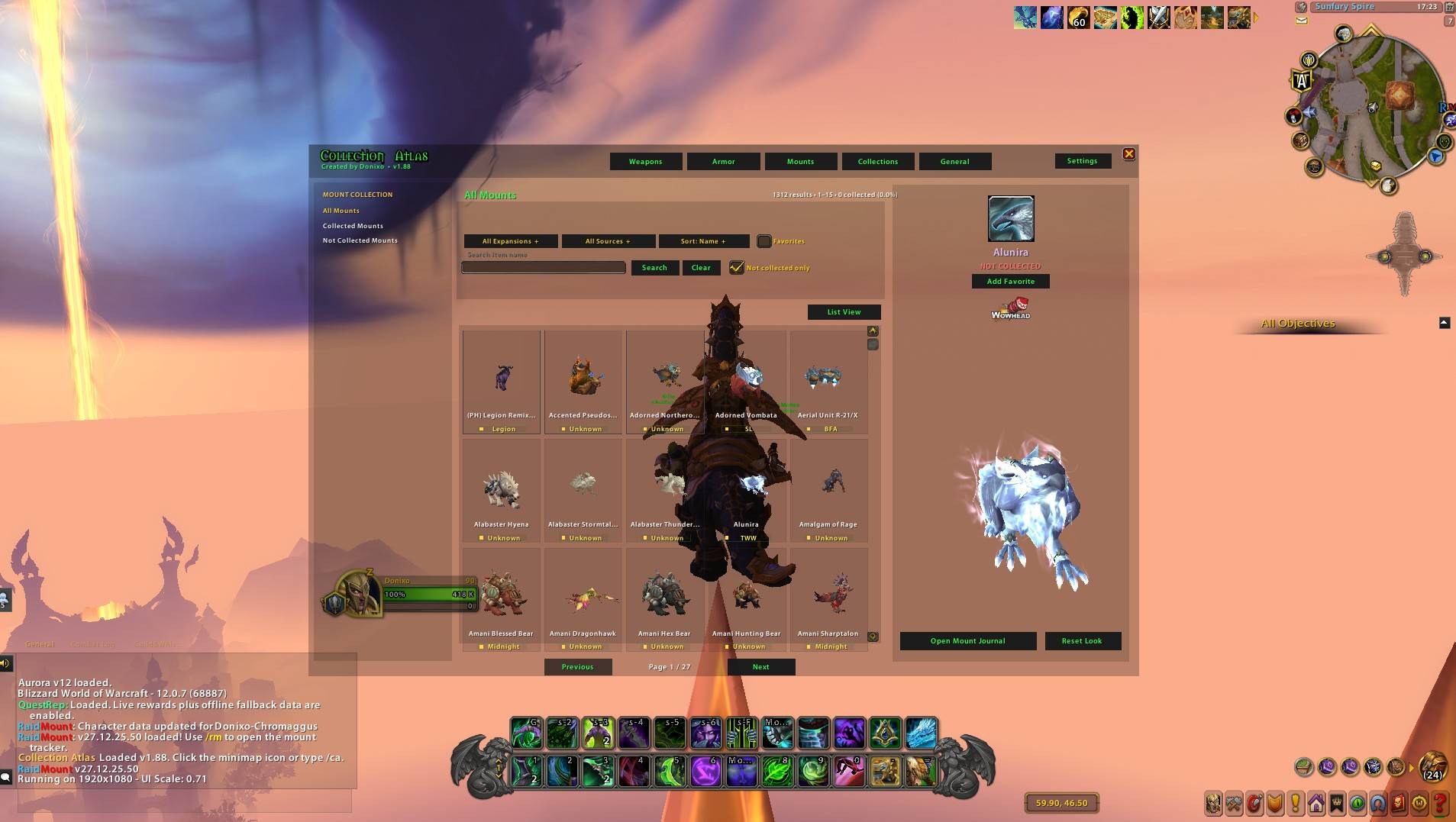
• Animated 3D previews for armor, weapons, and mounts
• Separate categories for each armor slot and weapon type
• View collected and uncollected appearances
• Search collections by item name
• Filter by expansion, source, armor type, binding, rarity, and collection status
• Source filters for raids, dungeons, quests, vendors, PvP, professions, achievements, events, world drops, and more
• Sort results by name, expansion, collection status, or rarity
• Expansion labels displayed directly on collection cards
• Favorite items for easier access later
• Open selected appearances in the full Dressing Room
• Direct Wowhead lookup support
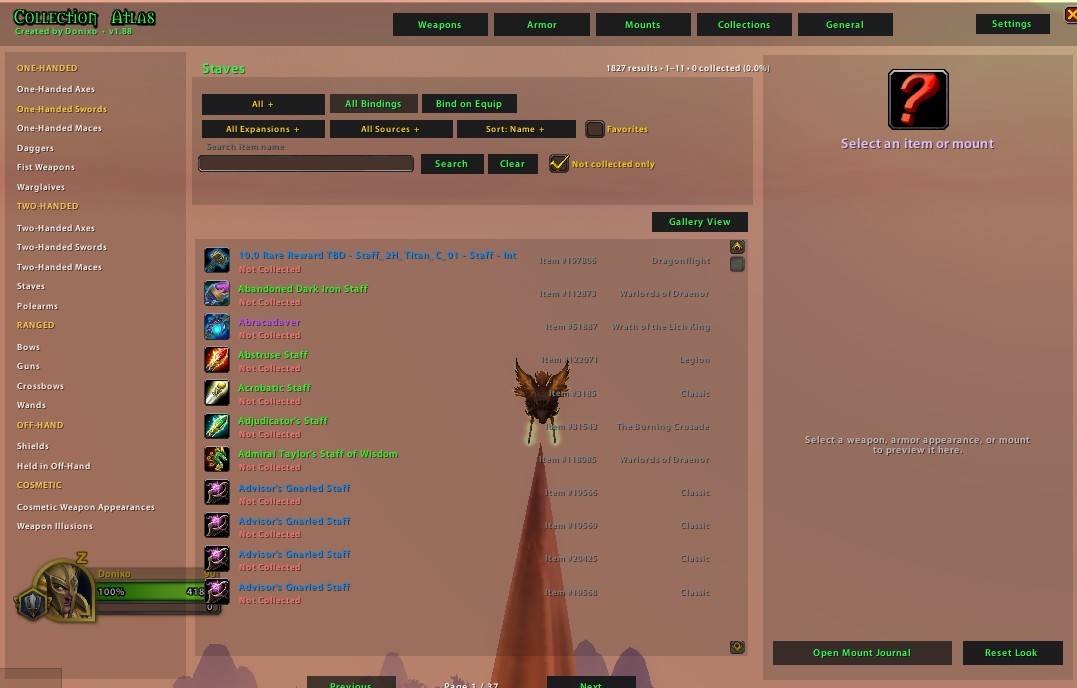
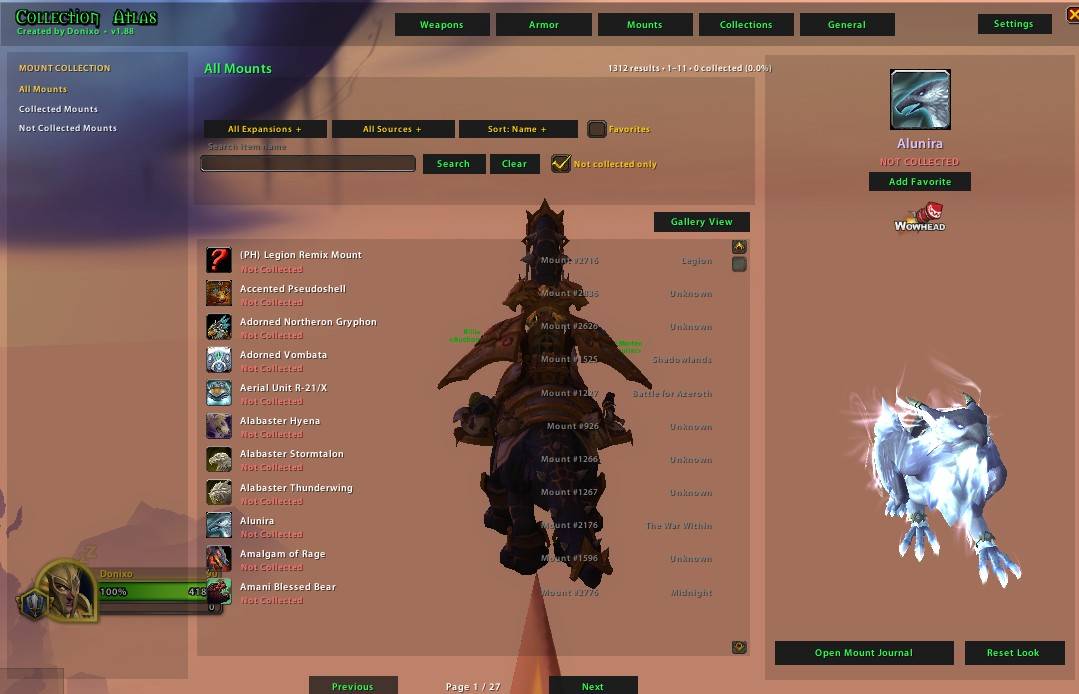
• Dedicated list and visual gallery views
• Adjustable interface scale, opacity, model controls, and other settings
• Smooth background indexing designed to reduce game freezes during large searches
Armor and Weapon Browser
Collection Atlas displays equipment through visual collection cards with item names, rarity borders, collection status, expansion information, and animated previews. Armor is organized by equipment slot, while weapons are separated into their appropriate weapon categories.
You can quickly narrow results using filters such as armor type, expansion, source, binding type, rarity, collected status, or item name.
Mount Collection
Browse your collected and uncollected mounts using animated 3D mount previews. Mounts can be searched and filtered by collection status, expansion, acquisition source, and other available information.
Additional Collections
Collection Atlas also includes support for:
• Toys
• Currencies
• Recipes
• Weapon illusions
• Cosmetic equipment
• General collectible items
Model Controls
Inside the large preview window:
• Left-click and drag to rotate
• Right-click and drag to reposition
• Use the mouse wheel to zoom
• Use Reset Look to restore the model
• Open the full Blizzard Dressing Room or Mount Journal when needed
Opening Collection Atlas
Use the minimap button or type:
/ca
Collection Atlas is designed for collectors, completionists, transmog hunters, mount collectors, and anyone who wants one organized interface for browsing their World of Warcraft collection.
Created by Donixo
The CollectionAtlas Team
