CLOX - Forever
- By
screen1.png

screen12.png
screen123.png
screen1234.png
Description
CLOX-Forever
Quest tracking, navigation and a customizable interface for WoW Forever.
CLOX-Forever brings everyday questing and interface tools together in one modular addon for Alliance and Horde. Choose the modules you want, adjust their appearance, and keep the rest out of your way.
Getting Started
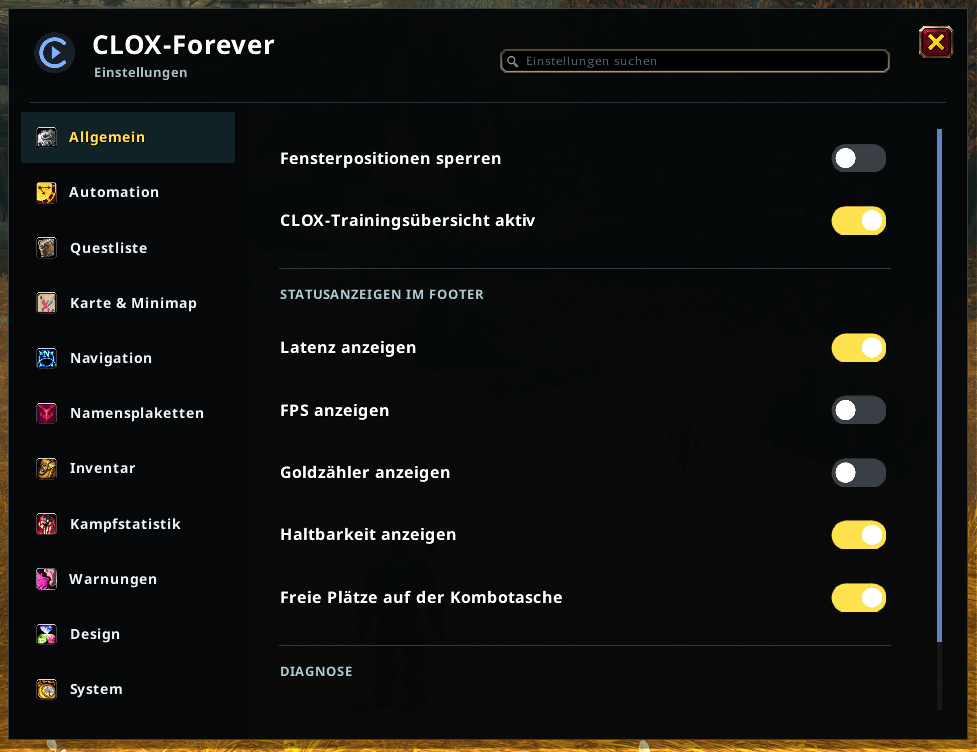
Install the CLOX-Forever folder in your Forever client's Interface/AddOns directory. Open settings with /clox or the CLOX minimap button. Enable the features you want under Modules.
Do not enable the Public and BETA editions together. Their settings are separate; use the in-game settings transfer when moving preferences between editions. Keep your SavedVariables when updating.
Quest Tracking and Navigation
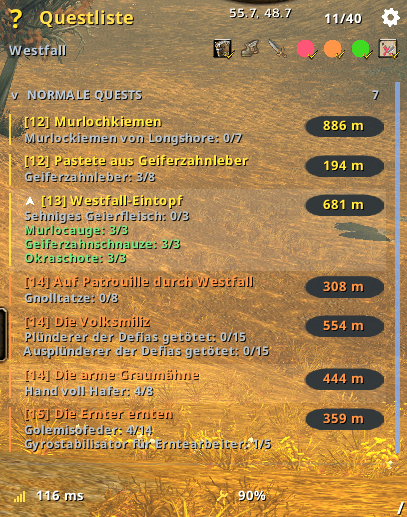
- A compact quest tracker with objective progress, distance indicators, difficulty colors and level/distance sorting.
- All-quest and current-zone views, separate dungeon categories, and direct access to quest items.
- Completed quests remain visible in their original category until turned in.
- World-map and optional minimap markers for quest objectives, available quests and services such as vendors, repair, banks, mailboxes and trainers.
- Quest selection filters relevant map objectives. Navigation uses directional guidance, distance indicators and world markers.
- Corpse navigation can restore the previous destination after resurrection.
Navigation is guidance, not automatic character movement. Quest locations and route coverage depend on the available data; a route is not guaranteed for every destination.
Inventory and Everyday Tools
- Inventory styling that retains native item use, dragging, splitting and other supported item interactions.
- Quest-item protection based on current objectives and required quantities; surplus items remain sellable. Alt-right-click bypasses manual sale protection.
- Optional item-quality borders, value/rarity sorting and item comparisons.
- Damage, DPS, healing and HPS statistics with current-fight/overall views, plus a separate threat meter.
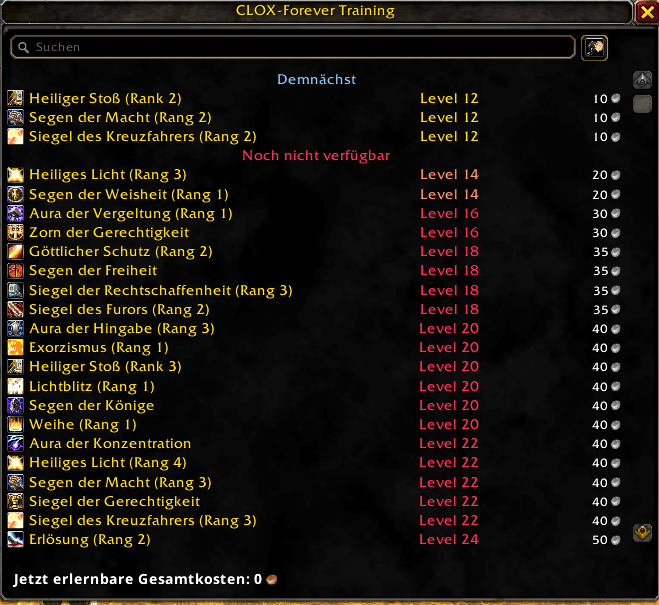
- Searchable training information with upcoming abilities, level requirements and training costs.
- Configurable danger warnings with sounds and visual alerts. Coverage depends on the included rules and supported client APIs.
- Optional quest acceptance/turn-in, gray-item selling and repairs. Quest reward choices remain manual. Hold Shift to pause automation.
Latest Update: Publication in Progress
The following describes the newest update being prepared for publication. Older approved downloads may not include these changes yet; check the file version and changelog before installing.
Modern Azeroth Interface
- Compact dark, transparent surfaces with fine bronze/gold outlines, recognizable buttons and original game icons.
- A unified CLOX layout editor with element previews, movement and supported size/scale controls, plus per-element design and transparency settings.
- Cosmetic native-HUD styling that preserves saved layouts unless you explicitly edit them.
- Green health-style experience bars with current/maximum XP, percentage, and rested/completed-quest predictions. Money displays use coin icons.
- The selected Lato appearance with additional glyph coverage for German characters and Chinese text.
Combined Backpack and Auction House
- A combined backpack with a collapsible equipment panel, animated character model, equipment slots and expandable character stats.
- Free normal and specialty slots follow the bag contents. Native item actions and bank separation are retained.
- Advanced auction search with exact-name and usable-item filters, collapsed result groups, and a loading indicator while results are still being collected.
- Remembered auction duration, a two-hour default, automatic lowest-price lookup and a price-refresh control. Server throttling and purchase confirmations remain in place.
Nameplates and Waypoints
- Compact enemy and optional member nameplates with health values, levels, casts, resources and configurable class/threat colors.
- Buff/debuff rows and rogue combo points in separate areas to keep the plate readable.
- Concrete quest objectives and progress, with member names when the client supplies public group-quest data. This also covers quests needed only by another group member.
- Right-click map navigation with a manual world waypoint and CLOX-styled destination marker.
Customization and Compatibility
Search settings and adjust supported colors, fonts, transparency, dimensions and module visibility. Configuration export/import helps move preferences between systems.
Integrated action bars are experimental and initially disabled by the safety migration; existing profiles are retained. Standalone Nox-Bars pauses the integrated controller. Avoid overlapping addons controlling the same bars, tracker or collectible effects.
Target client: WoW Forever 1.60.1, build 70450, Interface 16001. This is not a compatibility claim for other WoW editions. Combat restrictions and protected client actions are respected. Automated tests do not replace in-game testing of every module, route and configuration.
Feedback and Credits
When reporting a problem, include the CLOX version, client build, the action that triggered it, the error text and a screenshot where useful. Remove private chat or other personal details before sharing images.
Bundled source, data and font attributions are retained in the package's notices. CLOX does not claim third-party data as original work.
CLOX - Forever Team