


Clicky
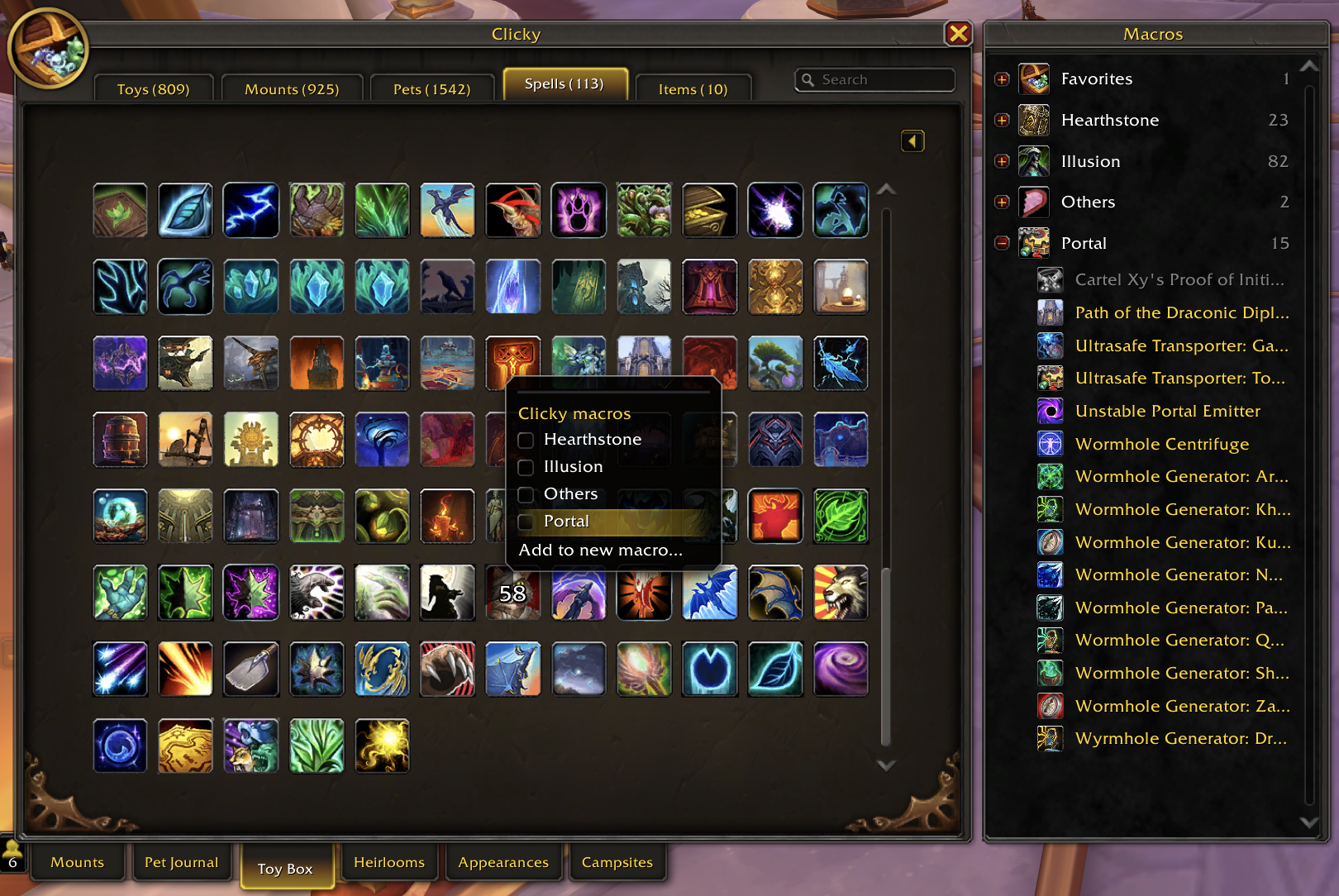
Clicky turns your toys, mounts, pets, spells and items into action bar buttons. Put a few of them together in a macro, such as your costumes, your hearthstones or your portals. Clicking the button uses a random one, and right-clicking it opens a drawer so you can pick one yourself. Your macros are ordinary WoW macros, so they follow you to every computer you play on.
Installation
Clicky is for World of Warcraft Retail (Midnight). Install it from
Wago or
CurseForge with your addon manager, or download it
there and unzip it into World of Warcraft/_retail_/Interface/AddOns.
Getting started
- Type
/clicky. The Toy Box opens with Clicky's grid, and the Macros panel beside it. - Right-click something you have in the grid, choose Add to new macro…, and name the macro.
- Right-click anything else you want in it and tick the macro's name.
- Drag the macro's icon from the panel onto an action bar.
Now click the button for a random pick (it won't repeat the last one), or right-click it to choose from the drawer.
Ideas
- Illusion: your costume toys, for a new look every click.
- Hearthstones: a click picks one that's off cooldown.
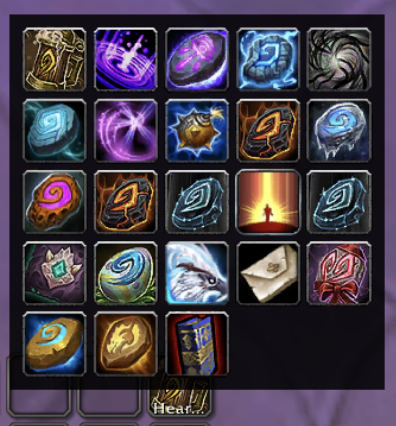
- Portal: portal toys, your "Path of the …" spells and a teleport cloak, all on one button.
- Laser: the pets that chase the Laser Pointer.
- Favorites: it's already in the panel. Star toys in the Toy Box, then drag Favorites to a bar.
Using Clicky in other macros
Right-click a macro in the panel and choose Copy /click line to get a line like
/click ClickyBXTR. In a macro of your own, that line uses a random item from the Clicky macro,
whichever mouse button you click. Add a P after Clicky (/click ClickyPBXTR) and it opens the
drawer instead.
- A button that's only random, or only the drawer: make a macro with just that line and put it on your bar in place of the Clicky macro.
- A random pick on something you already press: make a macro that casts it and add the line. For a random costume every time you cast Power Infusion:
  #showtooltip Power Infusion
  /click ClickyBXTR
/cast Power Infusion- Lines of your own in a Clicky macro: you can add them in
/macro. Just leave its/clickand#clickylines alone: one runs the button, the other is where Clicky keeps the list.
Good to know
- The grid has a tab each for Toys, Mounts, Pets, Spells and Items. Toys, Mounts and Pets have their own Filter menus, so your Toy Box and journal filters stay as you left them.
- The search matches names, sources, expansions, mount types, pet families and words in the tooltip.
- A check mark in the grid means it's already in one of your macros.
- Right-click a macro in the panel to rename it, delete it, or open it in
/macroto edit it. - To change a macro's icon, click the macro in the panel to show its items, right-click the one whose icon you want and choose Use as icon for Illusion (with your macro's name).
- A click on a macro never picks gear that can be worn, because WoW would equip it instead. Pick it from the drawer: if you aren't wearing it, the first click puts it on, and after that clicks use it.
- Pets go in by species and color, so a cat you have in three colors shows three times on the Pets tab. A click summons one of your pets in that color, a starred one first, and never the one that's already out.
- Buttons and drawers keep working in combat, but you can't change macros until the fight ends.
- Clicky only changes its own macros, plus the stars and gift wraps you click. If you uninstall it,
its macros stay in
/macroand do nothing.
Limits
- 100 items per macro. Need more? Make a second macro.
- 120 general macros, shared by your whole account, and each Clicky macro uses one. Full? Delete
one you don't use in
/macro. - Macro names up to 16 characters. A longer name is cut short.
Slash commands
| Command | What it does |
|---|---|
/clicky |
Opens the Toy Box with Clicky's grid and panel |
/clicky status |
Shows how many of each macro's items you have and can use here |
/clicky debug |
Opens Clicky's state to copy for a bug report. Tick Trace in it to record each pick and change |
Troubleshooting
Clicking a macro does nothing but say "No usable items in" and the macro's name. Nothing in it can be used right now: you don't have it, it's on cooldown, it's gear, or it doesn't work where you are (Favorites says "toys").
A macro is greyed out with "?" for its item count. Hover over it to see why:
- "This macro was saved by a newer version of Clicky": update Clicky.
- "Clicky can't read this macro's items": its
#clickyline was changed. Delete the macro and make it again.
Something from the latest patch is missing. Clicky needs an update before it can list what a patch adds.
Something else is wrong, or you have an idea? Leave a comment on Clicky's Wago page.
Development
CLAUDE.md has the rules the code follows, how to run the tests and how to release.
Clicky was inspired by Select by Gello.
Clicky Team
