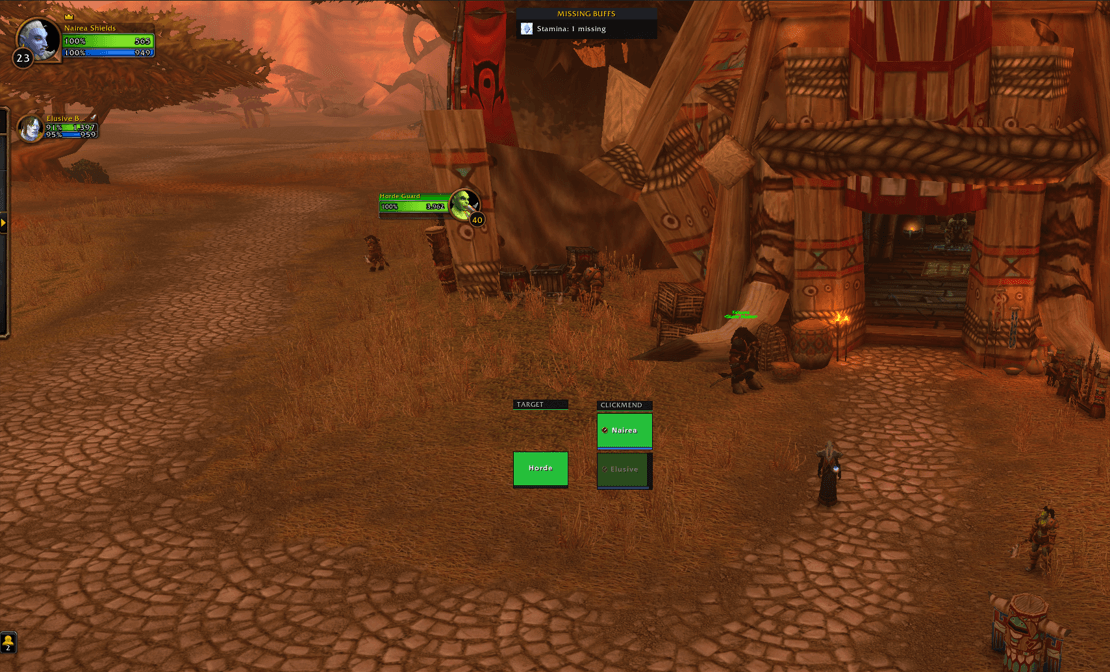
ClickMend is a click-to-heal raid frame addon for WoW: Forever, built from the ground up for the modern client's addon rules, where VuhDo, Grid and Cell no longer work.
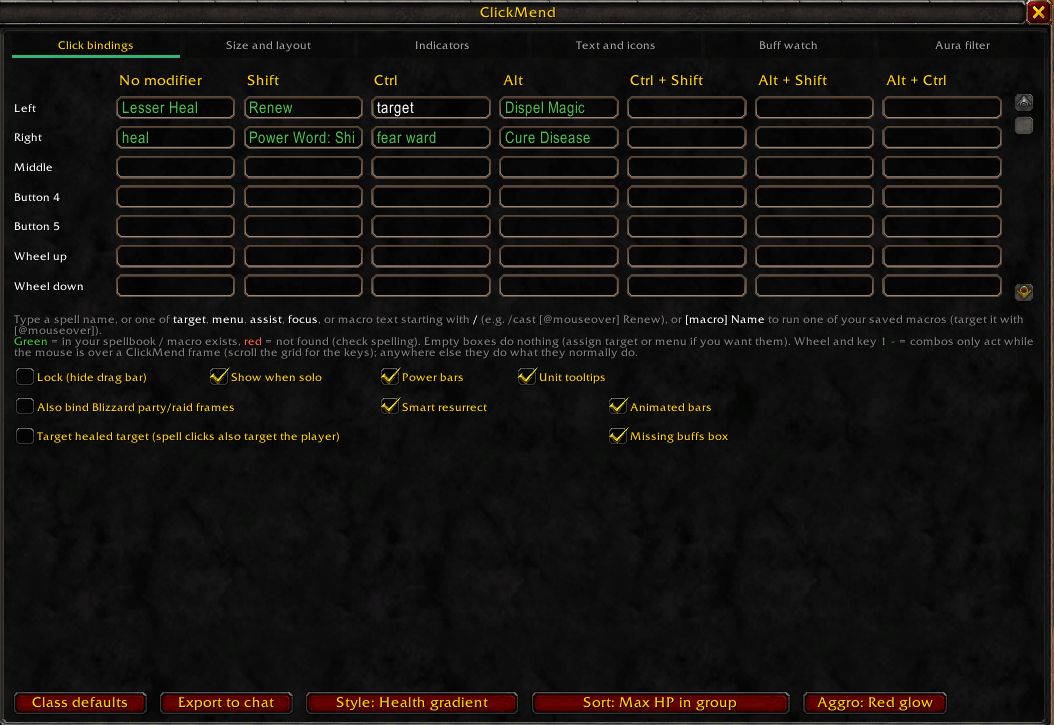
It replaces your party and raid frames with customizable health bars and lets you bind healing spells directly to mouse clicks on them: left click one heal, right click another, hold Shift, Ctrl or Alt for more, and scroll the mouse wheel for still more. Each class starts with a sensible set of heals, dispels and utility spells already assigned, and a grid-style options window lets you change any of them by typing a spell name. Cast target-free: no clicking a player first, no macros.
Frames can be sorted so tanks sit at the top of each group by default (sorted by HP, so not a flawless system yet). They also switch to a solid colour when a player has a debuff you can dispel, with each debuff type in its own colour, and which you can set yourself. Incoming heals, absorbs, mana, aggro, range and dead or offline states are all visible at a glance, and party and raid pets get their own frames with the same bindings.
Everything from frame size and layout to colours and click assignments is adjustable in game through sliders, checkboxes and a colour picker, or by editing a plain text config file
## Getting started
1. Type **/mend** to open the options window, or right-click the slim **CLICKMEND** bar above the frames.
2. On the **Click bindings** tab, type a spell name into any box, e.g. *Flash Heal* in the **Left / No modifier** box. Green text means the spell was found in your spellbook; red means it is unknown.
3. Ranks can be assigned by the <spellname>(rank #) format.
3. Click a frame to cast that spell on that player. That's it!
**Tip:** each class starts with a sensible set of healing clicks already filled in, and the **Class defaults** button brings them back any time.
## Setting up your clicks
- Every mouse button works with **Shift, Ctrl and Alt** (and combinations, like Ctrl + Shift). Scroll down in the grid for **mouse wheel** and **keyboard 1 - =** combos.
- Wheel and number-key combos only act while your mouse is over a ClickMend frame. Everywhere else they do what they normally do.
- Besides spell names, you can type these special words:
- **target**: target the player
- **menu**: open the player's right-click menu
- **assist**: assist the player
- **focus**: set them as your focus
- Text starting with **/** runs as a macro. **[macro] Name** runs one of your saved macros (write it with [@mouseover]).
- **Friendly / Hostile** (top-left of the grid): set up a second set of clicks for **enemies**. Your target and focus frames show enemies in red, so you can attack with the same mouse clicks. Great if you play mostly with the mouse. Was a nice accessibility add.
## Moving and sizing
- **Drag the CLICKMEND bar** to move the frames. **/mend lock** hides the bar when you're happy.
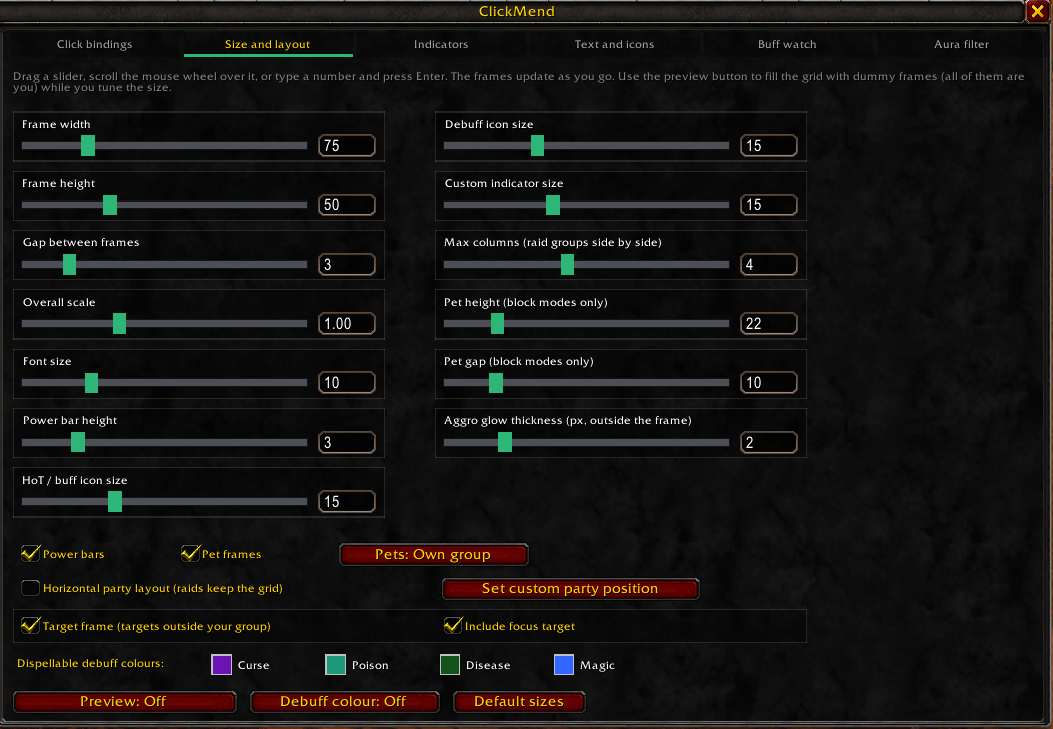
- The **Size and layout** tab has sliders for width, height, spacing, scale and fonts.
- **/mend test 25** fills the screen with dummy frames so you can set things up solo. Type **/mend test** again to turn them off.
- **/mend reset** puts the frames back in their starting position.
## Handy commands
| Command | What it does |
|---|---|
| /mend | Open the options |
| /mend help | List every command |
| /mend lock / unlock | Hide or show the drag bar |
| /mend hide / show | Hide or show the healing frames (per character) |
| /mend hidebuffs / showbuffs | Hide or show the missing buffs box (per character) |
| /mend test [number] | Show dummy frames for setting up |
| /mend reset | Move the frames back to the start |
| /mend style gradient / custom / dark / class / green | Health bar colouring |
| /mend sort hp / hpall / group | How frames are sorted (tanks on top by default) |
| /mend target on / off / reset | The separate target frame for players outside your group |
| /mend focus on / off | Show your focus under the target frame |
| /mend hideblizz on / off | Hide Blizzard's own party and raid frames |
| /mend bind shift-right Renew | Set a click from chat |
| /mend export | Print your setup so you can copy it to another install |
## What's on the frames
- **Health colours**: green to red as health drops (or pick your own style).
- **Incoming heals and shields**: shown on the health bar.
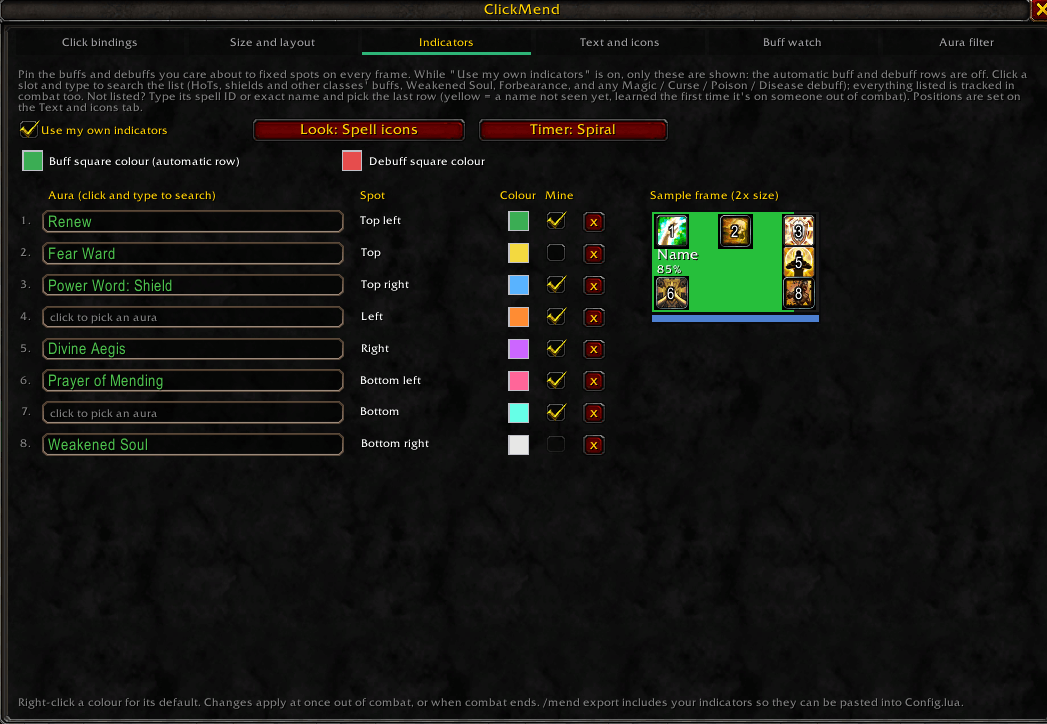
- **Your HoTs and shields** sit bottom-right; **debuffs** sit top-right, bordered in their dispel colour.
- **Dispel highlight**: the frame is tinted when a player has a debuff *you* can remove.
- **Aggro**: a pulsing red ring around whoever has threat.
- **Range**: players out of range are faded.
- **Target frame**: a separate frame for your target when they're not in your group (an escort NPC, a stranger, or an enemy).
- **Missing buffs box**: lists group buffs someone is missing. Click a row to cast it on the next player without it.
## Good to know
- **Spells landing on you instead of the player you clicked?** That's the game's *Auto Self Cast*: when the player is out of range, the game redirects the spell to you. Type **/mend selfcast off** to turn it off.
- **Spell clicks stopped working entirely?** Try **/mend castmode spell**.
- **Frames disappeared?** You may have used /mend hide. Type **/mend show**.
- **Seeing two sets of frames?** Tick **Hide Blizzard party / raid frames** on the Size and layout tab. The raid manager tab on the left stays.
- **Frames can't be moved or re-sorted in combat.** That's the game's rule; changes happen as soon as combat ends.
- **What's saved where:** click bindings, indicators and buff watch choices are saved **per character**, so your priest and druid keep their own spells. Size, position and colours are **shared** across all your characters.
## More options worth a look
- **Indicators tab**: pin the buffs and debuffs you care about to fixed spots on the frame (e.g. Renew top-left, Weakened Soul bottom-right). Switch to **Hostile** to track your DoTs on enemies.
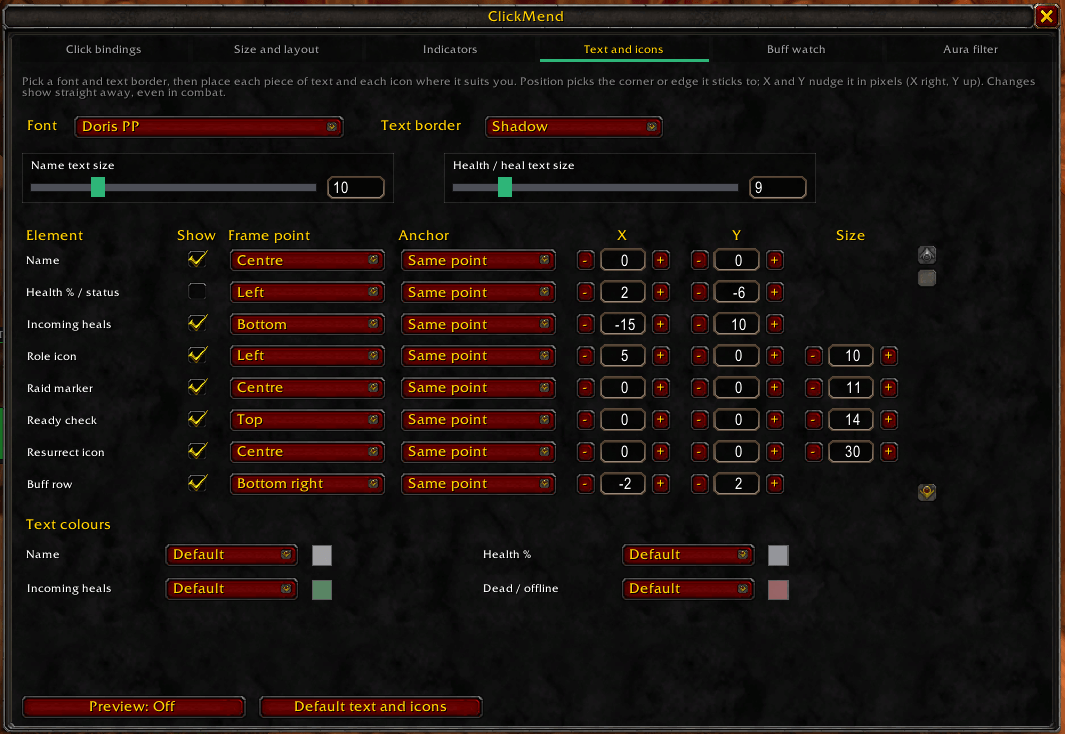
- **Text and icons tab**: move or hide every piece of text and icon, including the optional *Health missing* number.
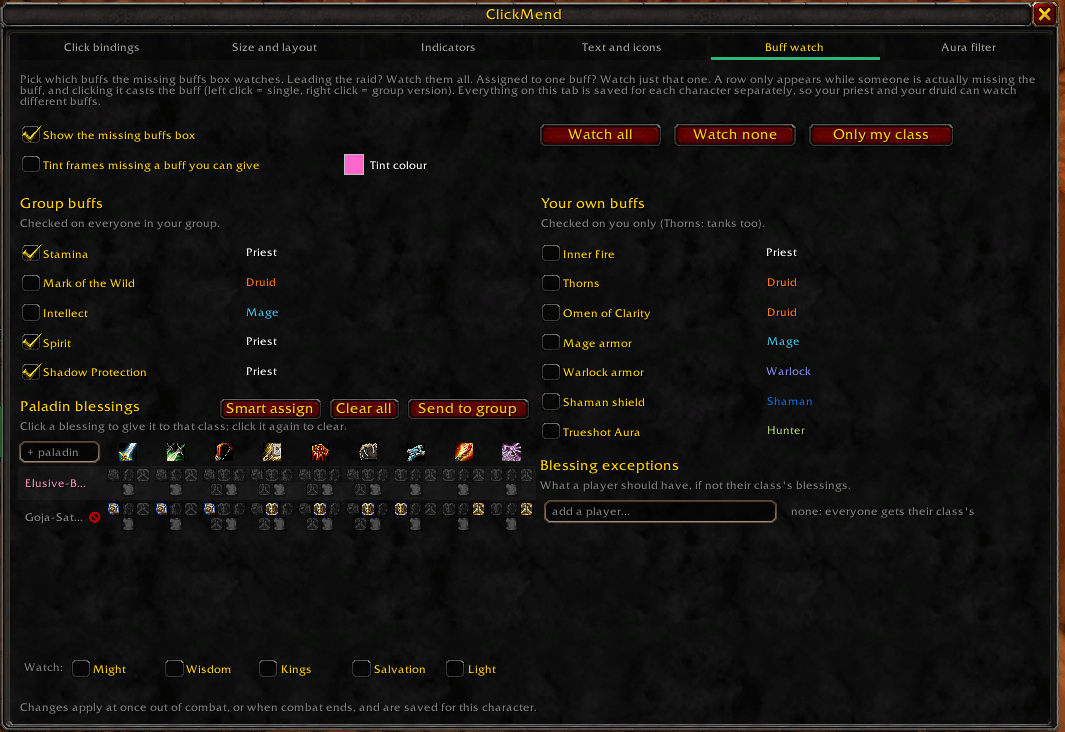
- **Buff watch tab**: pick which buffs the missing buffs box watches, and plan paladin blessings (works with PallyPower users).
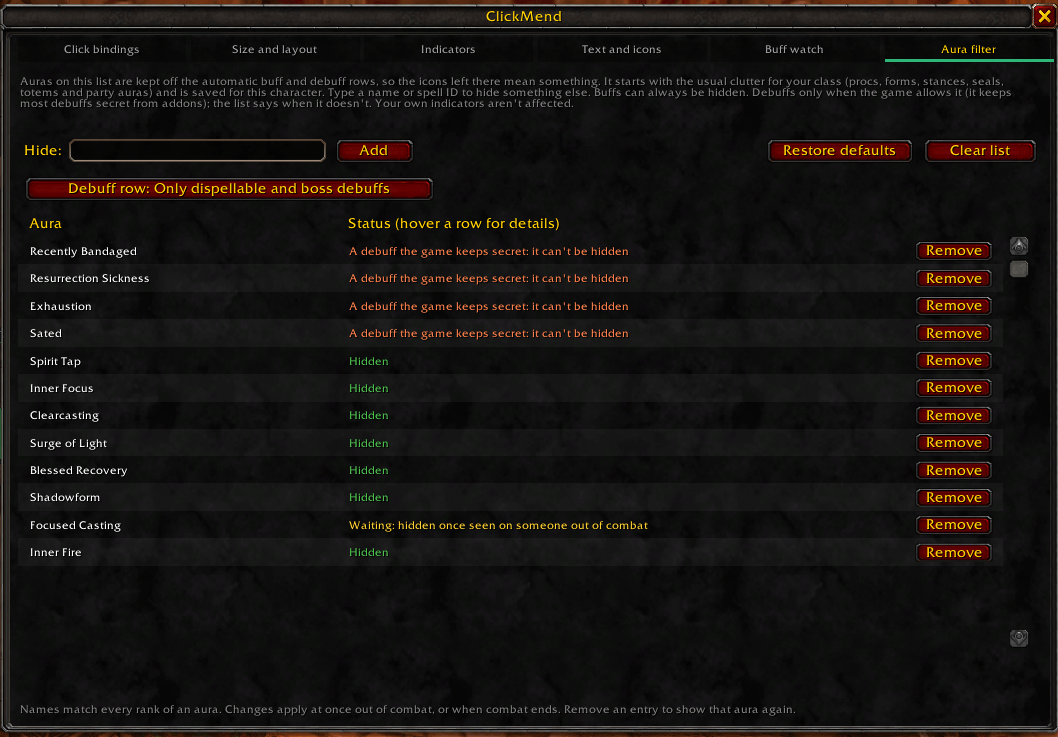
- **Aura filter tab**: hide clutter like procs and stances from the buff and debuff rows.
## Reporting a problem
Hover the frame that misbehaves and type one of these, then include the chat output in your report:
- **/mend inspect**: exactly what each click on that frame does
- **/mend inddebug**: how each indicator slot is being drawn
- **/mend buffdebug**: why each missing-buffs row shows or doesn't