Click Casting Button Forever
- By
Click Cast Shortcut is a lightweight utility addon that adds a Minimap button, Spellbook tab, and slash commands (/cc) to instantly open Blizzard’s native Click-Casting menu alongside your Spellbook.
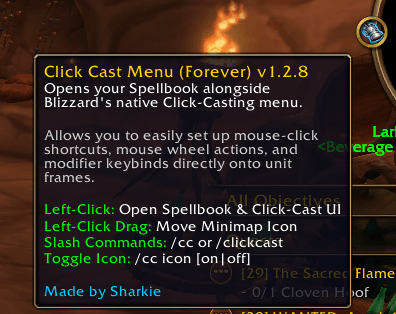
MiniMap.png
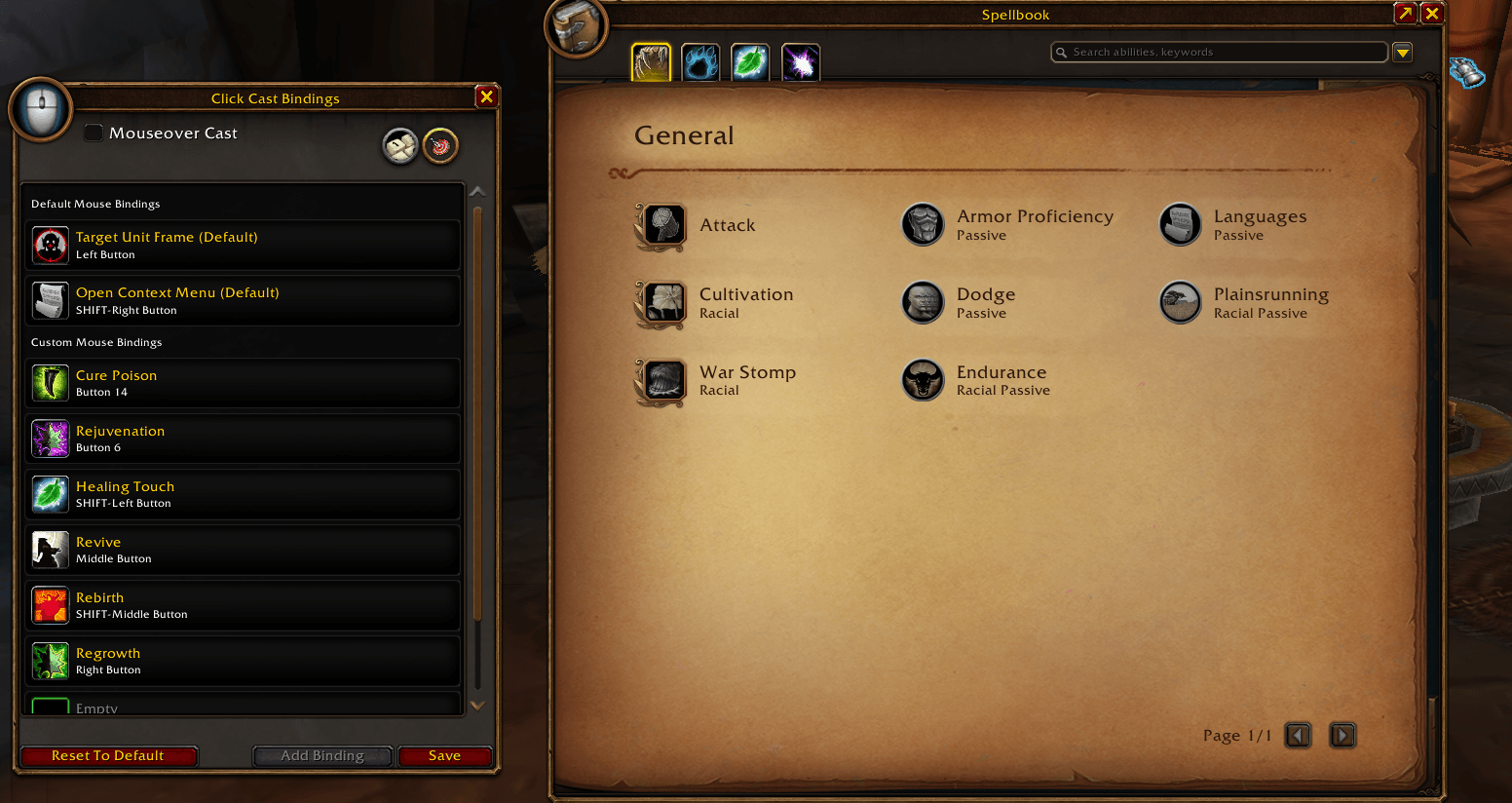
opened.png

spellbook.png
Description
Click Cast Shortcut (WoW Forever Beta)
Click Cast Shortcut is a lightweight quality-of-life addon that gives you instant, one-click access to World of Warcraft's native Click-Casting menu alongside your Spellbook.
No more digging through game settings or keybinding menus—configure your mouseover spells, unit frame shortcuts, and modifier keybinds in seconds!
🌟 Key Features
One-Click Access: Open the Click-Casting binding UI and your Spellbook side-by-side via a Minimap button or a Spellbook sidebar tab.
Slash Commands: Quick chat commands to open the UI or toggle the minimap button on and off.
Lightweight & Native: Built directly on Blizzard's default click-binding framework—zero memory bloat and no performance impact.
Persistent Settings: Minimap icon position and visibility preferences save automatically across logouts and UI reloads.
💻 Commands
/cc or /clickcast – Opens the Click-Casting UI alongside your Spellbook.
/cc icon or /cc toggle – Toggles the Minimap icon on/off.
/cc show – Displays the Minimap icon.
/cc hide – Hides the Minimap icon.
🖱️ How to Use
-
Click the Minimap icon or the Spellbook sidebar tab (or type
/ccin chat). -
Drag spells or assign mouse clicks, mouse wheel actions, and modifier keys directly to your unit frames.
-
Shift + Left-Click Drag the Minimap icon to move it anywhere around your minimap rim.
Designed for World of Warcraft Forever (Beta v1.60.1.70245).
Made by Sharkie
Click Casting Button Forever Team