Clean My Bag
- By
By creating simple filters, Clean My Bag will automatically sell unwanted items from your bags.
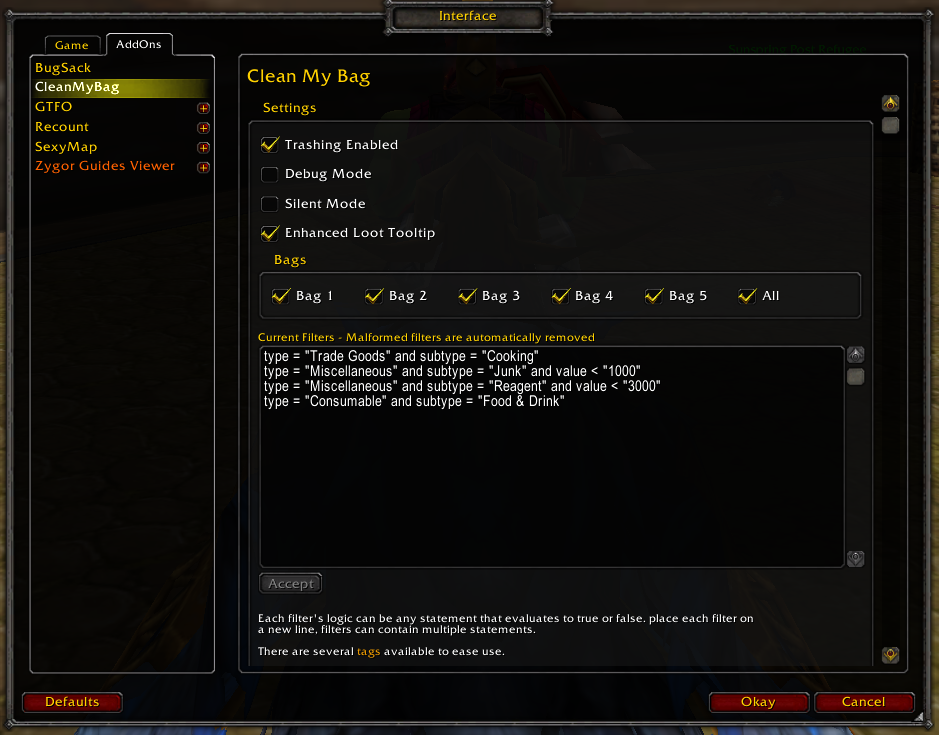
Clean My Bag configuration screen within Interface console.
Description
By creating simple rules, Clean My Bag will remove unwanted items from your inventory as you loot.
Each filter's logic can be any statement that evaluates to true or false. place each filter on
a new line, filters can contain multiple statements.
There are several tags available to ease use.
quality = 0 to 7
type = Armor, Consumable, Weapon ...
subtype = see http://www.wowwiki.com/ItemType
name = name of the item (case sensitive)
value = the sell value of the item, values are in copper (1000 copper = 10 silver)
The following values are constant, and use for the quality tag:
0 = poor (grey)
1 = common (white)
2 = uncommon (green)
Gear / Items above common (green) are protected & cannot be auto-trashed/vendored.
The following are a few examples of filters you can create:
Auto-vendor item if it's quality is grey
vendor = "yes" and quality = "0"
Trash the item if it's minimum level is below 80:
minLevel < "80"
Trash the item if it's poor quality (grey) and worth less than 10 silver:
quality = "0" and value < "1000"
Trash the item if it's poor quality (grey), type is Armor and subtype is Cloth:
quality = "0" and type = "Armor" and subtype = "Cloth"
There is also a Safe List feature which will allow you to specify items which will never be trashed even if they match existing rule sets.
Clean My Bag Team