CleanLoot
- By
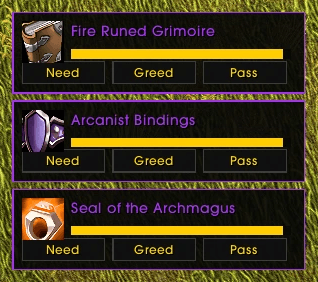
image-1792854232052.png
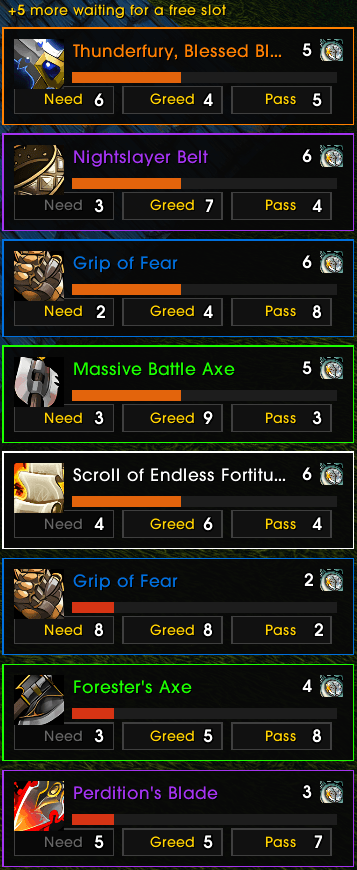
image-1792854171328.png
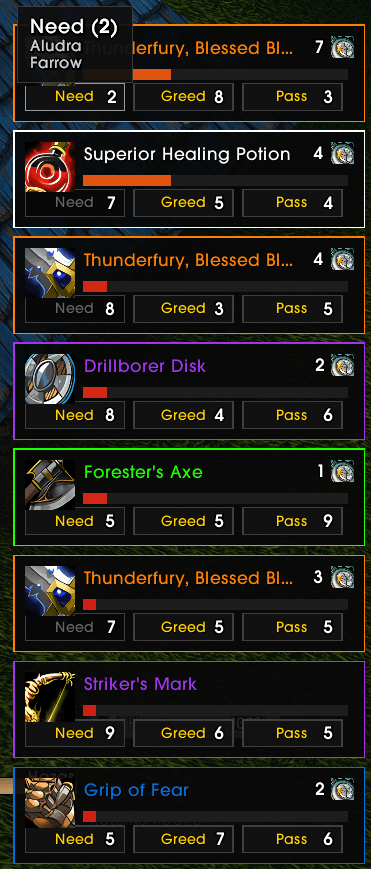
image-1792854204796.png
Description
Clean loot roll frames for WoW Forever. See at a glance who rolled what, answer faster. Lightweight, standalone, no other addon needed.
What you get
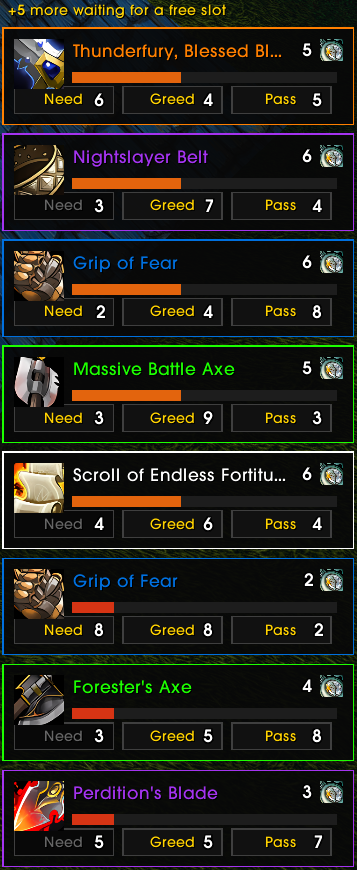
- Live vote counters on each button, with the list of players on hover (class coloured, with the roll once the game reveals it).
- "Hasn't rolled yet": a small clock with the number of players still deciding. Hover for who.
- Winner popup: who won each roll and with what, and always your own roll. Hover a card for the item tooltip and every roll of the drop.
- Big drops are safe: extra rolls wait in a queue and appear as you answer, timers still running. Rolls in progress come back after a /reload.
- Less chat spam: the per-roll lines are filtered out, who won what stays visible.
Auto-roll (new)
Stop clicking the same answer on the same items. Nothing is automatic until you make a rule.
- Always Need, Greed or Pass on an item: right-click the button on its roll frame (it turns green, right-click again to forget the rule), or add it in the options.
- Or one answer for every green, blue, epic or legendary item. An item rule wins over a quality rule.
- Safe by design: a rule only answers when the answer is possible. If the button is greyed out for you, or a bind-on-pickup prompt would need your confirmation, the roll stays yours. A chat line tells you what was answered, or why not.
Watchlist (new)
Keep a list of the items you are hunting. When one drops, its roll frame gets a gently pulsing cyan outline, and the note you wrote for it (BiS for my mage) shows on the frame and in the icon's tooltip.
- Add an item by shift-clicking it into the box, pasting its link, or typing its id. Or with
/cll watch [item] [note]. - It only draws the eye: nothing is answered for you. (That is auto-roll, and both can apply to the same item.)
Options window (new)
/cll opens CleanLoot's own window, with a tab for General, Controller mode, Auto-roll and Watchlist. It is not a modal game panel: your bags, the Dungeon Journal or the chat stay open beside it, so you can shift-click an item straight into its boxes. You can move it, Esc closes it, and it opens in combat. The minimap button's right-click opens it too.
Controller mode (off by default)
Made for gamepads and keyboards: select a visible roll and answer Need / Greed / Pass with keys or controller buttons you set right in the options, or with slash commands (handy in macros or OPie). Optional inspection tooltip, with Pawn upgrade info when Pawn is installed. LOOKING FOR FEEDBACK
And also
- Roll frames and winner popup can be moved, scaled, stacked up or down, and locked.
- Loot toast options (off by default): hide the "You won" banner, shrink it, or move it.
- Blizzard's own roll frames are hidden (an option brings them back).
- Minimap button: left-click for the loot history, right-click for the options.
- Built-in drop simulator (
/cll sim) to try everything without a real drop.
Commands
/cll: open or close the options window/cll auto need|greed|pass [item]: always roll that way on an item./cll auto remove [item],/cll auto list/cll watch [item] [note]: highlight an item when it drops./cll watch note|remove|list/cll next,/cll previous,/cll inspect,/cll need,/cll greed,/cll pass: controller mode/cll sim [n]: simulate loot rolls (a watched item always comes first)/cll debug on: trace every roll in chat
Reporting bugs
Forever is still in beta and its API changes. If something breaks after a client update, run /cll debug on, reproduce it, and share the chat lines with your client build, on GitHub or in the comments.
Source and releases: https://github.com/hazaswow/CleanLoot
Who makes this
I'm Hazas, and I stream WoW on Twitch, come say hi: https://www.twitch.tv/hazaswow
If CleanLoot saves you some clicks and you'd like to help me pay my Claude subscription, there's a Ko-fi: https://ko-fi.com/hazas
CleanLoot Team