


Clean Binds
- By

Screenshot 2026-09-25 090332.png
Screenshot 2026-09-25 090420.png

Screenshot 2026-09-27 232037.png
Description
 Clean Binds
Know your keybinds at a glance.
Long keybinding names can get cut off on your action bars, making binds like Mouse Wheel Up and Mouse Wheel Down hard to tell apart. Clean Binds lets you give each button a clear, short label such as MWU or MWD in World of Warcraft: Forever. Your keybindings stay exactly the same.
Download on CurseForge | Wago | GitHub releases
Features
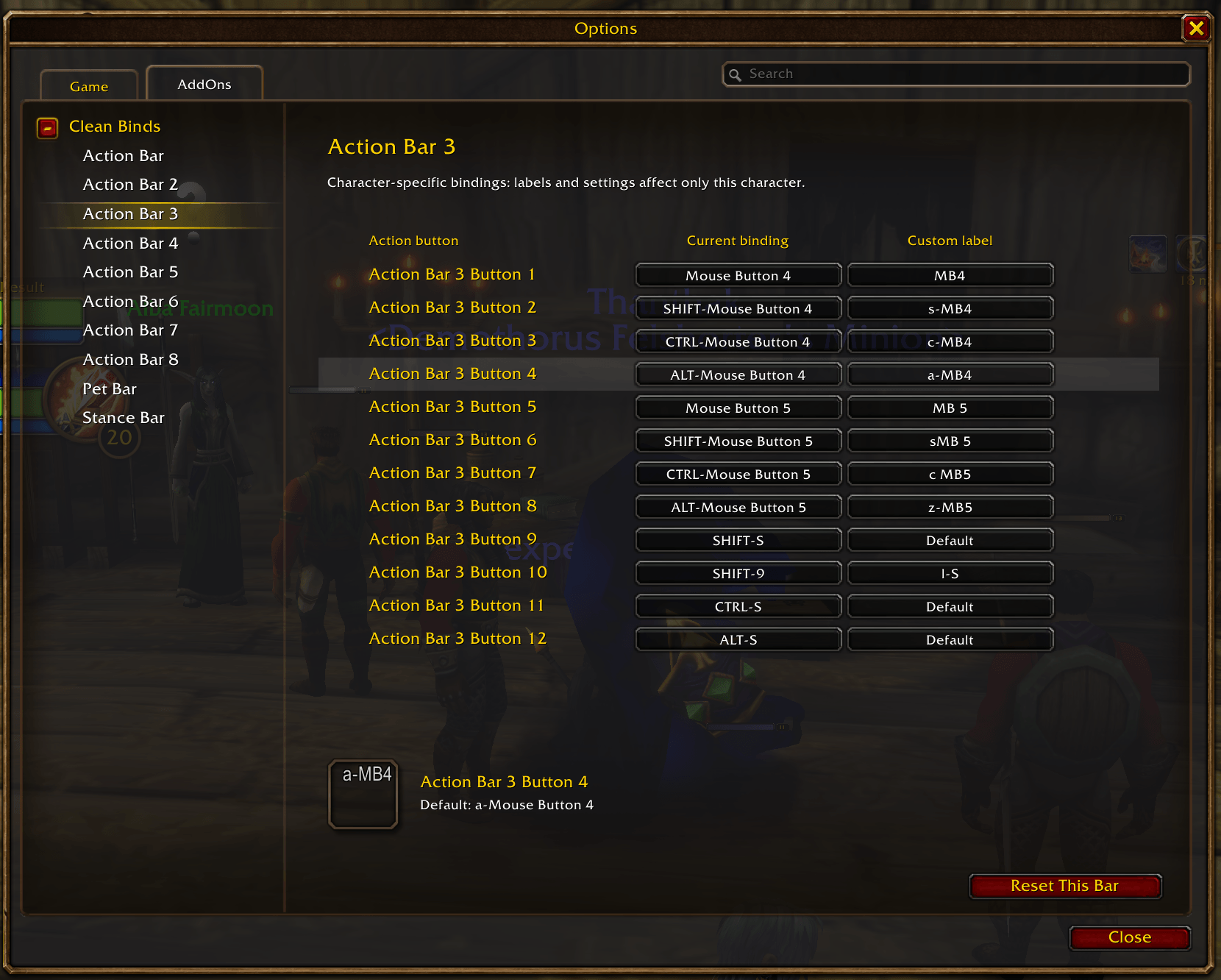
- Short labels you choose. Customize each button individually, including mouse buttons, the mouse wheel, and Shift, Ctrl, or Alt combinations.
- Labels for MMO mice. Use names like
N1orN12for side-button keybinds on a Razer Naga or similar mouse, even when those buttons are mapped to keyboard keys. - Blizzard's familiar action bars. Change the text without replacing your bars or changing their fonts, colors, or layout.
- Built into Options. Browse buttons by action bar and preview your labels as you type.
- Shared or character-specific settings. Labels automatically follow WoW's keybinding setting, with no extra profile selector.
Installation
On Wago, choose Classic Forever as the game version.
For a manual install, download the release ZIP from Wago or GitHub Releases. Place the extracted CleanBinds folder in your WoW Forever AddOns folder. Within your World of Warcraft installation, the file layout should be:
_classic_beta_\Interface\AddOns\CleanBinds\CleanBinds.tocOn GitHub, choose the CleanBinds-VERSION-forever.zip release asset, not the source-code archive.
Restart WoW and enable Clean Binds in the AddOns list.
Set up your labels
- Type
/cleanbindsin chat, or open Esc -> Options -> AddOns -> Clean Binds. - Choose an action bar.
- Click a button's Custom label field, enter a label such as
MWD, and press Enter. The label appears on the action button immediately.
Your current keybindings are shown for reference; they cannot be changed here. Hover over a binding to see its full name and any additional keys assigned to that button.
Press Tab or Shift+Tab to save and move between fields. Clicking elsewhere also saves; Escape cancels the current edit. The preview warns if a label is too wide, but you can still use it.
Configure labels outside combat. Your existing labels keep working in combat. Changes are saved automatically when you reload the UI or log out.
Account-wide and character-specific labels
Clean Binds follows Character Specific Key Bindings in WoW's Keybindings options. The active setup is shown at the top of each Clean Binds page.
| Character Specific Key Bindings | Labels and the enable setting |
|---|---|
| Unchecked | Shared with other characters using account-wide bindings. |
| Checked | Saved separately for this character. |
This checkbox is set separately for each character. Leave it unchecked on every character that should share your labels. Create a shared label once, and those characters use it too.
A new character-specific setup starts with WoW's default labels, not copies of your shared labels. Enable custom labels initially matches the shared setting, then remembers that character's choice independently.
Switching back to account-wide bindings restores your shared labels. It does not copy character-only labels into the shared setup. Each setup retains its labels for when you return to it, provided the keybindings still match.
Changing and resetting labels
Clear a Custom label field to restore WoW's default text for that button. Use Reset This Bar or Reset All Labels to clear more labels at once. Both ask for confirmation and affect only the setup shown on the page. An account-wide reset leaves independent character labels untouched.
Uncheck Enable custom labels to use WoW's default text without deleting your labels. Each setup remembers its own on/off setting.
If you change the key shown on a button, Clean Binds clears that button's custom label in the affected setup so it does not show a misleading key. This also applies to key changes made while the addon was disabled. Changing only a secondary binding keeps the label if the displayed key stays the same.
Labels belong to buttons, not to the spells or macros placed on them. You can also prepare a label for an unbound button; it appears when you assign a key.
Supported bars
Clean Binds supports Blizzard's Action Bars 1-8, Pet Bar, and Stance Bar (listed as Special Action Buttons in WoW's Keybindings options). Hidden or inactive bars can still be configured.
Vehicle and other temporary action bars that reuse the main bar's bindings use its labels rather than having a separate setup. Vehicle support is experimental.
Action bars from other addons, extra-action buttons, totem bars, and flyout buttons are not supported. Clean Binds is for World of Warcraft: Forever, not other WoW versions.
Support and license
Report an issue. Include
your WoW version and what happened; /cleanbinds status shows your version,
active binding setup, and available action bars.
Clean Binds is distributed under the MIT License.
The Clean Binds Team
