CFC - (Classic Fishing Companion)
- By
Fishing addon for WoW Classic Era, TBC and Forever. Double right-click to cast with auto-lure, a stats HUD, one-click gear swaps, catch tracking by zone, goals, and a bobber splash you can actually hear.
Screenshot_20261018_205943.png
Screenshot_20261018_205930.png
Screenshot_20261018_205917.png
Screenshot_20261018_205910.png
Screenshot_20261018_205901.png
Description
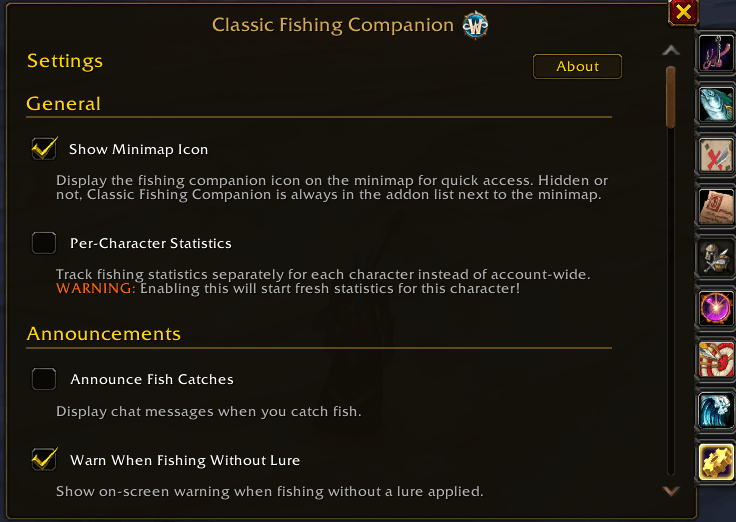
Everything you need while fishing in WoW Classic Era, TBC and WoW: Forever. Double right-click to cast and your lure goes on by itself. A small HUD tracks your catches, fish per hour, skill and lure timer. Every fish you catch is logged by zone, with no setup.
Watch the overview video on YouTube
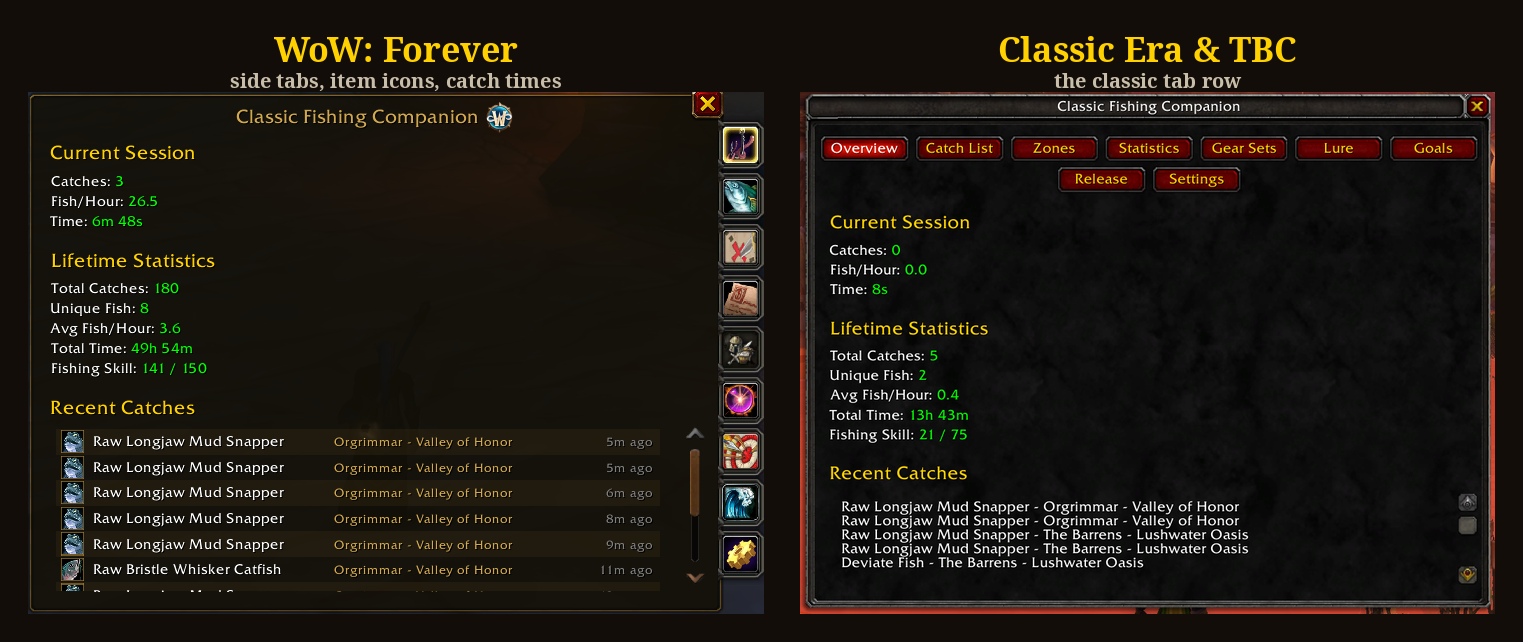
One download, three games. The same zip runs on Classic Era, TBC Anniversary and WoW: Forever. Forever gets its own build with side tabs, cast bar timers and the game's Equipment Manager for gear sets.
Casting
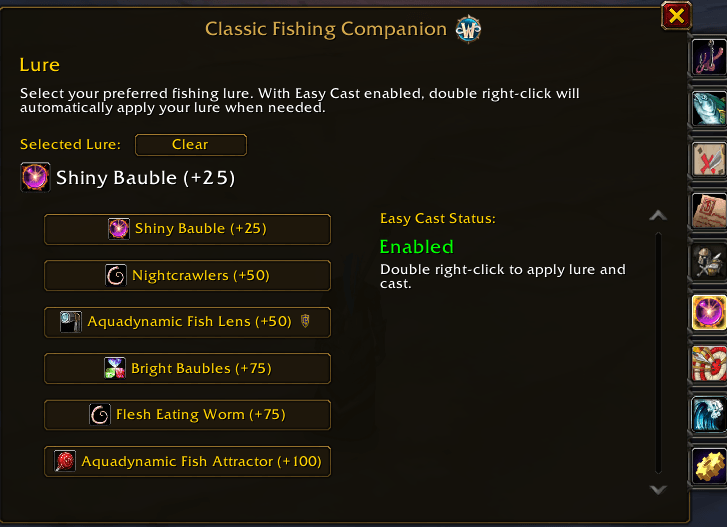
- Easy Cast: double right-click anywhere to cast. If your lure has run out, it's put back on first. A single right-click on the bobber still loots normally
- Lure Manager: pick a lure on the Lure tab and the addon keeps it applied. You get a chat note if you run out
- Captain Rumsey's Lager (TBC): drinks it before casting when the buff is gone
- Auto-swap combat weapons: get attacked with a pole in hand and you swap to your weapons, then back to the pole when combat ends
Stats HUD
- Session and total catches, fish per hour, and your skill with pole and lure bonuses
- Lure timer with time left. On Forever it's the game's cast bar, turning yellow under 2 minutes and red in the last one
- Apply Lure and Swap buttons right on the HUD
- Up to 3 Goals with progress
- Default, Minimal or Text Only look, drag it anywhere, and scale it from 75% to 150%
Tracking
- Catch List: every fish and item you've pulled up, with counts, share of your catches, and the best hour to catch it
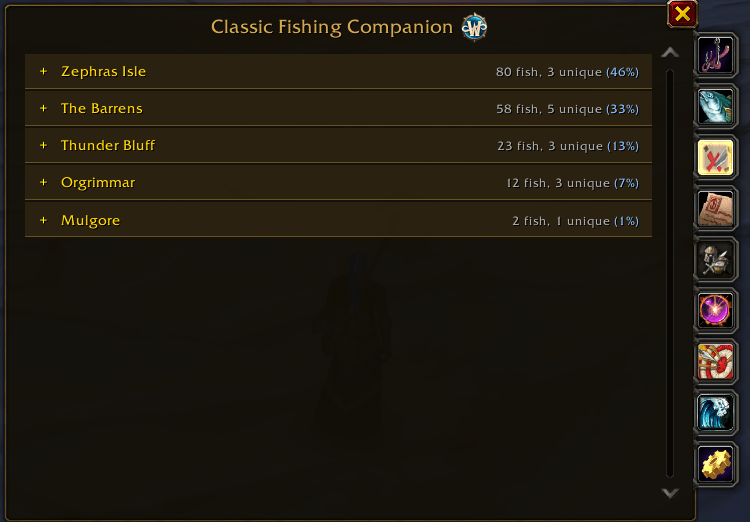
- Zones: everything you've caught, grouped by zone, with unique species and each zone's share
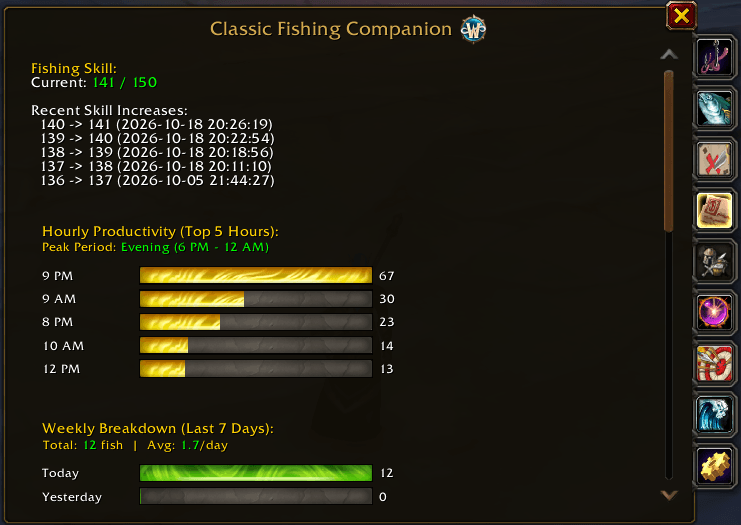
- Statistics: hourly, daily and weekly bars, top catches, and zone productivity
- Goals: set a catch target for a fish. Up to 3 show on the HUD and they reset each session
- Catch & Release: mark fish you don't want and delete them from your bags with one key. They still count in your stats
Gear sets
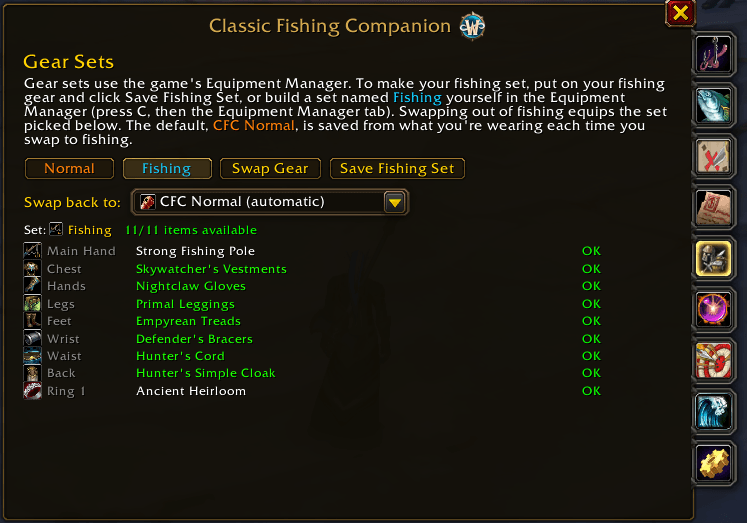
Save your fishing gear once and swap to it from the HUD, the minimap button, a keybinding or /cfc swap. Whatever you were wearing is saved first, so swapping back works with any spec. On Forever the sets live in the game's Equipment Manager, so they're stored on the server.
Alerts and sound
- Enhance Bobber Splash: while you fish, the game's sound turns on even if you muted it, and music, ambience, dialog, pet and emote sounds go quiet, so the splash stands out. A Splash Volume slider sets how loud. Your sound settings come back 10 seconds after you stop
- Rare fish sound when you land one of the rare catches
- Milestones for catch counts, with optional announcements to guild, party or say
- No Fishing Lure! warning when you cast without a lure
Your data
- Automatic backups every 24 hours, with one-click restore from Settings
- Per-character mode if you'd rather keep stats per character, with a copy of your account data to start from
- Quiet Mode cuts chat messages down to errors and warnings
Getting around
- Minimap button: left-click for the window, right-click for the HUD, hover for a quick stats summary
- Keybindings for the window, the HUD and Release Fish under ESC > Options > Keybindings
/cfcopens the window./cfc hud,/cfc swapand/cfc statswork too, and the wiki lists the rest
Feedback
Report bugs and ideas on GitHub. If you enjoy it, you can buy me a coffee.
CFC - (Classic Fishing Companion) Team