


Classic Cooldown Manager (CDM)
- By
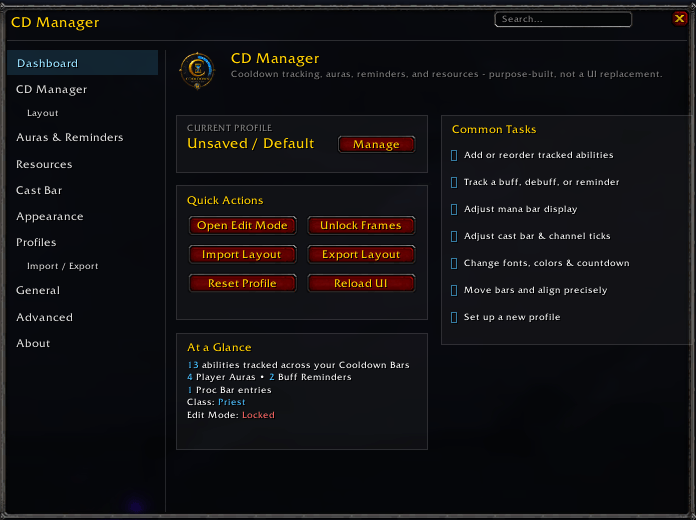
Setup UI.png
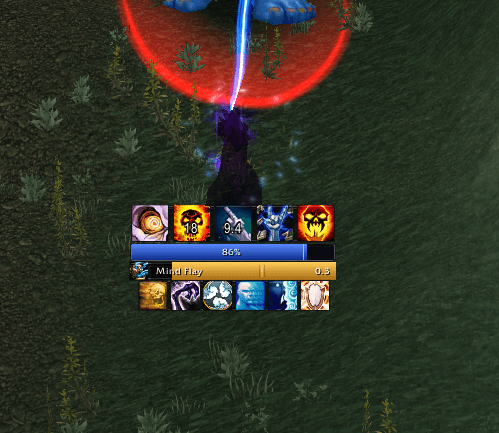
SPriest Combat Demo.png
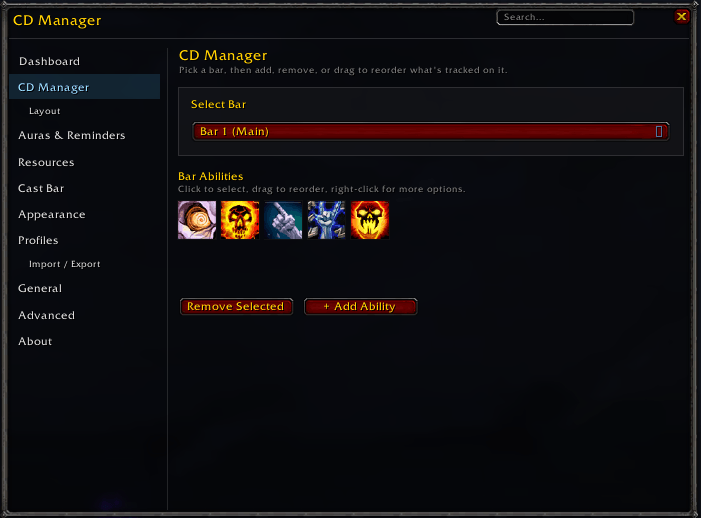
CDM Bar Setup.png
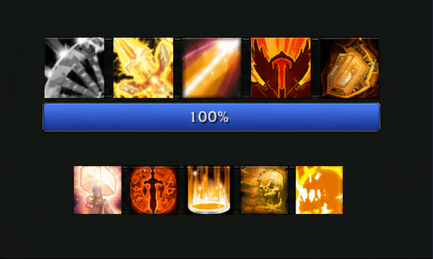
Paladin UI Demo.png
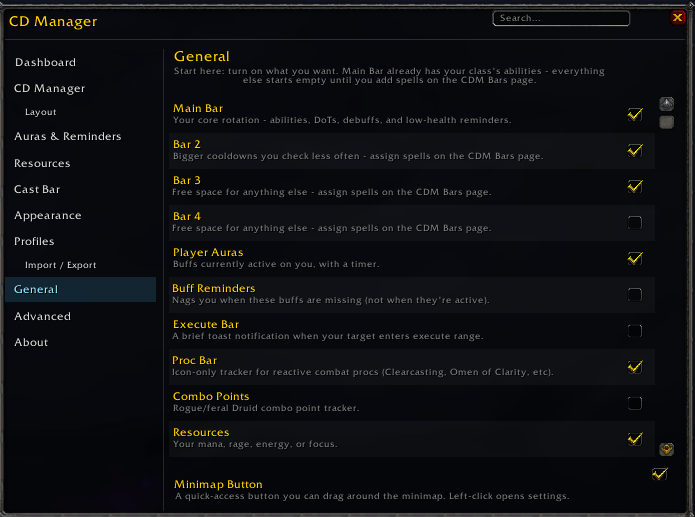
Feature Selection.png
Description
CD Manager (Beta)
CD Manager is a lightweight, highly customizable cooldown and combat tracking addon built specifically for World of Warcraft: The Burning Crusade Classic.
It provides a clean, modular interface for tracking the information that matters most in combat without the clutter of a generic "track everything" addon.
Unlike one-size-fits-all cooldown trackers, CD Manager is built around flexibility. Create multiple independent tracking bars, decide exactly what goes on each one, and customize nearly every aspect of their appearance and behavior to match the rest of your UI—no WeakAuras knowledge required.
Features
Cooldown Tracking
Four independent, fully customizable Cooldown Bars
- Track spells, trinkets, potions, racials, and other usable items side by side.
- Add abilities or items by spell name or item ID.
Every bar has its own:
- Icon size
- Spacing
- Growth direction
- Layout
Auras & Reminders
Player Auras
- Track your own buffs and debuffs (such as Weakened Soul and Forbearance).
Buff Reminders
- A dedicated "what's missing" tracker that only appears when an important buff is not currently active.
Proc Bar
- Tracks temporary reactive procs such as Clearcasting, Omen of Clarity, and similar effects.
- Includes automatic combat log detection for class-specific abilities like Revenge and Overpower.
Execute Alerts
- Displays a configurable toast notification once your target falls below a health threshold you define.
Combat Bars
Integrated Cast Bar
- Gold gradient fill.
- Optional channel tick markers for abilities like Mind Flay and Tranquility.
Resource Bar
- Supports Mana, Rage, Energy, and Focus.
- Live mana-cost prediction while casting.
- Display options:
- Percentage
- Numeric value
- Both simultaneously
- Combo Points
- Supports Rogues and Cat Form Druids.
Swing Timers
- Tracks both your own melee swings and your current target's attack speed.
Precision Layout
Dedicated Edit Mode featuring:
- Snap-to-grid
- Snap-to-center
- Snap-to-other-bars
- Alignment guides
Every tracker can be independently adjusted and saved:
- Position
- Size
- Scale
Profiles & Sharing
- Save, load, and delete complete profiles per character.
- Export and import layouts using a simple copy-and-paste string.
- Share bar positions, sizes, and layouts with other players.
- Importing or exporting layouts does not affect tracked abilities or appearance settings.
Deep Appearance Customization
Customize nearly every visual aspect of the addon:
- Icon size
- Icon spacing
- Row wrapping
- Growth direction
- Fonts
- Font outlines
- Icon border styles
- Expiration glow
Countdown Text
Fine-tune countdown text with support for:
- Scale
- Position offsets
- Decimal precision
- Shadows
- Custom colors
Built to Stay Out of the Way
CD Manager is designed with performance in mind.
- Instant in-game settings search
- One-click minimap access
- Event-driven update system
- Cache-guarded logic instead of constant polling
- Low CPU and memory usage, even with every tracker enabled
Built for TBC Classic
CD Manager is built specifically for:
World of Warcraft: The Burning Crusade Classic Anniversary
It has not been built or tested for:
- Vanilla Classic
- Season of Discovery
- Wrath Classic
- Retail World of Warcraft
Compatibility outside TBC Classic is not guaranteed.
Philosophy
The goal of CD Manager is simple:
Deliver powerful combat tracking that remains intuitive, responsive, lightweight, and easy to customize.
Whether you prefer a minimalist single-bar setup or a complete combat dashboard, CD Manager gives you full control without the complexity of WeakAuras or the steep learning curve of larger UI frameworks.
Ongoing Development
CD Manager is actively maintained with regular bug fixes, optimizations, and quality-of-life improvements based on real gameplay and community feedback. Work is currently being done to implement into all versions of World of Warcraft Classic.
Bug reports and feature requests are always welcome.
When reporting an issue, including the following helps tremendously:
- Exact error/bug occurring
- The exact spell or item name
- What you expected to happen
- What actually happened
The Classic Cooldown Manager (CDM) Team
