ClassHUD
- By
vertical.png
horizontal.png
simulated_bars.png
menu_general.png
menu_visibility.png
menu_abilities.png
Description
ClassHUD
A clean, ready-to-play ability HUD for every class and specialization in World of Warcraft: Midnight.
Inspired by the classic WeakAura layouts and built from scratch for Midnight's new addon rules. No WeakAuras required.
Install it and log in, and your HUD is ready. ClassHUD detects your class and specialization and loads an official template made for it. Every class and all 40 specializations are covered, including the new Demon Hunter Devourer.
What you see
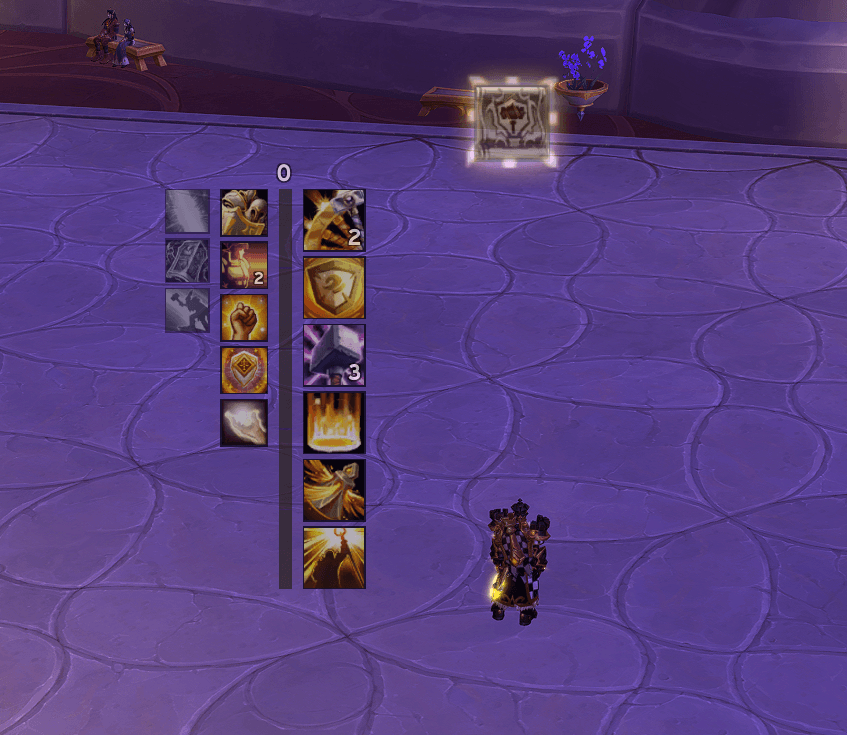
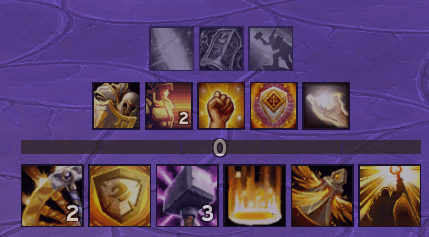
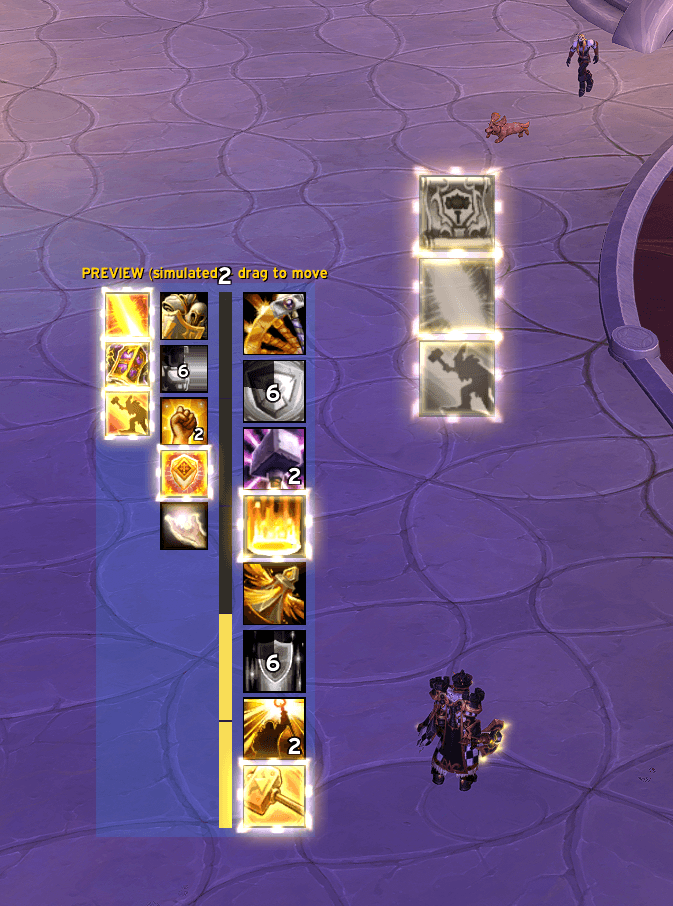
ClassHUD shows your abilities in fixed positions, so you always know where to look:
- Main column: your core rotational abilities and major cooldowns.
- Secondary column: interrupt, defensives and utility.
- Buffs column: the procs and buffs that matter to your spec.
- Class resource bar: Holy Power, Runic Power, Combo Points, Soul Shards, Rage, Energy, Mana and more. It can be vertical, horizontal or just a number, segmented or continuous.
Each icon shows the real state of the game:
- Cooldown swipe and countdown, with or without the global cooldown.
- Charges and recharge time.
- Dimmed while on its real cooldown.
- Tinted when not usable or when you lack the resource.
- The game's own empowerment glow in a golden Blizzard style, optionally only when the ability can actually be used.
- Transformations followed automatically (Judgment > Hammer of Wrath, Wake of Ashes > Hammer of Light...), with an optional highlight while transformed.
- Effect timers on the ability: while a defensive or ground effect is active (Consecration, Guardian of Ancient Kings, Ardent Defender, Shield Block...), the icon shows the remaining time in gold, then the cooldown.
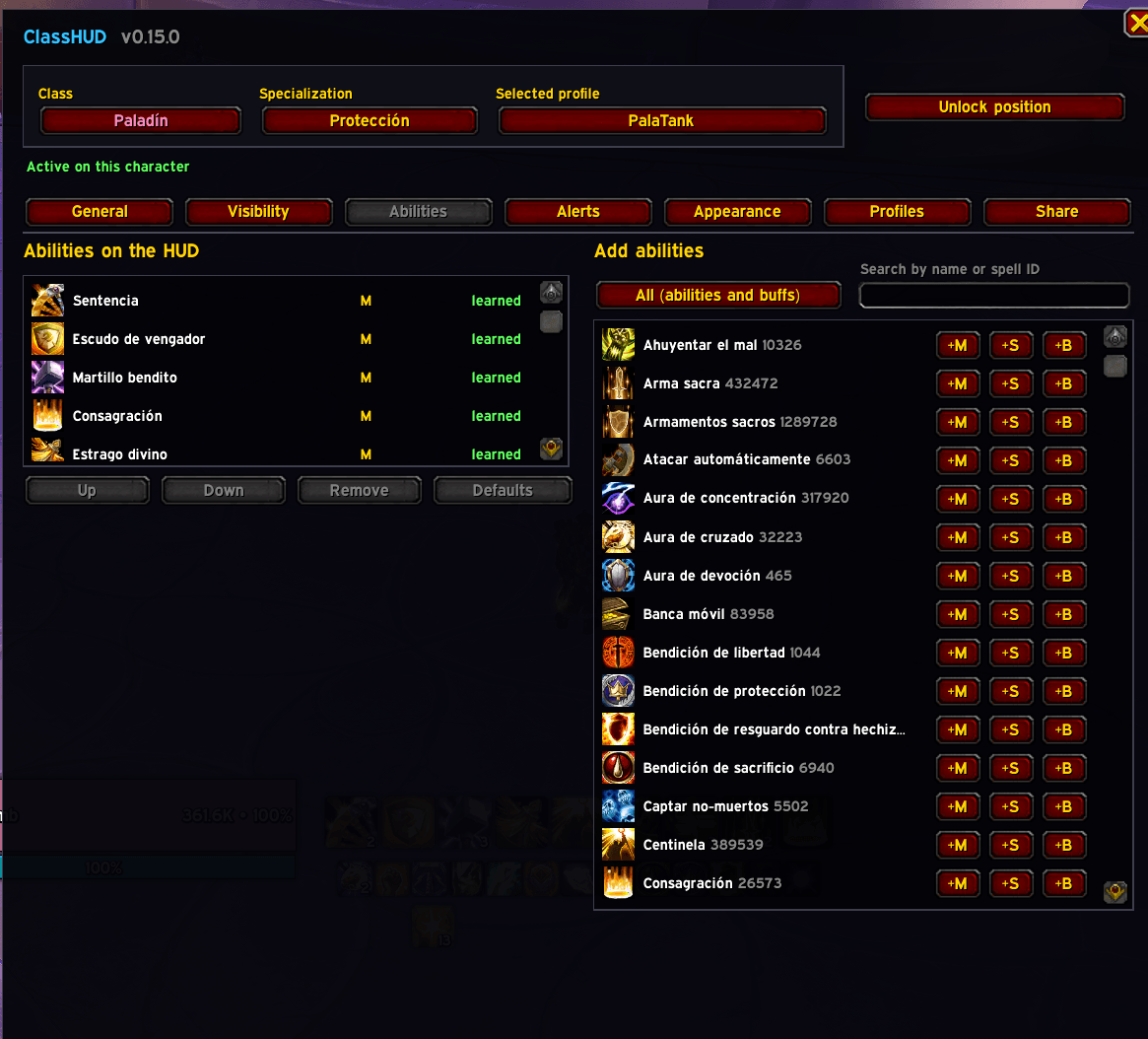
Abilities you have not learned with your current talents are hidden but never removed from your profile. When you take the talent again, they come back in the same place with the same settings.
Alerts box
A separate, movable box, for example in the center of your screen, that only shows what needs your attention:
- Procs: the game highlights an ability (free or reset casts).
- Buff active: luck procs such as Divine Purpose, Art of War or Empyrean Power.
- Ready to use: an ability is off cooldown.
- Transformed: for example Hammer of Light available.
- Weapon enchant state.
- Inverted alerts: show when something is missing, such as your weapon rite, poison, shield or long buff.
You choose the size, rows or columns, the growth direction (centered, left, right, up, down) and where alerts start. The box has its own unlock button so you can place it.
Customization
- Vertical or horizontal layout, 1 to 6 columns per group, swap sides.
- Icon sizes per column, spacing, borders, opacity, fonts, glow style and colors.
- Buffs either only while active or always visible in grey, chosen per buff.
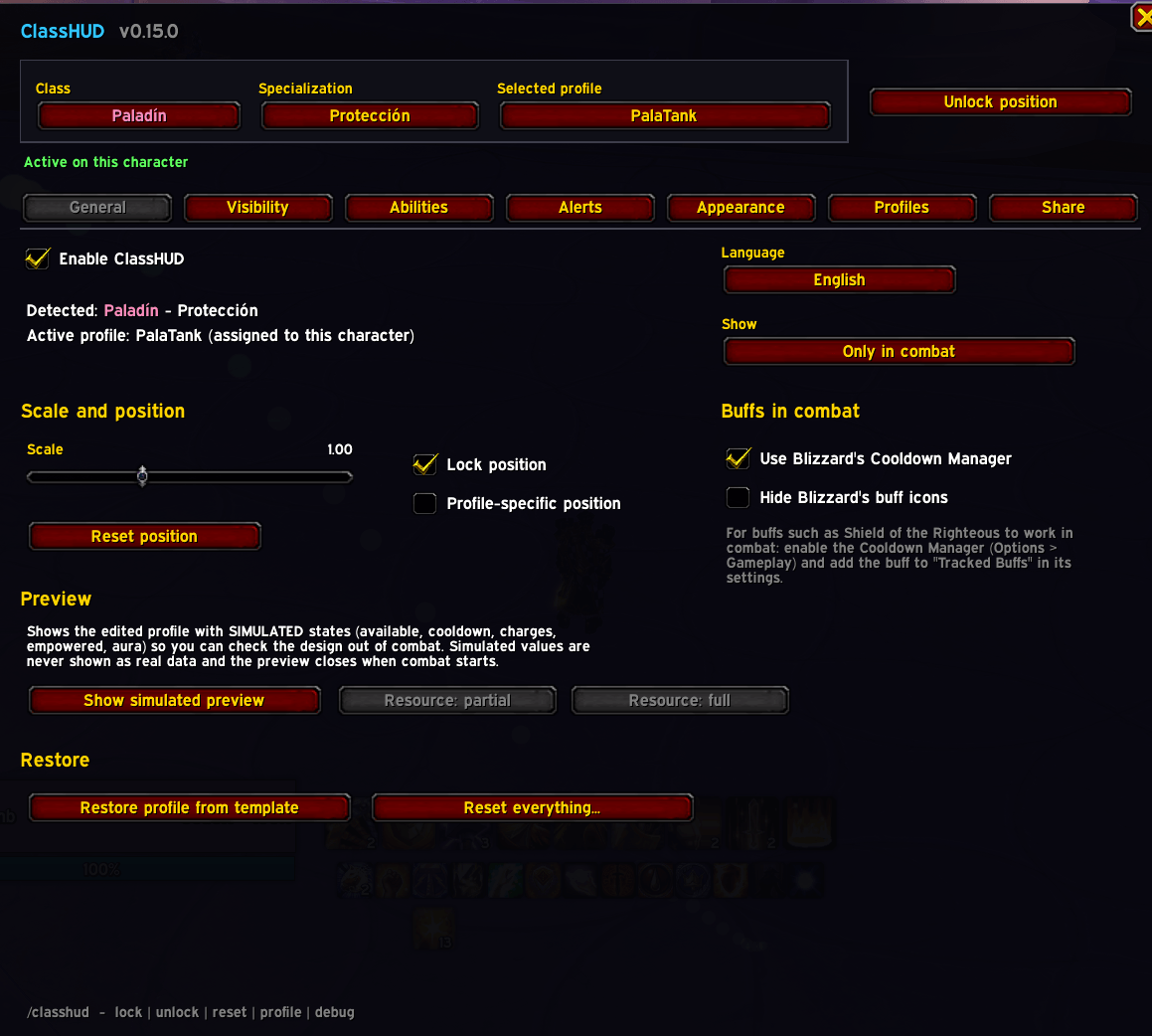
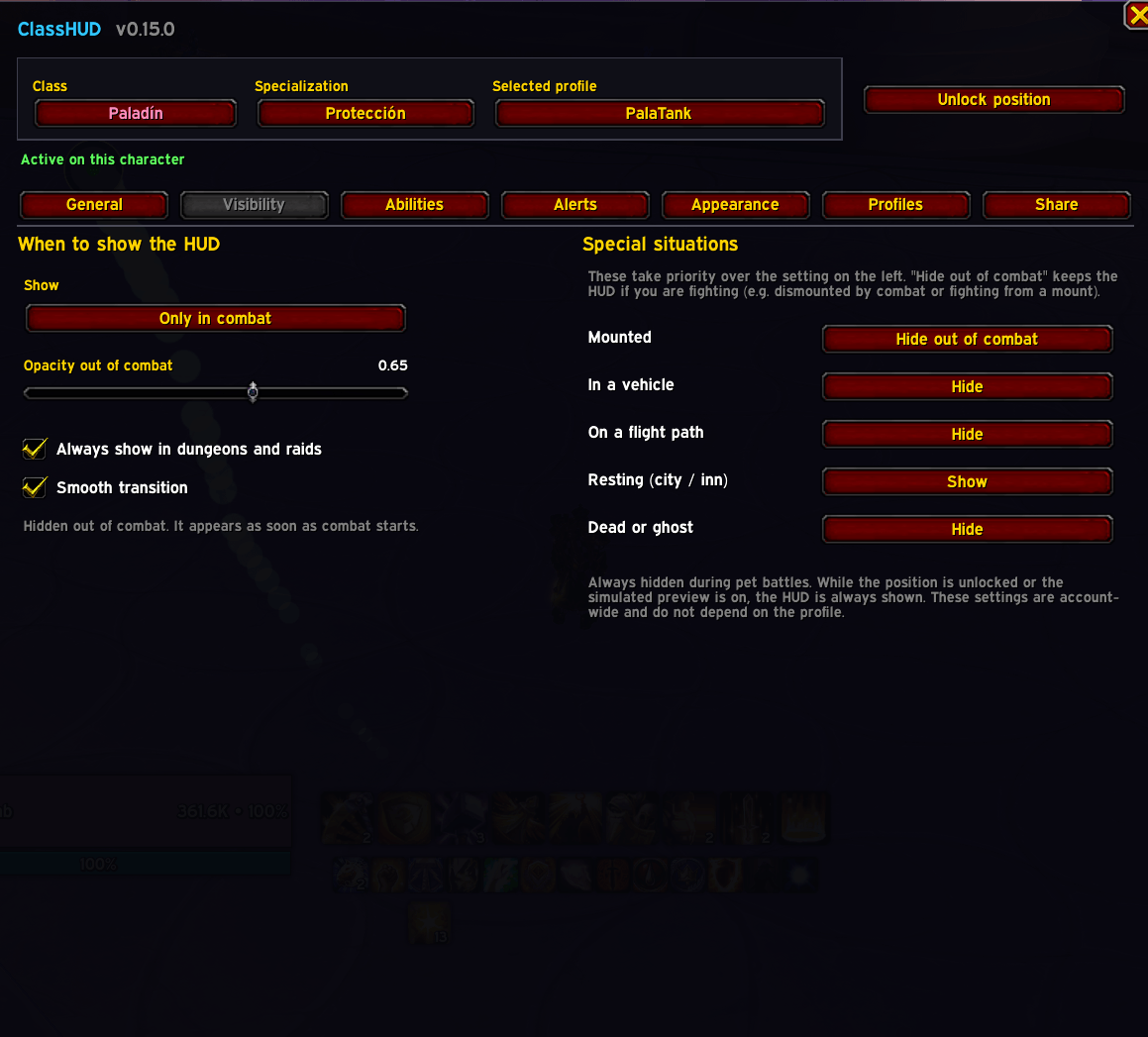
- Visibility rules: always, only in combat, or with a hostile target. Separate options for mounted, vehicles, flight paths, resting and dead. Optionally always shown inside dungeons and raids, with a smooth fade.
- Optional estimated timers (fixed or stacking duration) for buffs the game hides from addons in combat, clearly marked with
~. Values are pre-configured for many abilities and you can adjust them.
Profiles and sharing
- Official templates per specialization (read-only) and your own profiles, shown in separate sections.
- Profiles are independent from characters: share one profile between several characters, or keep a different one per specialization. Duplicate, rename, restore and set a default per spec.
- Import / Export strings to share your setup with friends or between accounts. Character names, realms, GUIDs and Battle.net data are never exported.
Commands
| Command | Action |
|---|---|
/classhud |
Open the options (also in Options > AddOns > ClassHUD) |
/classhud unlock |
Unlock the HUD to move it (out of combat) |
/classhud lock |
Lock the HUD position |
/classhud profile |
Open the profile manager |
/classhud reset |
Reset all settings (asks for confirmation) |
/classhud debug |
Open a diagnostics report, ready to copy (Ctrl+C) |
/classhud debuglog |
Start/stop recording a combat log of effects and buffs; then use /classhud debug to read and copy it |
/classhud help |
List the commands |
Combat buffs in Midnight
Midnight hides many buff details from addons during combat. ClassHUD handles this in three ways:
- It reads buffs from Blizzard's Cooldown Manager when available. Enable it in Options > Gameplay and add the buffs you care about to Tracked Buffs. You can hide Blizzard's own icons from the ClassHUD options.
- Ground effects such as Consecration are read from their totem slot, which also works in combat.
- For anything else, you can enable an estimated timer per ability.
When the game hides a state and no estimate is enabled, the icon shows it as unknown. ClassHUD never displays made-up information.
Notes
- ClassHUD only uses what Blizzard allows in Midnight. It does not hook or modify Blizzard's frames.
- ClassHUD is not a rotation helper. It shows the real state of your abilities; it does not tell you what to press.
- Lightweight and event-driven, so it does not affect performance in raids or Mythic+.
- Interface in English and Spanish, chosen automatically from your game client.
- Beta: the Paladin specializations are tested in game. All other classes are complete and being validated. Please report anything that looks wrong in the comments, ideally with the output of
/classhud debug.
All rights reserved. ClassHUD may not be copied, modified, reused or redistributed without the author's written permission.
ClassHUD Team