ClassAct
- By
ClassAct-class-showcase.png
ClassAct-extras-showcase.png
Description
ClassAct
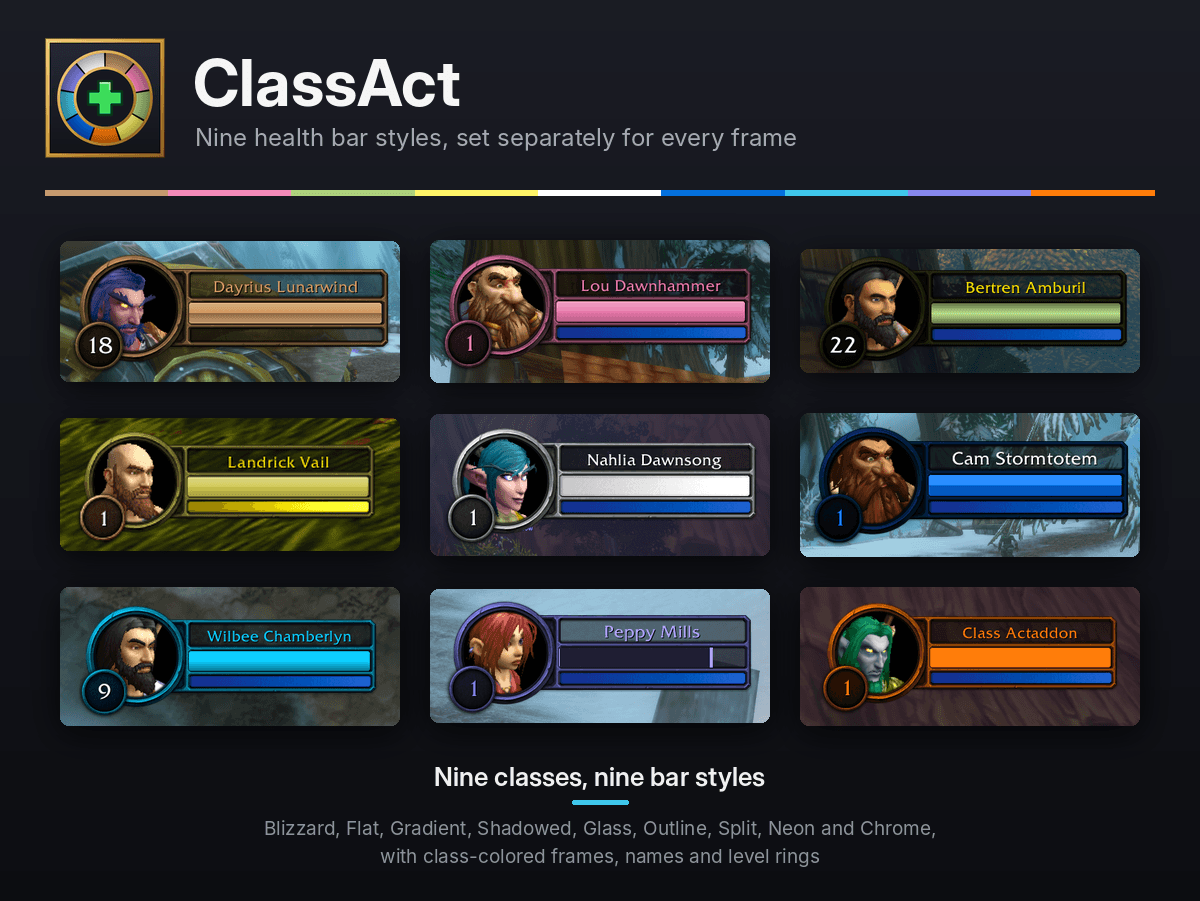
Class-colored health bars, names and frames for World of Warcraft: Forever, set up your way for every frame.
ClassAct paints your unit frames in each player's class color, so you can tell your Mage from your Druid at a glance. NPCs get a clear reaction color instead. Everything else on Blizzard's frames stays exactly where it is.
Features
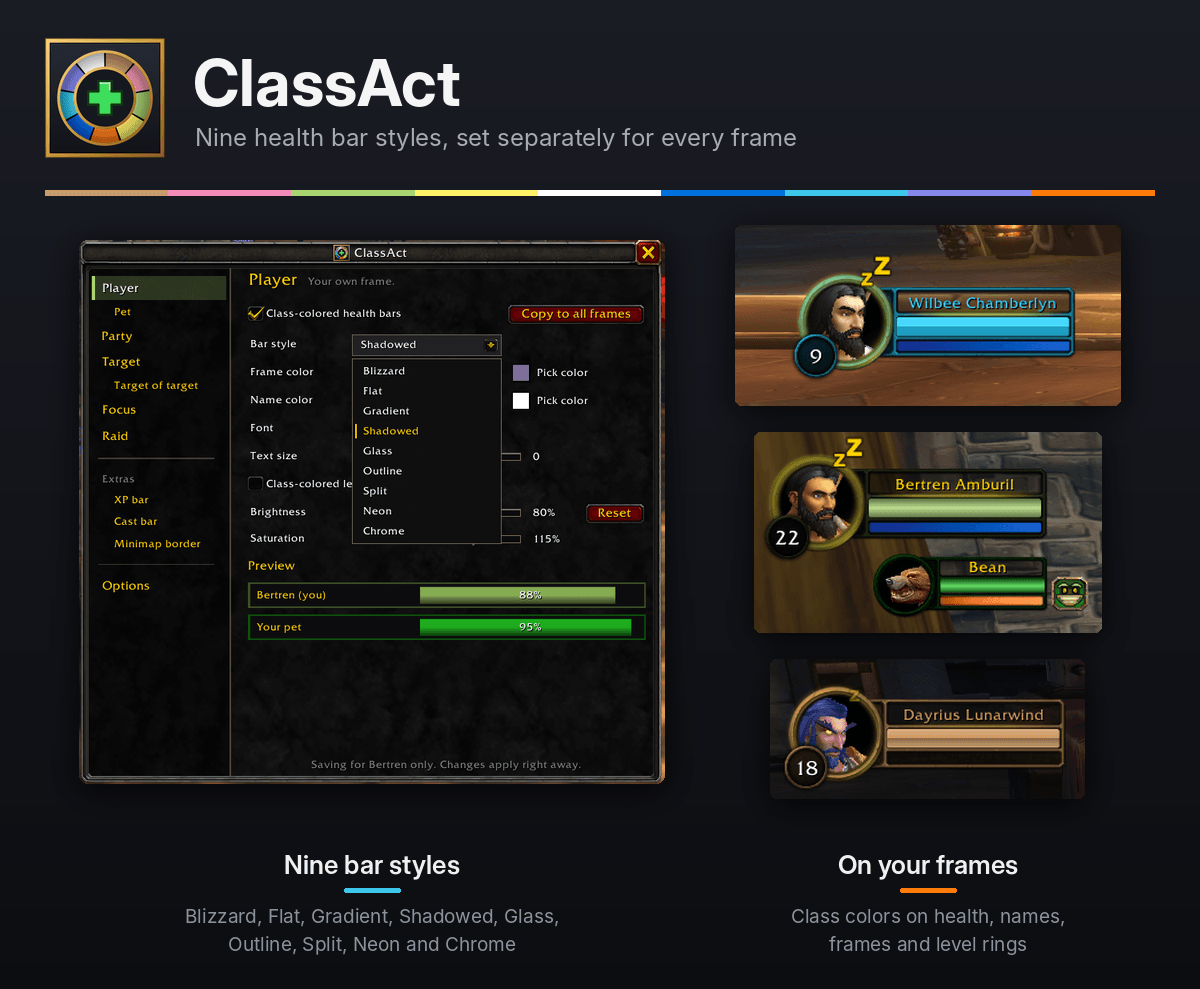
- Settings for every frame: Player, Pet, Party, Target, Target of target, Focus and Raid each have their own page in the settings window. Pet and Target of target follow Player and Target unless you give them their own settings.
- Class-colored health bars in nine styles: Blizzard (textured), Flat, Gradient, Shadowed, Glass, Outline, Split, Neon and Chrome.
- Eight frame colors: keep Blizzard's default frame, darken it, tint it by class (normal, dark or light) or by hostility, give it a frosted liquid glass look, or pick any color you like.
- Name text: Blizzard's color, class color or a custom color, with four fonts and adjustable text size.
- Name background: the band behind your target's and focus's name can be dark, class colored, hostility colored or any color you like.
- Your level in class color, and the ring around your target's level can show hostility or level difficulty.
- Brightness and saturation sliders for each frame.
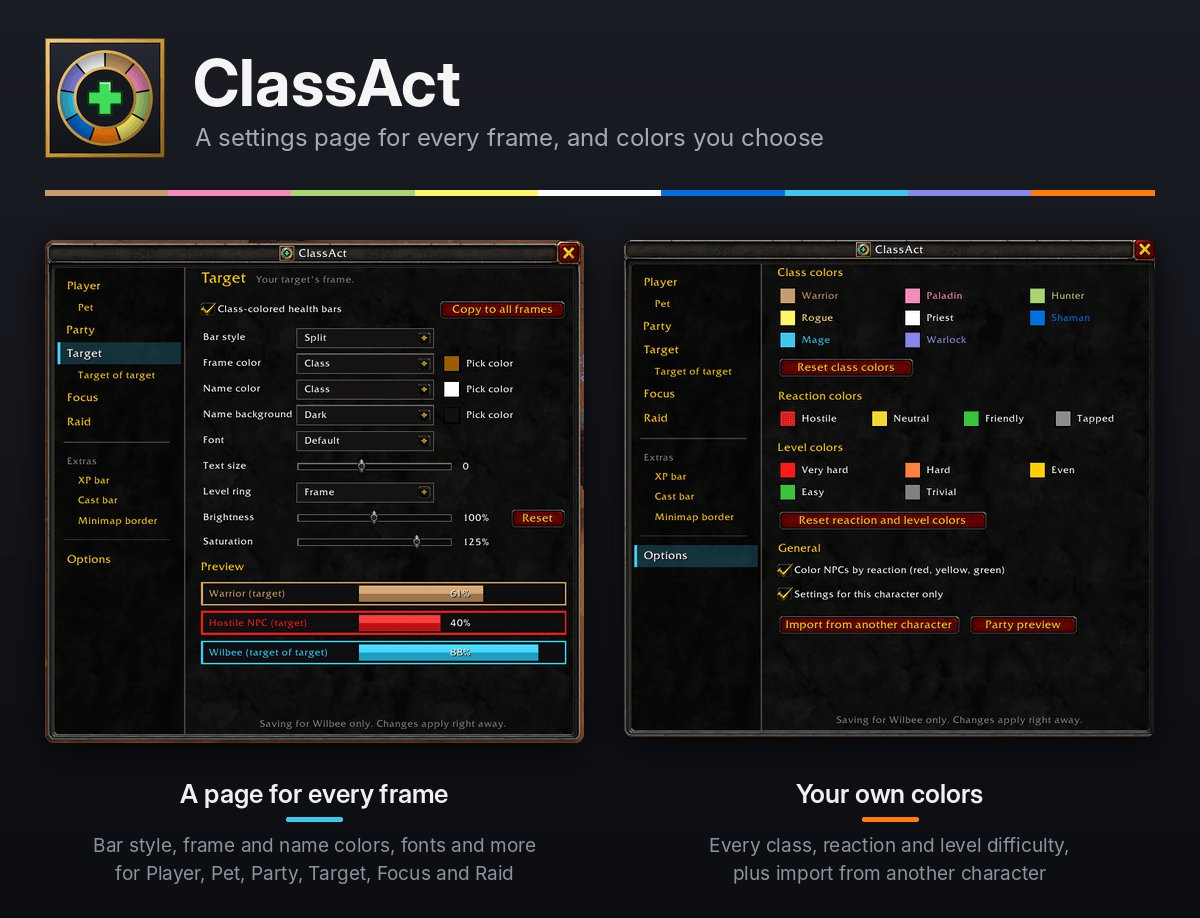
- Your own colors: pick the color for each class, for hostile, neutral, friendly and tapped units, and for each level difficulty.
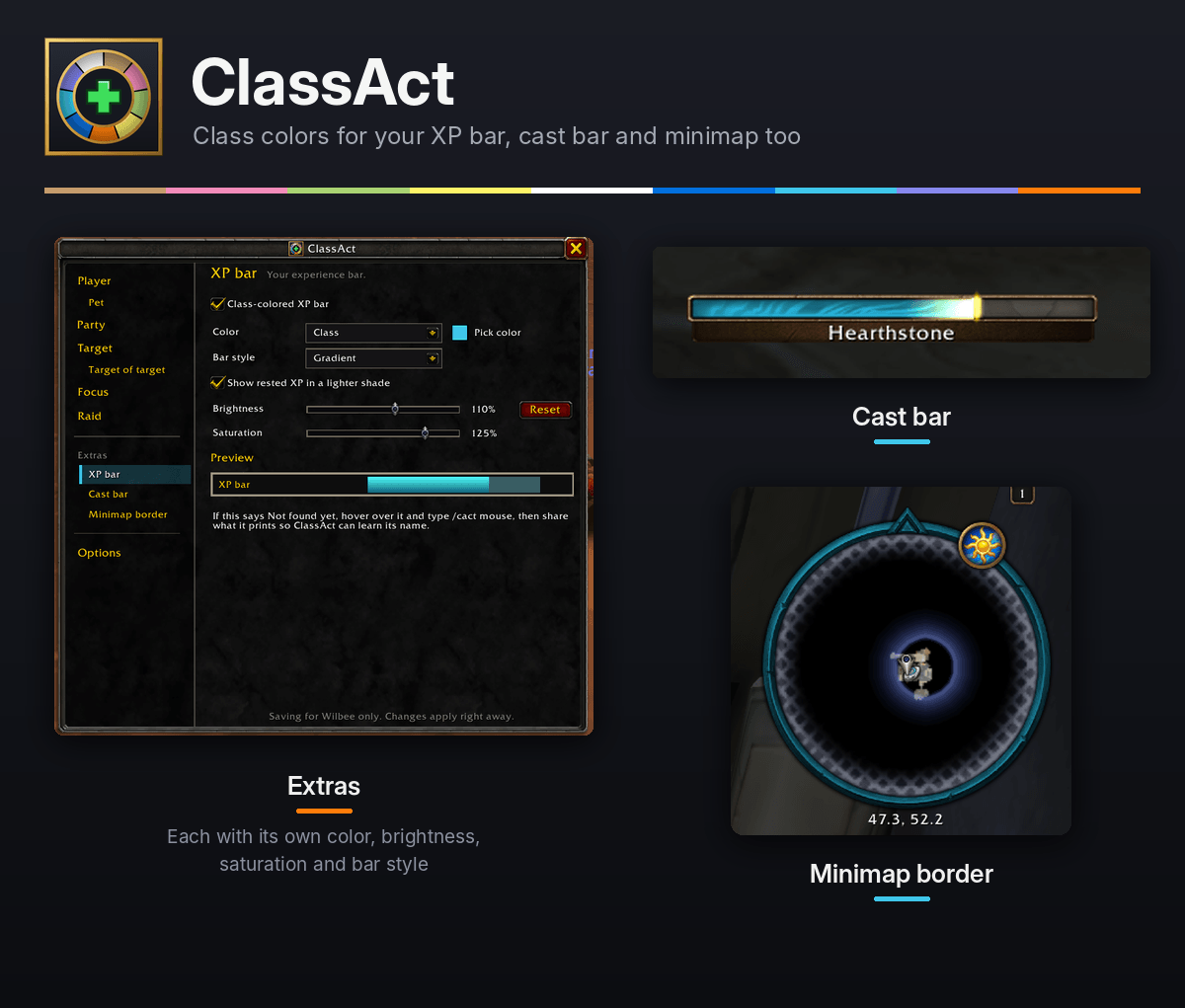
- Extras: class-colored XP bar, cast bar and minimap border, each with its own color, brightness and saturation, and a bar style for the XP and cast bars.
- Copy to all frames: set up one frame, then copy it everywhere with one click.
- Per-character settings: every character keeps its own setup, and you can import another character's with one click, or share one setup across all of them.
- Live previews on every tab, plus a mock party of five you can shuffle.
- Lightweight: one small file, no libraries, no other addons required.
Getting started
Type /cact to open the settings window. Every change applies right away, so there's nothing to save.
You'll also find an Open button under Options > AddOns > ClassAct.
Extras
Under Extras, your XP bar, cast bar and minimap border each have their own page. Give them your class color or any color you pick, with their own brightness and saturation, and a bar style for the XP and cast bars. Rested XP shows in a lighter shade of your XP color, and failed or interrupted casts stay red so you can still spot them.
Chat commands
These change every frame at once. The window has the per-frame settings.
| Command | What it does |
|---|---|
/cact |
Open the settings window |
/cact party |
Show or hide the party preview |
/cact glass |
Set the bar style (blizzard, flat, gradient, shadowed, glass, outline, split, neon, chrome) |
/cact frame class |
Set the frame color (default, dark, class, classdark, classlight, liquid, hostility, custom) |
/cact target off |
Turn class-colored health bars on or off for one frame (player, pet, party, target, tot, focus, raid) |
/cact npc off |
Turn NPC reaction colors on or off |
/cact xp on |
Turn an extra on or off (xp, cast, minimap) |
/cact character |
Switch this character between its own settings and the shared ones |
/cact mouse |
Name the frame under your mouse, handy for bug reports |
/cact unit |
Show what ClassAct sees for your target, handy for bug reports |
/cact help |
List all commands in chat |
/classact works anywhere /cact does.
Good to know
- ClassAct colors Blizzard's own unit frames. If a UI suite like EllesmereUI or ElvUI replaces those frames with its own, use that suite's color options for its frames.
- ClassAct changes how the health bars, names and frame borders look. It doesn't move, resize or replace any frames.
- The game can't blur what's behind a frame, so the Glass and Liquid styles are glossy, translucent tints rather than real see-through glass.
- Settings from earlier versions of ClassAct carry over to every frame automatically.
Feedback
Found a frame that doesn't color correctly, or have an idea for a new style? Leave a comment or open an issue with a screenshot, and say which frame it was and which settings you had on.
AI disclosure: ClassAct was made with help from Claude (an AI assistant) for the code and images. I designed, tested and maintain it.
ClassAct is copyright 2026 JoelGoose. All rights reserved. Please don't reupload it or reuse its code or artwork without permission.
ClassAct Team