Chess Craft
- By
Chess Craft 1.png
Chess Craft 2.png
Chess Craft 3.png
Chess Craft 4.png
Description
Playing
Open the window with /chess, the minimap button, or the AddOns menu on the minimap. Each time the window opens, Chess Craft checks your guild, group and online friends to see who has the addon right now.
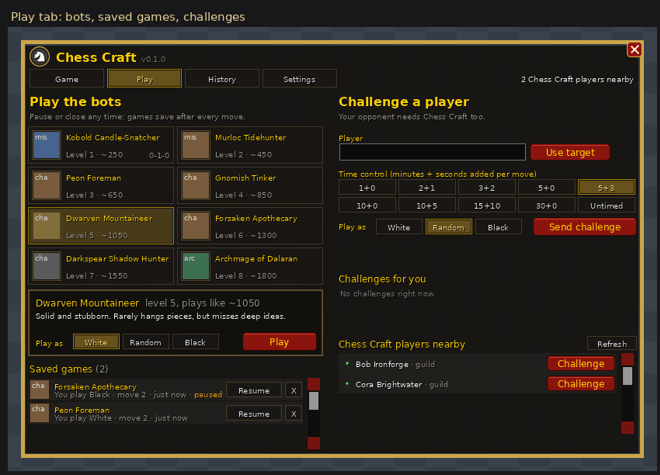
Against a bot (Play tab, left). Pick an opponent, choose White, Black or Random, and press Play (or double-click the bot). Bot games:
- can be paused and resumed at any time (Pause button);
- are saved after every move, so you can press Close, log out,
/reloador even crash and carry on later from Saved games (up to 20 at once); - allow Take back (your move and the bot’s reply);
- pause on their own while you are in combat (can be turned off);
- never change your rating.
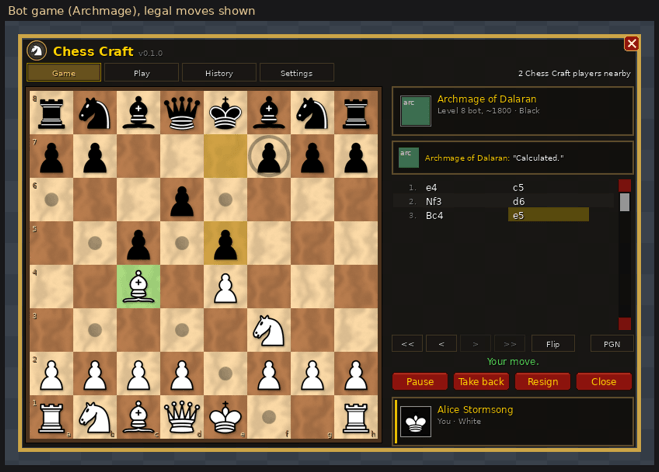
Each bot plays with its own piece set, carved in the classic style from something that suits it: candle wax for the Kobold, sea-green scales for the Murloc, rough timber for the Peon, brass for the Tinker, granite for the Mountaineer, bone and plague green for the Apothecary, voodoo marble for the Shadow Hunter and arcane marble for the Archmage. Your own pieces stay in the set you chose, and Settings can switch the bot sets off.
| Level | Opponent | Plays like |
|---|---|---|
| 1 | Kobold Candle-Snatcher | ~250 |
| 2 | Murloc Tidehunter | ~450 |
| 3 | Peon Foreman | ~650 |
| 4 | Gnomish Tinker | ~850 |
| 5 | Dwarven Mountaineer | ~1050 |
| 6 | Forsaken Apothecary | ~1300 |
| 7 | Darkspear Shadow Hunter | ~1550 |
| 8 | Archmage of Dalaran | ~1800 |
The bot ratings are rough guides, not measured Elo.
Against a player (Play tab, right). Your opponent needs Chess Craft too. Type a name (or press Use target), choose a time control and your color, and press Send challenge. Guildmates, group members and online friends who have the addon are listed under Chess Craft players nearby, including Battle.net friends playing WoW: Forever. Each one shows their rating, a Card button and a Challenge button (or Watch, if they’re in a match). Only players whose Chess Craft has answered appear there, and players who log off drop off the list.
- Sending a challenge takes you to the board. It shows “Waiting for (name)”, then “(name) has your challenge”, then “(name) accepted! The match starts in 3...”. You can cancel while you wait. If the challenge doesn’t happen, the board tells you why: declined, cancelled, offline or no answer.
- Incoming challenges pop up with the challenger’s rating and Accept / Decline / Later. After you accept, your board shows “Get ready!” until the match starts.
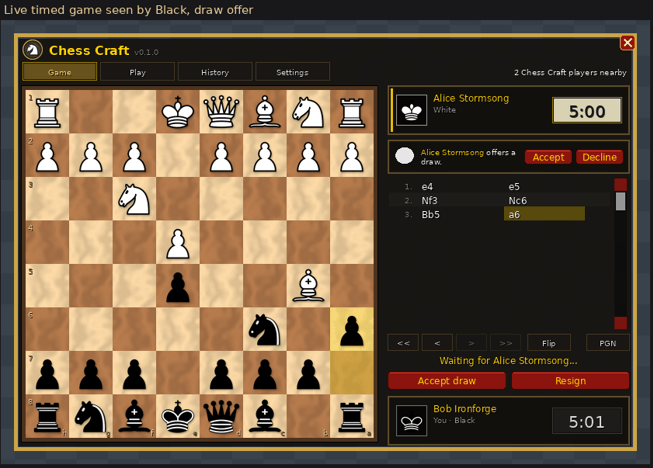
- Timed games (1+0 up to 30+0) are played on the clock, and the clock does not stop. Your first move and your opponent’s first move are free; the clock starts after that. If your opponent goes silent, their clock keeps running, and after 60 seconds you can Claim the win or keep waiting.
- Untimed games have no clock. The game is saved and continues whenever you are both online, even days later. To end one early you have to finish it or Leave. Leaving before both sides have moved simply cancels the game; leaving later counts as a loss.
- You can offer and accept draws, resign, and abort a game before it really starts.
- Players in a match can’t be challenged, whether from the list, the name box or
/chess challenge. Their row says “in a match” and offers Watch instead.
Watching games. Press Watch next to a player who is in a match (or type /chess watch <name>) to follow their game live on your board, clocks included. Press Chat to open the spectator chat beside the board, where you can talk with everyone else watching (from either player’s side) and see who is watching. The players can see how many people are watching and who, but they never see the spectator chat, so nobody can be fed moves. Spectator chat is filtered like card text. Stop watching leaves at any time. Watching never changes your history or rating, and you can’t watch while you are playing yourself. Up to 10 people can watch through each player, and you choose who may watch your own games in Settings.
Moving pieces. Click a piece and then a square, or drag it. Legal moves are marked with dots (rings for captures). The mouse wheel over the board, or the << < > >> buttons, steps through the game. Click a player’s name beside the board to see their card.
Profile tab. Your player card shows your rating, best rating, wins/losses/draws in rated games, and the toughest bot you’ve beaten. Make it yours with a title, a motto, an emblem, a frame color and a board background. Choose emblem... opens a window with every emblem: the six chess pieces, the Alliance and Horde crests, all 13 class icons, and the race portraits (male and female) of the original eight races. Other players see your card from their Play tab or during a game.
- Rating: games against other players are rated. Everyone starts at 1200, and beating a stronger player earns more than beating a weaker one. Your rating shows a “?” for your first 10 games while it settles, and your first games move it faster. After each game you see the change, for example “Rating 1220 (+20)”. Bot games and aborted games never count.
- Titles and mottos are filtered: profanity, slurs and abusive language can’t be saved, and are hidden if they show up on someone else’s card.
History tab. Your last 100 finished games and your record. Review replays a game on the board. PGN gives you the game in standard notation to paste into any chess website or program.
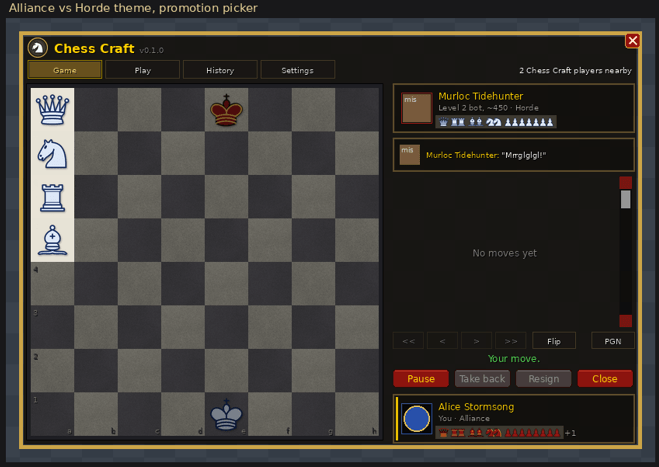
Settings. Choose classic pieces on wood, tournament green or slate, or the Alliance vs Horde set on stone. Also coordinates, move highlights, animation, the bots’ own piece sets, auto-queen, sounds, bot chatter, who may challenge you and who may watch your games (everyone, friends and guild, or nobody), window size and more. The same settings are under Options > AddOns > Chess Craft.
Commands
| Command | What it does |
|---|---|
/chess |
open or close the window |
/chess bot [1-8] |
start a game against a bot |
/chess resume |
resume your most recent bot game |
/chess challenge <name> [5+3 | infinite] |
challenge a player |
/chess watch <name> |
watch a player’s game |
/chess options |
settings |
/chess version |
version information |
/chesscraft works too.
Good to know
- Dungeons, raids and encounters. WoW: Forever uses the same addon rules as Midnight: inside restricted content, addon messages can be held back. Chess Craft queues your moves and sends them as soon as it’s allowed, and the game panel tells you when this happens. Bot games are not affected.
- Trial accounts can’t send addon messages, so they can play the bots but can’t play or watch other players.
- Versions. Players need Chess Craft 0.2.0 or later to play each other; older versions get a message asking them to update. Players on 0.2.0 and 0.3.0 can still play players on 0.3.1, but 0.2.0 players won’t see cards or ratings until they update. A game can be watched through a player on 0.3.1 or later. If someone has a newer version, Chess Craft tells you.
- Ratings are worked out by each player’s own addon (there is no central server), so treat them as a friendly guide.
- Names on WoW: Forever are first name plus surname; type them with a space (“Bob Ironforge”) or a hyphen.
Chess Craft Team