CheapSkill
- By
Auction House based profession leveling cost planner for WoW Classic/TBC-style clients.
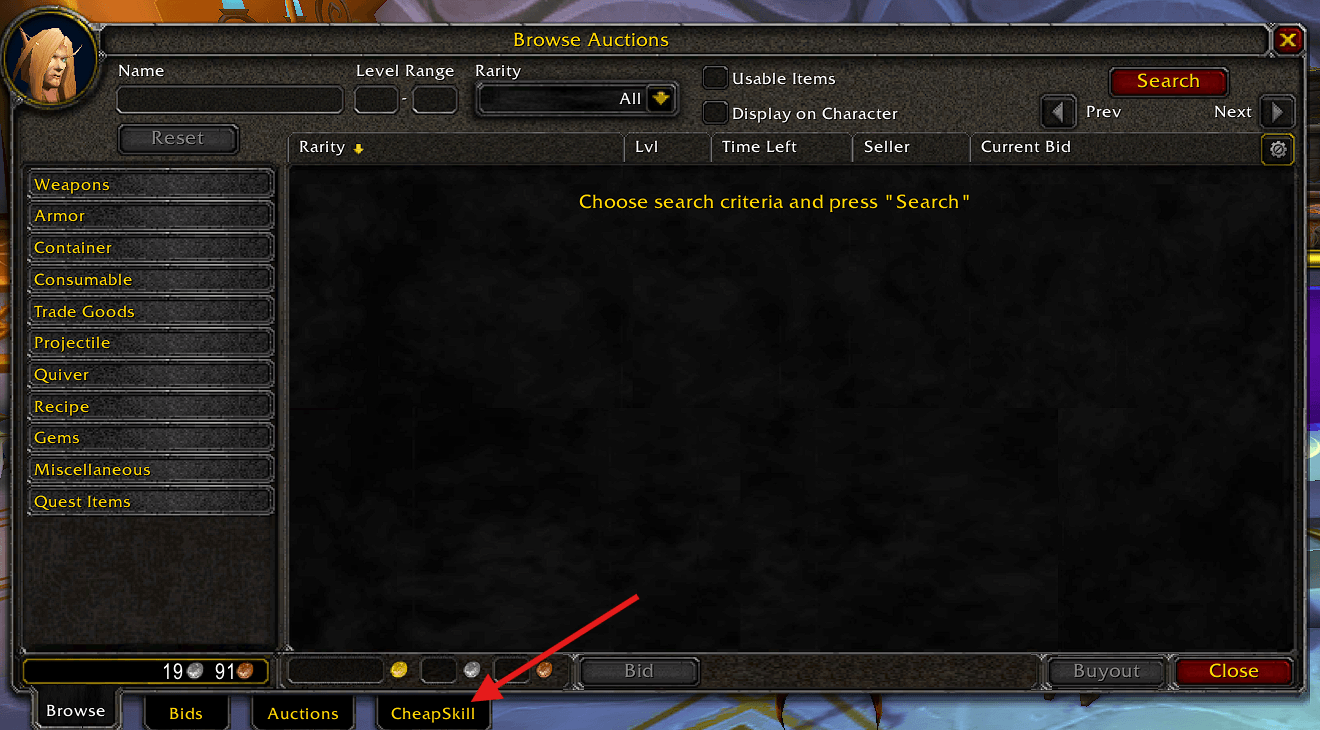
CheapSkillTab.png
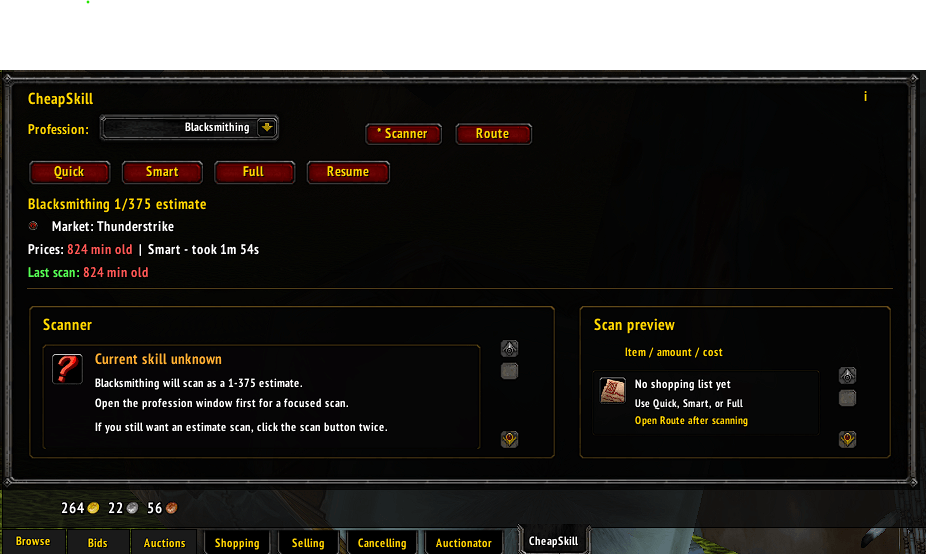
CheapSkill130.png
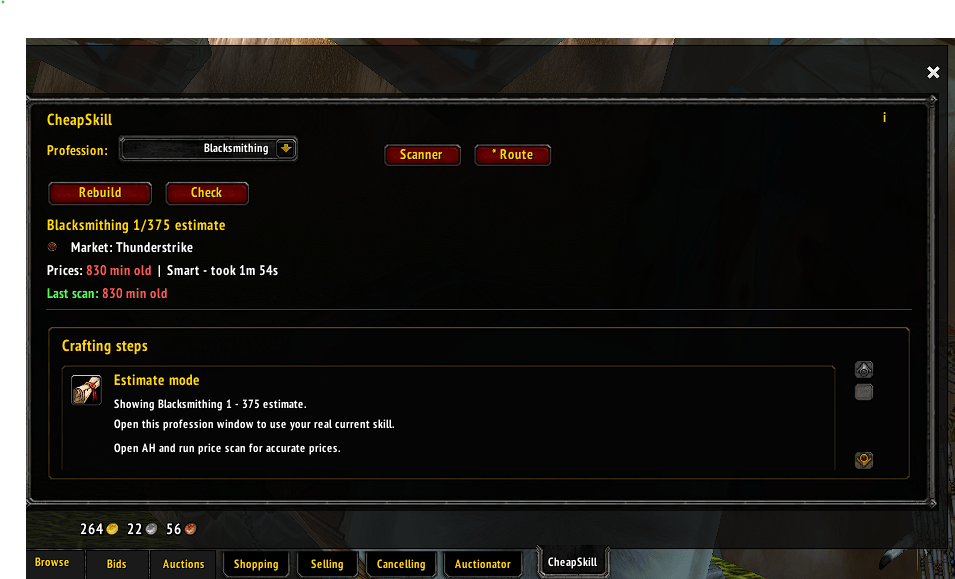
CheapSkillRoute1_3_0.png
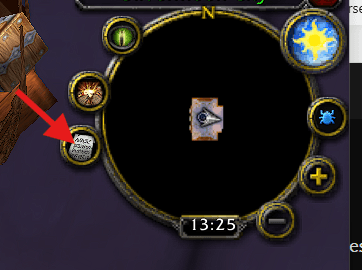
CheapSkillMiniMapIcon.png
CheapSkillMinimapWindow.png
Description
# CheapSkill
CheapSkill is a profession leveling planner for World of Warcraft Classic / TBC-style clients.
It scans the Auction House, saves local price data, and builds a crafting route from your current profession skill toward the profession cap.
The goal is simple: help you see what to craft, what to buy, and roughly what the route will cost before you start spending gold.
## Main features
- Auction House snapshot scanning
- One main Scan Prices button
- Local price cache using SavedVariables
- Route planning based on current Auction House prices
- Price ladder support for more realistic material costs
- Craft material total, Buy all total, and Owned discount breakdown
- Separate recipe/formula cost display
- Character-specific profession skill cache
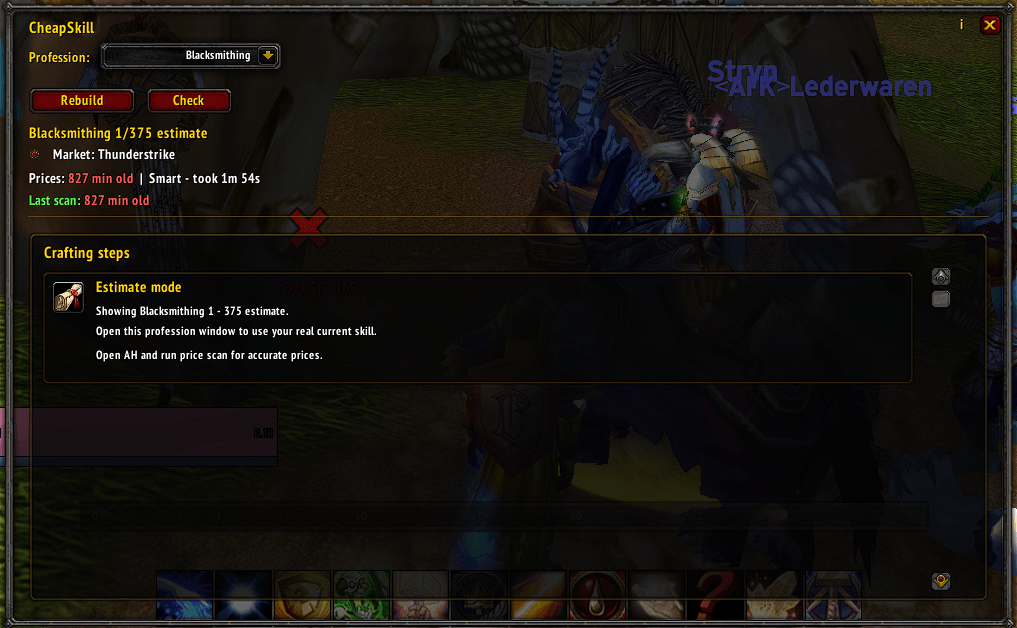
- Minimap button for opening the route while crafting
- Support for trainer, vendor, reputation, and BoE recipe sources
- Long-cooldown recipes are excluded from normal leveling routes
- No telemetry, no external server, no uploaded data
## Supported professions
- Alchemy
- Blacksmithing
- Enchanting
- Engineering
- Jewelcrafting
- Leatherworking
- Tailoring
Cooking is not supported.
## Quick start guide
### 1. Open your profession
Open the profession window once on the character you want to level.
CheapSkill reads your current profession skill and stores it per character. If you skip this, CheapSkill may show an estimate route instead.
### 2. Open the Auction House
Go to the Auction House and open the CheapSkill tab.
### 3. Click Scan Prices
Click **Scan Prices**.
CheapSkill will run an Auction House snapshot scan, then filter the results locally for items used by supported professions.
The scan can take a little while, but it should be much faster than item-by-item scanning.
### 4. Open the Route tab
After the scan finishes, open the **Route** tab.
CheapSkill will show:
- the route steps
- approximate craft counts
- required materials per step
- what you need to buy
- what you already own
- total material cost
### 5. Follow the route
Craft each step in order.
If you are away from the Auction House, use the minimap button or `/cs` to open the standalone route view.
## Understanding the totals
CheapSkill separates costs so the numbers are easier to understand.
### Craft material total
This is the main route cost.
It shows what you need to buy for the current route after subtracting items you already own, if Include Owned is enabled.
### Buy all
This shows what the materials would cost if you bought everything from the Auction House and ignored your bags/bank.
### Owned discount
This shows how much value CheapSkill removed from the total because you already have some required materials.
### Recipes/Formulas
Recipe and formula acquisition costs are shown separately from material costs.
This avoids making the craft material total look wrong when an expensive recipe is involved.
## Price ladder
CheapSkill does not only use the single cheapest Auction House price.
Snapshot data is stored as price tiers.
For example, if the Auction House has:
- 20 items at 1g
- 80 items at 2g
- 100 items at 4g
and the route needs 200 items, CheapSkill calculates the cost using those tiers in order.
This makes route costs more realistic than using only the cheapest listed unit price.
## Cooldown recipes
CheapSkill excludes long-cooldown recipes from normal leveling routes.
This includes things like transmutes, specialty cloth, and other long-cooldown crafts.
These recipes may be useful for profit, but they are usually bad choices for a normal “level this profession now” route.
## Commands
- `/cs` opens CheapSkill
- `/cheapskill` opens CheapSkill
- `/cs sync` syncs CheapSkill to the currently open profession
- `/cs audit` runs a route audit
- `/cs validate` validates profession data
- `/cs icon reset` resets the minimap icon
- `/cs minimap reset` resets the minimap icon
## Privacy
CheapSkill stores data locally in SavedVariables.
- No telemetry
- No external servers
- No account tracking
- No uploaded data
- No hidden data collection
Auction prices, scan data, and profession cache stay on your client.
## Project status
CheapSkill is shared as-is.
I made this addon for my own use and decided to publish it so others can use it, fork it, or learn from it.
- No support is guaranteed
- No fixes are guaranteed
- No compatibility updates are promised
- Use at your own risk
CheapSkill Team