ChatMog
- By
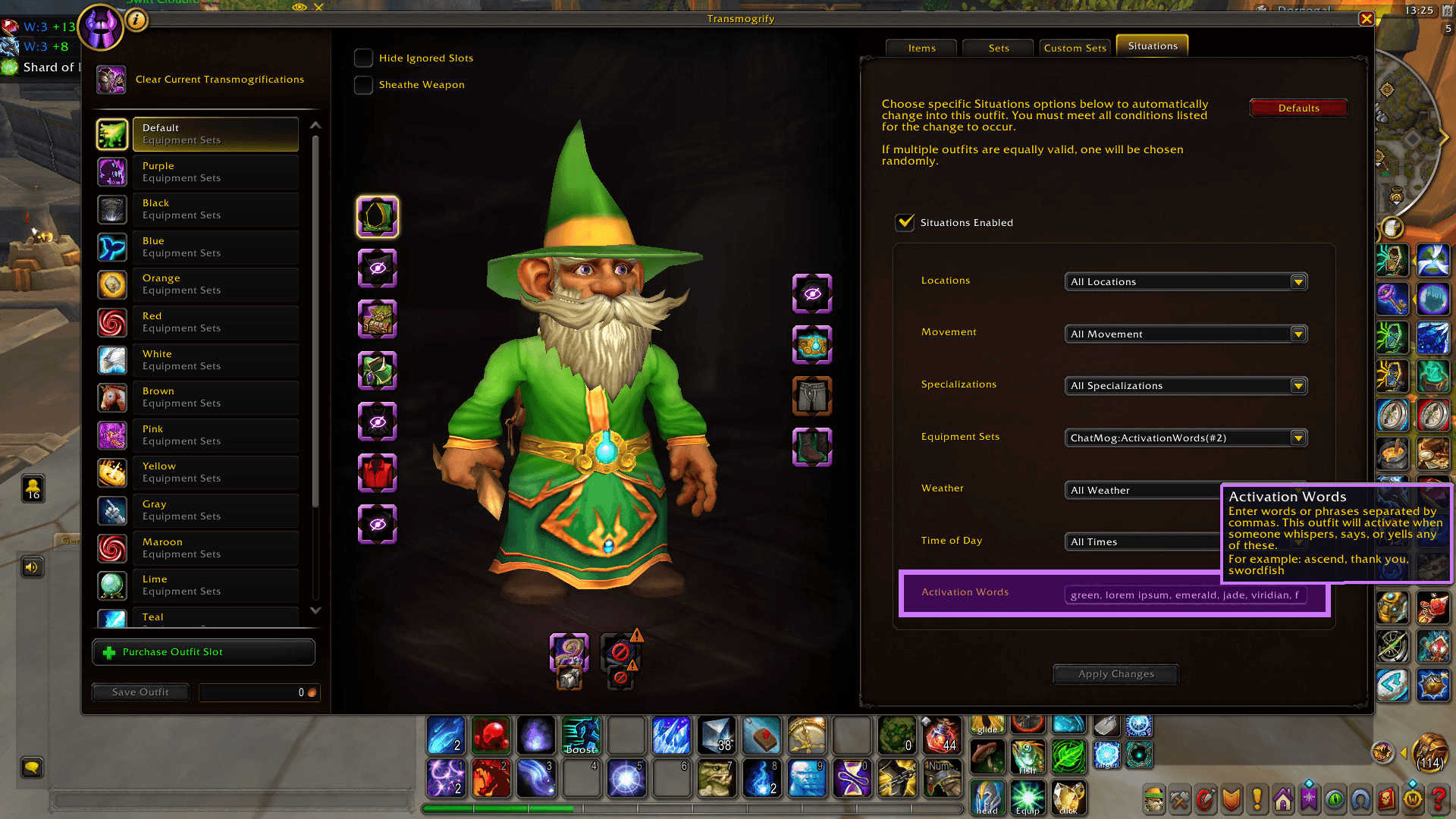
ChatMog adds a custom Activation Words field directly to the standard UI.
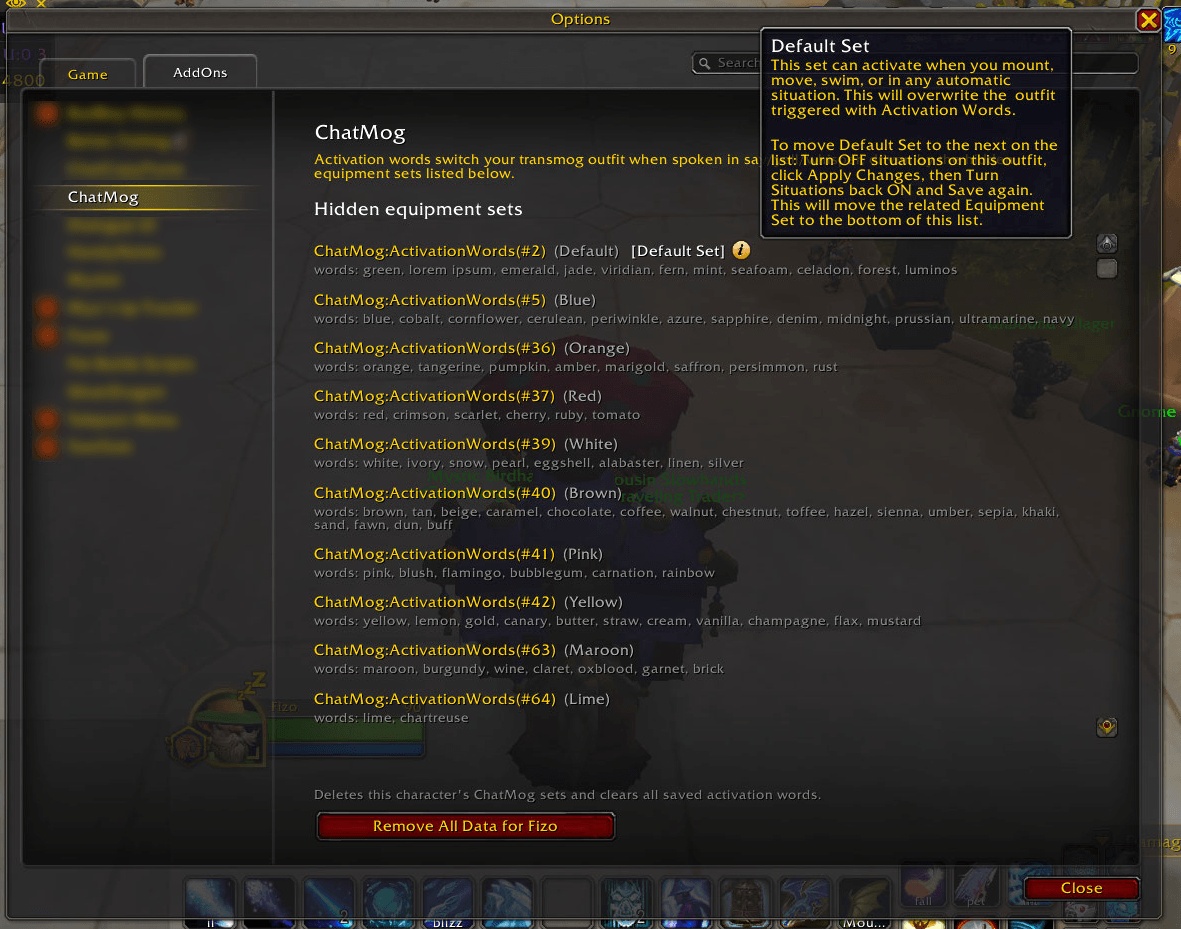
Clean Up all saved data with a simple click if you want to start over. Your Outfits won't be lost.
Description
Switch outfits automatically when your activation words are spoken in chat.
How It Works
- Create and Save your Outfits
- Navigate to the Situations Tab and enter your keywords. ChatMog adds a custom Activation Words field directly to the standard UI. Simply enter your desired comma-separated phrases for any outfit and press Save.
- See the magic happen. Whenever a keyphrase is detected in Chat (Say/Yell/Whisper), the associated Outfit will activate.
Equipment Sets
Since direct Outfit change is not exposed to Addons yet, ChatMog uses the built in Equipment Set Situations to trigger these Outfit changes. ChatMog silently creates and links an Equipment Set to any Outfit with an Activation Word. These ChatMog sets are hidden from the Equipment Manager but they can be viewed in the Addon Options Screen.
Default Equipment Set
Unfortunately there are many issues with the consistancy of Outfit Situations currently. For Equipment sets this creates an unstable field. Any activity (mounting, swimming, movement) can trigger a Set Change to a "Default Equipment Set" (decided simply by the oldest creation date). Ideally you want to make sure that this Equipment Set is linked to a Default Outfit managed by ChatMog. You can find more information about changing Default Sets in the Addon Options Screen.
The ChatMog Team