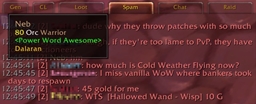
ChatBar - Button Bar for opening chat messages of each type.
A little acsii art for demonstration: [oooooooo]
o - Buttons, colored the color of a chat type, left click to open editbox of that type, right click for type specific options. Initial letter of the type on or above the button
[ ] - Ends of the bar, left click to drag, right click for options
Button / ChatType Options
- Block (channel) - Toggles filtering of chat channels related to selected button without leaving channel.
- Leave (Channel)
- Print Channel User List - List prints to the default chat frame. Same as "/list #"
- Hide This Button - Hide the button for that chat type or channel by name.
- Reply (Whisper) - Open whisper to the last person that whispered you.
- Retell (Whisper) - Open whisper to the last person you whispered.
- Set Binding By Name (Channel) - Select one of the 10 channel bindings to use for this channel (saved by name instead of by index).
- Sticky - http://www.wowwiki.com/Chat#Advanced_Chat_Terminology.2FDetails Note: Channels are all or none, other types can be stickied individually.
ChatBar Options
- Large Buttons - Toggles larger size buttons.
- Vertical Orienation - Toggles vertical/horrizontal bar via sliding.
- Reverse Button Orienation - Toggles button order reversal via sliding
- Text On Buttons - Toggles chattype abrev on/next to the buttons
- Show Button Text - Toggles chattype abrev visibility
- Use Channel ID On Buttons - Toggles using the channel index or the first letter of the channel name
- Button Message Flashing - Toggles button flashing when you receive a message of that type
- Show Bar Border - Toggles show/hide the bar border/background. Note: You can still click on the ends of the bar when it's hidden
- Hide Addon Channels - Hide Sky, CTRA and CTA channel buttons
- Hidden Buttons - Submenu for showing manually hidden buttons
- Reset Position - Attaches the ChatBarFrame to above the ChatFrame1 tab
- Reorder Channels - General, Trade, LocalDefense, LookingForGroup, WorldDefense, GuildRecruitment, others...
Bindings
There are now bindings available for the chat types and channels by index. Individual channels can also be set to bind by name, overriding a indexed binding of your choice.
Localizations
Translators Needed! Check the Localization tab to see what needs doing.
English, German, French, Spanish, Russian, Simplified and Traditional Chinese
(I only speak English. All other translations have been user submitted. So if you have updates or new translations let me know.)
User Submitted Skins
The skinning system is a bit unique because it has more layers than a normal button with full up/down specularity and shadow as well as flash/hover alpha and normal shaping graphic that are all translucent to allow for the buttons to correspond to the chat type's selected color for each button.
To add a new custom Skin drop its folder into the ChatBar folder, modify the ChatBar_AltArtDirs table in ChatBar.lua and append the new folder name, then add a CHATBAR_SKIN# variable to the end of the localization file for it's readable name. Then select it from the dropdown in game.
Comes with the following skins: Solid, Glass and Squares
Reset
If you lose the bar you can reset it with this script: /run ChatBar_Reset()