Chat+
- By
Unread counters on chat tabs, clickable links and easy copying of chat and guild text.
copy.png
copy-search.gif
guild.png
menu.png
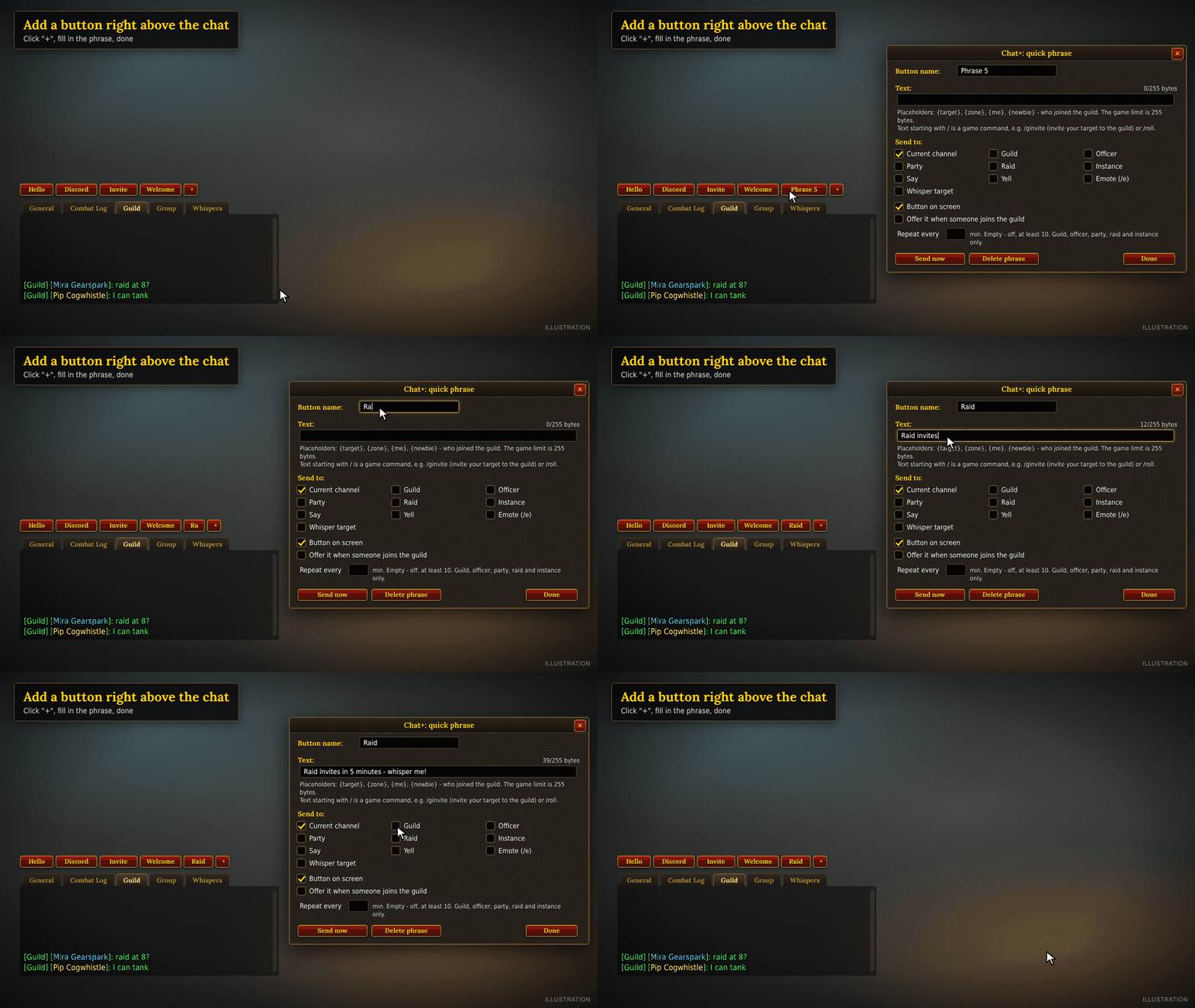
new-phrase.gif
Description
Chat+
Chat+ makes the default chat more useful without replacing it. Unread counters on tabs, clickable links, your own quick phrase buttons, mention highlights, easy copying of any text, a chat box that opens in the right channel for each tab and handy tools for guild officers. Everything works inside the normal game chat, so there is nothing new to learn.
Works in English and Russian (follows your game language).
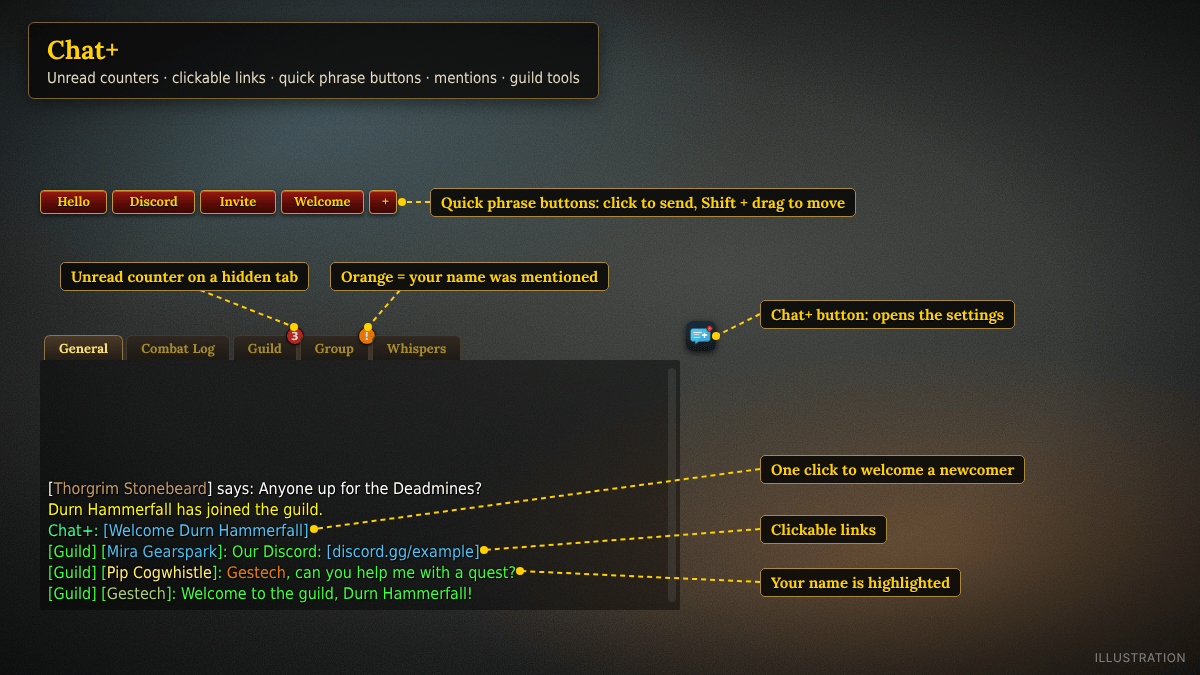
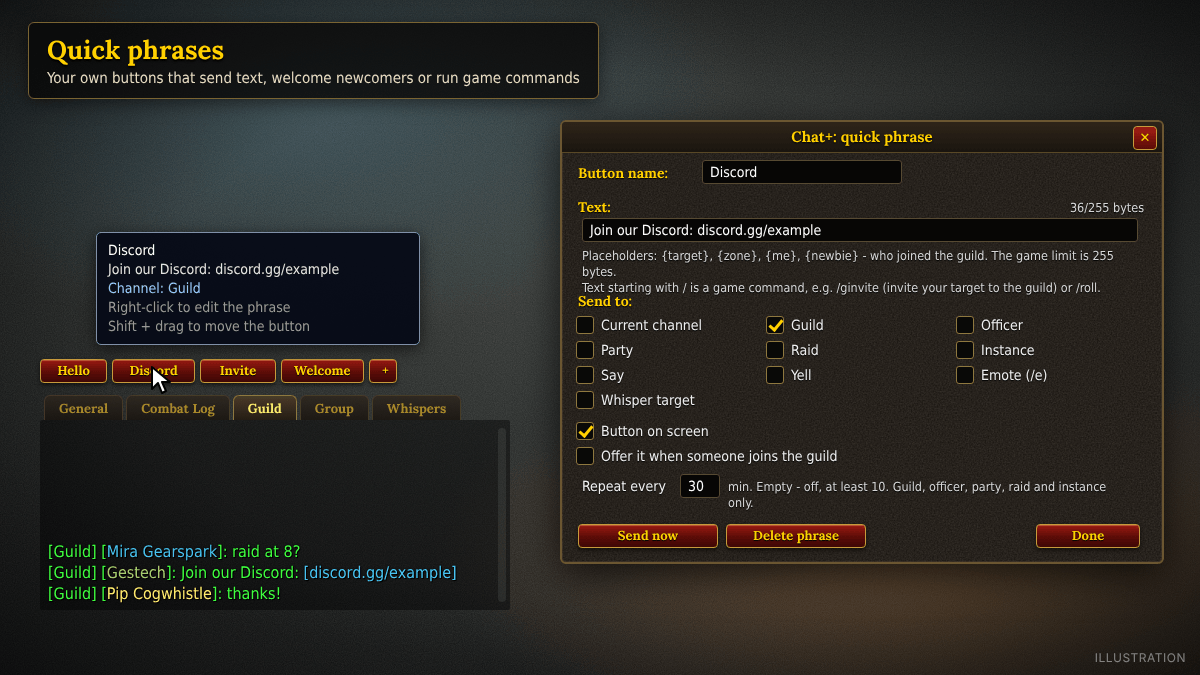
Quick phrase buttons
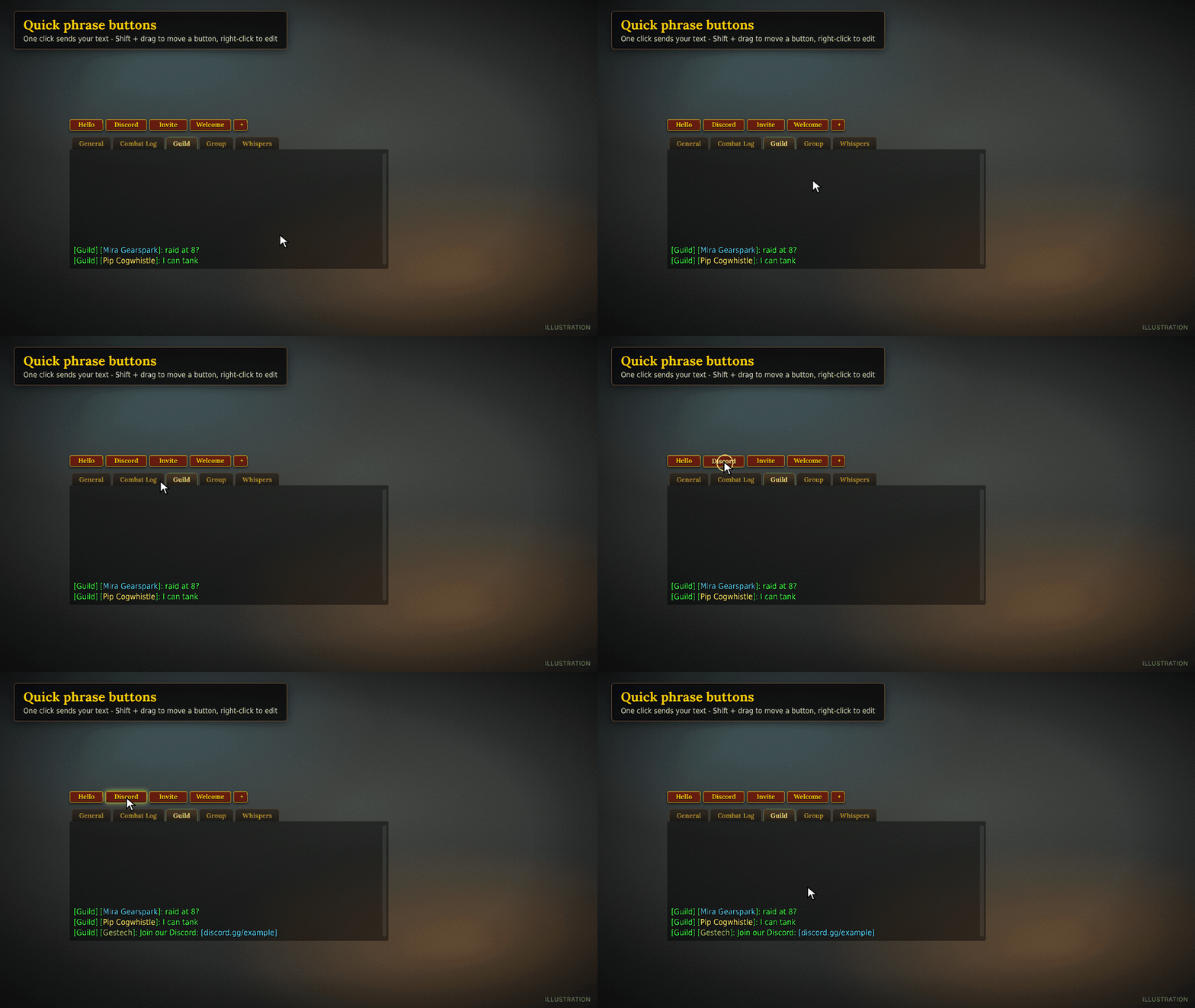
Make your own buttons that sit right above the chat. One click sends your text.
- Click a button to send its phrase. Shift + drag to move it anywhere on the screen. Right-click to edit it.
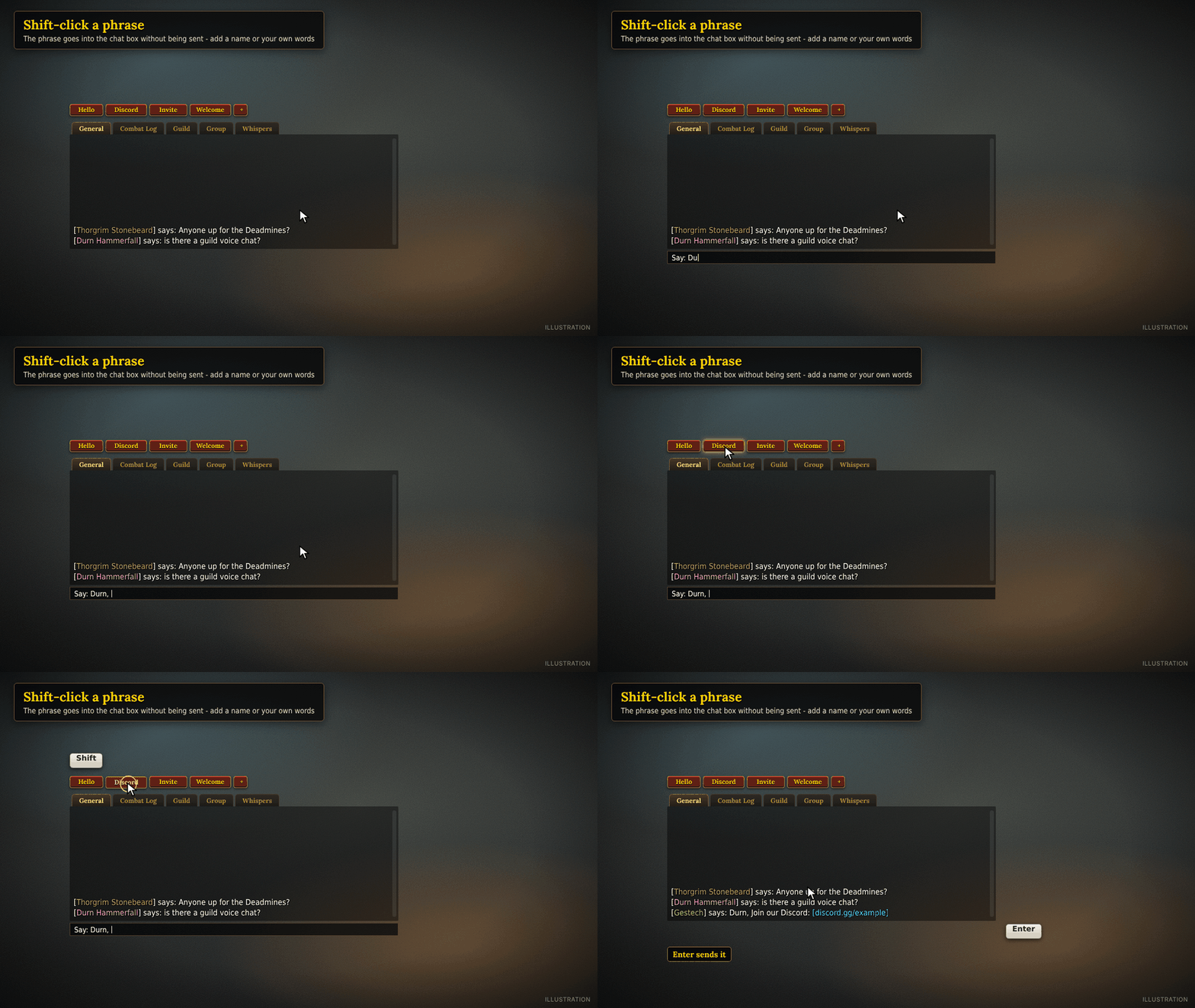
- Shift + click puts the phrase into the chat box without sending it: add a name or a few words, then press Enter. If the chat box is already open, the text goes where the cursor is and the channel stays the same.
- "+" button next to them adds a new phrase without opening the settings.
- Every phrase has its own channel: current, guild, officer, party, raid, instance, say, yell, emote or a whisper to your target.
- Placeholders:
{target},{zone},{me},{newbie}. - Game commands: a phrase that starts with
/runs as a game command - for example/ginviteinvites your target to the guild,/rollrolls a die. - Repeat timer: let a phrase post itself every N minutes (guild, officer, party, raid or instance chat; 10 minutes minimum). It is skipped while you are AFK, and if someone else posts the same text, the countdown starts over - no duplicate spam when two officers use the same reminder.
- Hotkeys for the first five phrases (Key Bindings - Chat+).
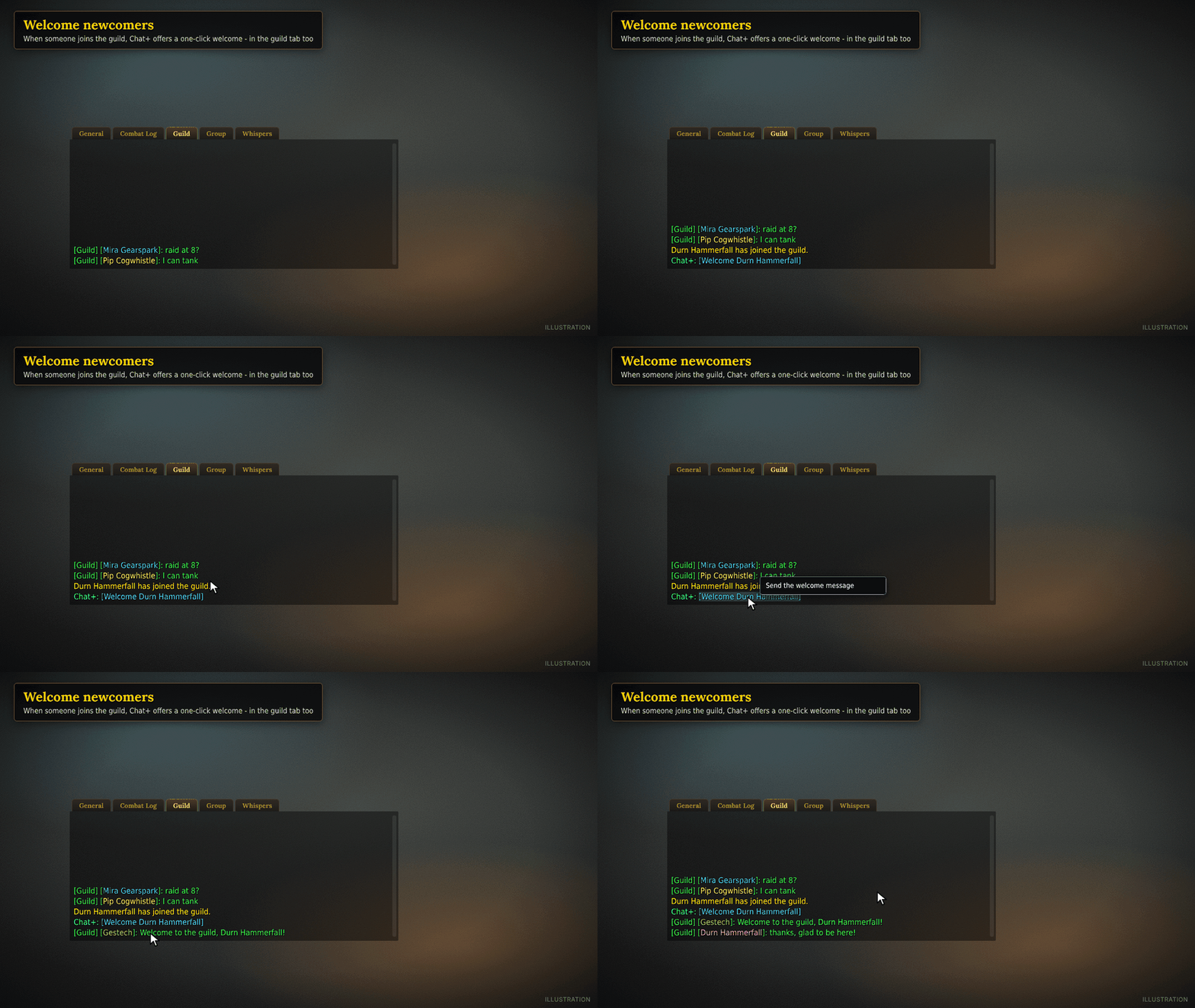
Welcome newcomers
When someone joins your guild, Chat+ shows a clickable [Welcome Name] button - in the main window and in your guild tab. One click sends your welcome phrase with their name filled in.
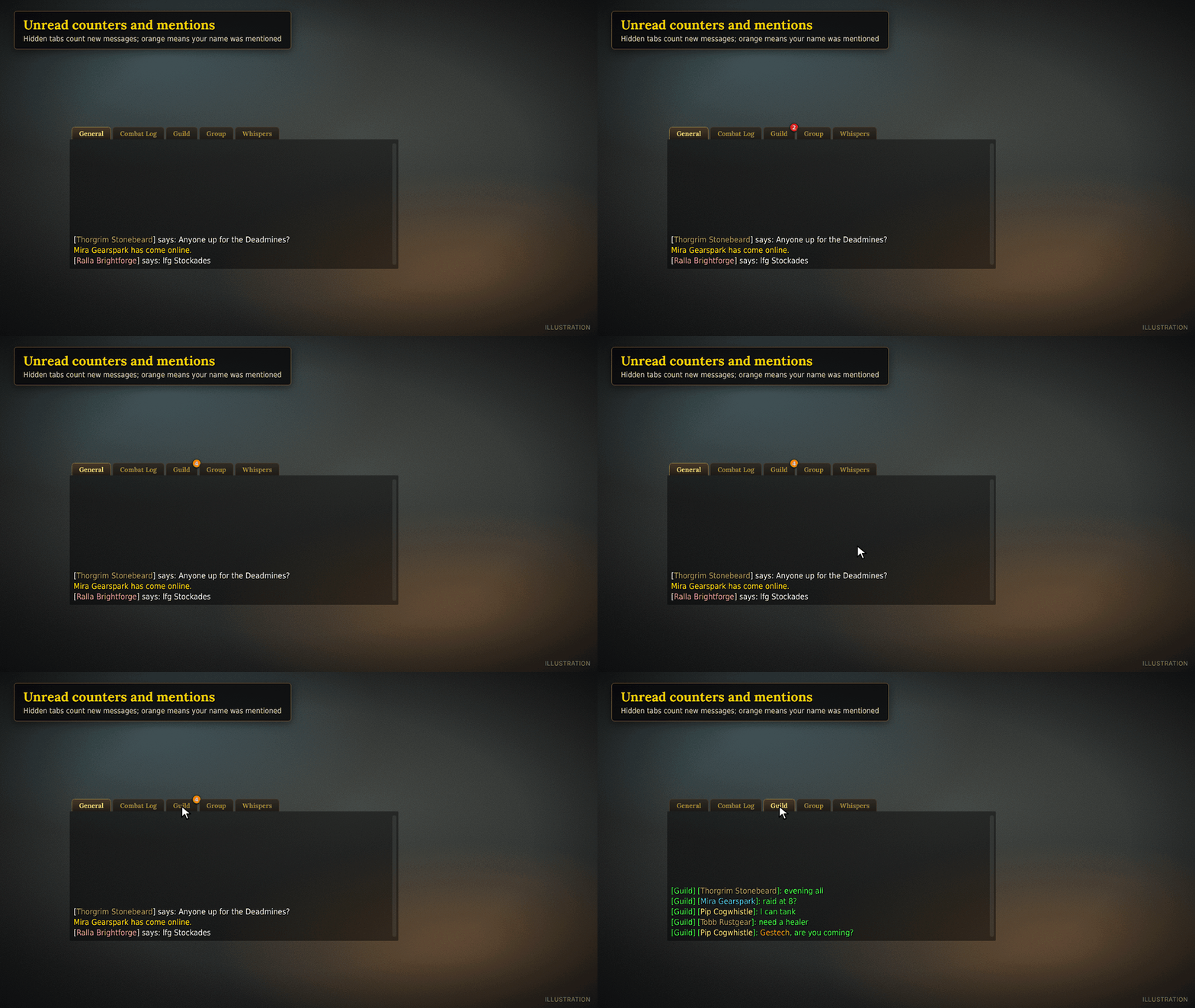
Unread counters and mentions
- Hidden chat tabs show how many new messages they have.
- A message you read on one tab stops counting as new on the other tabs too. Reading the first tab (General) does not clear the others unless you turn that on.
- When someone writes your name, it is highlighted in orange, a sound plays and the tab badge turns orange.
- Add your own words to watch for (an alt's name, your raid role and so on). Public channels like General and Trade are optional.
Clickable links and copying text
- Links in chat become clickable. Addons cannot open a web browser, so a click opens a box with the link selected - press Ctrl+C.
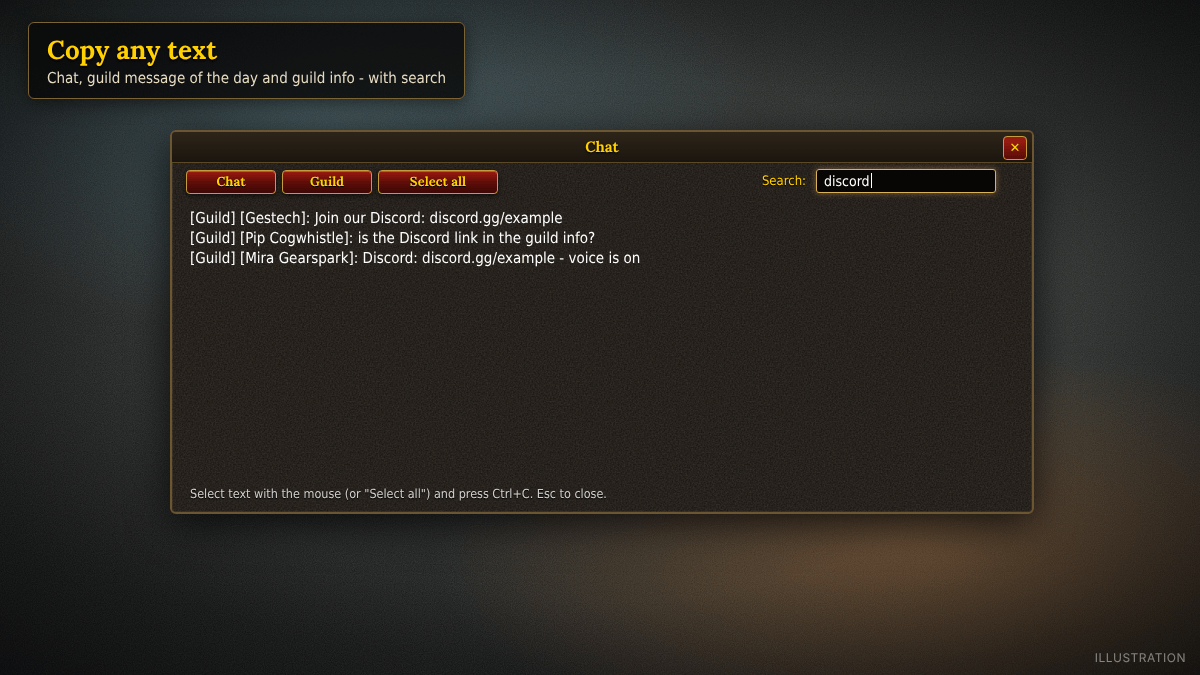
- Copy the text of any chat tab, the guild message of the day or the guild info.
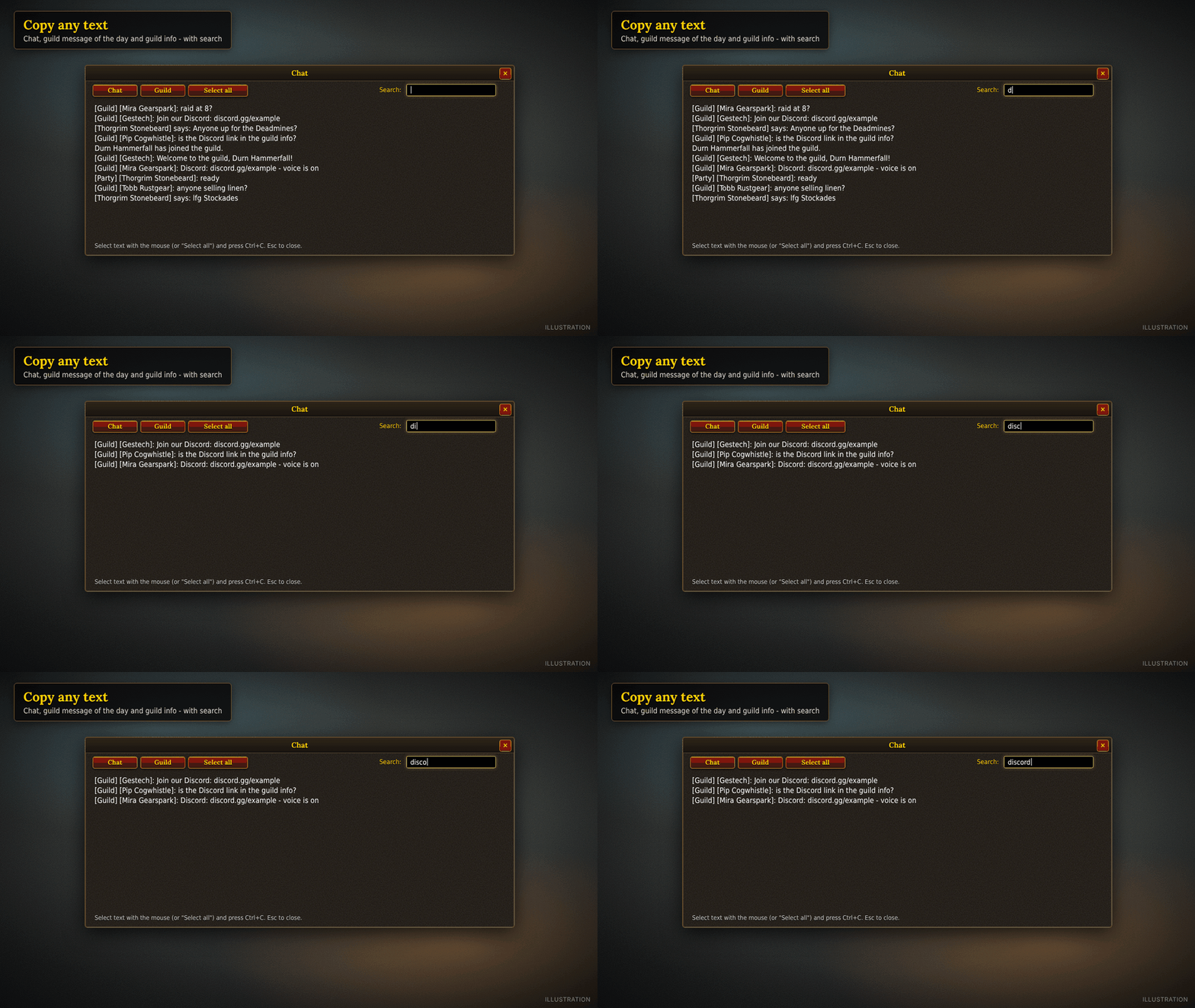
- The copy window has a search box that keeps only the matching lines.
- On login, links from the guild message of the day and guild info are shown in chat.
Guild tools
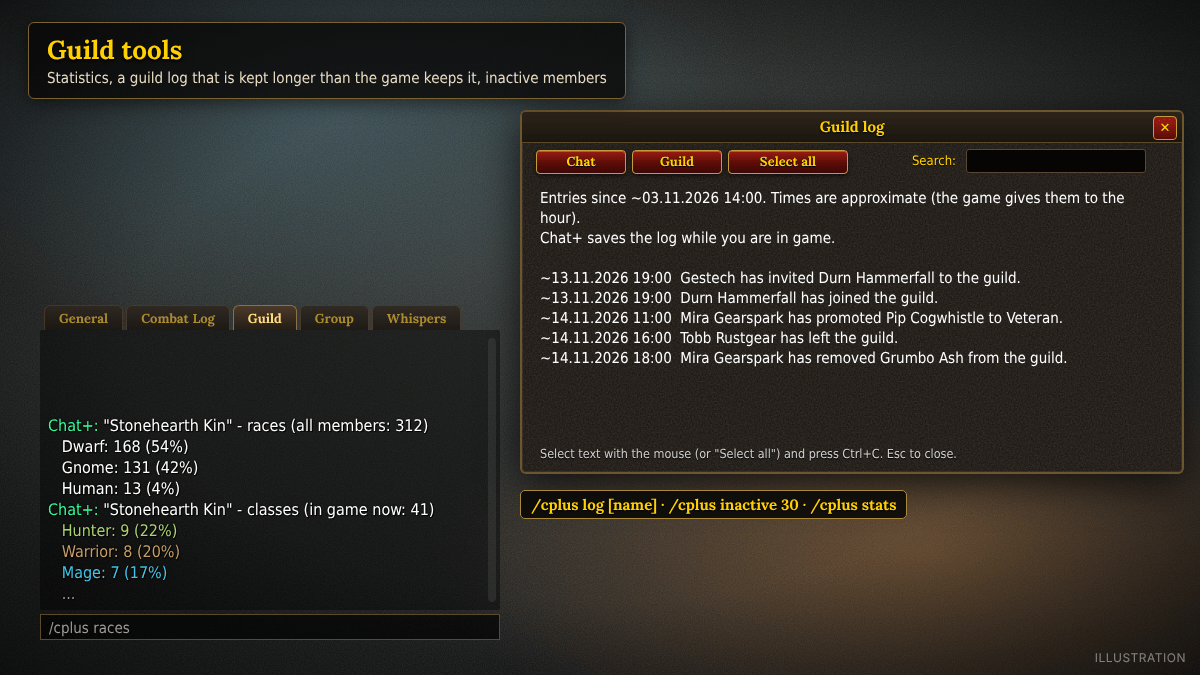
- Guild statistics: races, classes, levels, ranks, professions, activity and zones - for everyone or only members in game now (
/cplus stats,/cplus races…). - Guild log that lasts: the game keeps the guild log (invites, promotions, removals) only for a short time. Chat+ saves it while you play and shows it with
/cplus log [name]. - Inactive members:
/cplus inactive 30lists who has not logged in for 30 days or more. - Promote from a list (
/cplus promote): pick the rank, how recently members were online and how long they have been in the guild, then promote the next member with one click or a key. The game needs a press for every promotion, so it is never fully automatic. - Guild roster messages (joined, left, promoted) also show in your guild tab.
Chat tabs and windows
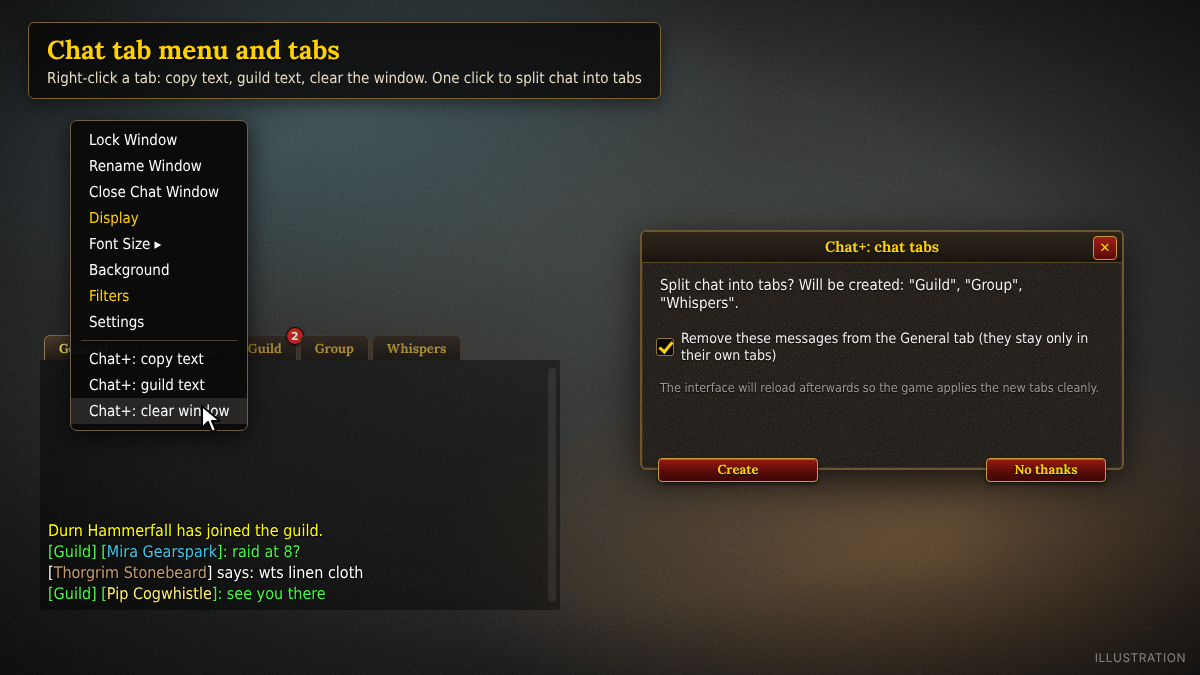
- One click splits the chat into Guild, Group and Whispers tabs.
- Right-click a tab: copy text, guild text, clear window.
- Separate chat windows keep their place, size and minimized state after you log back in.
- One font size for all chat windows: change it in one tab and every window follows.
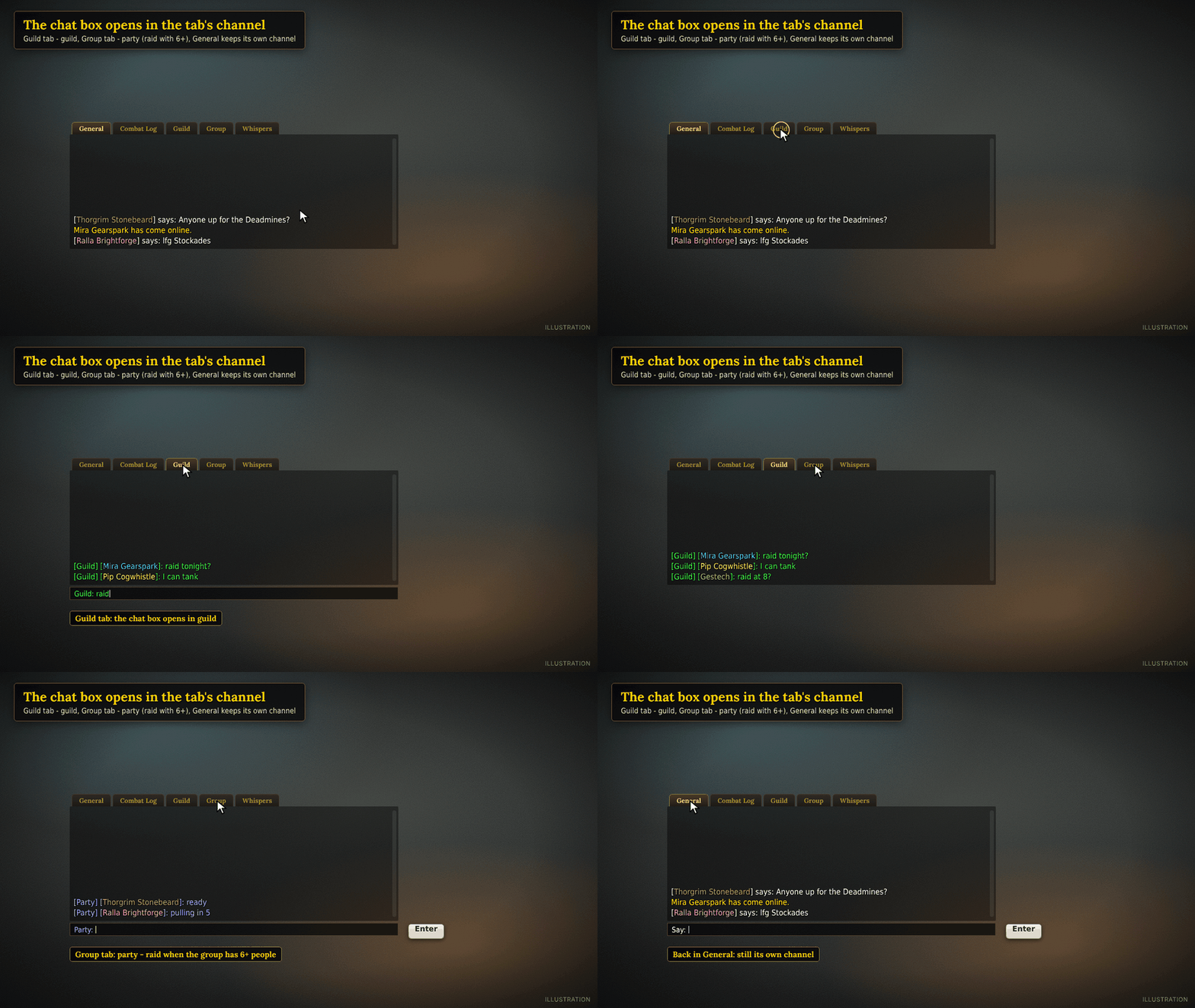
The chat box opens in the tab's channel
Press Enter (or click the chat box) and you write where the tab belongs:
- Guild tab - guild chat.
- Group tab - party, or raid when the group has 6 or more people.
- A tab with a single channel, like Trade - that channel.
Tabs with several channels (for example guild and party), General and whisper windows work as before, and General keeps its own last channel. A whisper reply (R), a click on a channel name or a typed command like /p is never changed. Prefer the usual behaviour? Turn it off in the settings, Chat windows section.
Settings
Esc - Options - AddOns - Chat+, type /cplus, or click the Chat+ button next to the chat. Drag the button anywhere: near the chat or the minimap it sticks to their edge. Every feature can be turned off.
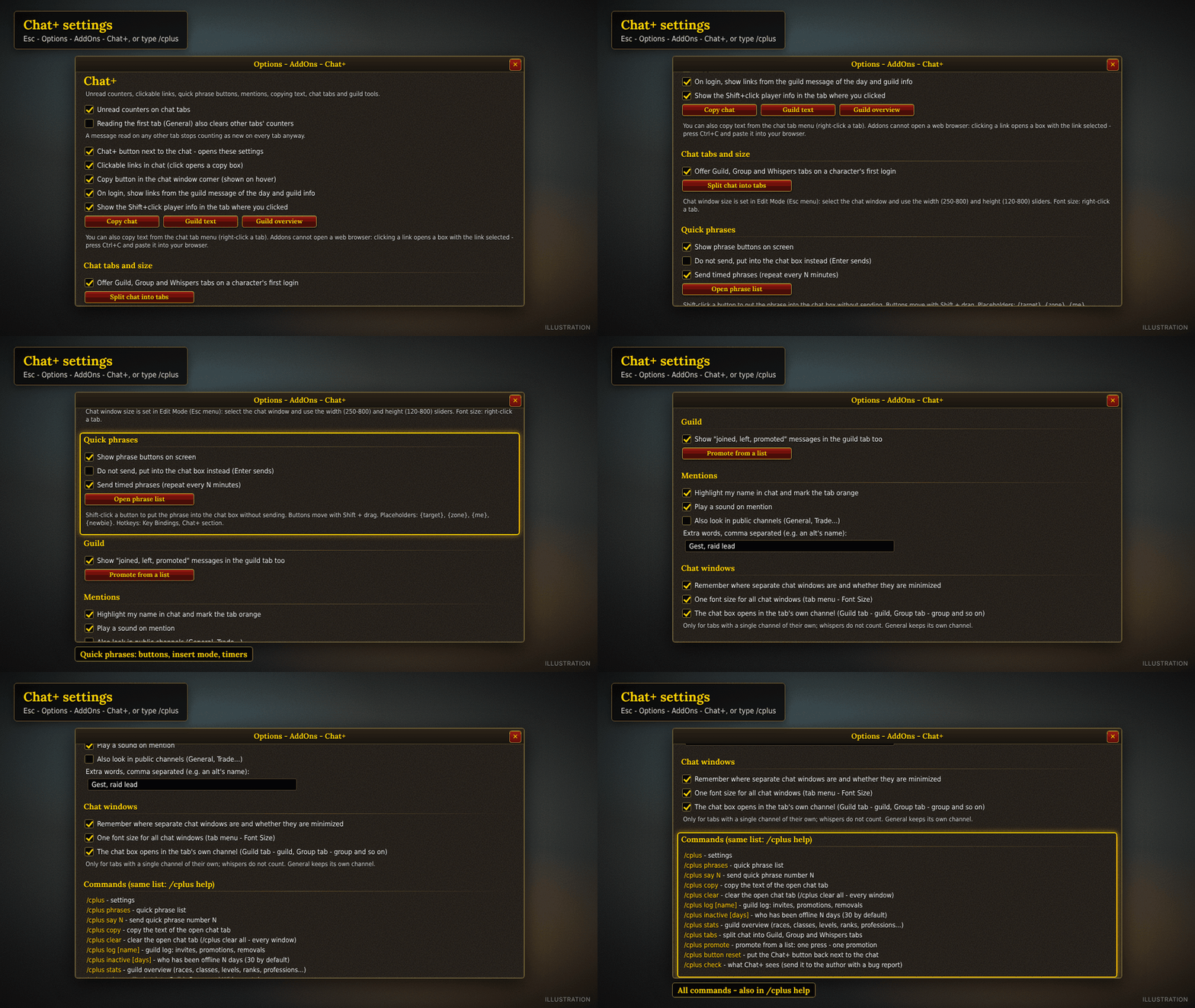
Commands
| Command | What it does |
|---|---|
/cplus |
settings |
/cplus help |
list of all commands |
/cplus phrases |
quick phrase list |
/cplus say N |
send quick phrase number N |
/cplus copy |
copy the text of the open chat tab |
/cplus guild |
copy the guild message of the day and guild info |
/cplus clear |
clear the open chat tab (/cplus clear all - every window) |
/cplus stats |
guild overview; also races, classes, levels, ranks, profs, activity, zones (add online for members in game now, e.g. /cplus races online) |
/cplus log [name] |
saved guild log |
/cplus inactive [days] |
members offline for N days (30 by default) |
/cplus tabs |
split chat into Guild, Group and Whispers tabs |
/cplus promote |
promote from a list: one press - one promotion |
/cplus layout reset |
forget where separate chat windows were |
/cplus button reset |
put the Chat+ button back next to the chat |
/cplus check |
what Chat+ sees - send it with a bug report |
/cplus version |
addon version |
Good to know
- Whispers and game commands on phrase buttons run the same way as if you typed them. In combat the game does not let addons change buttons, so a whisper button uses the target you had before the fight.
- Without a button (
/cplus say), whispers and commands go into the chat box - press Enter to send them. - If the game does not let addons post on a timer, Chat+ tells you and turns timers off until you reload.
- Found a bug? Type
/cplus check, copy the text and send it along with your report.
Images on this page are illustrations of the Chat+ interface.
Chat+ Team