Chart My Legacy
- By
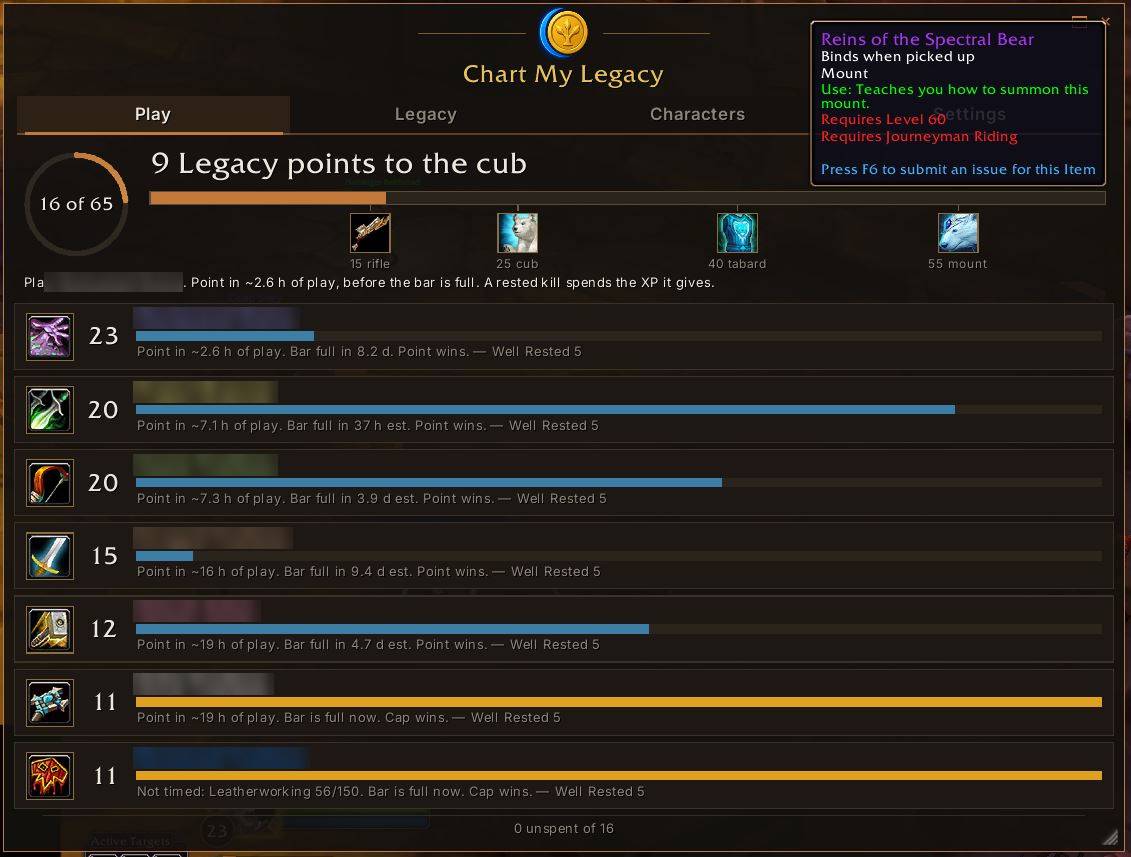
image.jpg
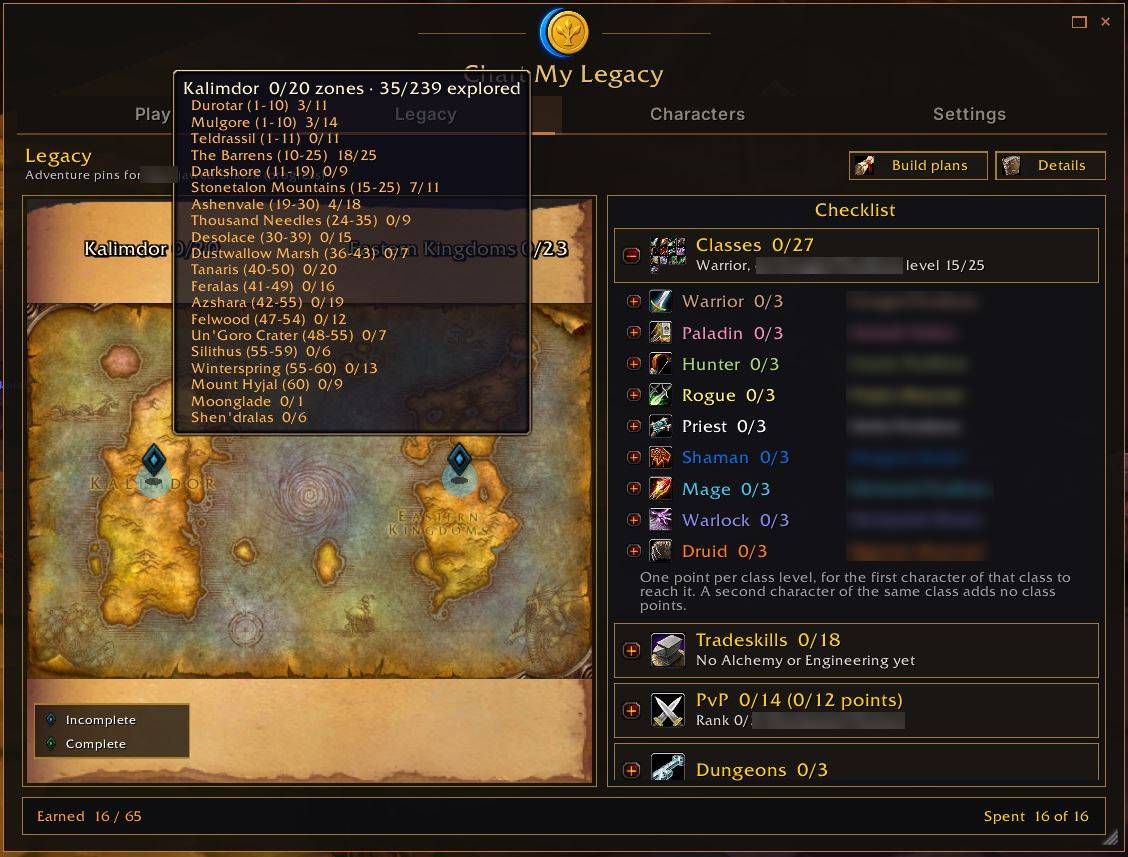
image1.jpg
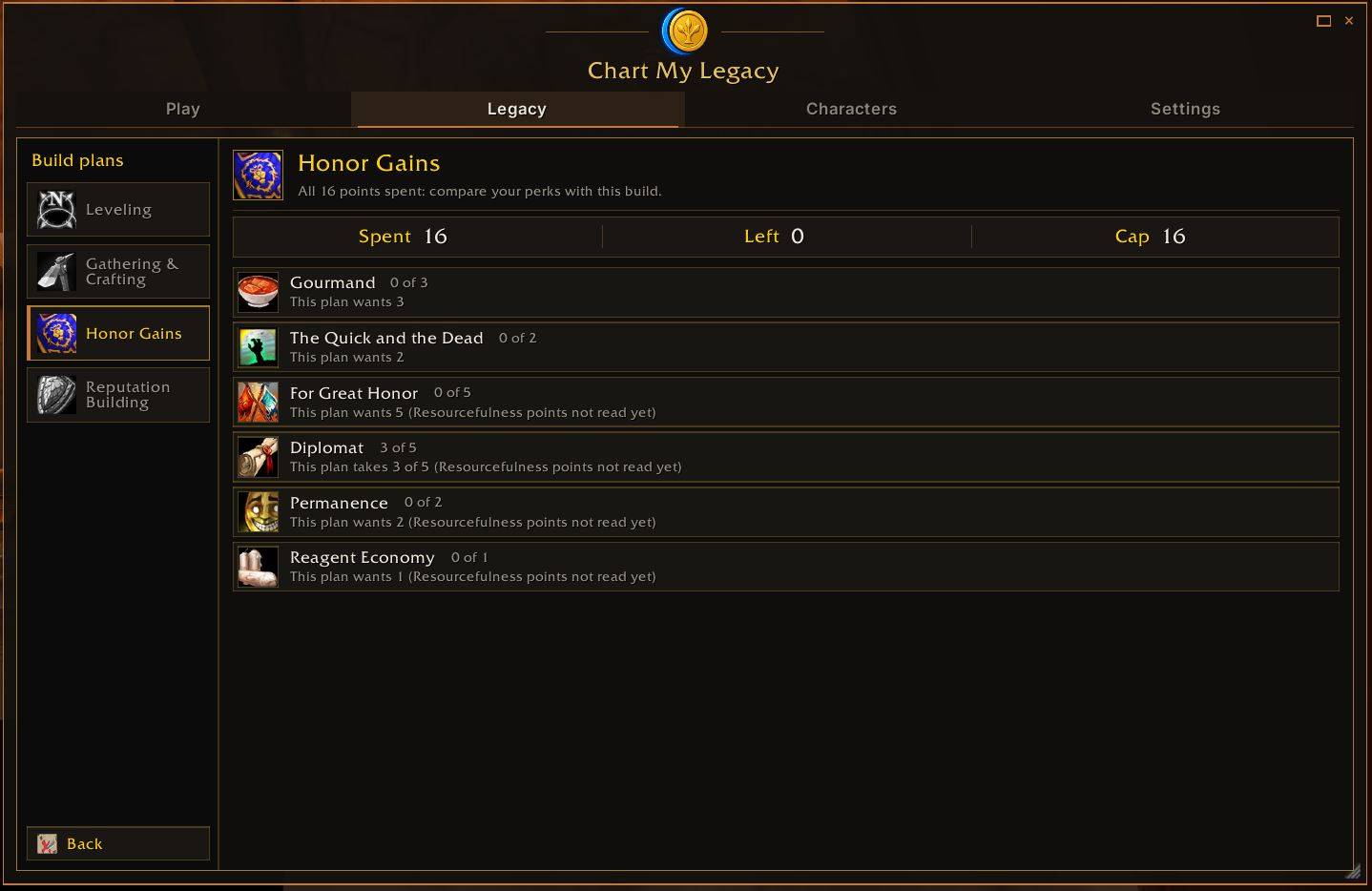
image2.jpg
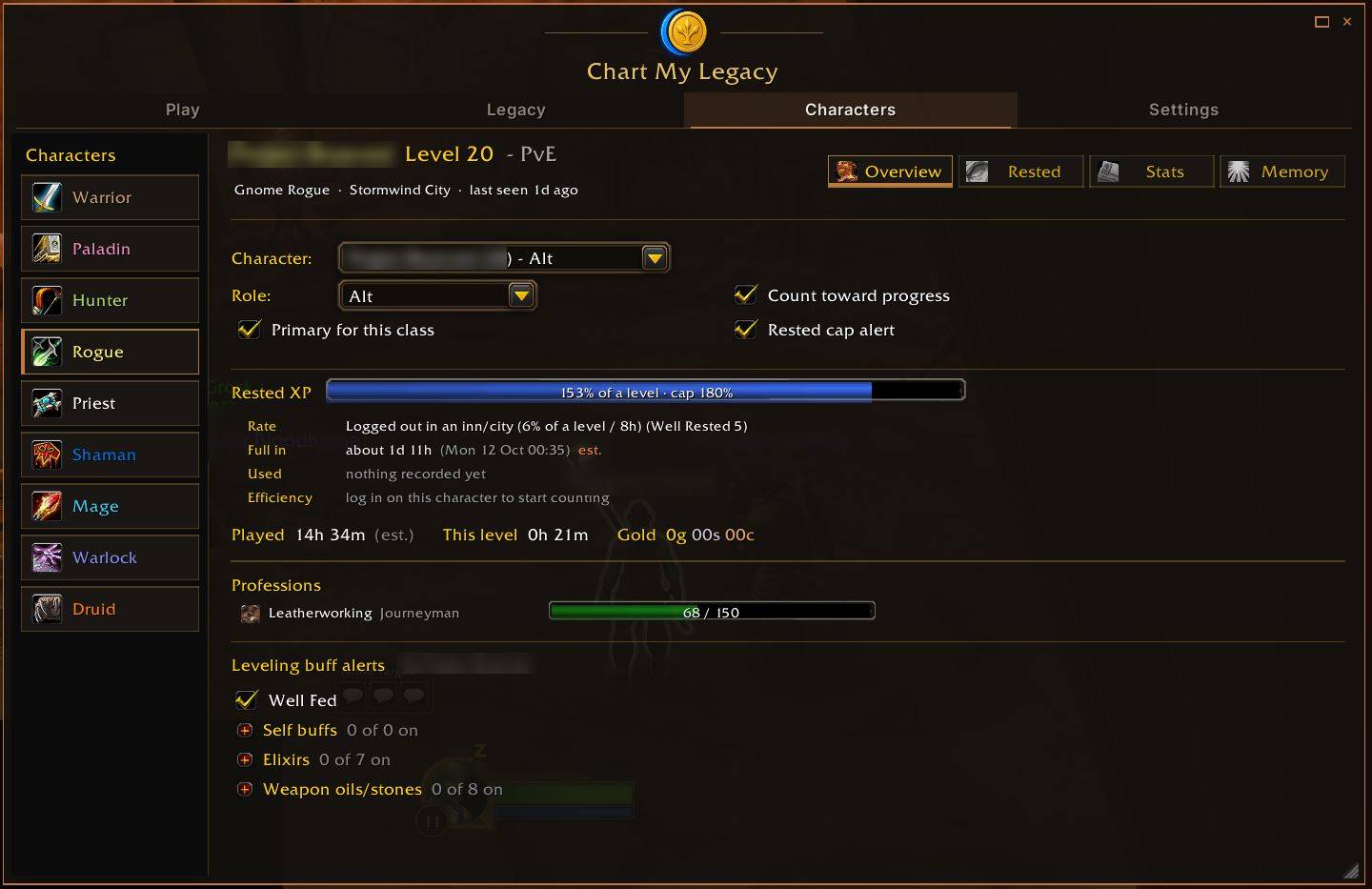
image3.jpg
Description
ChartMyLegacy
Who should you log in on? Your WoW Forever Legacy points, alts and rested XP in one window.
ChartMyLegacy remembers every character you play on one account. It shows what your account has earned toward Legacy and tells you which character pays off next, whether that's the one closest to its next Legacy point or the one sitting on a full rested bar.
Type /cml to open it.
Play: Who to log in on
- A ring with your account's Legacy points out of 65, and how many points until your next reward.
- One card per character, ranked by what pays off soonest. Each card says why, for example "Point in ~3 h of play" or "Bar is full now."
- Choose how the list is sorted: Race to 16 points (the next Legacy point first) or Rested XP / Leveling (don't let a full bar go to waste).
Legacy: Your account checklist
- Every Legacy category (Classes, Tradeskills, PvP, Adventure, Dungeons, Raids) with what's done, what's left, and which character is closest.
- A world map showing the dungeons and raids that count. Click one to find it on the game's map.
- Four 16-point build plans, in purchase order: Leveling, Gathering & Crafting, Honor Gains and Reputation Building. Each one sits next to the perks you've actually bought, so you don't have to alt-tab to a website.
Characters: Every alt in one place
- A class rail on the left. Pick a class to see its characters.
- Roles: Main and Alt characters are tracked. Bank, Crafter, Auction and Ignore characters stay out of the "play next" list.
- Rested XP per character: how full the bar is, when it will be full, and how much rested XP you lost by sitting at the cap.
- Professions, played time, gold and per-character stats.
Alerts (optional, set per character)
- Leveling reminders: Well Fed, class buffs, elixirs, weapon oils and stones, and hunter ammo. Tick the ones you care about. Missing ones show in one on-screen warning while you level, and it stays quiet in inns and cities.
- Rested-full alert when a character's rested bar is full.
- Logout reminder if you log out outside an inn or city.
Also included
- Exploration list for each zone, with map pins for the areas you haven't found yet.
- Speed Items checklist (mounts, speed gear, bags and more) for each character.
- Legacy guide: the rules as Blizzard and the community describe them, with every line marked confirmed, reported or unchecked. Forever is new, so if something hasn't been proven in the live game yet, the guide says so.
Commands
/cml: open or close the window/cml help: list every command/cml options: settings/cml guide: open the Legacy guide
Privacy
- Everything stays in your own SavedVariables, on your PC. Nothing is sent anywhere.
- There's an optional export string (
/cml export) for the upcoming ChartMyLegacy website (coming soon). It only shows text for you to copy, and it leaves out your realm and character names unless you turn them on.
Works well with
ChartMyLegacy is a Legacy and "who's next" planner, not an inventory addon. It pairs nicely with:
- Questie: quest objectives on your map.
- Legacy Forever: if you want deeper exploration and challenge tracking on the world map.
- Your bag and alt addon of choice (for example Alts Forever or Altoholic, which now has a Forever build) for items, bags and banks.
FAQ
Does it send my data anywhere? No. Everything is saved locally in your SavedVariables. The export string is optional, you copy it yourself, and names stay out unless you switch them on.
Is it only for WoW Forever? Yes. It's built for WoW Forever's Legacy system and the Forever client (1.60.1). It won't load in Retail or Classic.
Do I need to reload or restart? After you install or update, fully exit and restart the game so it picks up the new files. Changing settings inside the addon works right away, with no reload needed. Your data is saved when you log out or /reload.
Why are some numbers marked "reported" or "unchecked"? Forever is brand new, and Blizzard hasn't published every number (for example exact perk values and reward thresholds). In the guide, confirmed means Blizzard or the game itself shows it, reported means trusted community sources say it but it isn't confirmed yet, and unchecked means it hasn't been tested in the live game. Labels get updated as the live game proves things.
Which characters count toward "play next"? Characters set to Main or Alt. Set a character to Bank, Crafter, Auction or Ignore and it stays off the list.
Does it track my bags and bank? No. Use your favorite bag or alt addon for that (see "Works well with").
Install
Extract the zip into your Forever client's Interface\AddOns folder (during beta, that's World of Warcraft\_classic_beta_\Interface\AddOns). You should end up with AddOns\ChartMyLegacy\ChartMyLegacy.toc. Make sure Windows doesn't put it inside an extra folder named after the zip.
Free, no ads
ChartMyLegacy is free, and the addon will always be free and ad-free. Found a bug or have an idea? Leave a comment here.
Chart My Legacy Team