


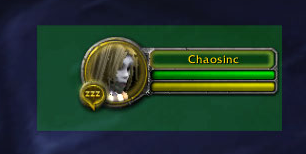
Drag Highlight
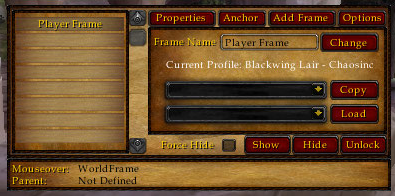
Options Tab
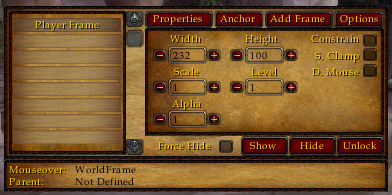
/cfm
Description
CFM allows full manipulation of almost any frame in the game.
Slash Command
/cfm - brings up config
/cfm load <Realm> <Name> - swap to another toon's settings (remember to capitalize your realm and name)
ESC - closes config
Frame List
This lists your frames currently in your database.
Left Click: Selects the frame and fills in it's info in all other frames (except "Add Frame").
Right Click: Prompts removal of the frame from the database.
Properties Tab
Pretty straight forward.
Anchor Tab
Change a frame's anchor points, parent and allows fine-tuned positioning.
Add Frame Tab
The place to add a frame to the database.
Mouseover Frame (bottom)
This will tell you the name of the frame your mouse is currently over, as well as the parent of the frame.
Known Bugs
None
Credits
ME!: I wrote it.
Moongaze: LOTS of help along the way, including a lot of performance suggestions.
WoWInterface Community: Including (but not limited to) Seerah, Akryn, and kraftman for helping me with my noobish questions on the forums when I'd get stuck.

The Chaos Frame Modifier Team


