
Centered WoW Frames
- By
CenterWoWFrames
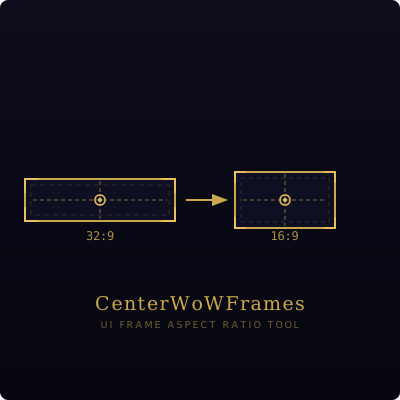
Keeps native WoW UI frames anchored to a chosen aspect ratio, centered on your screen - instead of being glued to the far edges of an ultrawide display.
The problem
On ultrawide monitors (21:9, 32:9, etc.) Blizzard's UI frames - action bars, unit frames, minimap, and so on - anchor to the edges of UIParent, which means they're anchored to the edges of your screen. This puts them far into your peripheral vision, making the game harder to play.
What this addon does
CenterWoWFrames places an invisible anchor frame in the center of your screen, sized to your chosen aspect ratio (default 16:9). All native UI frames that have horizontal anchors are re-attached to this center frame instead of to UIParent. The result: your UI stays comfortably centered regardless of how wide your monitor is.
- Works with Edit Mode - your customizations are respected and preserved.
- Works with UI panels (Character, Spellbook, Bank, etc.) - they shift inward to stay within the center zone.
- Safe in combat - protected frames are re-anchored automatically after combat ends.
- No UIParent modification - uses only public API.
Requirements
- World of Warcraft retail, patch 12.0 (Midnight) or later.
Installation
- Download the latest release zip.
- Extract the
CenterWoWFramesfolder into<WoW>/_retail_/Interface/AddOns/. - Reload the UI or restart the game client.
Usage
All configuration is done via /cwf in the chat box.
| Command | Description |
|---|---|
/cwf ratio 16:9 |
Set the target aspect ratio. Use any W:H format, e.g. 21:9, 16:10. |
/cwf toggle |
Enable or disable the addon without reloading. |
/cwf status |
Show the current ratio, enabled state, and your screen's native ratio. |
/cwf reload |
Force a full re-anchor pass (rarely needed). |
/cwf debug |
Toggle an orange border showing the bounds of the center zone. |
Settings are saved per account across sessions.
Example setups
Ultrawide 21:9 monitor, want UI centered in a 16:9 zone:
/cwf ratio 16:9
Super-ultrawide 32:9 monitor, want a slightly wider center zone:
/cwf ratio 21:9
Check what ratio your screen actually is:
/cwf status
The Centered WoW Frames Team
