
CDMAuras
- By
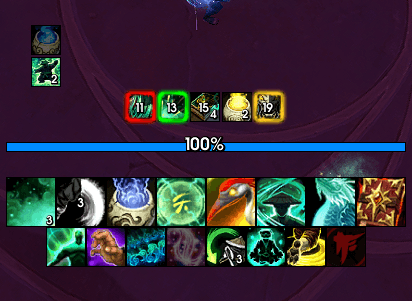
Different_Glows.png
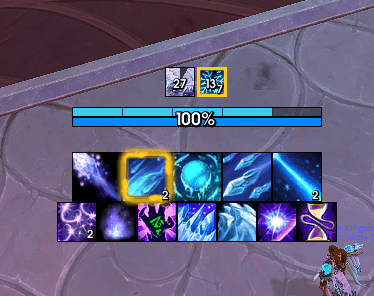
freezing_stacks_gt_6.png
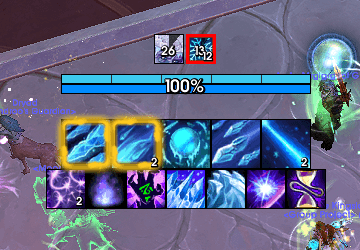
freezing_stacks_gt_12.png
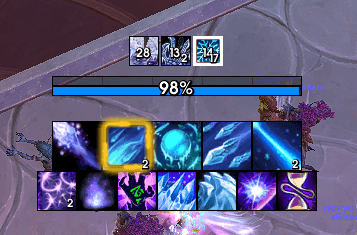
freezing_stacks_with_fingers_frost.png
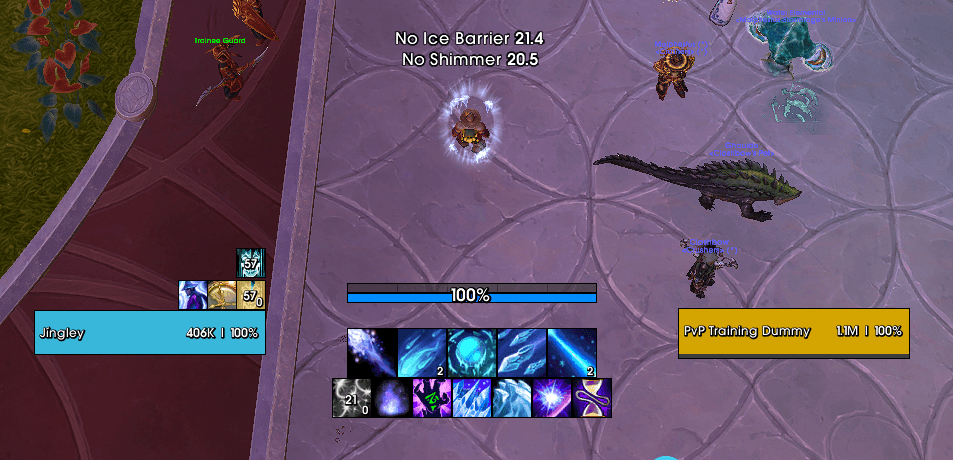
configurable_cooldown_texts.png
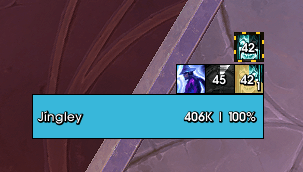
active_aura_glow.png
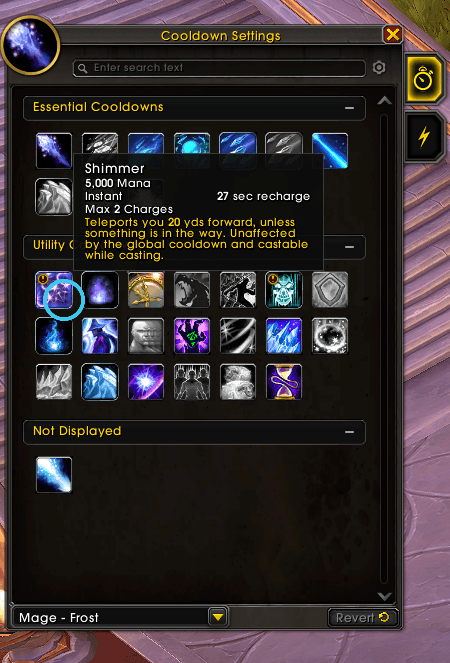
CDMA_Alerts_Added.png
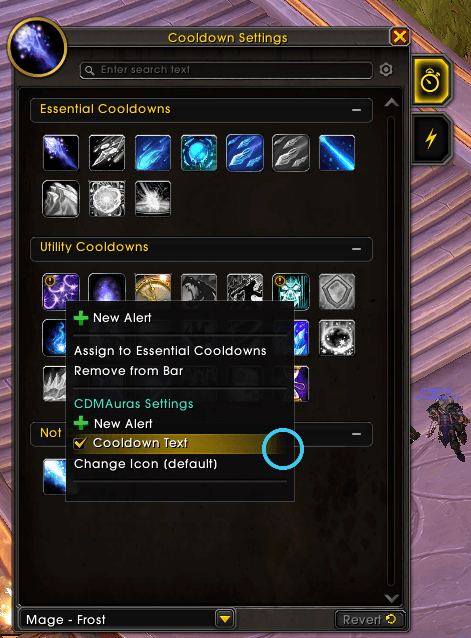
CDMA_Menu.png
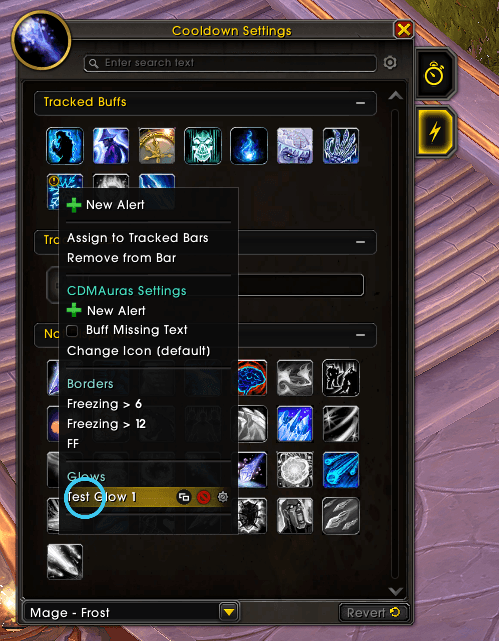
Menu_with_alerts.png
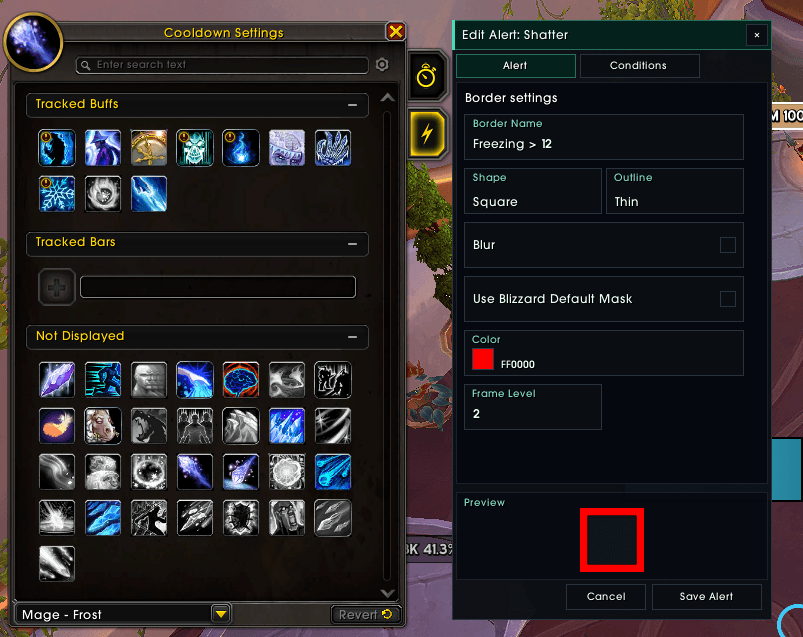
edit_w_preview.png
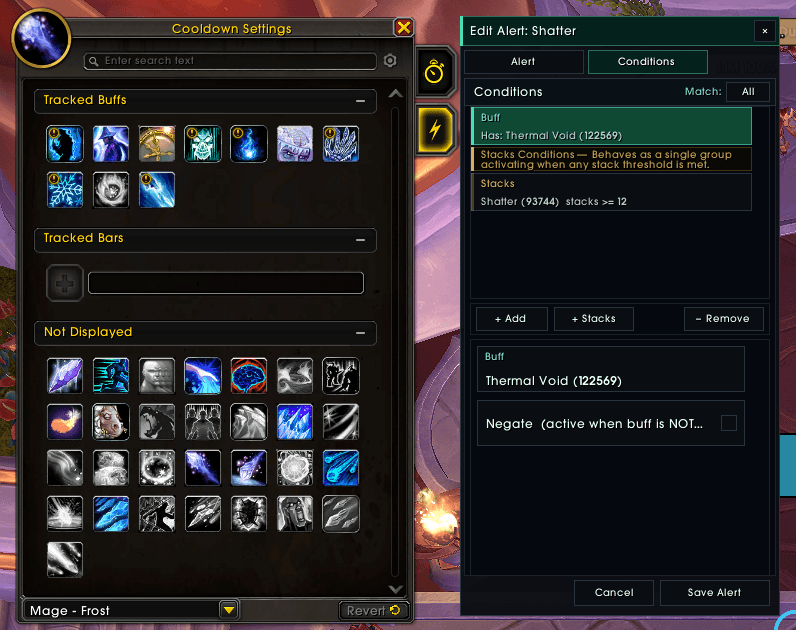
Condition_Editor.png
Description
CDMAuras
CDMAuras adds alerts on top of the default Cooldown Manager (CDM) — borders, glows, cooldown countdowns, buff timers, and custom icons — all driven by per-spell conditions you configure in-game.
If you ever used a WeakAuras UI package that conditionally glowed a spell one color when a buff was up, a different color when stacks hit a threshold, or displayed a custom text overlay with dynamic information — you know exactly what this fills. Midnight's Cooldown Manager is a great built-in tracker, but that layer of reactive, condition-driven visual feedback wasn't there. CDMAuras brings it back, built directly on top of the CDM rather than around it, so you can get back to the feedback setup we've grown to love.
Compatibility: CDMAuras is designed to work alongside other addons that extend or skin the default CDM without replacing it. All development and testing was done with EllesmereUI Cooldown Manager active.
Features
Alert types
| Alert | Description |
|---|---|
| Border | A colored texture border drawn around a CDM action button. Supports Square and Round edges, three outline thicknesses, and an optional blur variant. Can be used to drive stack-count conditions. |
| Glow | A LibCustomGlow effect on a CDM button — choose between Pixel (customizable particle count, size, frequency, offsets) and Proc (animated burst with configurable duration). |
| Cooldown Text | A floating text label that displays the remaining cooldown duration for a spell while it is on cooldown. Positioned and sized via Edit Mode. |
| Buff Text | Same as Cooldown Text but for active buff durations. |
| Custom Icon | Override the default spell icon shown on a CDM button with any icon looked up by spell ID. |
Conditions
Every alert is gated by one or more conditions. All alerts show only when their conditions are satisfied.
| Condition | Description |
|---|---|
| Always | No gate — the alert is always active. Although for buffs, alerts implicitly require that you have the buff |
| Cooldown | Show when the spell is on cooldown (or off cooldown when negated). |
| Buff | Show when a specific buff is active on the player (or absent when negated). |
| Buff Duration | Show based on how much time is left on a buff. |
| Power | Show based on current resource (mana, rage, energy, etc.). |
| Stacks | Show based buff's stack count. Does not support buffs which have no stacks. Supports greater than and greater then or equals only. Border alerts only. Multiple Stacks conditions can be added — the border triggers when any one of them is satisfied. |
| Target | Show when the player has an active target (or has no target when negated). |
| Last Spell Cast | Show when the last successfully cast spell matches a given Spell ID. |
Conditions can be used as Any (OR) or All (AND) logic. Buff-sourced spells automatically lock in a "Has Buff" condition that cannot be removed.
Special conditions:
- Maximum 1 Power or Buff Duration condition per alert
- Stacks conditions have no limit — but are treated as satisfied when any threshold is met (Border alerts only)
More features are planned, including:
- Sharing with Import/Export
- More customization options for Cooldown and Buff Text alerts
- Conditions support for custom icons
- Standalone custom text alerts with full condition control
- Customizable default values for new alerts and preset color palettes
Usage
Right-click any spell in the Cooldown Settings to open the context menu (/cdm). CDMAuras adds its own section:
- New Alert — open the Alert Editor to create a new alert for that spell, or paste another alert onto it.
- Cooldown Text / Buff Missing Text — toggle a text alert for that spell/buff
- Change Icon — override the icon shown on the CDM button via spell ID lookup.
Existing alerts appear under a Borders or Glows section. Click an entry to edit it; use the gear (edit) or × (delete), copy buttons that appear on hover.
Alert Editor
The editor opens as a panel beside the CDM settings window.
Alert tab — configure name, shape, color, frame level, and alert-type-specific settings (glow style and parameters, border texture, mask, etc.). A live preview is shown at the bottom.
Conditions tab — add, edit, and remove conditions. Each condition type exposes relevant fields (operator, threshold, spell/buff/power target). The Any / All toggle controls how multiple conditions are combined.
Slash Commands
/cdma reset    Recreate all alerts without a UI reload (can be used in combat)
/cdma help     Show command reference in chat
/ca [reset or help] shorthand for /cdma
How it works — the CDMAuras Engine
The Cooldown Manager introduced in Midnight ships with strict restrictions that make it effectively read-only for third-party addons. There is no supported API to attach alerts to CDM buttons, poll their state, or know when a spell goes on or off cooldown through the CDM itself.
CDMAuras runs on a purpose-built event engine that works entirely within the Midnight secret restrictions constraints.
Zero addon-side polling. A single shared eventFrame handles all Blizzard events (UNIT_AURA, UNIT_SPELLCAST_SUCCEEDED, UNIT_POWER_UPDATE, etc.) and fans them out through an internal message bus. Alert objects subscribe only to the specific messages they need — no alert ever registers a Blizzard event directly, and nothing runs on a tick unless a cooldown text is actively counting down.
CDM hook layer. Rather than scanning frames on a timer, the engine uses hooksecurefunc on CDM viewer methods to receive live cooldown and aura state changes at exactly the moment the CDM itself processes them — no polling, no lag.
Aura instance ID tracking. Buff state is tracked via auraInstanceID rather than spell name or ID. When the CDM registers a buff frame the engine caches an auraInstanceID → cooldownID mapping so incoming UNIT_AURA updates route directly to the correct alert in O(1) — no iteration over all active buffs on every aura event.
Opt-in cooldown tracking. Only spells that have at least one active alert registered are tracked. A spellID → cooldownID reverse map means the per-cast handler does a single table lookup — cost scales with the number of tracked spells, not the size of the CDM.
Requirements
- World of Warcraft: Retail (Midnight)
- The built-in Cooldown Manager must be enabled in Edit Mode
Installation
CurseForge
Download and install via CurseForge. All libraries are embedded in packaged releases.
Manual
- Download the latest release zip.
- Extract the
CDMAurasfolder intoWorld of Warcraft/_retail_/Interface/AddOns/. - Reload or log in.
Feedback & Bugs
Please report issues on Github.
Author
jingley The engine, alert runtime, and core backend systems were logiced myself. The options menus, Alert Editor UI, and documentation were built with heavy assistance from GitHub Copilot.
CDMAuras Team
