CDM Sound Master
- By
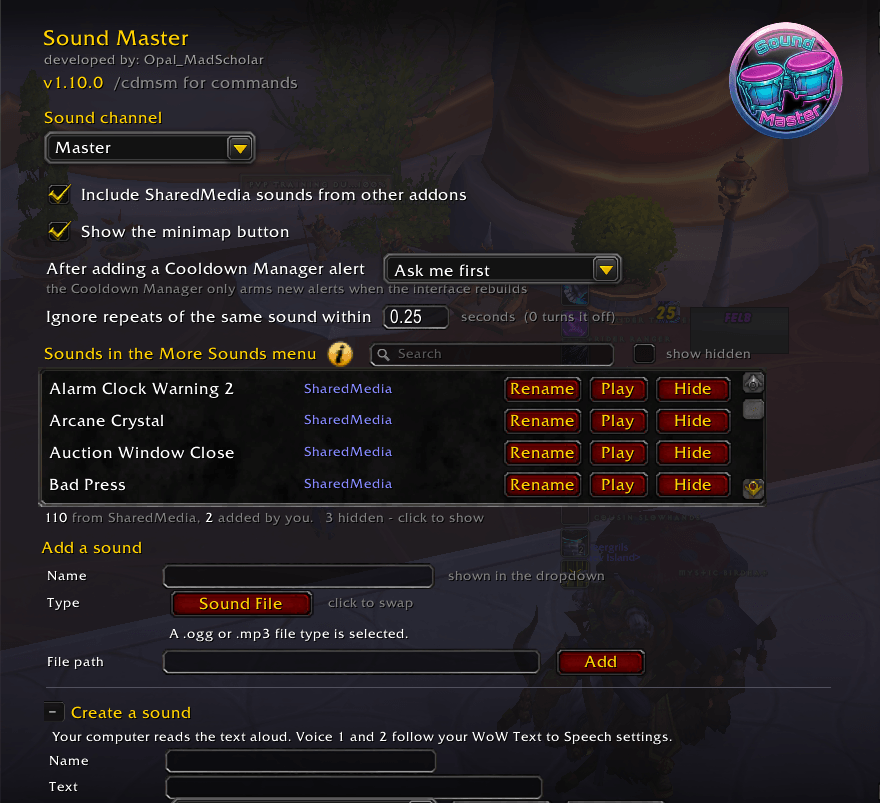
Customize your sound alerts for Blizzard's Cooldown Manager by adding your own sounds, or incorporating sounds from other addons, such as SharedMedia. Tickle your ears with the joys of new sounds through Sound Master.
SoundMasterSettingsImg01.png
SoundMasterSettingsImg02.png
SoundMasterimgSearchSounds.png
SoundMasterImgSearchSounds01.png

FIXEDIMGBONGOS.png
Description
THE JOY OF SOUND
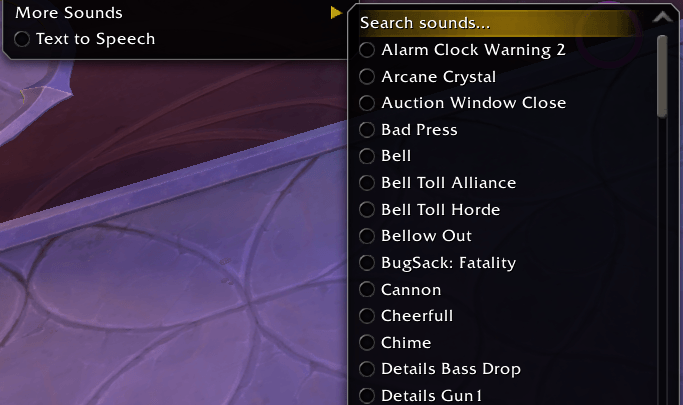
Your sounds, in Blizzard's Cooldown Manager. They appear under More Sounds, A to Z, beside Blizzard's own. Sound Master ships without audio. It plays what you give it. Blizzard's sounds are never touched.
FEATURES
- Three sources — your own files, Sound Kit IDs, and anything SharedMedia is sharing.
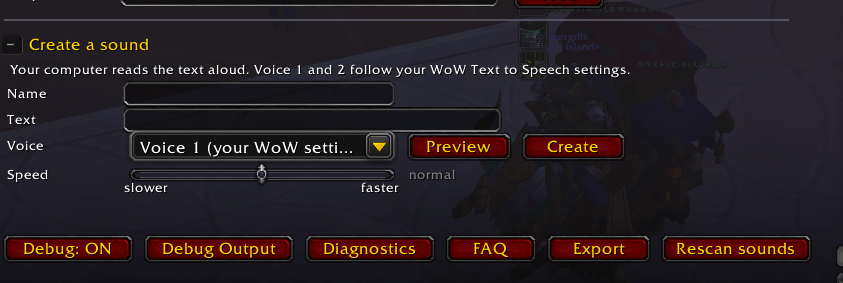
- Say anything — type a word, pick a voice, your PC speaks it. Say "kick", not "Spinning Crane Kick".
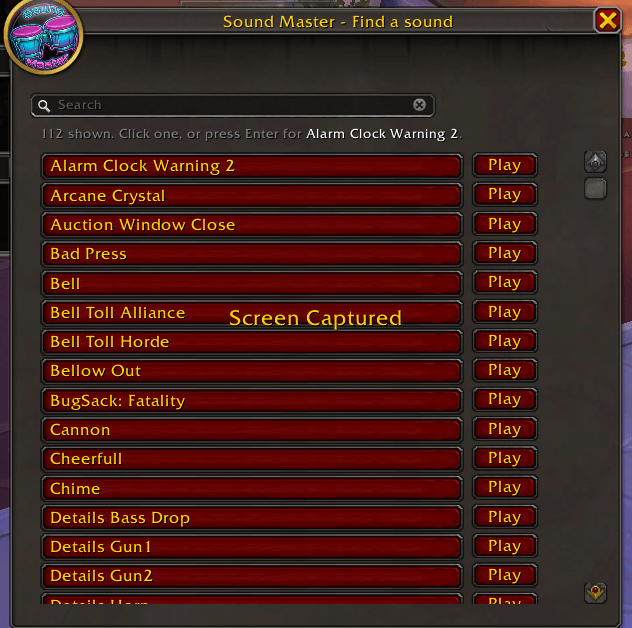
- Preview first — a Play button on every sound. No surprise airhorns mid-pull.
- Rename anything — make it "Opal: Burst". Shared prefixes group together, since the list sorts by name.
- Search and hide — 300 sounds is a lot. Keep the ten you actually use.
- Bulk add — MySounds.bat registers a whole folder for you. No paths to type.
- Share a set — export your sounds as a string, like a WeakAura. Paste it anywhere.
- Minimap button — left click for options, right click for the Cooldown Manager.
- Pick your channel — Master, SFX, Music, Ambience, Dialog or Talking Head.
- No stuttering — repeats inside a quarter second collapse into one.
- Alerts never swap sound — every sound keeps its own slot, forever.
- Built-in FAQ — and a debug log you can actually copy out of.
KNOWN RESTRICTIONS
- "Midnight" (12.1.0) expansion support only.
- "No sounds yet" means you haven't added any. Working as intended.
- New alerts need a reload. Blizzard's rule; not mine.
- Something misbehaving? /cdmsm Debug: ON, reproduce it, paste Debug Output into a ticket.
COMMANDS /cdmsm options — /cdmsm faq help — /cdmsm find search sounds — /cdmsm export share sounds — /cdmsm output debug log — /cdmsm list everything — /cdmsm rescan re-read sources — /cdmsm minimap show or hide the button
SPECIAL THANKS I appreciate you all.
Buy me a burrito:
PayPal to @OpalMadScholar, or use the QR code below.

CDM Sound Master Team