Casually Hardcore
- By
overview-2026-10-23.webp
upgrades-2026-10-23.webp
atlas-2026-10-23.webp
recipes-2026-10-23.webp
group-2026-10-23.webp
Description
Casually Hardcore
A group tool for World of Warcraft: Forever – built for a small fixed group that levels, crafts and runs dungeons together. It shares characters, professions, orders and plans in game and with a companion website.
Features
The main window (/ch) is sorted into five areas with sub-tabs, so everything has a fixed place.
Me
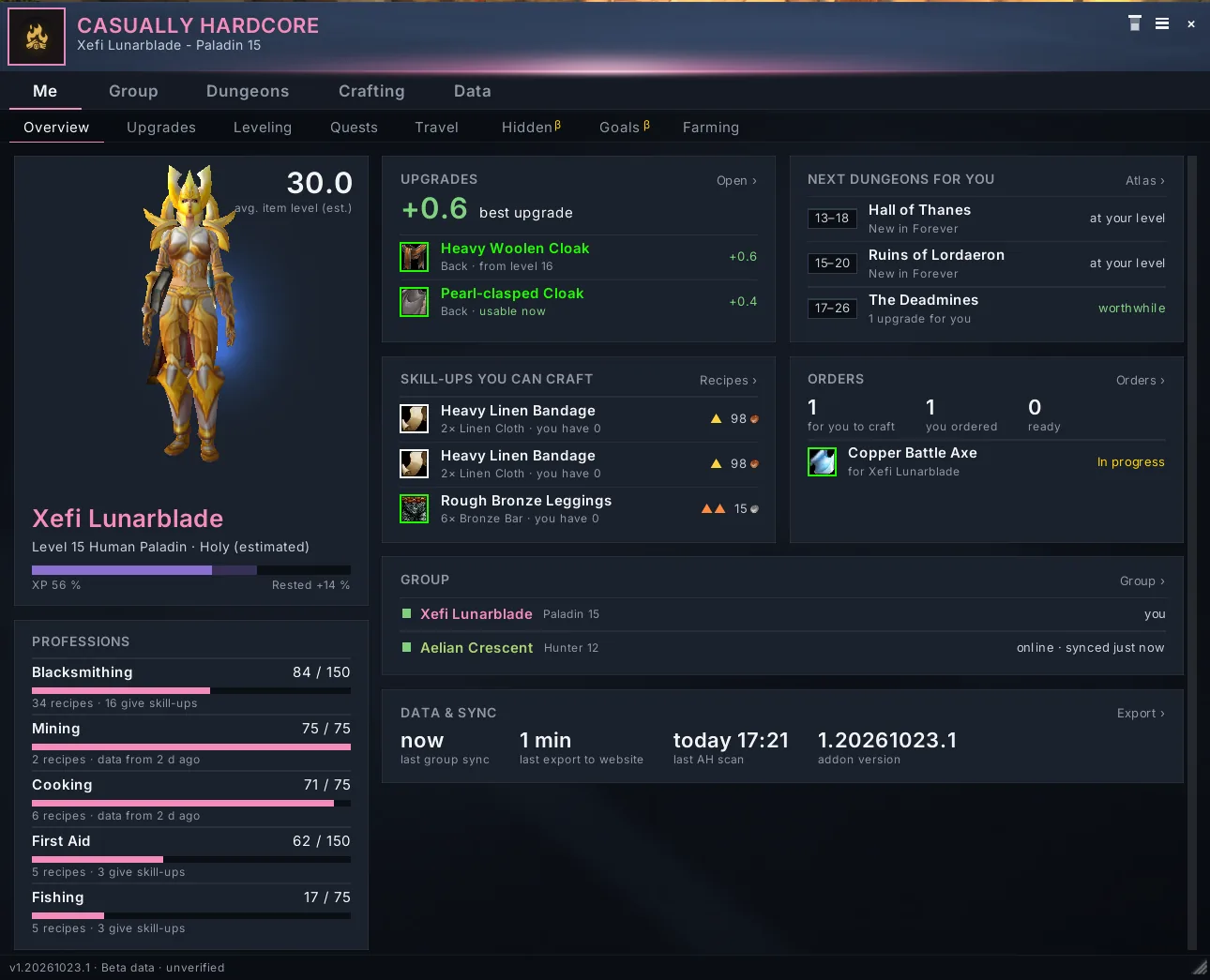
- Character overview – level, talents, professions with skill, gear and item level, read straight from the game.
- Readiness check – free bag slots, food & drink, durability and ammo at a glance, with adjustable thresholds. The group sees who is ready before a run.
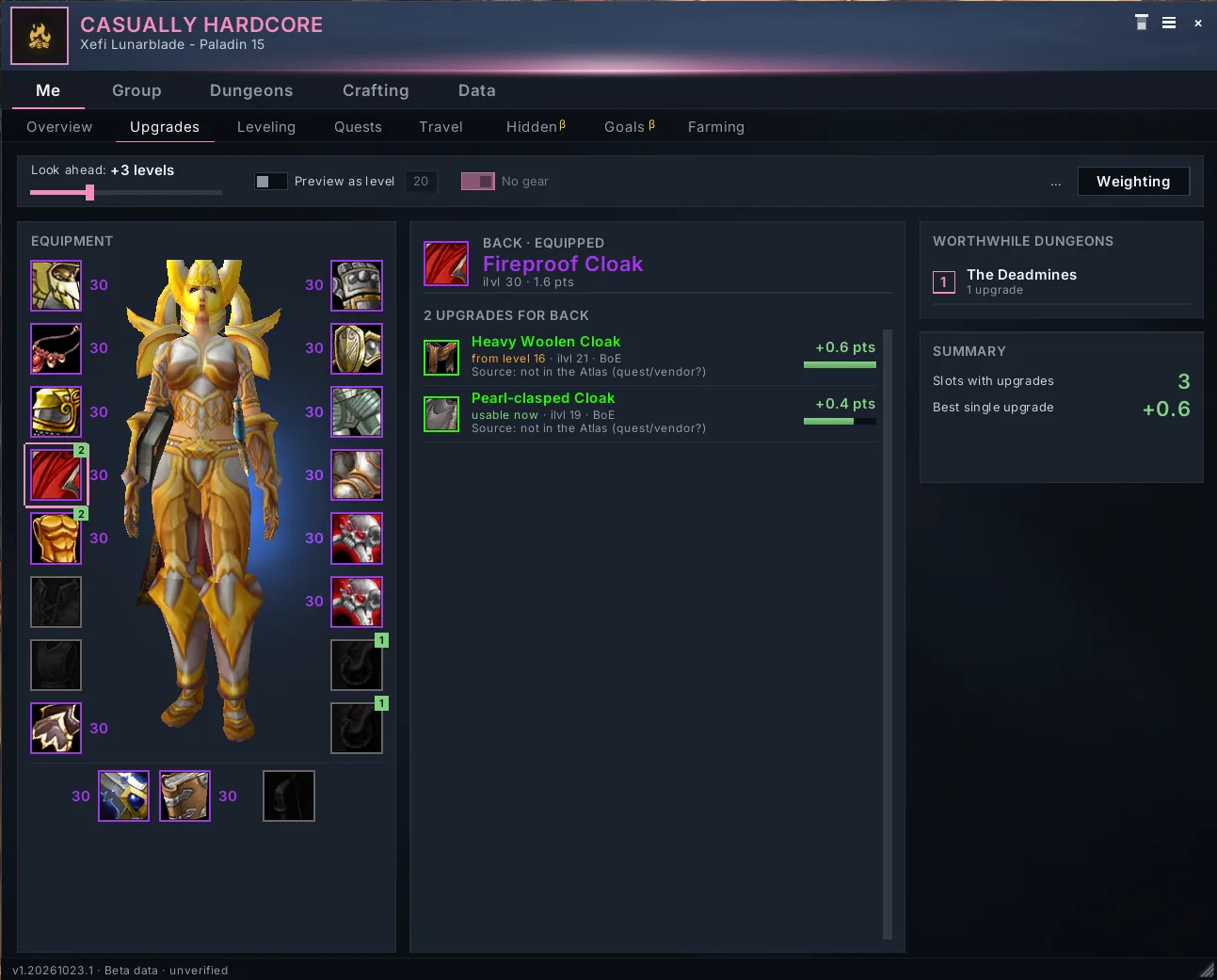
- Upgrade hints – item tooltips show whether a drop is an upgrade for you, rated by stat value, not only by item level.
Group
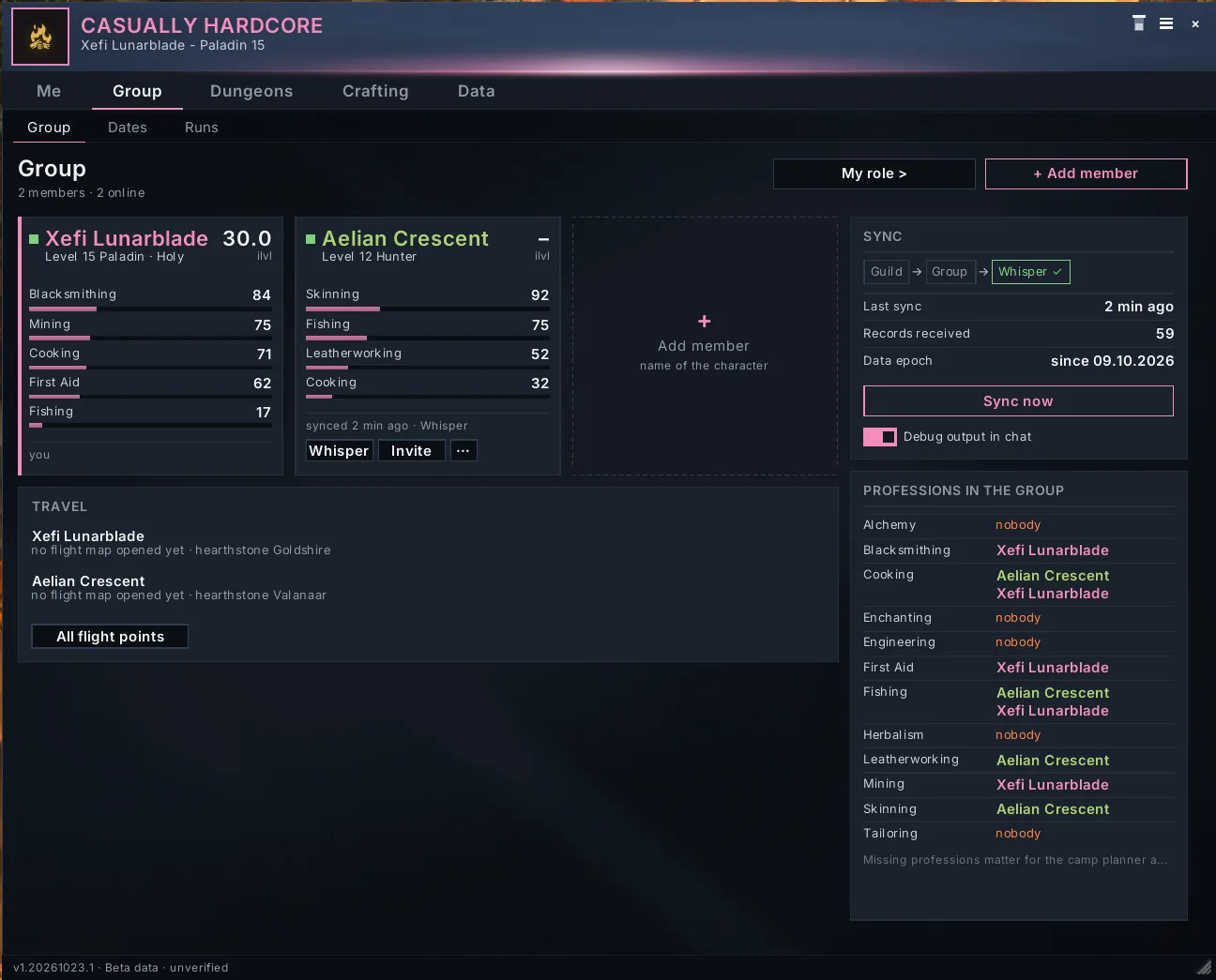
- Group overview – who plays what, levels, professions and gear of everyone in the group.
- Calendar – a week view with the group's events, sorted by time, details below. Answer yes/no in game; the answers travel with the sync and the export.
- Meeting point – set a point on the world map or pick a dungeon entrance, add a time, and the group gets a notice with a countdown and a waypoint arrow.
- Camp plan – which camp objects the group builds and who covers which profession.
Dungeons
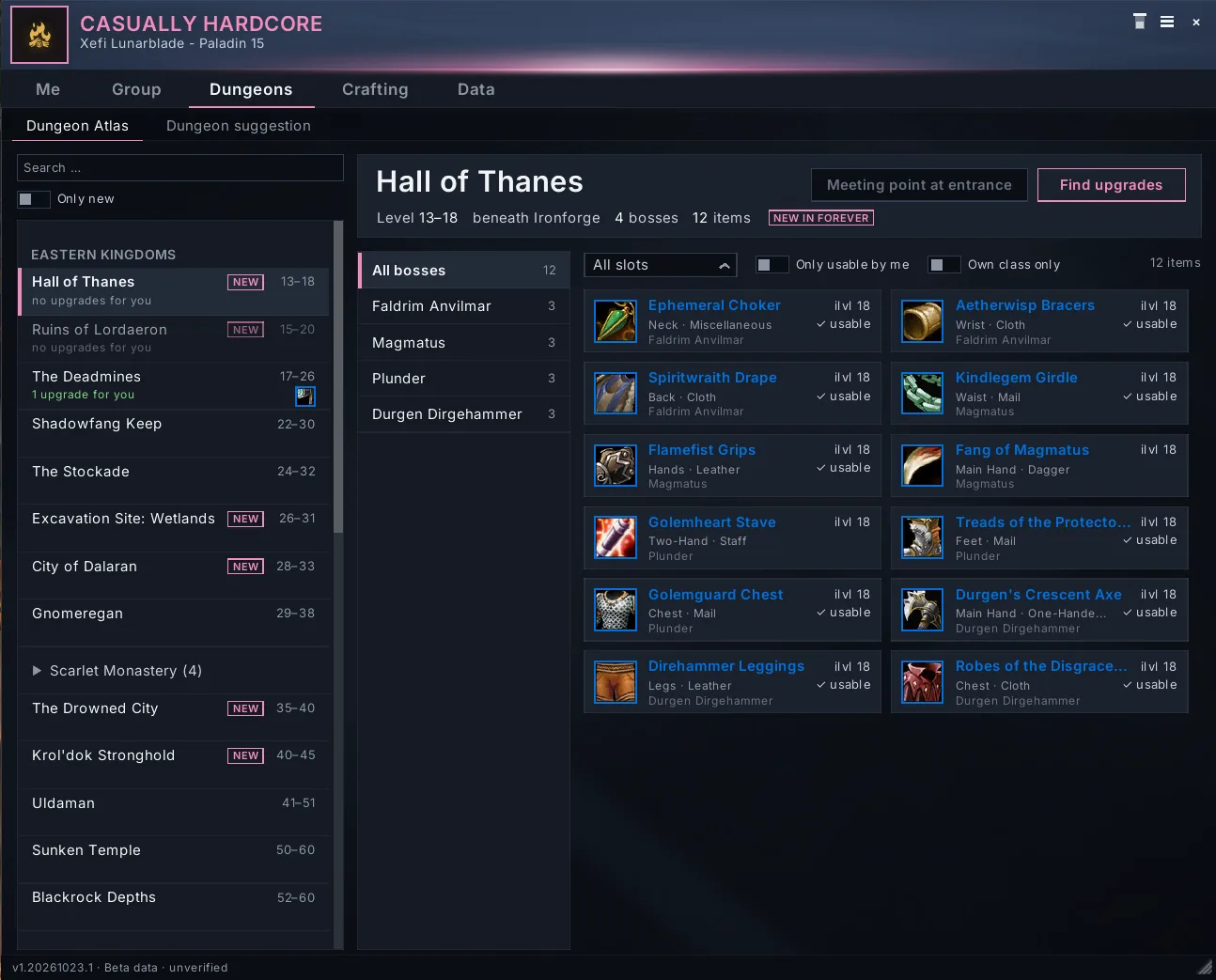
- Dungeon atlas – bosses and loot of the dungeons, with item preview.
- Dungeon suggestion – which dungeon has the most upgrades for the group right now.
- Loot window – a cleaner loot window with prices. When your bags are full, it shows in red what doesn't fit and suggests the cheapest item in your bags you could drop for it (grey items count only with vendor price; quest, soulbound and bind-on-equip items are never suggested). Deleting needs 2 clicks or Shift-click, 3 clicks from blue quality.
Crafting
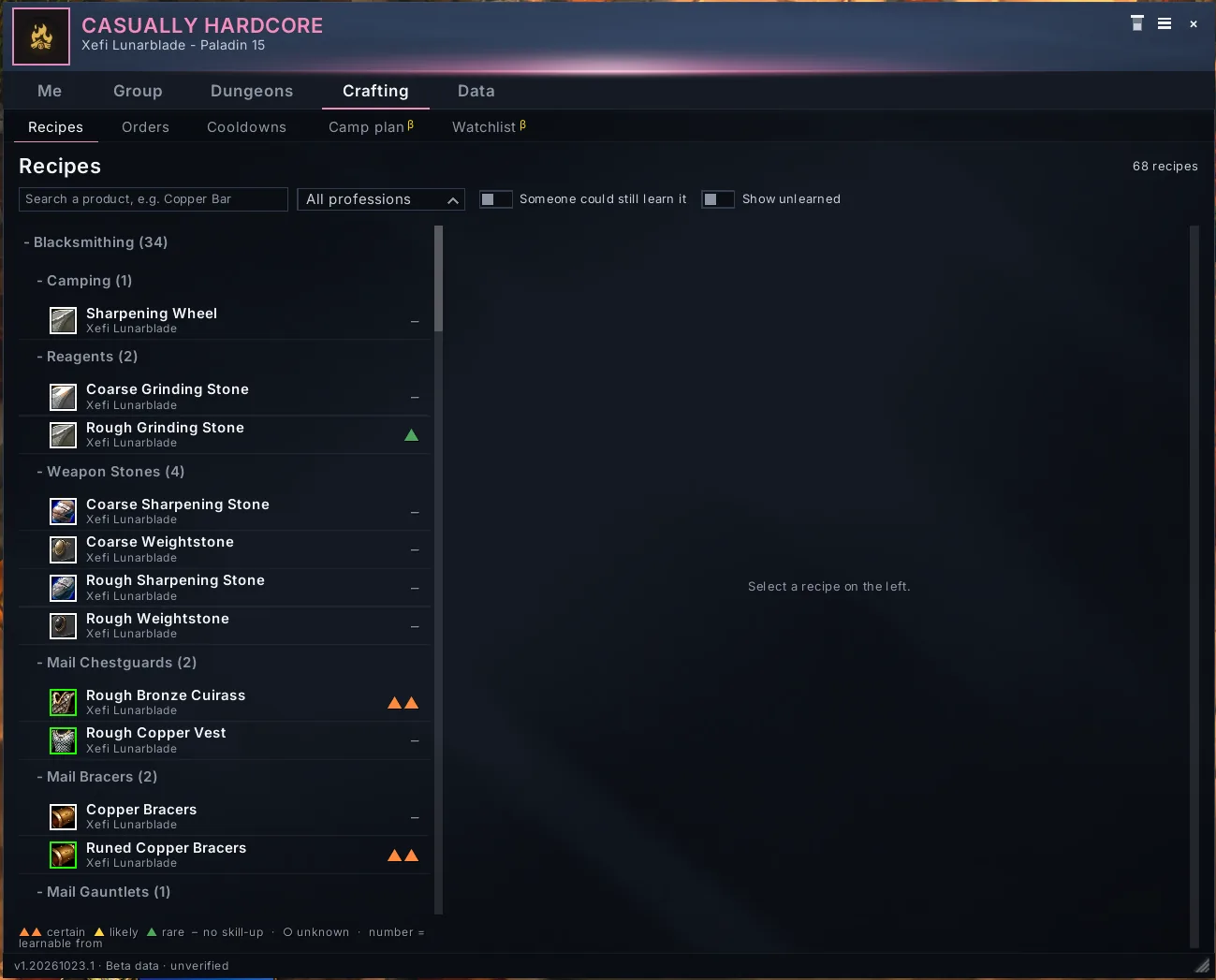
- Recipe book – who in the group can craft what.
- Orders – who needs what and who delivers; finished orders show up for the buyer.
- Trade helper – in the trade window, one click on a line puts exactly that item (finished order or needed mats) into the trade. Nothing is filled or accepted automatically.
- Merchant window – recipe vendors show the required skill (red if too low) and buy with one click.
Data
- Export / import – one string for the website, copy with Ctrl+C.
- Settings – every module can be switched off and adjusted on its own.
Notifications
Events, crafting cooldowns, meeting points and finished orders pop up as small cards instead of chat lines that get lost. Movable, with a selectable sound per type (built-in game sounds only). In combat they are collected and shown afterwards.
Website companion
The addon works on its own, but it is made to go with the group's website. Addons have no internet access, so data moves by copy & paste: press Export in game, copy the string, paste it on the website. The website shows a preview of the changes before it applies them. Events made on the website come back the same way.
In game, group members sync with each other automatically – via the guild if there is one, otherwise via party/raid, otherwise by whisper to the names in your roster. Every record has a timestamp from the server clock, and the newer one wins everywhere.
Getting started
- Install with the CurseForge app, or unpack into
World of Warcraft/_classic_beta_/Interface/AddOns/(beta). - Log in or type
/reload– no restart needed. - Open the main window with
/ch openor the minimap button. A short setup assistant asks for your role and your group. - Add your group members with
/ch roster add <Name>so the sync knows who belongs to you.
Useful commands (/ch alone lists all of them):
/ch open– main window/ch export//ch import– exchange data with the website/ch sync– sync with the group now/ch atlas,/ch upgrades,/ch group,/ch orders,/ch recipes– jump straight to a tab/ch minimap– show or hide the minimap button/ch theme modern//ch theme tyria– switch the look
The addon language follows your game client: German on deDE, English everywhere else.
Experimental modules
Features that haven't been tested in the game yet are finished, but off by default under Settings → Experimental, marked "Not tested in game yet". Turn them on if you want to help – feedback is welcome. A module leaves Experimental only as a whole, once every part has been tested.
Currently experimental, among others:
- Meeting point (
/ch treffpunkt) - Camp plan checklist (
/ch camp) - Readiness check (
/ch bereit) - Dungeon suggestion (
/ch vorschlag) - Loot window and targeted autoloot (
/ch loot, separate Loot part) - Leveling overview (
/ch leveln), quest comparison (/ch quests), flight points & hearthstones (/ch reise) - Dungeon run summary (
/ch run)
Each of these commands also takes on / off.
Good to know
- Beta data. Dungeons, loot tables and camp objects are based on the WoW Forever beta and may change until launch (4 November 2026). Anything not confirmed is marked as such. Classic loot data is never copied over unchecked – Forever changed it.
- No automation between players. The addon only gives hints. It never trades, rolls, passes, attaches items to mail or chooses anything for you. The only exception: in the trade window, one click by you puts exactly one item into the trade. Loot hints are the same for everyone, and nothing records who kept what.
- No tracking. Nothing leaves your computer except what you export yourself or what goes to your group members in game.
- Trial accounts can't send addon messages in Forever, so sync won't work for them.
- Icons on the website come from game-icons.net (CC BY 3.0).
Deutsch
Casually Hardcore ist ein Gruppen-Tool für WoW Forever: Charaktere, Berufe, Bestellungen, Termine, Treffpunkte, Camp-Plan und Dungeon-Loot an einem Ort – im Spiel synchronisiert und per Export auf der Gruppen-Website. Die Sprache richtet sich nach dem Spiel-Client (deDE → Deutsch). Neue, noch nicht getestete Module sind unter „Experimentell“ standardmäßig aus. Das Addon automatisiert nichts zwischen Spielern – es gibt nur Hinweise.
Casually Hardcore Team