


CasualBiShelper
- By
Screenshot_1.jpg
Screenshot_2.jpg
Screenshot_3.jpg
Screenshot_4.jpg
Screenshot_5.jpg
Description
Casual BiS Helper
Casual BiS Helper is a gear guide I've been working on for WoW Forever. The idea is pretty simple: help players figure out what gear they should be looking for, where to get it, and what alternatives are worth considering.
One thing I've always found annoying about BiS lists is that they often recommend items that are incredibly expensive, difficult to farm, or locked behind content you might not have access to. That's fine if you're after the absolute best gear, but not everyone wants to spend hours farming a single item.
That's why I decided to include three different gear lists.
Gear Recommendations
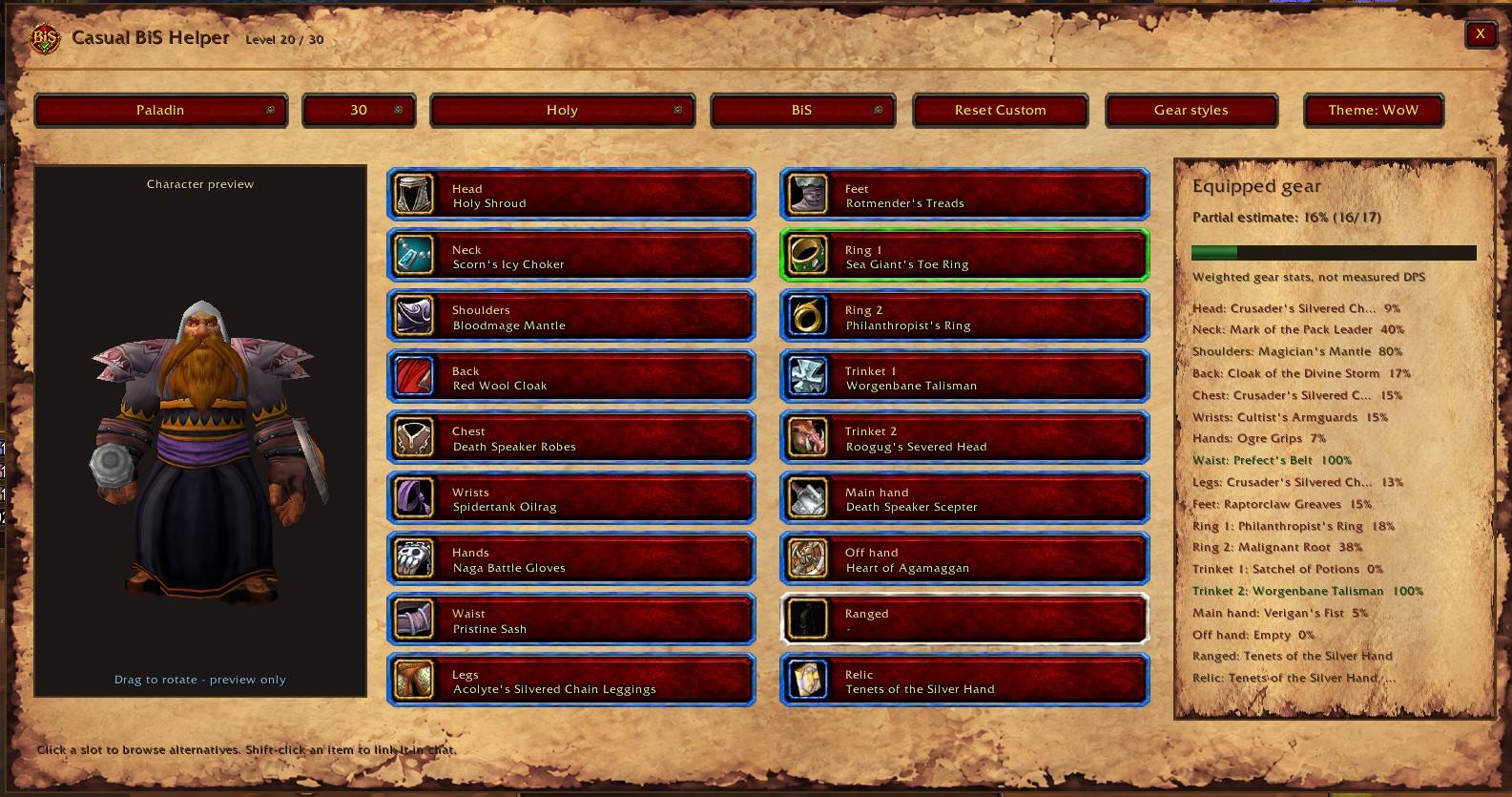
- BiS — The best equipment available for your class and specialization, regardless of how difficult it is to obtain.
- Practical — Strong gear that's more realistic to obtain without spending a fortune or relying heavily on groups.
- Budget — Easier alternatives for players who just want some decent equipment without going through too much trouble.
You're also not limited to those three sets. Each equipment slot has additional alternatives, and you can mix and match items to create your own Custom set.
All Classes Supported
The addon includes gear recommendations for all nine classes:
Warrior, Paladin, Hunter, Rogue, Priest, Mage, Warlock, Druid and Shaman.
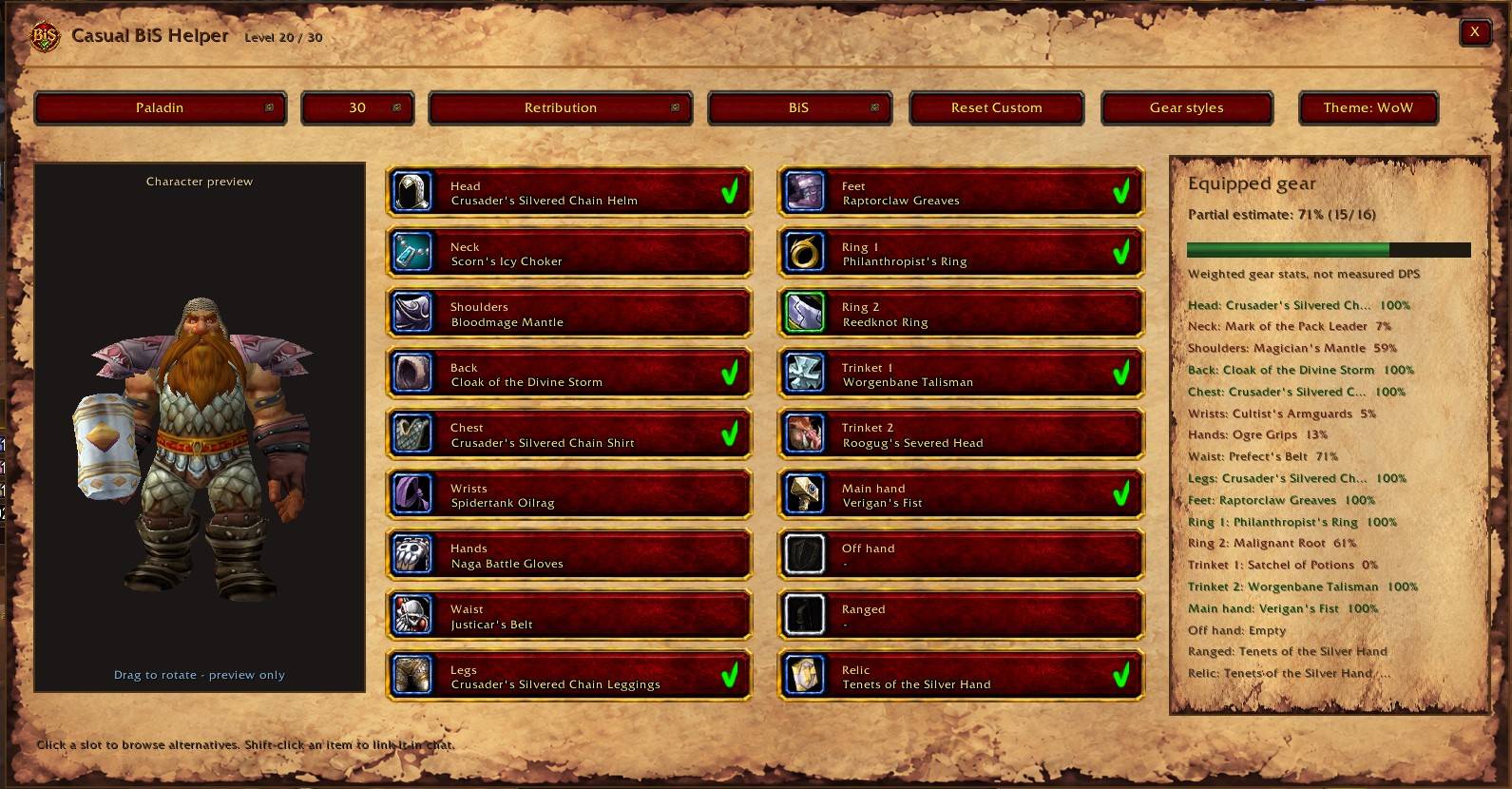
Different specializations have their own recommendations where appropriate, so a Protection Paladin won't simply be shown the same gear as Retribution or Holy.
Currently, the addon supports levels 20 and 30. I'm planning to expand this to the 19, 29, 39, 49, 59 and 60 brackets as WoW Forever progresses.
Finding Your Gear
I wanted the addon to do more than just give you a list of item names.
When selecting an item, you can see information about where it comes from. This includes dungeon bosses, quest rewards, vendors, crafting recipes, Merchant's Favor and other acquisition methods.
For certain crafting recipes, the addon also lists documented dungeon boss drops as alternative sources.
It also warns you about mutually exclusive quest rewards. This is particularly useful when a quest offers several good items but you can only choose one.
I've spent quite a bit of time researching item sources specifically for WoW Forever, since some items and recipes that exist in the game data aren't necessarily obtainable in the actual game.
Some sources may still be incomplete or change with future updates, so I'll continue correcting them as new information becomes available.
Quest Information and Navigation
One of the bigger additions is the built-in quest and navigation system.
When an item comes from a quest, you can open its quest details to see the quest ID, completion status, known prerequisites and additional information about obtaining the reward.
Where the information is available, the addon can direct you toward quest givers, vendors, profession trainers, dungeon entrances and other relevant locations.
There's also a built-in directional arrow that helps guide you toward your selected destination.
You don't need another addon for this. The navigation system works on its own, although it can also use TomTom if you already have it installed.
You can choose between automatic navigation, the built-in arrow, TomTom or disabling the arrow entirely.
For destinations on another continent, there's some basic boat-route guidance as well. This is still being expanded and isn't intended to replace a full navigation addon.
Not every item has a fixed location. Random world drops, for example, are identified as world drops rather than being assigned made-up coordinates.
My goal is to make it easier to go from finding a recommended item to actually knowing where to start looking for it.
Item Tooltips
One feature I personally find useful is the tooltip integration.
When you hover over an item in your bags, loot windows, chat links or the Auction House, the addon can tell you whether it's included in one of its gear lists, and for which specialization and level bracket.
It also shows whether the item is considered BiS, Practical, Budget or an Alternative.
For soulbound items, it focuses on your current class.
For unbound Bind on Equip (BoE) items, it can also show recommendations for other classes. That way, you might recognize something valuable for an alt or another player instead of immediately vendoring it.
Gear Comparison
There's also a panel showing how your currently equipped items compare with your selected gear set.
It gives you a rough indication of your gear progress and helps identify which slots could use an upgrade.
The comparison is based on weighted item stats, so don't treat the percentage as an exact DPS or healing increase.
Interface and Customization
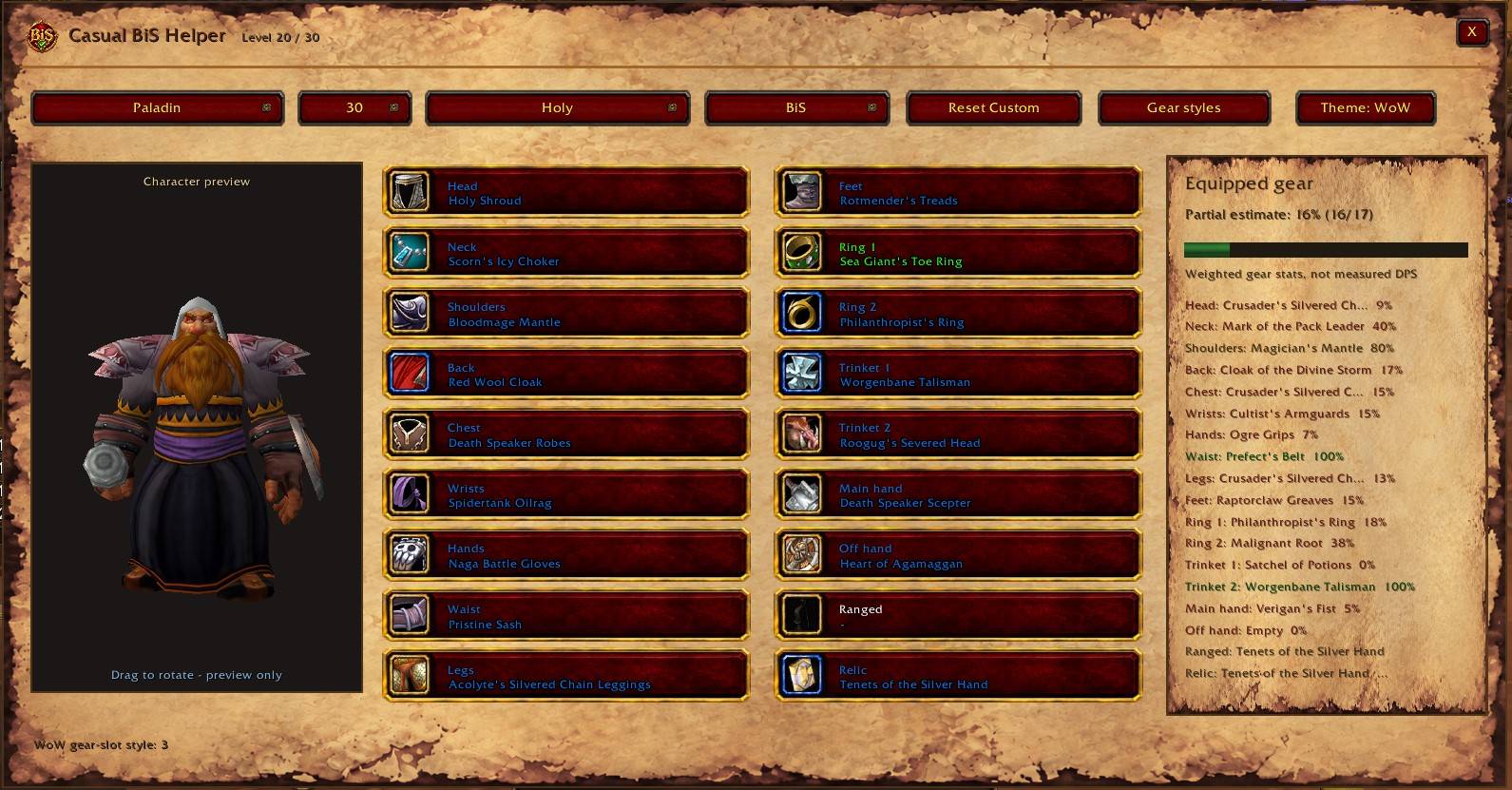
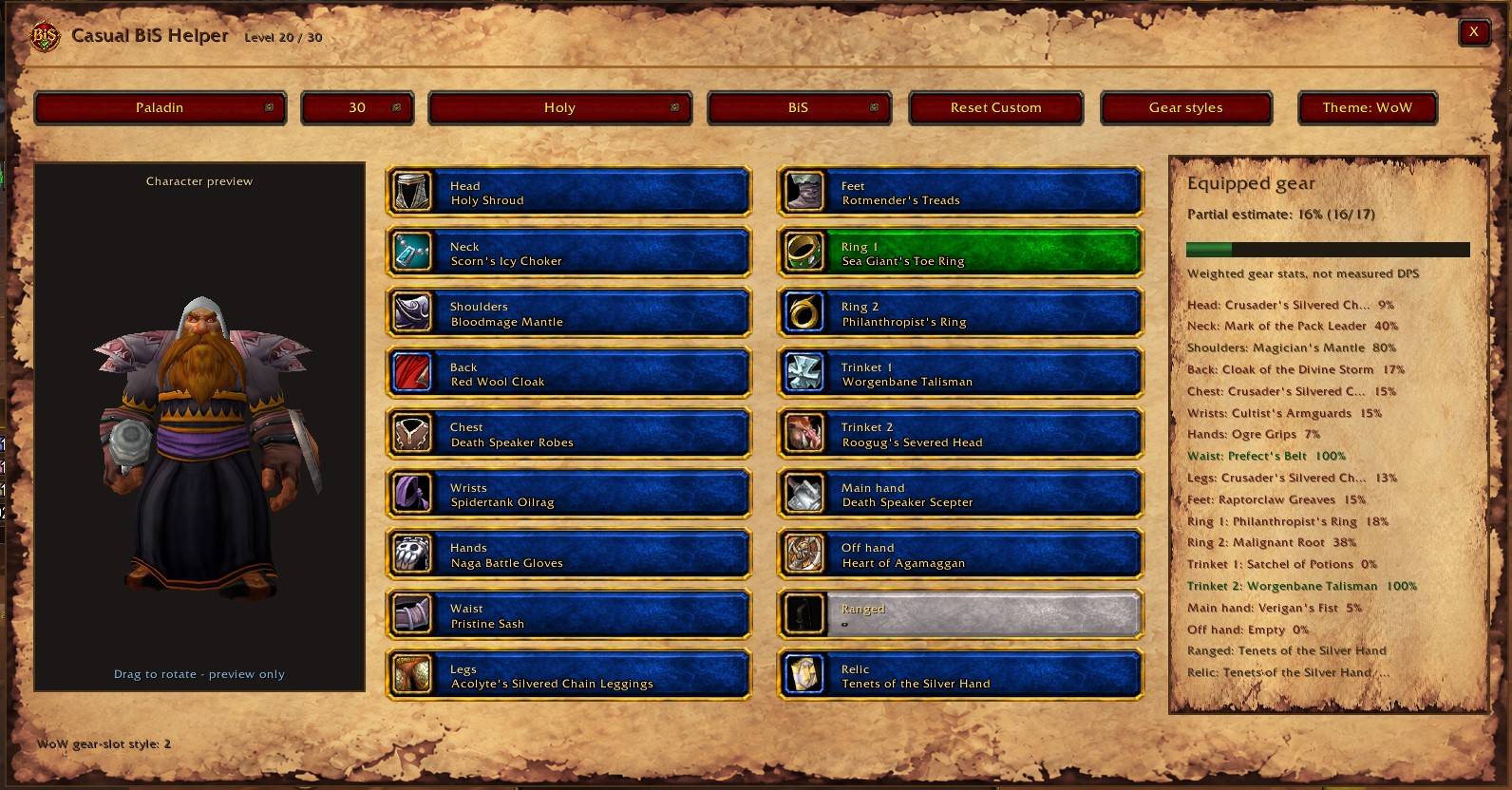
I've included two different interface themes: a darker, more modern layout and a Warcraft-inspired parchment theme.
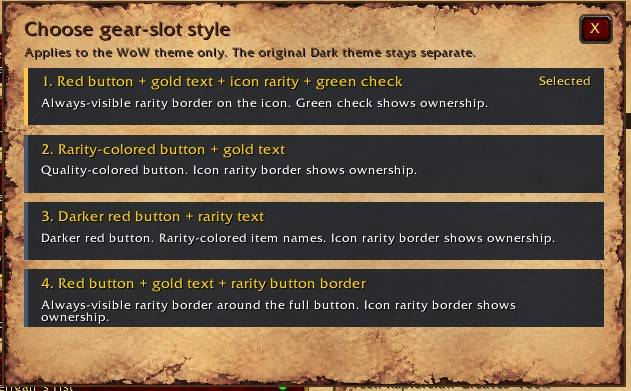
The parchment theme also has four different gear-slot styles, with different rarity-color appearances and visual indicators for items you already own.
Other features include a character equipment preview, minimap button, item linking to chat, movable item selection windows and the ability to save your own equipment choices.
You can open the addon through the minimap button or by typing /cbis.
The addon also has its own settings for appearance and navigation.
A Few Things Worth Mentioning
Currently the addon is mainly alliance focussed. i will ad the horde specific quests later. i just never played horde so i don't know these as well.
Casual BiS Helper is made specifically for WoW Forever. It's not a general Classic or Retail BiS addon.
The addon is completely standalone. You don't need TomTom, Questie, Completao or any other addon for its built-in features.
It doesn't automatically equip items or make gear decisions for you.
It's also still a work in progress in terms of content. WoW Forever has a lot of custom gear and modified item stats, and acquisition methods can change. I've tried to avoid recommending items without an established way of obtaining them, but there's always a chance something has been overlooked.
Quest chains, navigation locations and item sources are still being expanded and corrected as more information becomes available.
If you find an item with incorrect stats, a missing acquisition source, a broken waypoint or a recommendation that doesn't make sense, feel free to report it in the comments.
I hope it makes gearing up a little easier, especially for those of us who enjoy finding good equipment without turning every upgrade into a massive grind.
CasualBiShelper Team
