CastQueueOverlay
- By
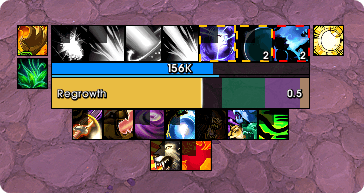
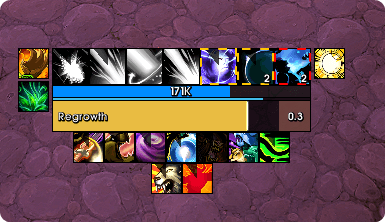
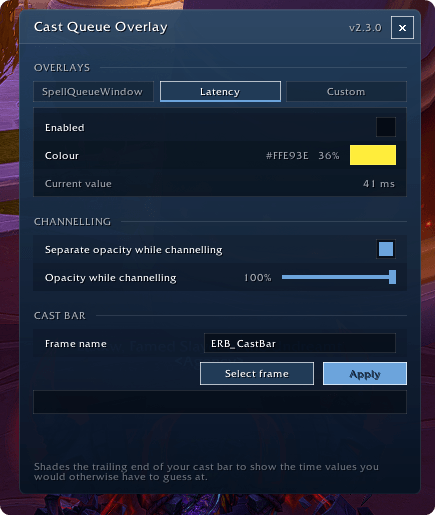
Shades the trailing end of your WoW cast bar to show your spell queue window, latency, and/or a custom time value
Wow_vjwimt2i76.png
Wow_C8TBg4xmG0.png
Discord_ZkMRcnrf9u.png
Discord_7eEtdx01UH.png
Discord_raQcDCyj9U.png
Description
CastQueueOverlay

CastQueueOverlay shades the trailing end of your cast bar to show time values you normally have to guess at — chiefly your spell queue window: the slice at the end of a cast during which your next spell is already accepted.
Retail only. Built and tested against 12.0.7 (Midnight) — ## Interface: 120007.
What it draws
Three independent overlays, each a coloured band measured backwards from the end of the bar. Any combination can be on at once.
| Overlay | Value |
|---|---|
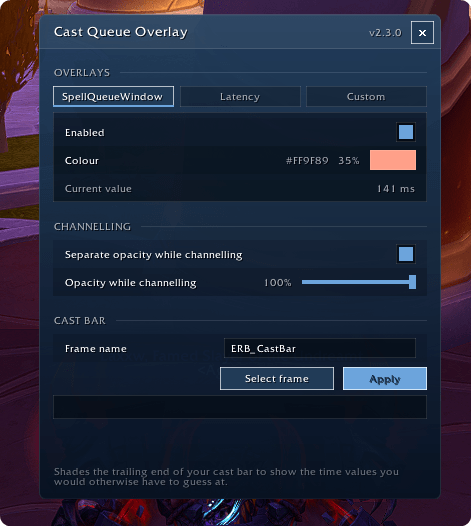
| SpellQueueWindow | The SpellQueueWindow CVar, in milliseconds |
| Latency | Your home latency from GetNetStats, falling back to world latency |
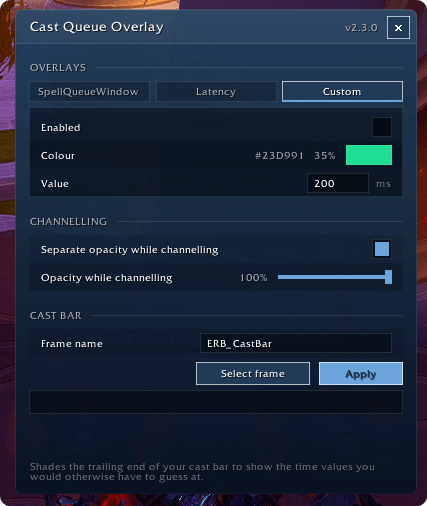
| Custom | Any millisecond value you enter |
Each band is scaled against the duration of the cast currently in progress, so the same 400 ms window covers proportionally more of a fast cast than a slow one.
When several are enabled they are drawn stacked — widest underneath — so a wider band never hides a narrower one.
Usage
/cqoOpens the options window. There are no arguments; everything is configured in the window. There is also an entry in the standard AddOns settings list, which opens the same window.
In combat, /cqo defers: it prints a message and opens the window once combat ends. This is deliberate — the frame picker needs to grab the keyboard, and that is blocked in combat.
Cast bar support
Works with the default Blizzard cast bar out of the box, and with third-party cast bars by frame name.
The Select Frame button starts a picker:
- Hover any frame and its name is shown live
TABcycles through overlapping frames under the cursor- Left click selects,
Esccancels
The picker deliberately searches every region under the cursor rather than only mouse-enabled ones, since most cast bars disable mouse input.
Third-party bars are often created after login, so the addon keeps retrying to bind to the frame you named for a short window after you log in, rather than resolving once and silently falling back to Blizzard's bar.
Verified against EllesmereUI's ERB_CastBar.
Installation
Use your addon manager, or copy the CastQueueOverlay folder into:
World of Warcraft/_retail_/Interface/AddOns/Then /reload or restart the client.
Licence
MIT.
The CastQueueOverlay Team