CampfireStories
- By
Sit by the fire, track your camp buffs, and tell stories with the people around you.
CampfireStories-Gallery-ImagePNG.png
Description
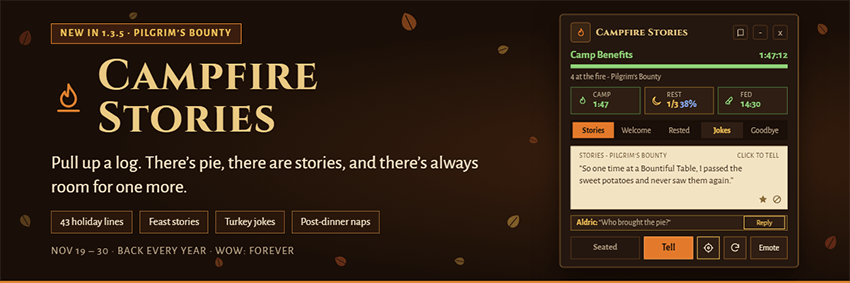
WoW: Forever turned the humble campfire into a place to rest, prepare and meet people. Campfire Stories makes the minute you spend sitting there the best part of your session: it sits you down, tracks every camp buff, and hands you a line that fits the moment, so strangers at a roadside fire actually start talking.
Features
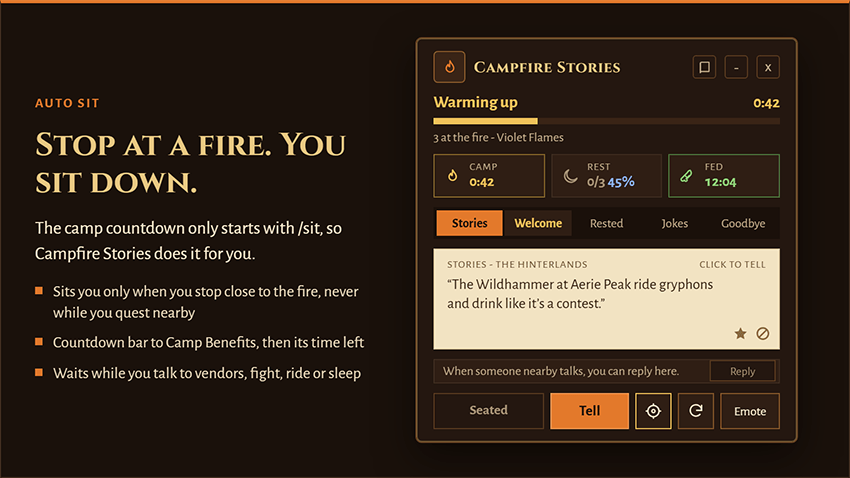
Sit down without thinking about it
- Auto Sit: stop at a campfire and you sit down (the camp countdown only starts with /sit).
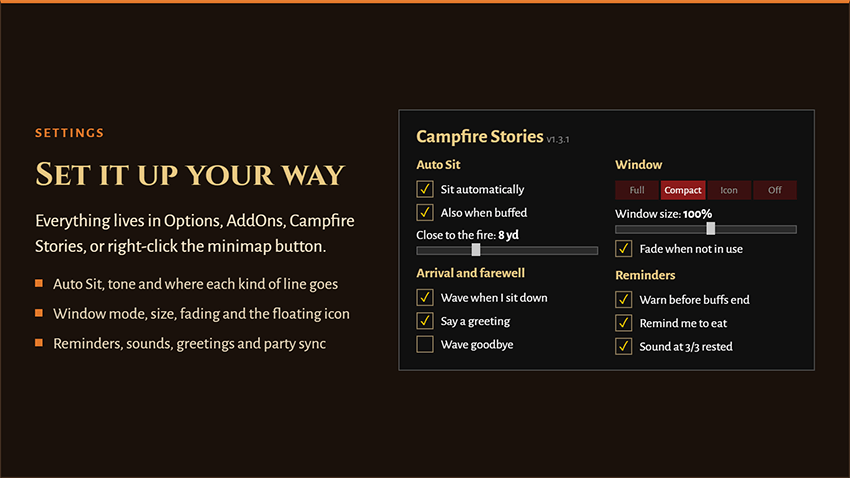
- Choose how it opens at a fire: full window, compact bar, a floating icon you can move, resize and lock, or not at all (minimap button only).
- Stays out of the way while you fly or ride over a camp. It opens once you land and dismount.
- Optional arrival and farewell: wave when you sit down, say a greeting, wave goodbye when you walk away from the fire. Greetings use /say; party chat only with friends and guildmates (your choice), never in dungeon finder groups, so pick-up groups don't get spammed.
- After the first sit it only sits you again when you stop close to the fire, never while you quest nearby.
- Waits while you talk to a vendor, while you're on a sleeping bag, in combat, mounted or moving.
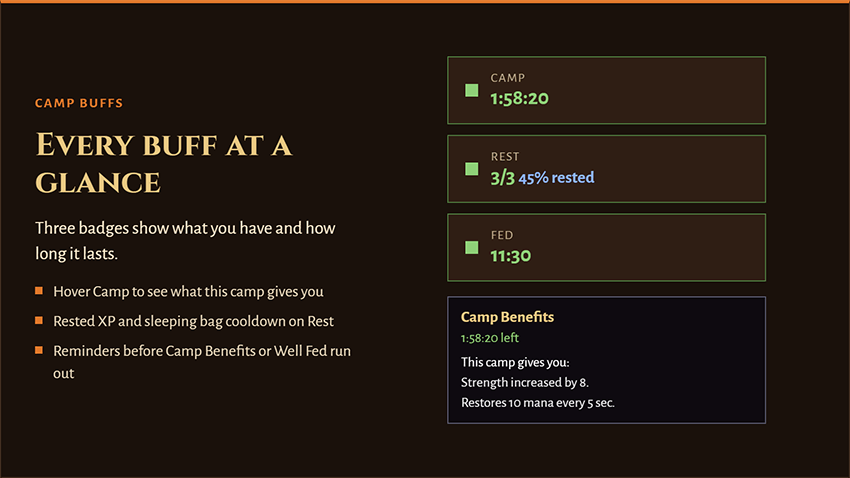
Every camp buff at a glance
- Countdown bar while you warm up, then Camp Benefits time left (1 h, or longer with Legacy perks).
- Buff badges for Camp, Rest (Cozy Sleeping Bag, 0/3 to 3/3, plus rested XP) and Fed.
- Hover the Camp badge to see what this camp gives you.
- Forgot to eat? The Fed badge says "Eat?" when you sit down without Well Fed. Click it to eat your best food, cooked food with the +5% kill XP bonus first.
- Sleeping bag cooldown counts down live: BAG 13:20, then BAG READY. Click the badge to put your bag down.
- Reminders before Camp Benefits or Well Fed run out. Optional soft sounds when the countdown finishes and at 3/3.
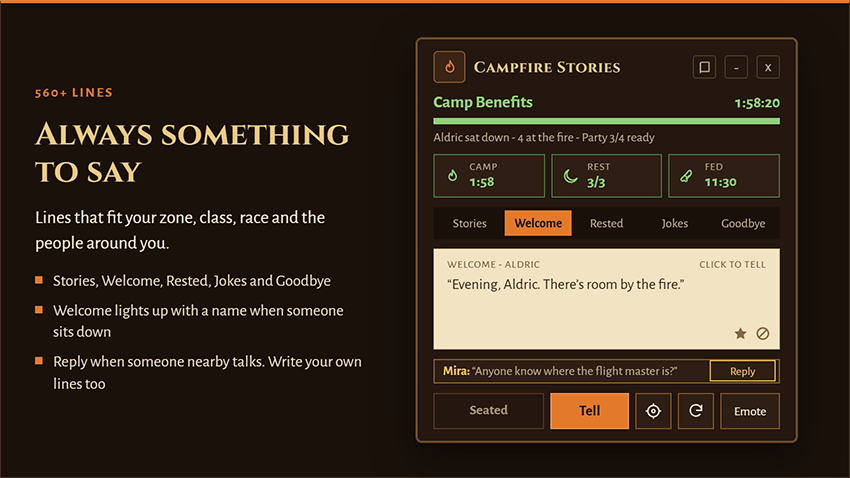
Something to say
- 600+ lines in five buttons: Stories (zone, lore, class and race), Welcome, Rested, Jokes and Goodbye, plus two-part stories ("So one time at band camp...").
- Lines fit your zone (34 zones, 5 to 7 lines each), class, race, time of day and who's around. Around 100 Stories lines for every character.
- Welcome lights up with a name when someone sits down, party members included.
- A live countdown while you nap on your sleeping bag: time to the next Well-Rested stack and to fully rested.
- Rested lines for every stage of a sleeping bag nap: lying down, 1/3, 2/3 and fully rested.
- Reply strip: when someone nearby talks, answer with a reply that fits a question, a laugh, a greeting or a wave.
- Holiday line packs that turn on by themselves during their week. Now on: Pilgrim's Bounty, with feast stories, turkey jokes and post-dinner naps.
- Star your favorites, hide the ones you don't like.
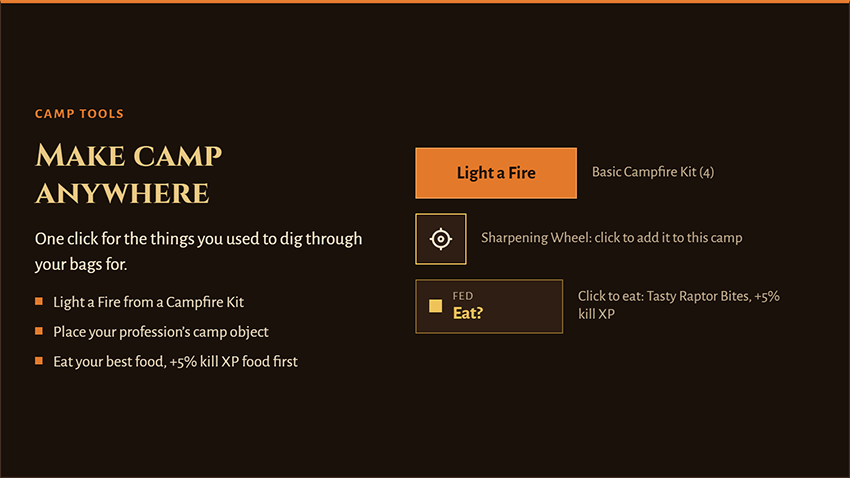
Camp and group tools
- Light a Fire from the window (or a key binding) using a Campfire Kit in your bags. It tells you when you can't: in cities, indoors, or without a kit.
- Place your camp object with one click, with its cooldown shown. All 35 profession objects are recognised, every tier of all 12 professions, from the First Aid Kit and Camp Tent to the Master Forge and Loom.
- Decorate your camp: the Scarlet Banner and other cosmetic items go on the same button. Mouse wheel or right-click to pick one, and add any item or toy the scan misses with /campfire object add followed by its link.
- Party roll call: see who still needs the camp buff or food, and post a camp check to party chat in one click.
- No repeated jokes: friends running Campfire Stories never tell the line you just told.
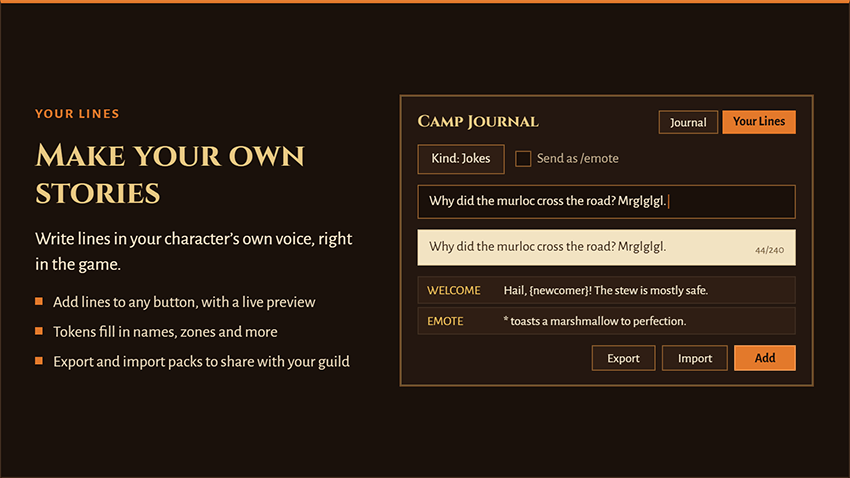
Your own stories
- Your Lines: write your own lines for any button, with a live preview.
- Export / Import line packs as text: trade them with friends, your guild or your RP group.
- Camp Journal (book icon in the window): fires visited, stories told, friends welcomed, time at fires, longest camp, favorite zone.
- Pass the Torch: take turns telling stories with party members who also run Campfire Stories.
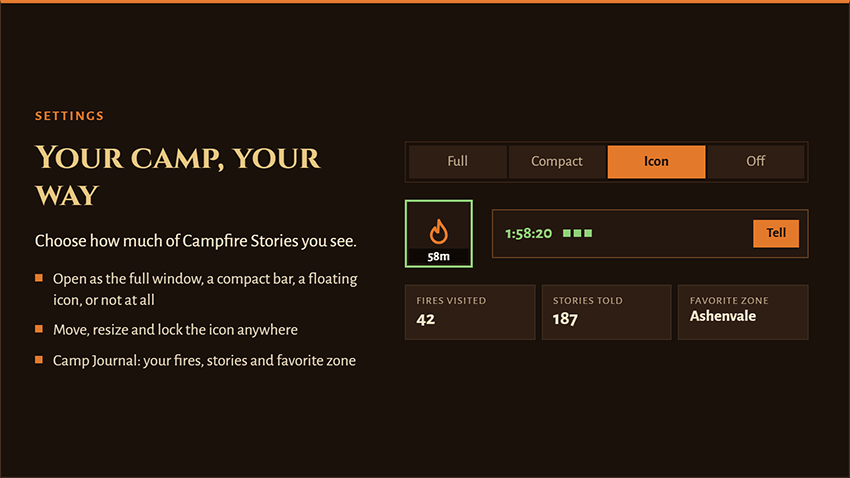
Stays out of your way
- Nothing is ever said without your click or key press (the game requires it, and it keeps camps spam-free).
- 30-second story cooldown by default, quiet mode for timers only.
- Shrinks to a slim compact bar once you're buffed, fades when you're not using it.
- Minimap button, key bindings and a full settings page.
Getting started
1. Walk up to any campfire and stop. You sit down and the Campfire window opens.
2. Pick a kind of line with the buttons, then click Tell (or click the speech bubble). Scroll on the bubble to shuffle.
3. Click the fire on your minimap to show or hide the window, right-click it for settings, Shift-click for the Camp Journal.
Commands
/campfire - Show or hide the window (/cs works too)
/campfire config - Settings
/campfire journal - Camp Journal
/campfire lines - Write your own lines
/campfire party - Who still needs the camp buff or food
/campfire food - Which food the Fed badge will eat
/campfire kit - Which Campfire Kit Light a Fire will use
/campfire object - Your camp objects and decorations (add <link>, remove <id>, next)
/campfire mode full, compact, icon or off - How it opens at a fire
/campfire torch - Start or pass the torch
/campfire bag - Tell your party your sleeping bag is free
/campfire season - Holiday lines on now (on or off)
/campfire help - Everything else
Key bindings: Options > Keybindings > AddOns > Campfire Stories. Tell, Shuffle, Take a seat, Emote, Put down sleeping bag, Light a fire, Eat best food, Place camp object.
FAQ
Does it talk for me?
No. WoW: Forever only lets add-ons use /say and /emote when you click or press a key, and Campfire Stories never tries to get around that.
Does it work in other languages?
Camp buff detection works in every language. Finding your sleeping bag, Campfire Kits, food, camp objects and decorations reads item names and tooltips, so those need an English client for now, as do the lines and window text.
Does it work in combat or dungeons?
The window hides in combat (optional). The add-on doesn't read your buffs while the game keeps them secret (combat, encounters, M+, PvP) and catches up as soon as it can, so you'll never see "secret" errors. The sleeping bag, Light a Fire, Eat and camp object buttons work out of combat only.
Can trial accounts use Pass the Torch?
No, trial accounts can't send add-on messages. Everything else works.
Compatibility
- WoW: Forever (interface 16001).
- No libraries required.
Feedback
Found a bug, or have a line you'd love to see in the next pack? Leave a comment on this page.
CampfireStories Team