Campfire Card Games
- By
10-race-decks.png
02-freecell.png
03-klondike-solitaire.png
08-texas-holdem.png
Description
Campfire Card Games
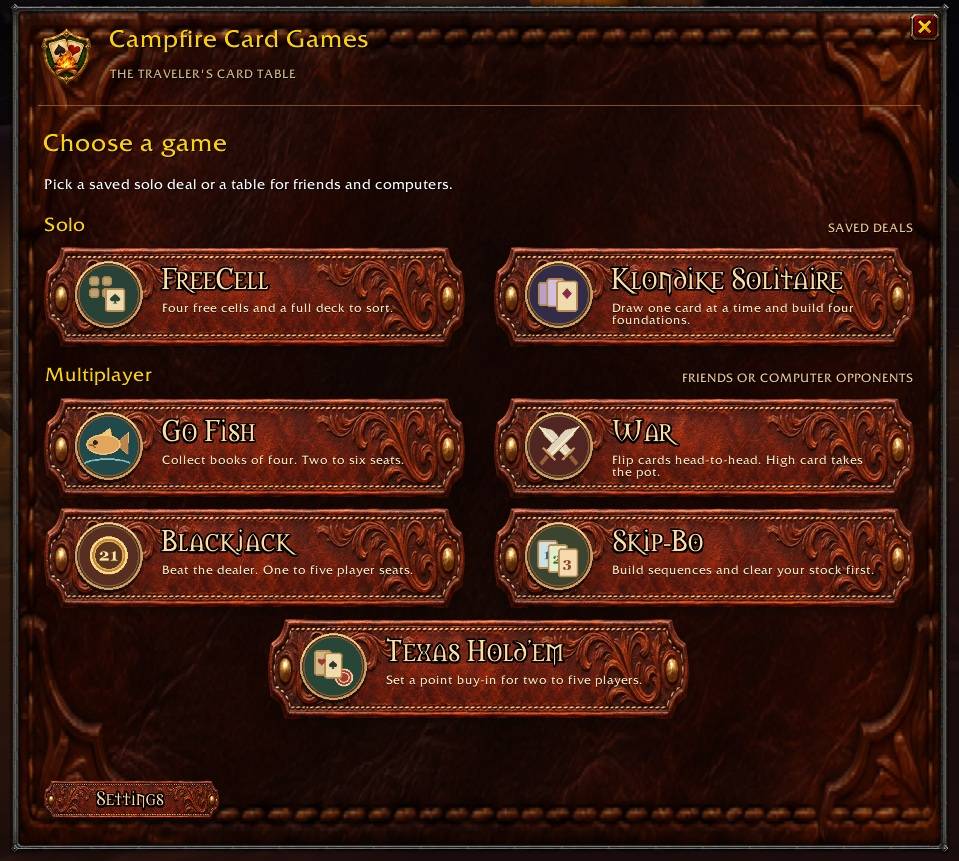
Pull up a chair at the campfire. Campfire Card Games brings nine card games to World of Warcraft: Forever, with saved solitaire deals, computer opponents, and multiplayer tables for friends. Play a quick hand on a flight path or settle in for a few rounds of poker.
Type /campcards or click the minimap badge to open the game menu.
Solo games
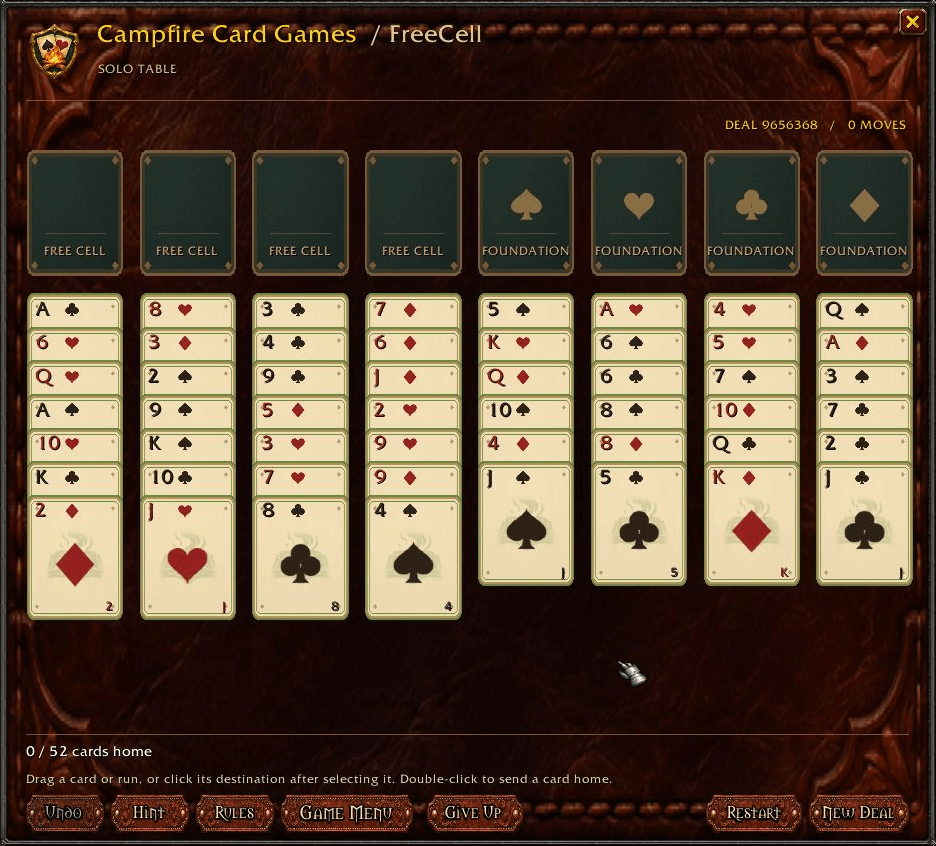
- FreeCell — Build four foundations from ace to king using four temporary free cells.
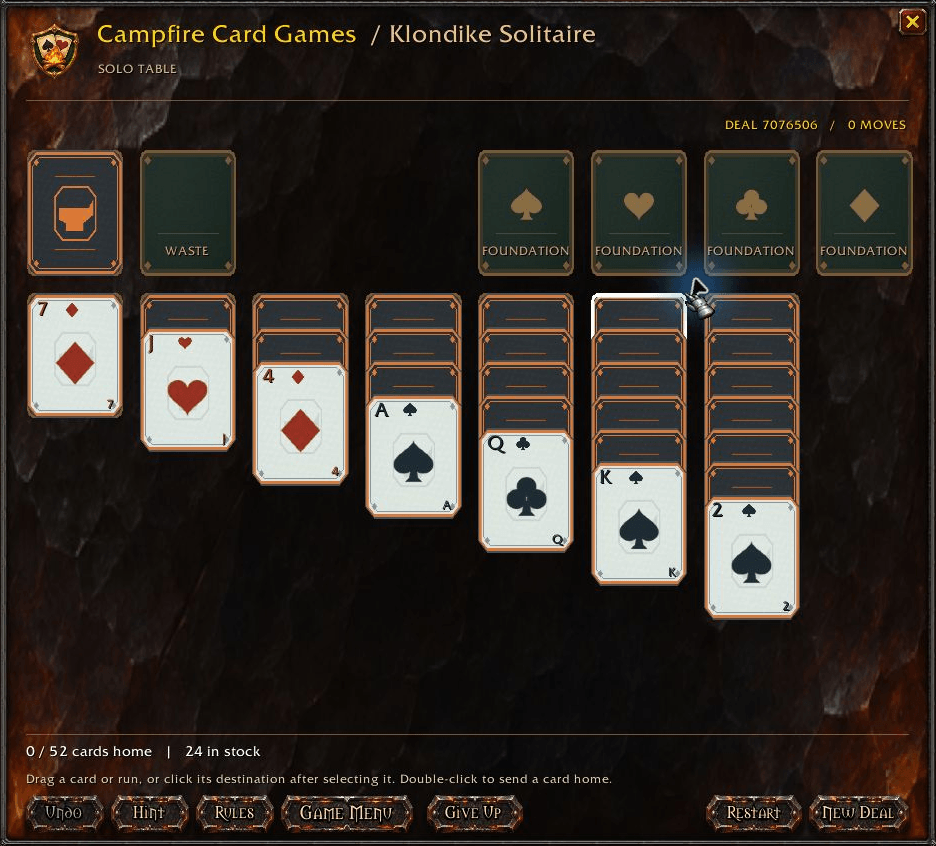
- Klondike Solitaire — Draw one card at a time, build alternating-color columns, and clear the tableau.
Both games support drag-and-drop, click-to-move, hints, and undo. Double-click an eligible card to send it to its foundation. Your solo deals pick up where you left off when you close the window.
Poker for 2–5 players
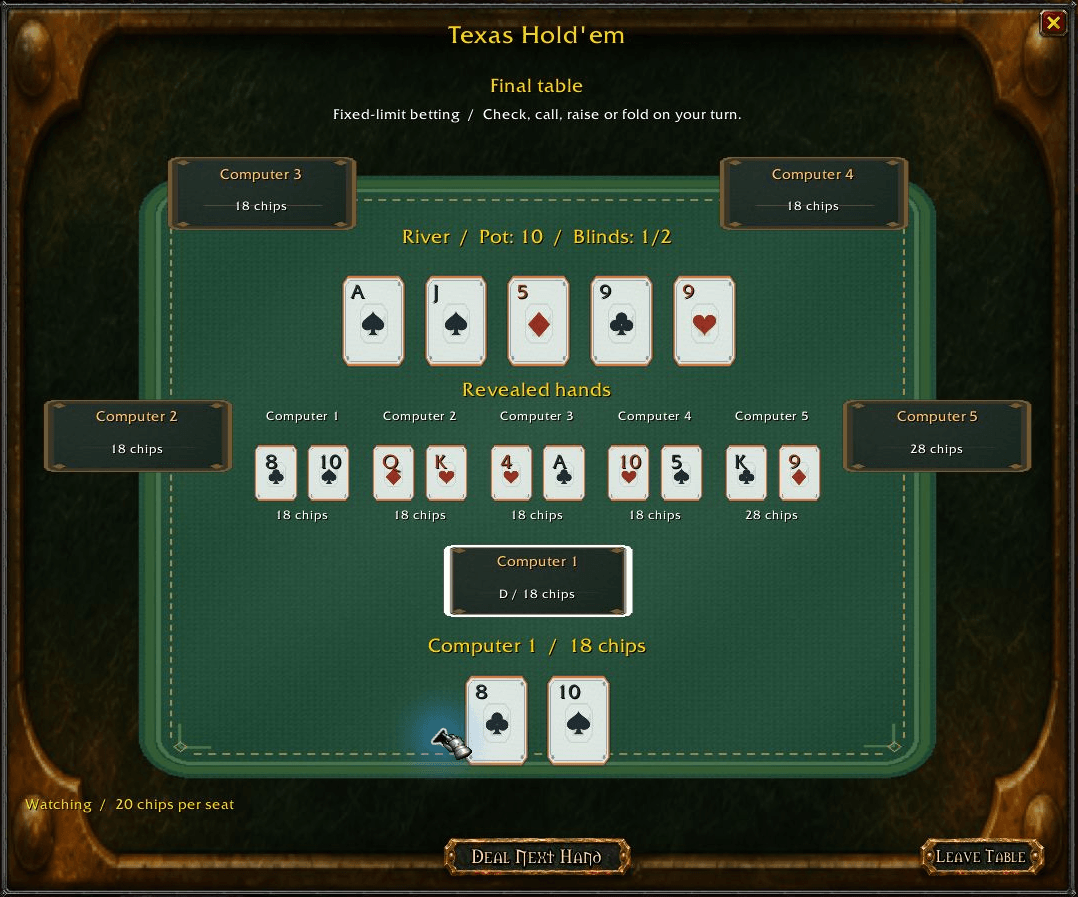
Play with friends, computer opponents, or a mix. You can also watch a five-computer table.
- Texas Hold’em — Start with two private cards and build your best five-card hand as the community cards flip on the flop, turn, and river.
- Five-Card Stud — Ante up, start with one private card and one upcard, and receive another upcard on each later street. The lowest opening upcard posts the bring-in.
- Five-Card Draw — Start with five private cards. After the first betting round, replace up to three cards or stand pat before the final round.
All three poker games show your current hand rank as you play. The chip pile grows as players add to the pot, and the exact total stays visible. Bet and raise notices show who acted, the amount, and whether they went all-in.
When the hand ends, the table shows pot winners, split pots, and revealed hand rankings. Folded players and winners by fold can choose whether to reveal their private cards. Leave the table or deal again from the same screen.
Each poker mode has its own saved 100-point starting balance. The host sets the buy-in, and human guests accept it before the deal.
More multiplayer games
- Go Fish · 2–6 players — Ask opponents for ranks you hold and collect books of four.
- War · 2 players — Flip cards head-to-head. The higher card takes the pot, and a tie starts a war.
- Blackjack · 1–5 players — Set your wager and play against the dealer. Each player’s cards appear at their seat, with one opponent starting card face down until the hand ends. Wagers can be adjusted in tens or entered directly. Your point balance saves between hands, and Reset to 100 is available in the lobby.
- Skip-Bo · 2–5 players — Build shared piles from 1 to 12 and be the first to empty your stock. Each seat shows its face-up stock card and four discard piles. Cards are color-coded by number range, and discard stacks fan out so you can see cards behind the top one.
Blackjack and poker use addon points. Every game has an in-game Rules guide, and poker includes a Hand Rankings tab with examples and tiebreakers.
Friends, nearby players, and privacy
Use Find Players to invite an online WoW character friend or look for nearby players who opted into discovery. Recipients get an Accept / Decline prompt. If an invited player is outside your WoW group, the host can send a party invite after they accept.
Under Settings → Multiplayer, you can turn off game invites or enable nearby discovery. Discovery starts off. You can also limit it to only while a Campfire Card Games window is open, including a window that opens automatically at a campfire. Nearby results depend on which players WoW exposes and which addon messages it delivers.
Frontier opponents, decks, and themes
Meet 14 Warcraft-inspired computer opponents, from Sheriff Ashford, a Human Paladin, to Silas Gravespur, an Undead Warlock. Lawkeepers and outlaws have illustrated seat portraits and different poker betting styles. Human seats use their WoW character portraits when the client can render them.
Open Computer Records to see each opponent’s wins, losses, ties, points earned, and net points. Records save on the host’s character.
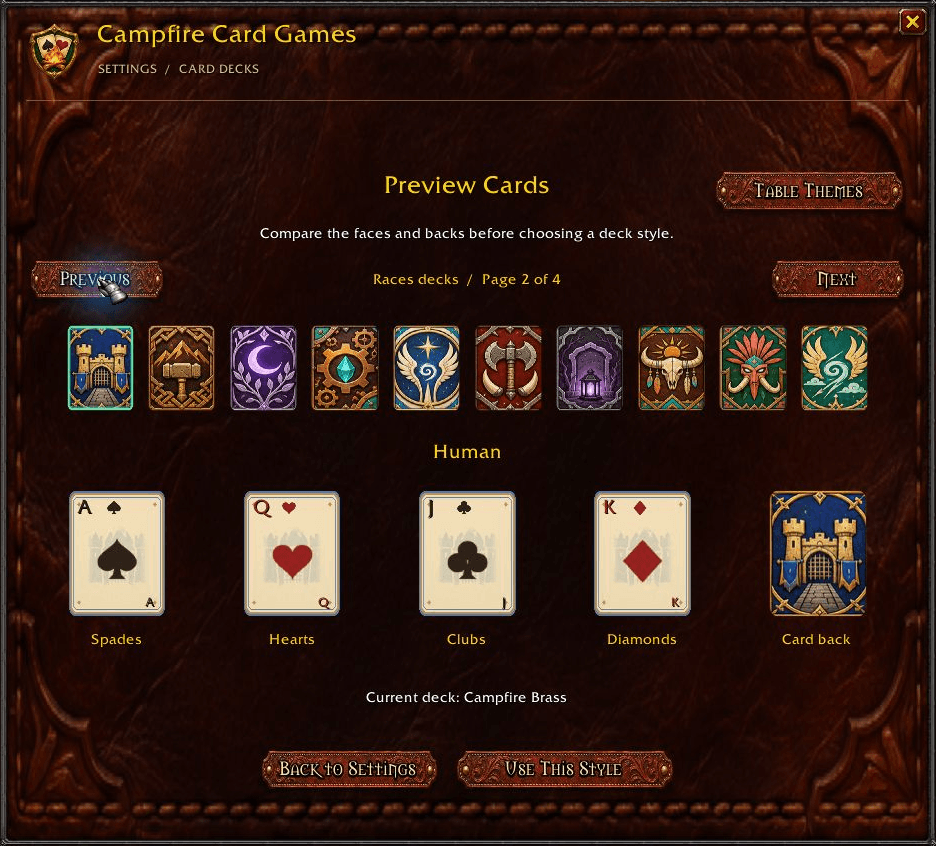
Mix and match 26 decks inspired by Warcraft classes, races, factions, and Western card rooms with five table themes:
- Tavern Timber
- Saddle Leather
- Forged Iron
- Saloon Sign
- Campfire Brass
Preview card faces and backs in Settings → Card Decks. Your starting deck matches your character’s class, and you can change it anytime. Themes include matching backgrounds, styled buttons, and stitched playmats.
Getting started
Install Campfire Card Games for WoW Forever through CurseForge, or extract the ZIP into _forever_/Interface/AddOns. Enable the addon and type /campcards after logging in.
Campfire rest auto-open starts enabled. Flight path auto-open and minimap badge visibility can be changed in Settings.
Campfire Card Games Team