Camp Buff Priority
- By
Ranks the camp buffs your group should set up, from who is in the group and which professions they have.
A World of Warcraft Forever addon that assigns camp buffs your group should set up based on priority.
What it does
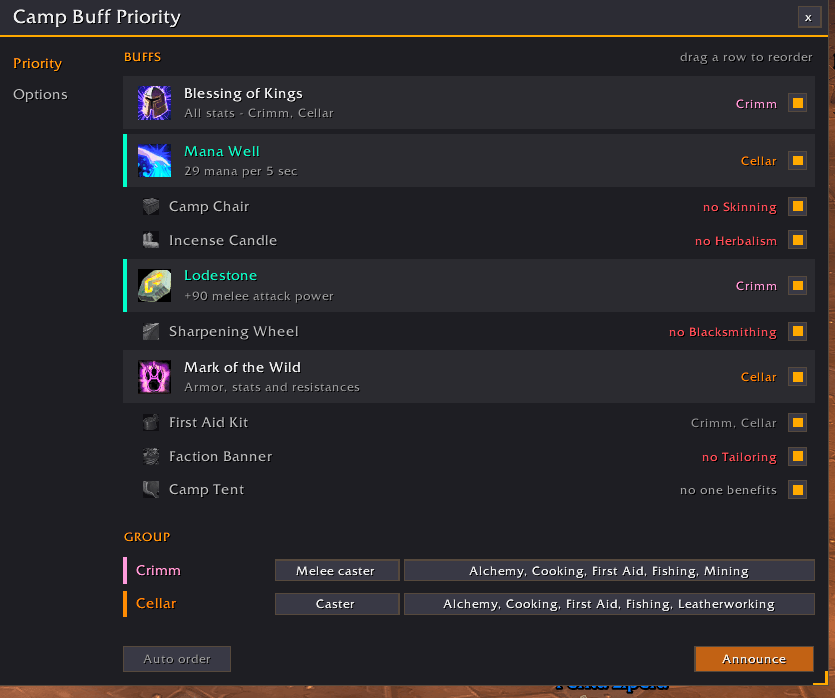
- Ranks the buffs for your group. Every buff is weighted by how useful it is to each member's role: Melee, Melee caster, Ranged or Caster.
- Accounts for class buffs. If a Priest, Druid, Mage or Shaman in the group already provides the stronger version, the camp object is not suggested. Paladin blessings are worked out per character.
- Assigns a placer to each object, one object per player, so the most valuable buffs are covered first.
- One list, in priority order, showing camp objects and class buffs together, with who places or casts each.
- Reads professions and talents automatically for group members in inspect range. Members who also run the addon share theirs directly.
- Overlay. A small window that appears while you are grouped and hides in instances. It can be minimized, moved and resized.
- Announce. Posts the placement list to party or raid chat, one line per object.
Using it
/cbp(or/campbuffs) opens the priority window.- Drag rows to set your own order. Untick a row to skip that buff.
- Click a member's role or profession list to correct it.
- Click a member's name in the overlay to choose what they place.
- The Settings tab holds the priority weights (0, 1 or 2 per role) and the tiebreak order.
Other commands: /cbp announce, /cbp scan, /cbp config, /cbp overlay, /cbp reset.
Good to know
- Class buffs are assumed from who is in the group, not from what has actually been cast. Talent-dependent buffs such as Moonkin Aura and Divine Spirit are not assumed.
- Reading another player's professions and talents needs them to be in inspect range and you to be out of combat. Until then they show as unknown or as a default role, and you can set either by hand.
- Automatic detection matches English profession and talent names. On other client languages, set professions and roles by hand.
Camp Buff Priority Team