


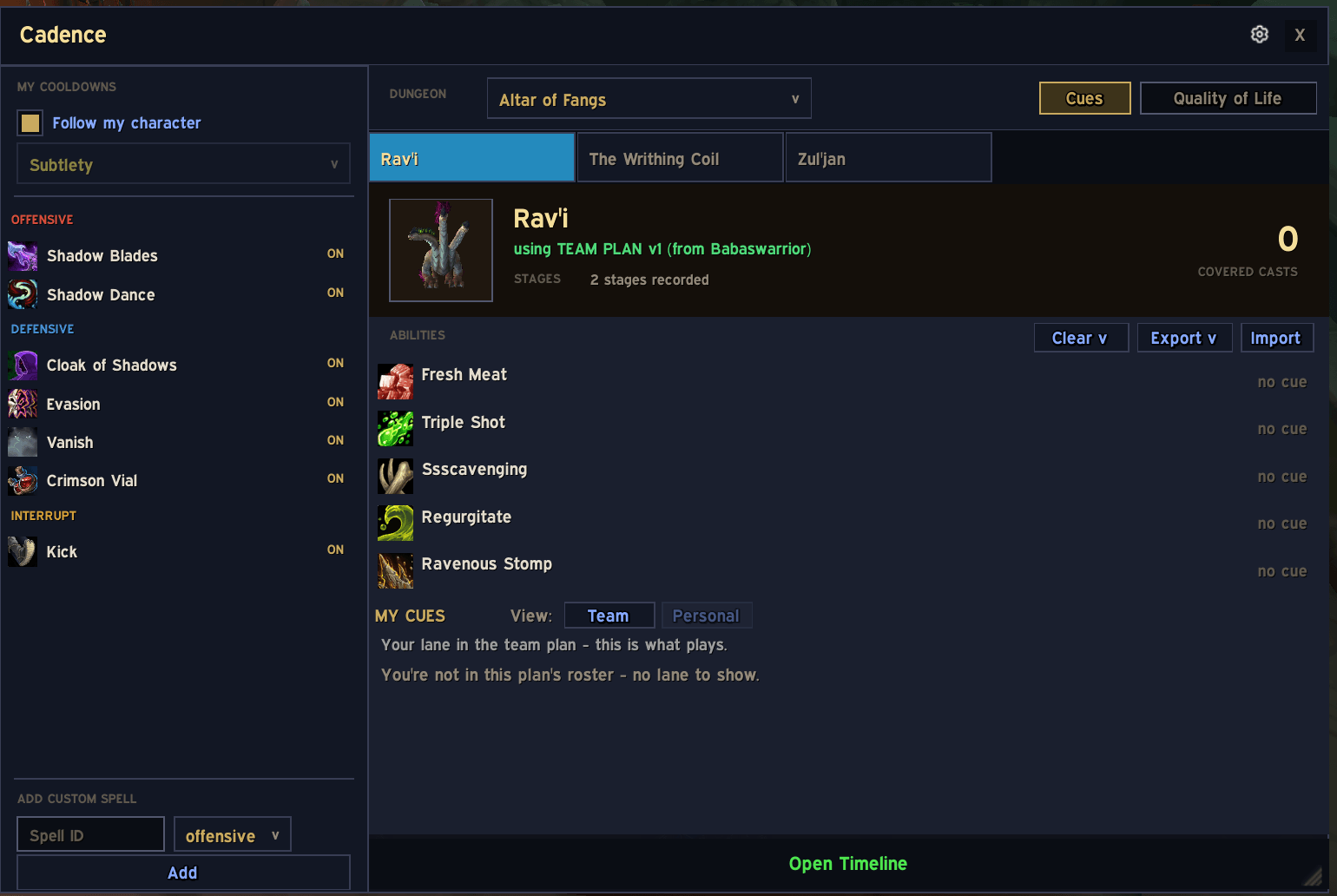
Main layout.png
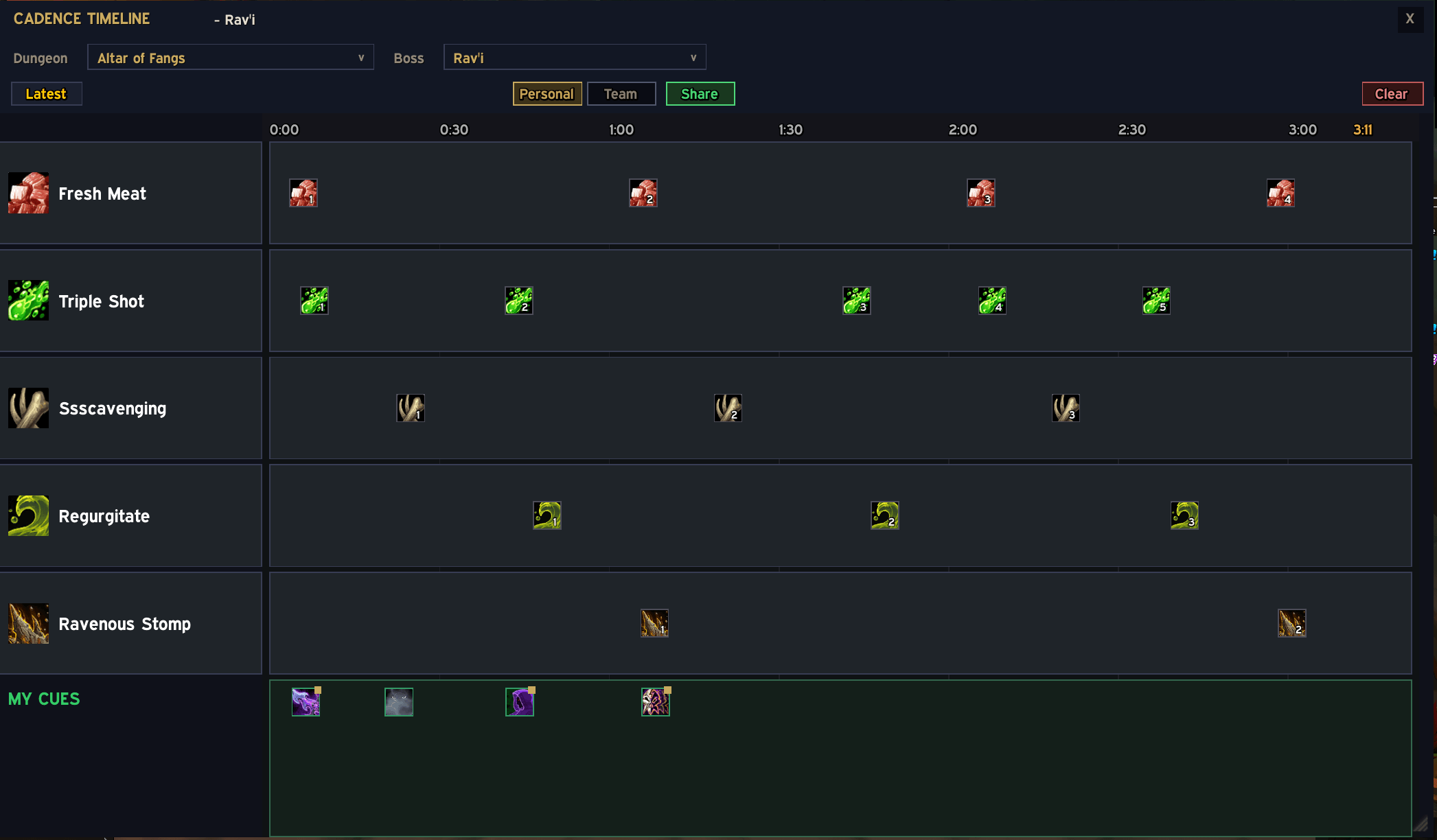
Personal.png
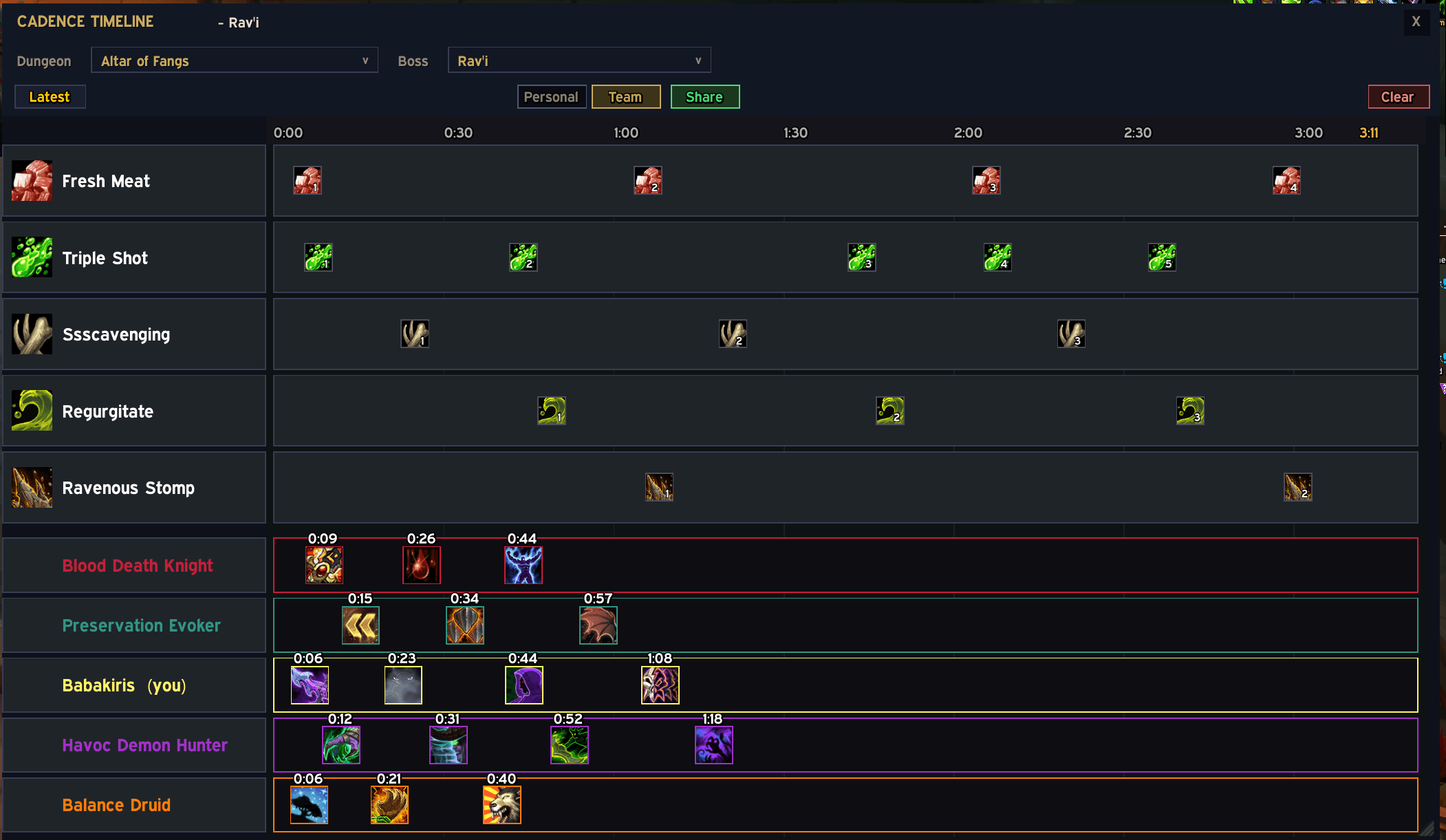
TeamTimeline.png
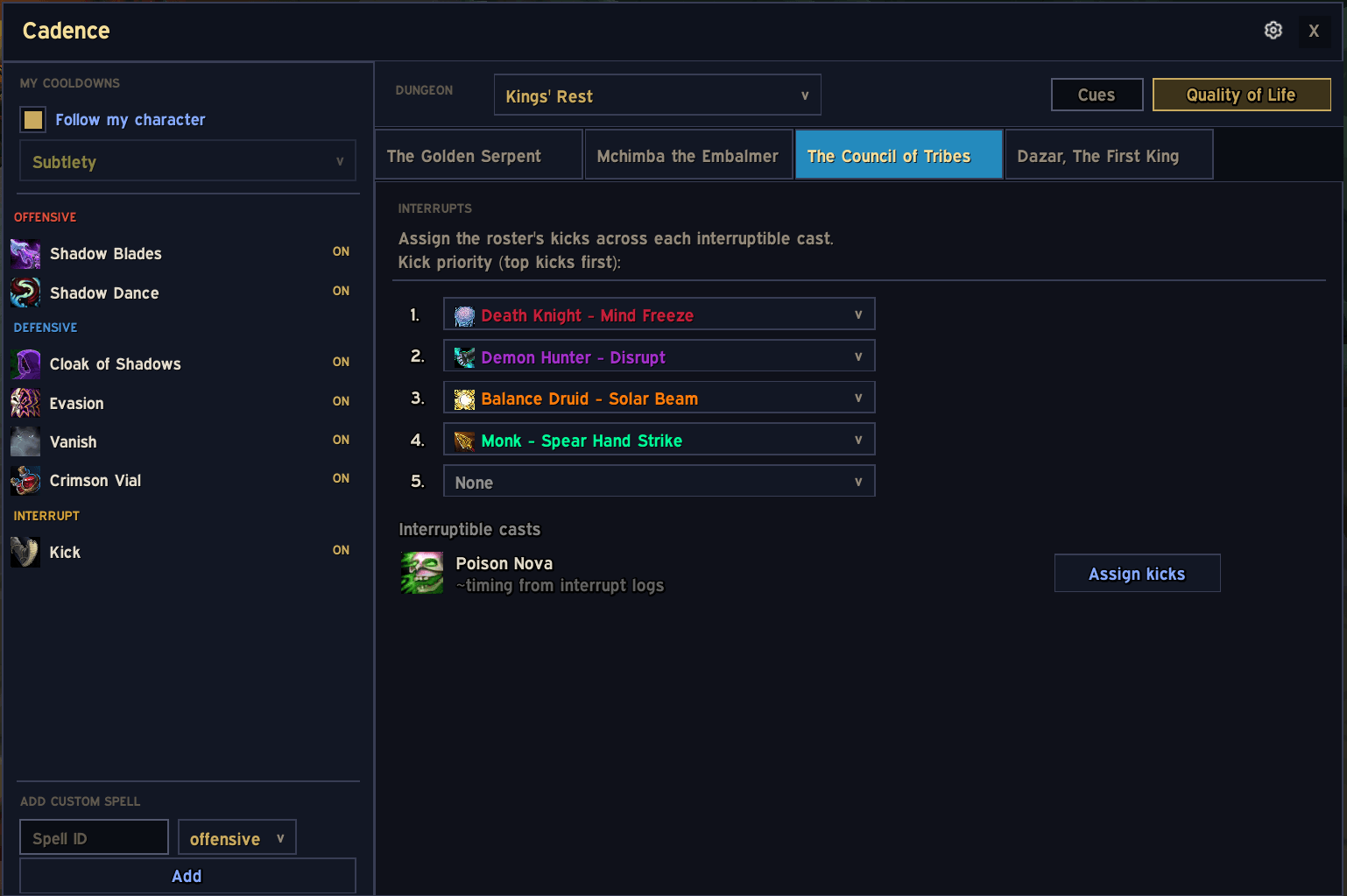
Interrupts.png
Description
Cadence
Know when to press your cooldowns.
You're in a +12. The tank pulls, the pack detonates, and you realize three seconds too late that you should have used your defensive. Again.
Cadence puts a countdown on your screen before the moment that matters. Not a generic "boss is casting something" warning — a specific reminder that you planned, for your cooldown, at the timing you chose.
How it works
Pick a boss. Drop your cooldowns onto its timeline: Anti-Magic Shell at 0:34, Vampiric Blood at 1:17. When the fight gets there, a cue appears — spell icon, countdown, sound, voice, glow. Whatever you set up.
No trigger logic, no conditions, no scripting. You decide when you want to press things, and the addon reminds you.
Everything is visual. Click the timeline to add a cue, drag it to re-time it, click it to edit. Boss ability timings ship bundled — mined from high-key logs — so you can plan from the first minute. Run a boss yourself and Cadence records that fight's timings too.
Don't know what to plan? Steal from the top parses.
Cadence has a companion site: https://cadencemdr.com
Pick a dungeon, a boss, and your spec, and it shows you the top 10 Mythic+ parses at every keystone level from +15 to +21 — real runs, from Warcraft Logs, laid out as timelines. You see exactly which cooldowns each player pressed and when, over the boss's own ability lane.
- Rows sorted highest key first, highest DPS within each key — a +15 player sees +15 peers, not a +20 parse from a different bracket
- Each run shows its DPS/HPS, the group comp as five spec icons, and a link to the original log
- Your spec's full kit stays visible, greyed out where a spell wasn't used
Found a run you like? Export it and paste the string into the addon with /cad import. That run becomes your cues.
The site is free, needs no login, and works on its own if you just want to see how the boss is played.
Team mode
One person builds the plan for the whole group. Five slots — tank, healer, three dps — one lane each, cooldowns assigned wherever you want them. Share it with the party and everyone gets their own lane: they see only what's theirs, nobody reads someone else's assignments.
Already set up your own cues? Send them to whoever's running the plan. They review what you sent, accept it, and it drops into your lane. You don't lose the work you already did.
Change something later, hit Share again. Everyone updates without another popup.
Cadence never fires personal and team cues at the same time — /cad cuesource decides which wins.
Getting started
- Type
/cador click the minimap icon - Pick a dungeon and a boss
- Click a cooldown on the left, click a time on the right
That's it. Open the timeline view (/cad tl) to see the boss's abilities laid out and place your cues against them.
Requirements
- WoW Retail 12.0.7+ (Midnight)
- No dependencies. Every library ships bundled.
- BigWigs is optional — it sharpens live timing when present, and nothing breaks without it.
Status
Personal mode is feature-complete and in daily use. Team mode is core-complete and has been live-tested across two clients — but it's had far fewer eyes on it, so if something looks wrong there, tell me.
Sharing plans in a group? Everyone needs 0.1.5 or newer. Version 0.1.4 shipped with broken serialization libraries, and cross-client sharing will silently fail against it.
Feedback
Bug reports and suggestions are welcome in the comments. If something breaks, /cad debug TEAM (or CONFIG_UI) turns on the relevant logging — paste what it prints and it'll save us both time.
Boss timing and player cast data are derived from Warcraft Logs and used under their API terms. © Warcraft Logs.
CadenceMDR Team
