
ButtonTimers Forever
- By
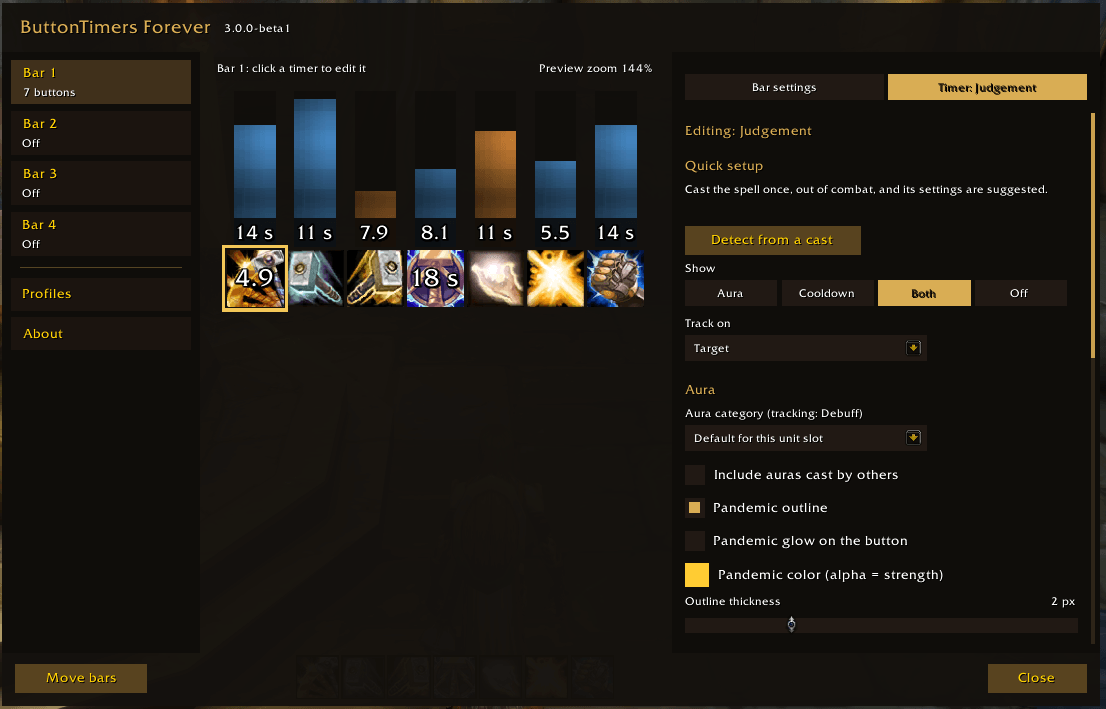
01-settings-window.png
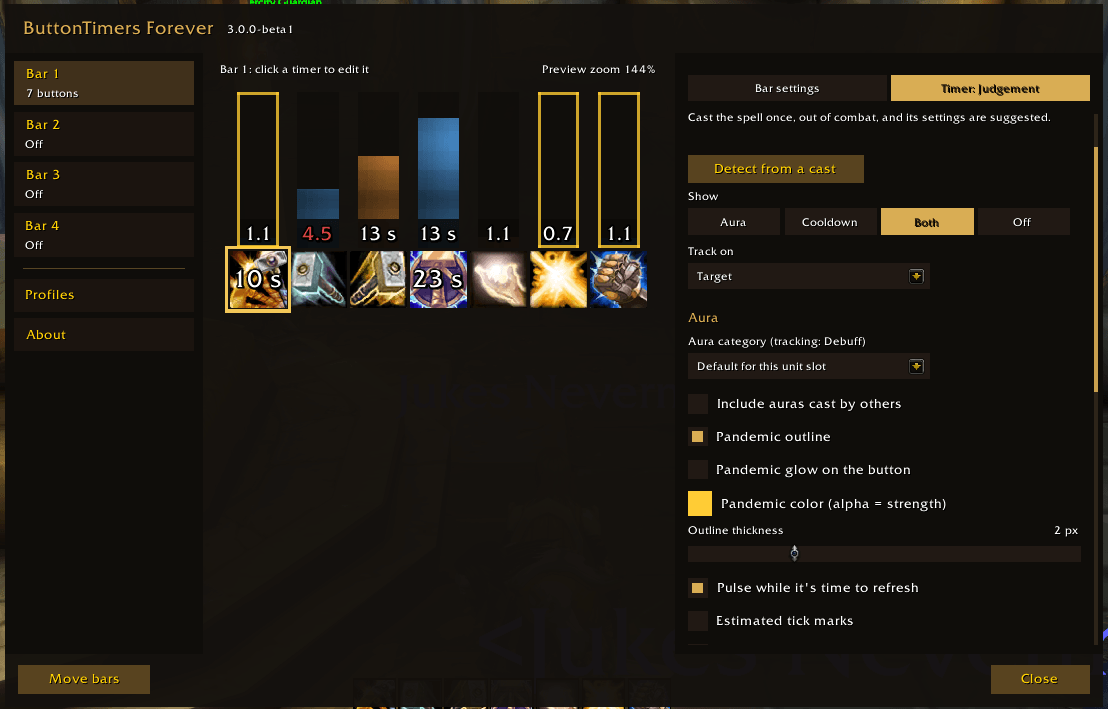
02-settings-pandemic-preview.png
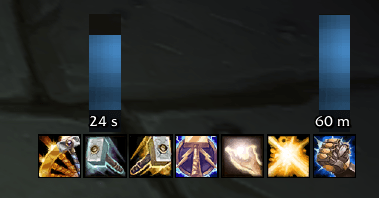
03-bar-in-game-small.png
Description
ButtonTimers Forever
Aura and cooldown timers on your action buttons, rebuilt to work in combat under Midnight's secret-value rules.
Works on WoW: Forever (1.60.1) and Retail Midnight (12.1.5).
Timers are verified in game, in and out of combat, on both. Please report anything odd, and include the output of
/btf probe combat.
What it does
Each bar is a row or column of clickable action buttons that mirror one of your action bars. Each button can show a timer bar beside it, or a countdown right on the icon.
| Timer | Shows |
|---|---|
| Aura | Your DoT, debuff or buff on the tracked unit, with stacks |
| Cooldown | Time until the spell is ready, including charge recharges |
| Both | The aura on the bar and the cooldown on the button |
| Totem | A totem slot's remaining time |
Why "Forever"?
The original ButtonTimers stopped working when Midnight introduced secret values: in combat, the game hides aura and cooldown numbers from addons, so they can't do math on them. ButtonTimers Forever's timer engine was rebuilt from scratch on Blizzard's secret-safe APIs: the game itself drives every bar, countdown and pandemic warning, so they stay accurate in combat.
Features
- Track on target, focus, player, pet, vehicle, a named party or raid member, boss 1 to 5, or a totem slot. You can also make the button cast on that unit.
- Pandemic outline and glow: an outline on the bar and a glow on the button while refreshing the aura loses no time. You choose the color, the thickness and whether it pulses.
- Estimated tick marks for DoTs, adjusted for your haste (off by default).
- Warnings: the countdown text turns red when there's less time left than the spell's cast time, and can fade toward your warning color as time runs out.
- Usable and range, like the game's bars: buttons dim spells you can't cast right now (blue when you lack the resources, grey otherwise), and the keybind turns red when your target is out of range.
- Timer adjust: add or take seconds off cooldown timers.
- Quick setup: cast a spell once out of combat, and the addon suggests that timer's settings for you to review.
- Extra auras: also track other auras on the same button, by name or spell ID.
- One settings window: your bars on the left, a live preview you can click, and the settings on the right. Open it with
/btf, from the game's Settings > AddOns list, or from the minimap button or the addon list by the minimap. There, right-click locks or unlocks your bars and Shift-click opens the bug report. - Profiles: per character, switched automatically by specialization. You can export a profile as text and import it in the other game or share it with a friend.
- Snapping: a bar you drag snaps to other bars and to the screen edges, with guide lines. Hold Shift to place it freely.
- Layouts: vertical or horizontal bars, with timers on either side or on the icons.
- Fonts and textures from LibSharedMedia, and Masque skins.
Getting started
- Install, then restart the game fully:
/reloaddoesn't pick up a new addon. - Bar 1 starts unlocked on action bar 10 (slots 109 to 120). Drag it where you want it, then lock it with
/btf lock. - Open
/btfand set Starts at to the action bar you want to mirror. - Click each timer in the preview to set what it shows and what it tracks. Self-buffs should track the Player.
Commands
| Command | Does |
|---|---|
/btf |
Open the settings window |
/btf lock / /btf unlock |
Lock bars in place, or unlock them to drag. Lock before dragging spells onto them. |
/btf reset |
Move bars back to the center |
/btf minimap |
Hide or show the minimap button |
/btf preview [bar] |
Show a sample of a bar with test timers |
/btf probe combat |
Check which game values are hidden in your next fight, for bug reports |
Key bindings are under Key Bindings > ButtonTimers Forever.
Known limitations
These come from the game's rules for addons, not from bugs:
- Quick setup can't detect DoTs you cast on enemies: casting one starts combat, and in combat the game hides the values Quick setup needs. Set those timers up by hand, or add the aura's spell ID under "Also track".
- Tick marks are estimates: addons can no longer see real ticks, so the marks can drift after you refresh a DoT.
- The bar doesn't turn red near the end in combat, because the game blocks it. The countdown text still does.
- Fixed-length bars apply only to cooldown timers. Aura bars always show the full duration.
- Added seconds from Adjust timer can end early if the bar was hidden in combat while the cooldown finished, because the game hides the exact end time in combat.
Credits
Created by Cyraxes. Based on the original ButtonTimers by Misen and Stencil, with contributions by Turducken_McNugget.
ButtonTimers Forever Team
